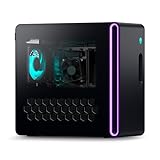
A mini PC with a genuinely discrete graphics card does exist — but only in a few specific chassis classes, and almost nothing under roughly 2.5 liters puts a desktop GPU inside the box. If you’ve been searching for a “mini CPU with graphics card” muscle, your real options are: soldered laptop-class GPUs in 2.5–4 L enclosures, a rare few chassis with an actual PCIe slot for low-profile cards, slightly larger shoebox SFF builds with full desktop GPUs, or a desktop card bolted on externally through OCuLink. Anything smaller advertising “discrete graphics” is usually just a fast iGPU wearing a marketing badge.
As an Amazon Associate we earn from qualifying purchases at no extra cost to you.


First, know which kind of “dedicated” you’re buying
The spec sheet term “dedicated graphics” covers four very different machines:
- Soldered mobile GPU (BGA): The same silicon as a gaming laptop, permanently attached to the mainboard. This is what ~90% of “gaming mini PCs” are. Never upgradable — when the GPU dies or ages out, the whole board goes with it.
- Slotted desktop card: A half-height, half-length (HHHL) PCIe slot inside the chassis. Real desktop/workstation silicon, usually limited to slot power (~75 W max).
- MXM modules: A socketed mobile card standard that survives mostly in industrial PCs. It exists, but it is not a practical consumer upgrade path — don’t buy a mini PC banking on it.
- External GPU: A desktop card in a dock, connected over OCuLink or USB4/Thunderbolt. Maximum flexibility, minimum tidiness.
One boundary case worth knowing: AMD’s Strix Halo chips (Ryzen AI Max, e.g. the Framework Desktop) carry a Radeon 8060S integrated GPU that rasterizes roughly in RTX 4060-laptop territory using a large unified memory pool. It is not discrete silicon, but for many buyers it quietly solves the same problem — at the cost of soldered RAM and no CUDA.
The four real categories
| Path | Chassis size | GPU silicon | GPU power | Examples |
|---|---|---|---|---|
| Soldered mobile GPU | 2.5–4 L | RX 7600M XT, RTX 4070 laptop, Arc A770M | 90–140 W | Minisforum AtomMan G7 PT / G7 Ti, ASUS ROG NUC, Intel NUC 12 Enthusiast |
| Internal HHHL slot | 1–3.5 L | Low-profile desktop/workstation cards | 35–75 W | Minisforum MS-01 + RTX 4000 SFF Ada; ThinkStation P3 Tiny, HP Z2 Mini, Dell Precision 3280 Compact |
| Console-size SFF | 8–14 L | Full desktop dual-fan cards | 200–250 W | Zotac Magnus One class |
| External dock | +2–8 L box | Any desktop card, or mobile GPU in dock | 120–350 W | Minisforum DEG1 + your card, GMKtec AD-GP1, OneXGPU 2 (RX 7800M), Beelink GTi Ultra + EX dock |
Soldered mobile GPUs: the mainstream answer
This is the category most shoppers actually want. The Minisforum AtomMan G7 PT pairs a Ryzen 9 7945HX with a 120 W RX 7600M XT; the G7 Ti and ASUS ROG NUC run a 140 W RTX 4070 laptop part, and the ROG NUC’s 2025 refresh moved into RTX 50-series mobile silicon. The older NUC 12 Enthusiast (Arc A770M, 16 GB) still floats around as a budget AV1-friendly option. Expect roughly 1080p ultra / 1440p high gaming from ~3 liters, single power brick, zero assembly — and fan noise closer to a console under load than a silent office box.
Mini PCs with a real PCIe slot
The Minisforum MS-01 is the enthusiast favorite: a PCIe 4.0 x8 HHHL slot inside a ~1.7 L chassis. The catch is power — no auxiliary PCIe cables, so you’re capped at ~75 W slot-fed cards. That sounds limiting until you see what fits: an RTX 4000 SFF Ada delivers roughly desktop RTX 3070-class performance with 20 GB VRAM at 70 W. Workstation boxes like the ThinkStation P3 Tiny (~1 L, T1000/A1000-class cards) and Dell Precision 3280 Compact sell the same trick pre-integrated — compact, certified, and priced for corporate budgets, typically $1,200+ configured.
Stretching “mini” to shoebox: desktop cards inside
Once you accept 8+ liters, real desktop GPUs fit. Zotac’s Magnus One line (~8.3 L) has shipped with full dual-fan desktop cards — recent configurations run a desktop RTX 4070 at its full ~200 W. That buys roughly a tier more performance than any soldered box, plus the option to swap the card later. At this size, though, you’re competing with DIY ITX builds, so you’re paying for the integration.
External docks: the flexible escape hatch
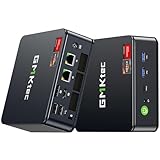
Many 2024–2026 Chinese mini PCs (GMKtec, Beelink, Minisforum) include an OCuLink port — a raw PCIe 4.0 x4 link. Pair one with a bare dock like the Minisforum DEG1 (~$100–150, bring your own PSU and card) and you get near-desktop GPU performance behind a tiny PC. Self-contained options exist too: the GMKtec AD-GP1 and OneXGPU 2 (RX 7800M, 12 GB) put the GPU in the dock itself, and Beelink’s EX dock mates the GTi Ultra series to a full-length card over a native x8 connector.
| Link | Usable PCIe bandwidth | Typical 1440p fps loss vs. internal card | Notes |
|---|---|---|---|
| USB4 / Thunderbolt 4 (40 Gbps) | ~3–4 GB/s | ~10–25% | Hot-plug, universal, dock tax is real |
| Thunderbolt 5 (80 Gbps) | ~6–7 GB/s | ~5–10% | Still rare on mini PCs |
| OCuLink (PCIe 4.0 x4) | ~6–7 GB/s | ~3–8% | Cheap, fast, not hot-plug, occasional boot quirks |
| Internal PCIe 4.0 x16 | ~31 GB/s | Baseline | Magnus One-style desktop card |
Tip that saves real fps: run your monitor from the eGPU’s outputs, not the mini PC’s — sending frames back through the cable is where half the bandwidth penalty comes from.
The math that decides which tier you need
Power budget. A soldered 3 L box typically ships with a ~330 W brick. Knock off ~10–15% for conversion losses and headroom and the chassis can shed roughly 270–290 W of heat — which is why the internal split lands around 80–100 W CPU + 120–140 W GPU + ~30 W for memory, VRMs and fans. A desktop RTX 4070 alone is a 200 W card; there is physically no way to cool one inside a 3-liter brick. That arithmetic, not cost-cutting, is why mobile silicon dominates this segment.
The same-name trap. “RTX 4070” exists at 35 W in thin laptops, 140 W in these mini PCs, and 200 W as a desktop card — three meaningfully different products. Within an architecture, fps scales roughly with wattage: a 140 W mobile 4070 benchmarks closer to a desktop RTX 4060 Ti and sits ~15–25% behind the real desktop 4070. Always compare the TGP line in the spec sheet, never the GPU name. Handy shortcut: the power-brick wattage is an honest proxy for a box’s sustained thermal envelope.
VRAM by resolution. At 1440p with ultra textures, current AAA releases commonly allocate 10–13 GB. Working rule: ~2 GB goes to framebuffer/OS overhead at 1440p, leaving an 8 GB card (RX 7600M XT, RTX 4060/4070 mobile, RTX 4060 LP) short on texture headroom — honest 1080p parts. For 1440p-high longevity, target 12 GB+: the RX 7800M (12 GB), Arc A770M (16 GB, a sleeper strength), a docked 16 GB 4060 Ti, or the 20 GB RTX 4000 SFF Ada.
Match your situation to a chassis
- “Tidy box, zero tinkering, 1080p high / 1440p medium”: soldered mobile GPU. G7 PT class (~$700–1,000) for value, G7 Ti / ROG NUC ($1,000–1,400) if you need CUDA.
- “Maximum CUDA cores and VRAM per liter” (rendering, local AI, CAD): slotted or workstation box — MS-01 + RTX 4000 SFF Ada, or a P3 Tiny / Z2 Mini / Precision 3280 Compact.
- “Highest fps per liter and I can live with a shoebox”: Magnus One-class desktop card.
- “Cheapest path to real desktop GPU performance, desk never moves”: any OCuLink-equipped mini PC + bare dock + the card you choose. Upgrades forever; ugly cabling forever.
- “I just want small and quiet-ish for couch gaming”: honestly consider a Strix Halo iGPU machine or a console — the dGPU tax in 3 L is real.
Before buying any of these, verify four spec lines: GPU TGP (not just the model name), VRAM, power-brick wattage, and HDMI 2.1 if you’re targeting a 4K/120 TV.
FAQ
Can I upgrade the GPU in a mini PC with dedicated graphics later?
Only if it has a slot or a dock. Soldered mobile GPUs — the G7 PT, G7 Ti, ROG NUC, Serpent Canyon — are permanent. The MS-01-style PCIe slot, the Beelink EX dock, and OCuLink eGPUs are your only upgradeable paths.
Is OCuLink really better than USB4 for an external GPU?
For pure performance, yes — roughly double the usable PCIe bandwidth and cheaper docks. USB4 wins on convenience: hot-plug, power delivery, and portability. If the PC stays on one desk, OCuLink; if you dock and undock daily, USB4.
Why not just buy a gaming laptop instead?
Fair question — it’s the same silicon. A laptop bundles screen, keyboard, and battery at a similar price. The mini PC makes sense when you want it living under a TV or driving a permanent multi-monitor desk, where it generally sustains its rated TGP better than a thin laptop chassis.
Does anything under 1 liter have a real GPU?
Effectively no. The floor is the ~1 L ThinkStation P3 Tiny with a 50 W workstation card — fine for CAD and esports titles, not AAA gaming. Below that, every “powerful graphics” claim is an iGPU.