

- Top Pick: POWERHOUSE: Proven AI Playbook to 10x Your Business and Leadership Impact: 10 Plug-and-Play Artificial Intelligence Driven Business Ideas and Strategies for Aspiring Entrepreneurs and Leaders
- Best Value: Productivity Powerhouse: Daily Planner
- Premium Choice: Task Tamer: Conquer Your To-Dos with Ease | Non – Dated | Red Theme: The Productivity Powerhouse: Get More Done with Our To-Do List
Affiliate disclosure: As an Amazon Associate we earn from qualifying purchases. This post contains affiliate links — if you buy through them we may earn a small commission at no extra cost to you. This never affects our recommendations.
Streaming while gaming puts serious demands on your CPU. Unlike pure gaming (which is GPU-limited), software encoding for streaming (OBS x264) is very CPU-intensive. You need a processor with enough cores to handle both tasks simultaneously without bottlenecking your game.
As an Amazon Associate we earn from qualifying purchases at no extra cost to you.



In a hurry? See the top-rated CPUs for Streaming and Gaming deals available right now:
⚡ Save on Your Next PC — Amazon Prime
Prime members get fast free shipping on the systems above, plus early access to Prime Day & Black Friday PC deals. New members get a 30-day free trial.
Watch: Best CPUs for Streaming and Gaming in 2026 — Dual-Task Powerhouses — Video Review
Best CPUs for Streaming and Gaming

Best Seller
Intel® Core™ Ultra 5 Desktop Processor 225 10 cores (6 P-cores + 4 E-cores) up to 4.9 GHz

Editor's Pick
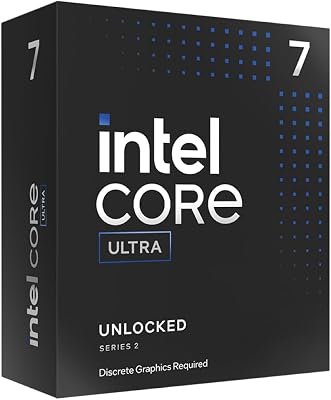
Intel Core Ultra 7 Desktop Processor 265KF – 20 cores (8 P-cores + 12 E-cores) up to 5.5 GHz

Prime
Limited Time
Intel® Core™ Ultra 9 Processor 285K 24 cores (8 P-cores + 16 E-cores) up to 5.7 GHz
Prime
Top Rated
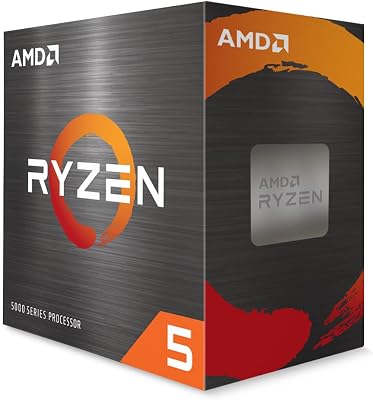
AMD Ryzen 5 5500 6-Core, 12-Thread Unlocked Desktop Processor with Wraith Stealth Cooler
Why Streaming Needs a Powerful CPU
Software vs Hardware Encoding
Software encoding (x264): Uses your CPU cores to encode video. Produces the best quality but consumes significant CPU resources — a 12-core CPU running x264 at “Fast” preset uses 60–80% of cores just for encoding.
Hardware encoding (NVENC/AMF): Uses your GPU’s dedicated encoding chip. Modern NVIDIA NVENC (RTX 40-series) produces near-x264 quality with almost zero CPU/GPU performance impact. Most streamers use NVENC in 2026.

The NVENC Solution
If you have an RTX 30 or 40-series GPU, NVENC encoding is so good that CPU core count matters far less. A 6-core Ryzen 5 7600X + RTX 4070 handles 1080p60 streaming and gaming easily with NVENC. You only need a monster CPU if you’re streaming at 1440p with x264 fast or better.
How Many Cores for Streaming?
- 6 cores: Fine with NVENC/AV1 hardware encoding
- 8 cores: Comfortable with software x264 at medium preset
- 12 cores: Excellent for simultaneous x264 slow preset + gaming + recording
- 16+ cores: Future-proof, handles any streaming scenario plus heavy multitasking
Best CPU Architecture for Streaming
AMD Ryzen 7 7700X and Ryzen 9 7900X
AMD’s Zen 4 architecture delivers excellent multi-threaded performance for x264 encoding. The Ryzen 7 7700X (8 cores) is the sweet spot for gaming streamers. The Ryzen 9 7900X (12 cores) is overkill for most but ideal for professional content creators.
Intel Core i7-14700K and i9-14900K
Intel’s hybrid architecture (P-cores + E-cores) shines in streaming. The i7-14700K with 8P + 12E cores handles streaming like a champ, offloading encoding tasks to E-cores while P-cores run the game at full speed.
Frequently Asked Questions
Can a 6-core CPU handle streaming in 2026?
Yes, with hardware encoding (NVENC/AMF). A Ryzen 5 7600X + RTX 4070 running OBS with NVENC at 1080p60 works perfectly. Software x264 encoding at quality presets requires 8+ cores for a smooth experience.
Should I use a dual-PC streaming setup?
Only if you’re a professional streamer who needs absolute top streaming quality while maintaining competitive gaming performance. For most streamers, a single PC with 8+ cores and NVENC is more than sufficient and much cheaper.
Does streaming hurt gaming performance?
With NVENC, barely noticeable (5% or less). With x264 software encoding on a 6-core CPU, you might drop 15–30fps in demanding games. On a 12-core CPU with x264, the gaming performance impact is minimal (5–10%).
Related Articles
Looking for more on this topic? Browse the hand-picked guides below — each one applies the same scoring rubric used in this review.


