Unending Galaxy is Anarkis Gaming’s single-player space strategy sandbox from February 2016, a free-form mix of 4X empire management, trading and real-time fleet combat with a level editor and Steam Workshop support. On Linux the first fact is the bluntest one in this series: the game was never ported. Steam’s record flags exactly one platform, and the depot list behind the store page contains exactly one game depot, built for Windows.


What makes the game worth a status check anyway is everything around that empty space. Valve has tested the Windows build on Steam Deck and published a verdict, the public branch has not moved since May 2018 so that verdict still describes the build sold today, and ProtonDB holds a file so thin it needs careful reading. This piece takes each record on its own terms: the flags and depots, the community file, the Deck test sheet and the second-storefront ruling.
As an Amazon Associate, we earn from qualifying purchases.
Quick answer
Unending Galaxy is not native on Linux. Steam flags it Windows only, its Linux requirements field is an empty list, and its single game depot is a Windows build. The route is Proton: Valve rates the game Playable on Steam Deck against the still-current 2018 build, while ProtonDB holds just one report with no settled tier. Steam is the only storefront selling it.
The record in one view
- Native Linux build: none, on any layer of the record
- Steam platform flags: Windows true, Mac false, Linux false
- Game depots: one, depot 439722, labelled Windows English
- Current public build: 2813759, built 29 May 2018, unchanged since
- Steam Deck: Playable, tested 2 December 2022 against that build
- ProtonDB: one report, tier pending, confidence inadequate
- GOG: no edition; DLC array: none exists on the record
One depot, one operating system
Start with the store flags, because here they are only the surface. The app record lists Windows as the sole platform, the Mac and Linux flags both read false, and the Linux requirements field is an empty list — no Linux tab in populated, empty-shell or any other form. The asset list agrees quietly: a standard client icon is present, and no Linux client icon entry exists beside it.
The depot table settles what the flags suggest. The game ships a single content depot, 439722, described on SteamDB as the Windows English game at 256.69 MiB, and its only companions are two Windows redistributables, a .NET 4.6 package and an OpenAL installer. There is no second depot with a Linux build inside it, no Linux launch entry, and no archived branch carrying one either: the archived versions on the record, 1.3.1.2 through 1.3.5.0, are older Windows builds kept for rollback. The detected technology fits, a SteamworksNET and Vorbis stack leaning on that .NET redistributable — a Windows-shaped foundation, not a cross-platform one.
Two absences deserve naming because scans often invent content for them. The record carries no DLC array whatsoever, so no expansion or soundtrack app exists whose flags could disagree with the base game — the soundtrack-flag trap cannot fire here. And the store record lists no controller support field or category at all, a point the gear section respects.
The Proton file: one report is not a rating
ProtonDB’s summary for this app exists and reads in full, but what it contains is a caution about thin files. The totals show a single report. The settled tier reads pending, the trending tier reads pending, the confidence field reads inadequate, and the one provisional marker attached to that lone report reads borked. One frustrated report from one machine, on one Proton version, is the whole file.
Read honestly, that means two things at once. There is no community verdict here in any direction: the game has not been certified broken by a body of reports, and it has not been certified smooth either. The one negative signal simply sits alone. Players who try the Windows build under a current Proton should expect to be the second report. The one hard data point about how the build behaves on a Linux-based system comes not from this file but from Valve’s own test, covered next.
One method note: the ProtonDB game page renders as a JavaScript shell to a plain fetch, so no support heading could be read and none is claimed.
The Deck sheet: Playable, and the build has not moved
Valve’s compatibility record resolves to category 2, Playable, with SteamOS separately marked Compatible. The test is dated 2 December 2022 and was run against build 2813759. That build ID matters more than the date: the public branch still sits on build 2813759 today, built in May 2018 and untouched since, so this badge was measured on exactly the bytes a buyer downloads now. The paperwork is old; the build it describes is current.
The deductions are the familiar interface list for a mouse-shaped strategy game: some functionality is not accessible under the default controller configuration and needs the touchscreen, the virtual keyboard or a community configuration; the game sometimes shows mouse, keyboard or non-Deck controller icons; text entry requires manually invoking the on-screen keyboard; some in-game text is small; and the native resolution is supported but not set by default. Against those, the sheet’s one performance line is clean: the default graphics configuration performs well on Steam Deck, and the recommended runtime recorded is proton-stable. For a 2016 sandbox whose published minimum asks for a dual-core processor and 1 GB of RAM, that is the least surprising sentence on the page.
The storefront ruling
There is no second PC edition to fall back on. GOG’s own product API and store search return no Unending Galaxy product, so no DRM-free copy or alternative build exists there; Steam is the only storefront selling the game. Anti-cheat is a non-issue for a structural reason: the game is single-player only, nothing on its record names an anti-cheat, and the full Are We Anti-Cheat Yet games list, read at the repository root, carries no entry for it.
Gear that fits the record
Because the Deck verdict is Playable, the standard set applies, with one honest framing note: the game’s own store record lists no controller support, so the pads below are Steam Input mapping tools and wider-library gear, not peripherals the game natively speaks to. The Deck and a good mouse are the picks that match how this title is actually played.
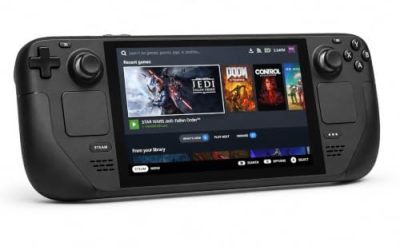
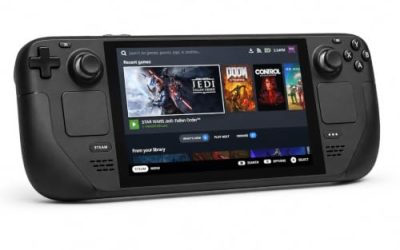
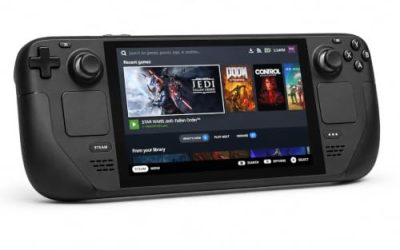
Valve Steam Deck OLED 512GB
The device Valve reviewed this build on, and the easiest way to play it on Linux-based hardware: the badge is already earned, the build it was earned on is still the build on sale, and the game’s modest demands leave the APU headroom to spare.
Specs
- Display: 7.4-inch HDR OLED, 1280 by 800, up to 90 Hz
- Processor: AMD Zen 2 and RDNA 2 custom APU
- Memory: 16 GB LPDDR5
- Storage: 512 GB NVMe, plus a microSD slot
- Wireless: Wi-Fi 6E and Bluetooth
- Channel note: Valve sells the Deck mainly through its own store, so Amazon listings are third-party sellers
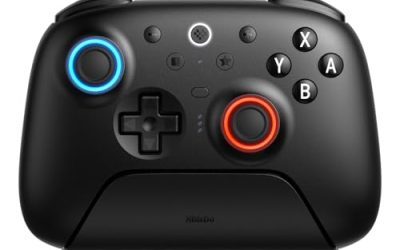
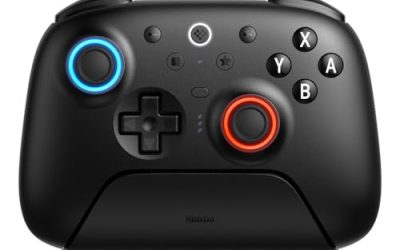
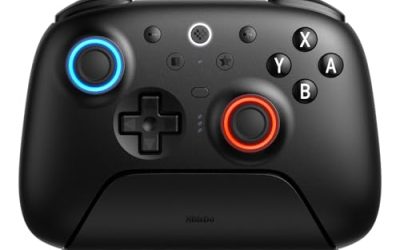
8BitDo Ultimate 2 Bluetooth Controller
A pad for the wider library and for docked sessions run through Steam Input mapping. This game’s record promises no controller support, so treat it as a mapping tool whose layout you control, with back buttons for menu shortcuts.
Specs
- Connectivity: Bluetooth wireless and USB-C wired
- Joysticks: TMR electromagnetic, anti-drift design
- Triggers: Hall effect, with mode switching
- Extras: two remappable back buttons, motion control
- In the box: charging dock included
Xbox Wireless Controller, Carbon Black
The default second pad for a PC shelf: Steam Input handles it everywhere, it pairs over Bluetooth or its own wireless standard, and on the Deck it is the external controller most community layouts assume. As with any pad here, it works through mapping rather than native support.
- Connectivity: Xbox Wireless and Bluetooth
- Port: USB-C for wired play
- Controls: hybrid D-pad, dedicated Share button
- Power: AA batteries or optional rechargeable pack
Logitech G502 HERO
The input this game was actually designed around. Empire management is pointer work — selecting fleets, dragging routes, clearing build queues — and a precise wired mouse with eleven programmable buttons turns the repeated confirm and cancel inputs into single clicks.
Specs
- HERO optical sensor, up to 25,600 DPI
- 11 programmable buttons
- Adjustable weight system
- Wired USB connection
- On-board memory profiles
Samsung T9 Portable SSD 2TB
Useful around a small-footprint library: this game takes a quarter of a gigabyte, so a fast portable drive is about moving a whole Linux collection between machines, or keeping offline installer backups. The headline speed needs a Gen 2×2 host port; lesser ports cap the drive at their own ceiling.
Specs
- Capacity: 2 TB portable SSD
- Interface: USB 3.2 Gen 2×2, USB-C connector
- Maker-rated speeds: up to 2,000 MB per second read, 1,950 MB per second write
- Features: Dynamic Thermal Guard, maker-rated drop resistance
How to choose
Decide where the game will actually live. On a Steam Deck, the Playable badge plus a frozen build makes the purchase low-risk as Proton purchases go: expect to reach for the touchscreen or a community layout for text entry and dense menus. On a Linux desktop, you are buying the same Windows build with a thinner evidence file — Valve’s sheet says the build runs well under proton-stable on SteamOS, and the single ProtonDB report is too thin to argue with that in either direction.
Gear follows the same split. Handheld-only players need nothing beyond the Deck. Docked and desktop players should put the mouse first, since empire management is pointer work, and treat a pad as a Steam Input convenience rather than a supported input — the record promises no controller support, so any layout is one you or the community builds.
Who should skip
Skip it if a native build is a condition of purchase: there is none, there never was, and a branch frozen since 2018 is not about to produce one. Skip it if a one-report Proton file makes you uneasy; that certainty does not exist for this title and may never accumulate. Skip it on Deck if small interface text and manual keyboard calls are deal-breakers rather than deductions. And skip it if you want a GOG copy — no edition exists there.
FAQ
Is Unending Galaxy native on Linux?
No. Steam flags the game Windows only, the Linux requirements field is an empty list, and the single game depot is a Windows build. No Linux depot, launch entry or client icon exists on any layer of the record.
How well does Unending Galaxy run under Proton?
The community evidence is one report deep: ProtonDB shows a single report, a pending settled tier and inadequate confidence, with a borked provisional marker on that lone report. Valve’s own Deck testing is the stronger signal, rating the current build Playable with a clean performance line under proton-stable.
Is Unending Galaxy Steam Deck Verified?
No, it is rated Playable, one tier below Verified. The deductions are interface-shaped: the default controller configuration leaves some functions unreachable, text entry needs a manually invoked keyboard, some text is small, and the native resolution is not set by default. The tested build, 2813759, is still the current public build.
Can I buy Unending Galaxy on GOG instead?
No. GOG’s product records hold no edition of the game. Steam is the only storefront selling it, and the copy sold there is the Windows build described above.
Final verdict
Unending Galaxy on Linux is a Proton story with unusually honest paperwork. The native answer is a flat no, proven at the depot level rather than merely flagged. The Proton answer rests on Valve’s Playable test, which still describes the exact build on sale because that build has not changed since 2018, and on a community file too thin to confirm or contradict it. Buy it on Steam if a frozen, lightweight space sandbox appeals and the Deck deductions are acceptable; pass if you need a native build or a deep community record.
Product and ASIN Reference
| Product | ASIN |
|---|---|
| Valve Steam Deck OLED 512GB | B0CQ3RWQQZ |
| 8BitDo Ultimate 2 Bluetooth Controller | B0F194QFT2 |
| Xbox Wireless Controller, Carbon Black | B08DF248LD |
| Logitech G502 HERO | B07GBZ4Q68 |
| Samsung T9 Portable SSD 2TB | B0CHFS9K14 |