Pacific Drive is Ironwood Studios’ single-player driving survival game, published by Kepler Interactive and released on Steam in February 2024. Behind the wheel of a battered station wagon, the player makes scavenging runs into the Olympic Exclusion Zone, where the environment itself is the hazard. It is a Windows release, and the question Linux players ask is whether any native build hides behind that listing.
This article answers from the primary records: Steam’s own app record and its full add-on family, ProtonDB’s summary feed, Valve’s Steam Deck compatibility sheet, and GOG’s catalogue. Where two records disagree, both are named and the disagreement is left visible.
As an Amazon Associate, we earn from qualifying purchases.
Quick answer
Pacific Drive is not native on Linux. Steam flags the game Windows only and its Linux requirements tab is an empty shell; the family’s single Linux flag belongs to the official soundtrack, a music app. The Windows build runs through Proton with a Gold headline across 134 reports, and Valve rates the Deck Playable. Buy the Steam copy; GOG sells no edition.
What Steam’s own record says
Steam’s app record for Pacific Drive, app 1458140, flags Windows true, Mac false and Linux false. The Linux requirements field is the empty shell: Minimum and Recommended headings printed over empty lists, so no Linux system requirements exist in any form. The category list is a single-player shape — Single-player, Steam Achievements, Full controller support, DualSense controller support, Steam Cloud and Family Sharing — with genres Action, Adventure, Indie, Racing and Simulation.
The published Windows minimum asks for Windows 10 64-bit, an Intel Core i5-8600, 16 GB of RAM, a GeForce GTX 1060 with 6 GB, DirectX 12 and 18 GB of storage. The record carries no third-party DRM notice and no external account notice, and it lists no demo. Everything playable in this family is a Windows build; the one exception is not playable content at all, and the next section names it.
The family sweep: the flag belongs to the soundtrack
The game’s record lists seven add-on apps, and every one was read individually. The Whispers in the Woods expansion, the Anomalous, Friendly Dumpster, We Have Liftoff and Frosted customization packs, and the Whispers in the Woods Soundtrack all flag Windows only, each with the same empty-shell Linux field as the game. Six of the seven are exactly what they appear to be.
The seventh is the trap. Pacific Drive: Official Game Soundtrack, app 2790060, is a music-type app, and it flags Windows, Mac and Linux all true. It is the family’s only Linux flag: one of eight apps, attached to an audio album rather than to anything playable. A storefront scan that counts flags across the family would report Linux support the game itself does not have. The game app’s own flag decides the question, and it reads false.
The Proton file
ProtonDB’s summary feed for the game reads Gold on the headline tier, Platinum on the best-reported tier and Platinum on the trending tier, across 134 reports, with the feed’s own confidence rated strong. The headline says the average report lands at Gold, while the best and most recent reports reach Platinum.
One contradiction needs naming. ProtonDB’s game page carries a “Natively Supports” header above its requirements display, and Steam’s record contradicts it directly: the game app flags Linux false and publishes no Linux requirements. This article follows Steam. The Platinum-leaning file describes the Windows build under Proton, which is how the reports themselves are written: they name Proton versions, not a native build.
The Steam Deck sheet
Valve’s own compatibility record, read directly from its Deck endpoint, rates Pacific Drive Playable. Three checks pass outright: the default controller configuration is fully functional, the game shows Steam Deck controller icons, and interface text is legible. Two deductions hold it below Verified: the default graphics configuration is not performant, so graphics settings need manual configuration to perform well, and the native display resolution is supported but not set by default. A further note warns that external controllers do not take over for the primary player by default and may need a manual switch through the Quick Access Menu.
The configuration block is otherwise clean: no manual keyboard invoke, no launcher navigation, no small-text flag, and no internet requirement for setup or for single-player play. SteamDB’s republication of Valve’s data adds the test details Valve’s own sheet does not print: the game was tested on 20 August 2026, with a Proton 11 release candidate as the recommended runtime. Valve’s separate SteamOS check rates the game Compatible, recording that it runs successfully on SteamOS.
Anti-cheat and DRM, source by source
Three sources were checked separately, and they agree by absence. Steam’s record names no anti-cheat: there is no anti-cheat category, no notice and no sidebar line, which matches the single-player category list. SteamDB’s detected-technologies list names the Unreal Engine and middleware and graphics SDKs — PhysX, DLSS, Wwise and similar — and includes no anti-cheat system. Are We Anti-Cheat Yet, the community tracker that catalogues games carrying anti-cheat, has no entry for this game at all. On the Deck side, Valve’s sheet carries no anti-cheat deduction; its two deductions are about graphics configuration and display resolution only.
The DRM position is a gap of the same kind. Neither the game app nor any of its seven add-ons carries a DRM notice on its Steam record, so this article names no DRM product. What the record establishes is simpler: a single-player Windows build sold on Steam, with Steam Cloud saves and Family Sharing.
Gear that fits the record
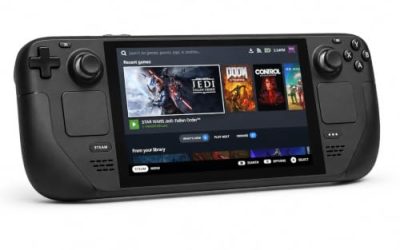
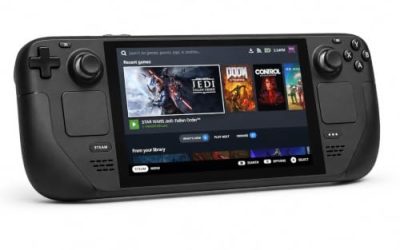
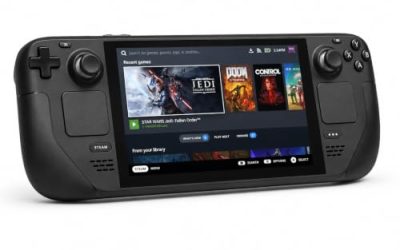
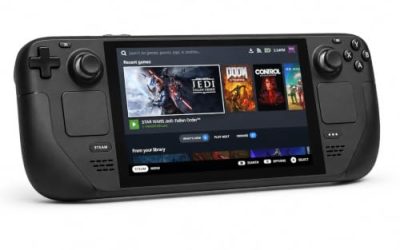
Valve Steam Deck OLED 512GB

The handheld Valve’s Playable rating was written for. The sheet passes the Deck’s controls, glyphs and text outright, and its two deductions are settings work, not compatibility failures: configure the graphics manually and set the native resolution. The configuration record also confirms no internet is needed for setup or single-player runs.
Specs
- Display: 7.4-inch HDR OLED, 1280 by 800, up to 90 Hz
- Processor: AMD Zen 2 and RDNA 2 custom APU
- Memory: 16 GB LPDDR5
- Storage: 512 GB NVMe, plus a microSD slot
- Wireless: Wi-Fi 6E and Bluetooth
- Channel note: Valve sells the Deck mainly through its own store, so Amazon listings are third-party sellers
8BitDo Ultimate 2 Bluetooth Controller

The desktop and docked pad pick. Steam lists full controller support for the game, and a driving game built around long runs lives on its sticks and triggers; the two remappable back buttons suit the garage and map inputs a run repeats, and the dock keeps the pad charged between sessions.
Specs
- Connectivity: Bluetooth wireless and USB-C wired
- Joysticks: TMR electromagnetic, anti-drift design
- Triggers: Hall effect, with mode switching
- Extras: two remappable back buttons, motion control
- In the box: charging dock included
Xbox Wireless Controller, Carbon Black

The safest guest pad in PC gaming: Steam Input support is universal, the glyphs match what most games display, and it pairs over Bluetooth or its own wireless standard. On the handheld, the test sheet’s note applies: an external pad may need a manual Quick Access Menu switch before it takes over.
- Connectivity: Xbox Wireless and Bluetooth
- Port: USB-C for wired play
- Controls: hybrid D-pad, dedicated Share button
- Power: AA batteries or optional rechargeable pack
Logitech G502 HERO

Between runs, Pacific Drive is a garage game: sorting scavenged parts and reading the map. At a desk, a precise wired mouse turns that inventory work into single clicks, and eleven programmable buttons cover the confirm, cancel and camera inputs a session repeats.
Specs
- HERO optical sensor, up to 25,600 DPI
- 11 programmable buttons
- Adjustable weight system
- Wired USB connection
- On-board memory profiles
Samsung T9 Portable SSD 2TB

For moving a Linux game library between a desktop and a laptop, or keeping an offline backup of installers, a fast USB-C drive is the simple answer. The headline figure needs a Gen 2×2 host port; on a lesser port the drive runs at that ceiling instead. The game itself needs 18 GB per Steam’s published minimum.
Specs
- Capacity: 2 TB portable SSD
- Interface: USB 3.2 Gen 2×2, USB-C connector
- Maker-rated speeds: up to 2,000 MB per second read, 1,950 MB per second write
- Features: Dynamic Thermal Guard, maker-rated drop resistance
How to choose
Choose the Steam copy, because it is the only PC edition on sale and the exact build both compatibility records describe. On a desktop or laptop, install under Proton and start from the default compatibility tool; the Gold headline with Platinum best-reported and trending tiers says the current build runs the game well. On a Steam Deck, budget a few minutes for Valve’s two named deductions: set the graphics options manually and switch the display to its native resolution rather than accepting the default. For input, a pad is the native shape of this game — full controller support is on the record — and a mouse earns its place in the garage menus. The expansion and customization packs are the same Windows builds, so they inherit this article’s ruling unchanged.
Who should skip
Skip this one if you are shopping for a native Linux driving game: Pacific Drive is not it, and the family’s one Linux flag belongs to a soundtrack album, not to the game. Skip it if you want a DRM-free offline installer, because no GOG edition exists to buy. Skip the Deck version if you are unwilling to touch graphics settings, since Valve’s own sheet makes manual configuration the price of good performance there. And skip it if a Gold headline is not reassurance enough and you only play unanimous-Platinum titles.
FAQ
Is Pacific Drive native on Linux?
No. Steam’s record for app 1458140 flags Windows only, and the Linux requirements field is an empty shell with no entries under either heading. No native build exists on the record.
Why does the Pacific Drive family show a Linux flag at all?
Because the Official Game Soundtrack, a separate music app, flags Linux alongside Windows and Mac. It is the only Linux flag among the family’s eight apps, and it is attached to an audio album. The game app and every playable add-on flag Windows only.
How well does Pacific Drive run under Proton?
ProtonDB’s summary record reads Gold on the headline tier and Platinum on both the best-reported and trending tiers, across 134 reports with strong confidence. The figures describe the Windows build under Proton; ProtonDB’s page header suggesting native support contradicts Steam’s record and is not followed here.
Is Pacific Drive Steam Deck Verified?
No. Valve rates it Playable, one step below Verified: controls, controller glyphs and text all pass, but the default graphics configuration is not performant and the native resolution is not set by default. Valve’s test behind that rating is dated 20 August 2026 in SteamDB’s republication of the record.
Final verdict
Pacific Drive is a Windows-only release whose family tree contains exactly one Linux flag, and that flag is pinned to its soundtrack. Read at the level of the game app, the record is unambiguous: no native build, an empty-shell Linux tab, no DRM notice and no anti-cheat in any source that catalogues such things. What Linux players get instead is a well-documented Proton route — a Gold community file trending Platinum across 134 reports, and a Playable Deck rating whose only costs are graphics settings and a resolution switch. Buy the Steam copy, play it under Proton, and do not let an album’s flag sell you a port that does not exist.
Product and ASIN Reference
| Product | ASIN |
|---|---|
| Valve Steam Deck OLED 512GB | B0CQ3RWQQZ |
| 8BitDo Ultimate 2 Bluetooth Controller | B0F194QFT2 |
| Xbox Wireless Controller, Carbon Black | B08DF248LD |
| Logitech G502 HERO | B07GBZ4Q68 |
| Samsung T9 Portable SSD 2TB | B0CHFS9K14 |