Our Short List of 3

- Tenkeyless layout with rotary knob
- QMK and VIA remapping support
- Hot-swappable K Pro Brown switches
- Wired USB-C connection

- Connectivity: Bluetooth wireless and USB-C wired
- Joysticks: TMR electromagnetic, anti-drift design
- Triggers: Hall effect, with mode switching
- Extras: two remappable back buttons, motion control

- Connectivity: Xbox Wireless and Bluetooth
- Port: USB-C for wired play
- Controls: hybrid D-pad, dedicated Share button
- Power: AA batteries or optional rechargeable pack
All 5 Picks at a Glance
| Product | Specs | Action |
|---|---|---|
| Keychron V3 |
| Check price on Amazon |
| 8BitDo Ultimate 2 Bluetooth Controller |
| Check price on Amazon |
| Xbox Wireless Controller, Carbon Black |
| Check price on Amazon |
 Logitech G502 HERO |
| Check price on Amazon |
 Samsung T9 Portable SSD 2TB |
| Check price on Amazon |
Pax Nova, the turn-based sci-fi 4X strategy game from Grey Wolf Entertainment and Iceberg Interactive, has never shipped a native Linux build. Steam’s record for app 804850 flags the game Windows-only, and the package behind that flag contains exactly one content depot: a Windows 64-bit build of about 4.95 GiB. Anyone playing Pax Nova on Linux today is running that Windows build through Proton.
The record does contain one piece of misleading paperwork worth naming before anything else. The store page carries a Linux requirements section, complete with minimum and recommended headings, and both lists are empty. It would be easy to take the section’s existence as a sign of Linux support. It is not one: there is no Linux depot, no Linux launch entry and no Linux client icon anywhere in the record, and this article follows the delivery layer, not the headings.
As an Amazon Associate, we earn from qualifying purchases.
Quick answer
Pax Nova has no native Linux build. Steam’s record flags the game Windows-only, its single content depot is a Windows 64-bit build, and all three DLC packs repeat the same flag. Linux players run that Windows build through Proton, where ProtonDB’s nine reports settle on a Gold tier with moderate confidence.
What the Steam record actually sells
Start with the flags, because everything else agrees with them. The appdetails record for 804850 lists platforms as Windows true, Mac false and Linux false. The single store package, sub 245201, repeats that shape, and SteamDB’s depot table shows why: depot 804851, labelled Windows 64-bit Pax Nova Content, is the only game depot in the package. There is no second depot waiting behind it for another operating system.
The build itself is a Unity and Mono title, 64-bit only, first released on 28 April 2020 after an early access period that began in May 2019. The public branch still sits on a build from June 2022, so the record is settled rather than in flux. The record is single-player only, with achievements, trading cards and Workshop support.
The empty Linux requirements shell
The one artefact that argues against the flags is the requirements block, and it collapses on inspection. Steam’s record holds a Linux requirements entry with a minimum tier and a recommended tier, and both tiers contain empty lists — headings with nothing under them. This is the populated-but-empty pattern: the paperwork skeleton of a Linux port that was never filled in, attached to a game whose delivery contains no Linux files at all.
Compare it with a real native record elsewhere in this cluster. A genuine Linux build leaves a dedicated depot with real size, a launch entry pointing at a Linux executable, usually a Linux client icon, and requirement lists with actual distributions and libraries named. Pax Nova has none of those four things: its asset list carries the standard icon and logo set only, and its requirements lists name no distribution, no library and no driver. The shell is leftover scaffolding.
Three DLC packs, read one by one
The base game’s DLC array names three expansions, and each was read on its own record rather than assumed from the parent. Frostborn (app 1582050, March 2021), Beyond the Rift (app 1688990, July 2021) and Tech Supremacy (app 1796420, November 2021) all flag Windows true, Mac false and Linux false — the same Windows-only shape as the base game, with no exceptions.
The depot table tells the same story in miniature. The Beyond the Rift and Tech Supremacy depots appear inside the base app’s table as Windows 64-bit depots of a few kilobytes each, the usual shape of entitlement and unlock data rather than separate game content. Nothing in the family carries a Linux depot, launch entry or flag, so a Linux player buying the complete edition is buying one Windows build plus Windows-flagged extras, and Proton has to carry all of it.
ProtonDB: Gold, from a small but settled file
Because there is no native build to grade, ProtonDB is where the practical Linux answer lives, and its summary for app 804850 reads cleanly. The settled tier is Gold, the best-reported tier is Platinum, the trending tier is Gold, and the file holds nine reports with moderate confidence. That is a small file, but a consistent one: the gap between the settled Gold and the Platinum best report describes a game that runs well under Proton for most reporters, with the usual spread of hardware and distribution caveats underneath.
Two cautions belong beside that tier. First, every one of those reports describes the Windows build running through a compatibility layer, so the Gold is a Proton grade, not evidence of a port. Second, moderate confidence on nine reports means a single bad configuration can still spoil an evening; the tier is a good bet, not a guarantee. The file contains no sign of a native Linux version being tested or reported, which matches the Steam record exactly.
Steam Deck: no verdict on the record we could read
Valve’s Deck compatibility endpoint would not return this game’s test sheet in this session — it answered with redirects and unreadable responses on repeated attempts, and SteamDB’s page for the app carries no republication of the sheet either. So this article claims no Deck verdict in either direction: not Verified, not Playable, not Unsupported. A badge we cannot read is not a badge we will print, and the game is treated here as a desktop title.
That framing suits the game anyway. Pax Nova is a mouse-driven 4X: its Steam record lists no controller support at all, and its interface of map grids, build queues and diplomacy panels was designed around a pointer. The gear section below is therefore a desktop set, with keyboard and mouse as the game’s real inputs and the two gamepads included strictly as wider-library hardware.
GOG, and the anti-cheat question that never arises
There is no GOG edition to rule on. The game’s natural GOG product address redirects to the general catalogue rather than a product page, the behaviour of an address that never held a purchasable listing; Steam is the only storefront record for Pax Nova this research could find. Readers who prefer DRM-free builds have no alternative copy to consider, on any operating system.
Anti-cheat is simpler still. The Are We Anti-Cheat Yet database, read in full at its repository root, holds no entry for Pax Nova — the only Pax in the file is Pax Dei, a different game. The Steam record names no anti-cheat either, and a single-player-only game has no competitive surface for one to guard. Nothing about this game’s Linux problem is an anti-cheat dispute; it is simply the absence of a port.
Gear for a desktop Linux run
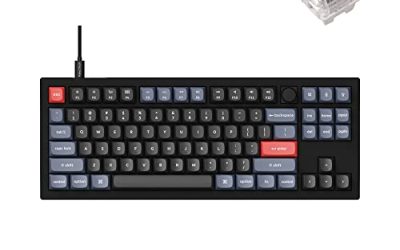
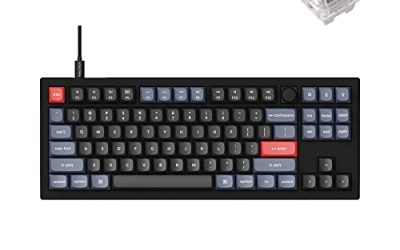
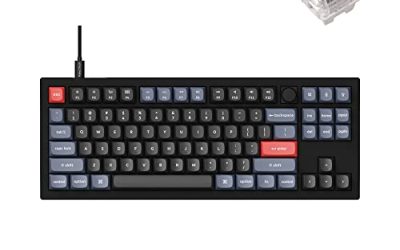
Keychron V3
- Tenkeyless layout with rotary knob
- QMK and VIA remapping support
- Hot-swappable K Pro Brown switches
- Wired USB-C connection
The keyboard pick for desktop sessions: a tenkeyless board with QMK and VIA support lets you remap keys at the keyboard level, which keeps working across every Linux install you plug it into.
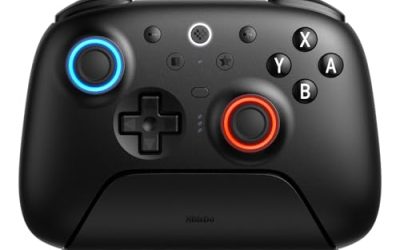
8BitDo Ultimate 2 Bluetooth Controller
- Connectivity: Bluetooth wireless and USB-C wired
- Joysticks: TMR electromagnetic, anti-drift design
- Triggers: Hall effect, with mode switching
- Extras: two remappable back buttons, motion control
The docked and desktop pad pick for the rest of a Linux library. Pax Nova’s own record lists no controller support, so this pad is not for this title; it covers the couch case for games that do take one, with modern sticks, triggers and back buttons.
Xbox Wireless Controller, Carbon Black
- Connectivity: Xbox Wireless and Bluetooth
- Port: USB-C for wired play
- Controls: hybrid D-pad, dedicated Share button
- Power: AA batteries or optional rechargeable pack
The safest guest pad in PC gaming: Steam Input support is universal, the glyphs match what most games display, and it pairs over Bluetooth or its own wireless standard. Like the 8BitDo above, it is library gear rather than Pax Nova gear.
Logitech G502 HERO
- HERO optical sensor, up to 25,600 DPI
- 11 programmable buttons
- Adjustable weight system
- Wired USB connection
Pax Nova’s turns are menu-driven, and at a desk a precise wired mouse turns build queues, research trees and diplomacy screens into single clicks. Eleven programmable buttons cover the inputs a long session repeats.
Samsung T9 Portable SSD 2TB
- Capacity: 2 TB portable SSD
- Interface: USB 3.2 Gen 2×2, USB-C connector
- Maker-rated speeds: up to 2,000 MB per second read, 1,950 MB per second write
- Features: Dynamic Thermal Guard, maker-rated drop resistance
For moving a Linux game library between a desktop and a laptop, or keeping an offline backup of installers, a fast USB-C drive is the simple answer. The headline figure needs a Gen 2×2 host port; on a lesser port the drive runs at that ceiling.
How to choose
Decide first whether a Proton-only game fits your library rules. If you buy native-only, Pax Nova is a pass: there is no Linux build, and the empty requirements shell on the store page is not a promise of one. If you accept Proton titles, the Gold tier from nine reports with moderate confidence is a reasonable green light, especially for a turn-based game where frame pacing matters less than stability across long sessions.
Choose your edition second. All three DLC packs are Windows-flagged like the base game, so the complete edition changes nothing about how the game runs on Linux — buy the expansions for their factions and systems, not in hope of better compatibility. And set your input expectations first: this is a keyboard-and-mouse game with no controller support on its record.
Who should skip
Skip Pax Nova if you keep a native-only library; the record offers no Linux build and no sign of one in development. Skip it if you wanted a Deck game — this article could not read a Deck verdict from Valve’s record, and a mouse-driven interface is a poor fit for the handheld regardless. Skip it if the empty Linux requirements section was what convinced you to buy: that section names no requirements and no distribution. Finally, skip it if nine ProtonDB reports feels thin; the file is consistent, but it is small.
FAQ
Does Pax Nova run natively on Linux?
No. Steam’s record flags the game Windows-only, the package contains a single Windows 64-bit content depot, and there is no Linux depot, launch entry or client icon anywhere in the record. Linux play means the Windows build under Proton.
Why does the store page show Linux system requirements?
The record holds a Linux requirements section whose minimum and recommended lists are both empty. It is paperwork scaffolding with nothing under the headings — no distribution, library or driver is named — and the delivery layer contradicts any reading of it as support.
How well does Pax Nova run under Proton?
ProtonDB’s summary settles on Gold, with a best-reported tier of Platinum and a trending tier of Gold, across nine reports at moderate confidence. That describes the Windows build through Proton only; no report in the file describes a native version, because none exists.
Is Pax Nova verified on Steam Deck?
This article makes no claim. Valve’s compatibility endpoint would not return the game’s test sheet during this research, and no republication of it was available, so no badge is asserted either way. The game’s record also lists no controller support, and its interface is built for a mouse.
Final verdict
Pax Nova on Linux is a Proton story with unusually tidy paperwork around it: a Windows-only flag, a single Windows depot, three Windows-flagged DLC packs and one empty requirements shell pretending at a port that was never delivered. ProtonDB’s Gold, drawn from nine reports at moderate confidence, says the Windows build behaves well through the compatibility layer, and for a turn-based 4X that is usually enough. Buy it as a Proton game with a desktop, a mouse and no Deck expectations, and the record holds no surprises.
Product and ASIN Reference
| Product | ASIN |
|---|---|
| Keychron V3 | B0B2DMMMG2 |
| 8BitDo Ultimate 2 Bluetooth Controller | B0F194QFT2 |
| Xbox Wireless Controller, Carbon Black | B08DF248LD |
| Logitech G502 HERO | B07GBZ4Q68 |
| Samsung T9 Portable SSD 2TB | B0CHFS9K14 |