Our Short List of 3

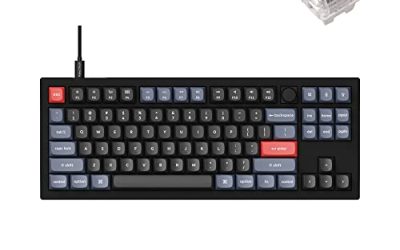
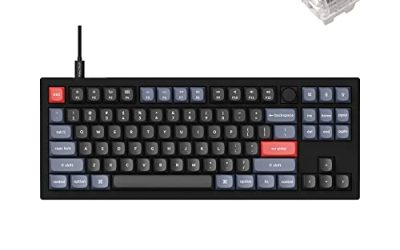
- Tenkeyless layout with rotary knob
- QMK and VIA remapping support
- Hot-swappable K Pro Brown switches
- Wired USB-C connection

- Connectivity: Bluetooth wireless and USB-C wired
- Joysticks: TMR electromagnetic, anti-drift design
- Triggers: Hall effect, with mode switching
- Extras: two remappable back buttons, motion control

- Connectivity: Xbox Wireless and Bluetooth
- Port: USB-C for wired play
- Controls: hybrid D-pad, dedicated Share button
- Power: AA batteries or optional rechargeable pack
All 5 Picks at a Glance
| Product | Specs | Action |
|---|---|---|
| Keychron V3 |
| Check price on Amazon |
| 8BitDo Ultimate 2 Bluetooth Controller |
| Check price on Amazon |
| Xbox Wireless Controller, Carbon Black |
| Check price on Amazon |
 Logitech G502 HERO |
| Check price on Amazon |
 Samsung T9 Portable SSD 2TB |
| Check price on Amazon |
Shoppe Keep 2 puts you behind the counter of a fantasy general store: you stock shelves with armour, potions and food, haggle with warriors and rogues, sweep the floors, and chase thieves out the door. The sequel widens the first game into an open world with a town that grows around your shop, and adds online multiplayer for up to four players.
Linux players get a short answer here, with the evidence behind it: every layer of the Steam record points the same way, the ProtonDB file tells a story of early breakage that later builds fixed, and Valve has published no Deck verdict at all.
As an Amazon Associate, we earn from qualifying purchases.
Quick answer
Shoppe Keep 2 has no native Linux build. Steam sells a Windows-only game: the flags, the package, the depot table and both launch entries are Windows-only, and the Mac and Linux requirements fields are empty. The Windows build runs under Proton with a Silver headline across 19 reports, and the newest filing reports it working on a Steam Deck under Proton Experimental. Valve has published no Deck verdict.
The Steam record: Windows only, at every layer
The appdetails record for app 684580 confirms the identity: Shoppe Keep 2, developer Strange Fire, publisher Excalibur Publishing, released 25 April 2019, after first appearing on SteamDB in July 2017 during Early Access. The store lists Adventure, Indie, RPG, Simulation and Strategy, with single-player, multiplayer, online co-op and online PvP.
The platform flags read Windows true, Mac false, Linux false. Flags have been wrong before, so the rest of the record was checked layer by layer. The requirements tell the same story: the Windows tab is genuinely populated in both tiers, asking for a 64-bit Windows 7, 8 or 10 install, a Core i3 at 2 GHz, 4 GB of memory and a 1 GB graphics card, with a Core i5 and 8 GB recommended. The Mac and Linux requirements fields are empty shells in both tiers: the headings exist, and nothing sits under them.
The sole purchase package, sub 195794, contains only the base app and carries a Windows-only platform mask. No DRM notice and no third-party account notice appear on the record, and the anti-cheat list holds no entry for this game. Technology detection names Unity Engine, FMOD and Mono.
Why the depot list decides it
Flags and fields can be stale paperwork, so the depot table carries the verdict here. Shoppe Keep 2 ships exactly one content depot, 684581, labelled “Shoppe Keep 2 Content”, holding 6.84 GiB on disk. There is no Linux depot and no Mac depot anywhere in the table. A second depot, 684582, is labelled “Unused Shoppe Keep 2 Night Builds” and carries no size: a leftover shell that decides nothing.
The launch configuration agrees: exactly two entries, both Windows 64-bit, one starting the single-player executable and one the multiplayer executable, each in its own folder. The public branch build is 5342178, built on 28 July 2020, and it has not moved since, so the ProtonDB filings from the Proton 6.3 era describe exactly the game on sale today.
The icon set agrees: a client icon, a client TGA, an icon, a logo and a small logo, and no Linux client icon at all.
The two DLCs agree
The DLC array holds two entries, both read individually. The Digital Art Book, app 850280, was released on 3 May 2018, during Early Access, and is Windows-only, with its own depot of 65.82 MiB. The Soundtrack, app 850281, released the same day, is music-type and also Windows-only, with no depot in the table, the normal shape for a soundtrack delivered through the Steam music player.
Neither DLC dissents, and neither forms a trap: the familiar soundtrack trap needs an all-true soundtrack next to a Windows-only base game, and here the soundtrack is Windows-only like everything else. The family sweep is 2 of 2 in agreement, with no ghost apps.
ProtonDB: a Silver headline over a rough early history
The ProtonDB summary feed was down during this check: the summary endpoint returned nothing for this app and nothing for the control app, so no summary tier or confidence figure can be quoted from it. The game page itself rendered in full, so the figures below are quoted strictly as page figures: a Silver headline across 19 reports, with the Deck Verified Status showing as Unknown and the Chromebook Ready Status showing as Unknown, a Chromebook classification rather than a Deck verdict.
The heading check completed. The page heads its requirements block “Natively Supports:”, and that heading is stray: Steam contradicts it at every layer, and nothing in the record offers a plausible referent.
The report history is the most useful part of the file, because it shows a game that was broken early and then settled down. The oldest filings, from 2018 and 2019, are Borked: a black screen with music playing after the logo, or a white screen on weaker hardware, with video previews replaced by placeholder images. Several note that a community Proton build fixed the launch, and that the game would not open at all on the stock Proton of the time; one Proton 5.0-era filing reports a crash on start.
The newer filings tell a different story. A Proton 6.3 filing reports the game working out of the box, and the newest filing, on a Steam Deck running Proton Experimental, reports it working as expected in single-player, provided the control layout switches to keyboard and mouse, with more buttons needed than a pad offers. The multiplayer side is covered too: one filing reports that Steam lobbies still work despite being labelled deprecated, and that direct connections work as well.
Read together, the file says the current build runs under modern Proton, the early breakage belongs to old Proton versions, and the game stays a keyboard-and-mouse game even on the Deck.
Steam Deck: no verdict published
Valve has published no Deck verdict for Shoppe Keep 2. The store page’s own embedded record reads resolved category 0, SteamOS resolved category 0, and an empty resolved-items list, which is the untested state. Valve’s compatibility endpoint returned compressed garbage all session, so no sheet could be read that way either.
That absence is not a verdict, and the article claims none. The newest ProtonDB filing was made on a Steam Deck and reports the game working in single-player under Proton Experimental, but a community filing is not a Valve test. Because no paperwork exists, there is no stale-paperwork comparison and no supplement candidate to name.
GOG: no edition exists
GOG sells no edition of Shoppe Keep 2. The natural product address redirects to the general catalogue, the products API returns an empty result, and the catalogue API returns only unrelated products. The embed search returned nothing either, a known blind spot not relied on, and no Dreamlist claim is asserted. Steam is the only PC storefront selling the game.
The gear that fits this game
Shoppe Keep 2 is a mouse-first game: the record carries no controller-support field and no controller category, and the purchase package reads full gamepad false, so pads are framed here strictly as Steam Input translation devices. The newest Deck filing agrees, needing a keyboard-and-mouse layout and more buttons than a pad offers.
Keychron V3
- Tenkeyless layout with rotary knob
- QMK and VIA remapping support
- Hot-swappable K Pro Brown switches
- Wired USB-C connection
The keyboard pick for desktop sessions: a tenkeyless board with QMK and VIA support lets you remap keys at the keyboard level, which keeps working across every Linux install you plug it into.
8BitDo Ultimate 2 Bluetooth Controller
- Connectivity: Bluetooth wireless and USB-C wired
- Joysticks: TMR electromagnetic, anti-drift design
- Triggers: Hall effect, with mode switching
- Extras: two remappable back buttons, motion control
The pad pick for sitting back: modern sticks and triggers plus back buttons for menu shortcuts, for the wilderness trips between shopkeeping sessions.
Xbox Wireless Controller, Carbon Black
- Connectivity: Xbox Wireless and Bluetooth
- Port: USB-C for wired play
- Controls: hybrid D-pad, dedicated Share button
- Power: AA batteries or optional rechargeable pack
The safest guest pad in PC gaming: Steam Input support is universal, the glyphs match what most games display, and it pairs over Bluetooth or its own wireless standard.
Logitech G502 HERO
- HERO optical sensor, up to 25,600 DPI
- 11 programmable buttons
- Adjustable weight system
- Wired USB connection
Shopkeeping is menu-driven, and at a desk a precise wired mouse turns inventory, pricing and shelf trips into single clicks, with eleven programmable buttons for the inputs a long session repeats.
Samsung T9 Portable SSD 2TB
- Capacity: 2 TB portable SSD
- Interface: USB 3.2 Gen 2×2, USB-C connector
- Maker-rated speeds: up to 2,000 MB per second read, 1,950 MB per second write
- Features: Dynamic Thermal Guard, maker-rated drop resistance
For moving a Linux game library between a desktop and a laptop, or keeping an offline backup of installers, a fast USB-C drive is the simple answer. The headline figure needs a Gen 2×2 host port; on a lesser port the drive runs at that ceiling instead.
How to choose
Choose the Steam copy: it is the only PC edition on sale and the exact build every record here describes. On desktop or laptop, install under Proton and leave the compatibility tool at its default; the Silver headline across 19 reports says current builds run the game well, and the newest filing needed no more than a keyboard-and-mouse layout. On a Steam Deck, expect to play with a keyboard and mouse attached, because the game was built around a mouse and Valve has published no verdict. For multiplayer, the Steam lobby route still works despite its deprecated label, and direct connections work too.
Who should skip
Skip this one if you are shopping for a native Linux shopkeeper: this game is not it. Skip it if you want a DRM-free offline installer, because no GOG edition exists to buy. Skip it if you only play on a Deck with a pad and no keyboard nearby, because the newest Deck filing needed keyboard-and-mouse input and the game has no controller support on its record. And skip the idea that the old Borked filings describe the game today: they belong to Proton versions from 2018 and 2019.
FAQ
Is Shoppe Keep 2 native on Linux?
No. Steam sells a Windows-only game: the flags, the package, the depot table and both launch entries are Windows-only, and the Mac and Linux requirements fields are empty. No native build exists on any storefront.
How well does Shoppe Keep 2 run under Proton?
The page-level ProtonDB figures show a Silver headline across 19 reports. The early filings were Borked with black screens, filings from the Proton 6.3 era onward report the game working out of the box, and the newest filing reports it working on a Steam Deck under Proton Experimental.
Is Shoppe Keep 2 Steam Deck Verified?
Valve has published no Deck verdict for this game: the store page’s embedded record reads category 0, the untested state, and the ProtonDB page header shows the Deck status as Unknown. The newest community filing reports it working on Deck under Proton Experimental with a keyboard-and-mouse layout.
Can I buy Shoppe Keep 2 on GOG instead?
No. GOG sells no edition of the game: the product address redirects to the general catalogue, the products API returns an empty result, and the catalogue API returns only unrelated products.
Final verdict
Shoppe Keep 2 is a Windows-only game that runs well under modern Proton, with no native Linux build, no GOG edition, and no published Deck verdict. The record is unusually clean: every layer agrees, the two DLCs agree, and the frozen 2020 build means the ProtonDB history describes exactly the game on sale today. Buy it on Steam, run it under Proton, and play it with a keyboard and mouse.
Product and ASIN Reference
| Product | ASIN |
|---|---|
| Keychron V3 | B0B2DMMMG2 |
| 8BitDo Ultimate 2 Bluetooth Controller | B0F194QFT2 |
| Xbox Wireless Controller, Carbon Black | B08DF248LD |
| Logitech G502 HERO | B07GBZ4Q68 |
| Samsung T9 Portable SSD 2TB | B0CHFS9K14 |