Disney Dreamlight Valley is a life-simulation adventure where you rebuild a valley alongside Disney and Pixar characters. It left Early Access in December 2023 and has kept growing since, with four paid expansions and a fifth that landed in November 2026.
The answer is short; the story is longer. Steam sells exactly one build of this game, and it runs on Windows only. The rest of this article is the evidence behind that sentence, plus the practical route that does exist under Proton.
As an Amazon Associate, we earn from qualifying purchases.
Quick answer
No, Disney Dreamlight Valley has no native Linux build on Steam. The store lists Windows only, the single content depot is Windows-only, and no Linux or Mac depot exists. The practical route is the Windows build under Proton, where community filings report a Platinum-class experience, and Steam Deck carries a Verified badge from Valve.
What Steam’s own record says
The appdetails record for app 1401590 confirms the identity first: “Disney Dreamlight Valley”, developer and publisher Gameloft, full release 5 December 2023 after an Early Access period that began on 6 September 2022. The platform flags read windows true, mac false, linux false, and every layer underneath agrees with them.
The depot list is the decisive layer. There is exactly one content depot, 1401591, labelled “Windows 64-bit Project Superstars Content”, sized 27.34 GiB on disk with a 24.45 GiB download. The other two change nothing: 2086000 is marked “Unused” with no size, and 1401592 is a “macOS 64-bit Unused … Test Depot”, also with no size. A test depot with no size is development scaffolding, not a build a buyer can install.
The requirements fields tell the same story in three shapes. The Windows tab is genuinely populated: a Core i3-540 or Phenom II X4 940 with 6 GB of memory at minimum, rising to a Core i5-4690 or Ryzen 3 1300X with a 4 GB card at the recommended tier, and 26 GB of storage. The Linux fields are empty lists outright. The Mac fields are unfilled placeholder text, with the operating system and processor entries left blank in both tiers.
Packages agree: the base package, sub 944611, holds the base app alone under a Windows-only mask, the two edition packages carry the same mask, and the launch configuration has exactly one entry, an unnamed launch option running ddv.exe on Windows. The icon set holds clienticon, clienttga and icon, with no Linux client icon registered. The public branch, build 26741906, was built on 17 November 2026, so the record is current, and it still sells one Windows build.
The paperwork that looks like a Mac build
The most interesting trap in this record is the Mac-shaped paperwork: the Mac requirements fields exist as headings, and the depot table holds a depot with “macOS” in its name, but none of it adds up to a Mac build. The depot is explicitly marked “Unused”, carries no size, and is described as a test depot. The Mac requirements fields are unfilled placeholders rather than specifications, the platform flags read mac false, every purchase package carries a Windows-only mask, and the launch configuration has no Mac entry. A test depot and an unfilled form are development leftovers, not a second platform.
The family: eight expansions, one platform
The dlc array holds eight apps, all read individually, and every one agrees with the base game: Windows only, no Mac build, no Linux build. The eight span from A Rift in Time (5 December 2023) through The Storybook Vale pair (20 November 2024), the Wishblossom Ranch pair (19 November 2025), Honeyglow Woods (8 July 2026) and The Keepsake Sea pair (18 November 2026). The newest expansion is barely a week old and still ships Windows-only. No ghost apps turned up, and there is no soundtrack or art book app to mistake for evidence about the game.
Proton: the only road in
With no native build, the Windows build under Proton is the only road in. The ProtonDB summary feed was down during this session, returning no response for this app and for the control app alike, so the figures below come strictly from the game page: a Platinum headline, 33 reports, and a Deck Verified Status of Verified.
The heading check completed, and the heading is stray. The page heads its requirements block “Natively Supports:”, which Steam’s record contradicts at every layer: no Linux flag, no Linux depot, no Linux requirements, no Linux launch entry. There is no plausible referent anywhere in the record, and the unused macOS test depot cannot rescue the claim.
The report texture underneath the headline is where the useful detail lives. The newest filing, on Proton Experimental under Linux Mint, reports everything working perfectly out of the box, and a Proton 10.0-3 filing on the same distribution agrees. A second Proton 10.0-3 filing needed a custom build and launch options, and the oldest filings needed Proton 7.0-6 with a compatibility switch.
The dissent is specific. One Deck filing reports that the game does not recognise keyboard and mouse at all, which makes a docked setup unusable, and another reports the same input problem for about a year, solved only by playing with a gamepad on a custom Proton build. A further filing reports audio missing under Pipewire on Proton 7.0-5, fixed by returning to PulseAudio. The pattern is consistent: the gamepad path is reliable, and keyboard and mouse support under Proton is the fragile leg.
The Deck sheet is old but clean
Valve’s Deck sheet gives the game a Verified badge, with SteamOS marked Compatible, and every check passes: all functionality accessible with the default controller configuration, Deck controller icons shown, interface text legible, and the default graphics configuration performing well. The recommended runtime is proton-7.0-5, with gamepad as the supported input.
The catch is the date. The single test was run on 29 November 2022, during Early Access, and graded build 9963574. The current public branch is build 26741906, built on 17 November 2026. Four years of updates and four expansions separate the tested build from the one on sale today, so the paperwork is stale and this is a firm candidate for a retest. Deck reports describe the game running at high settings with a steady frame rate, occasional stuttering, and one black screen on launch that clears by putting the Deck to sleep and waking it.
GOG and the PlayFab account note
There is no GOG edition. The natural product address redirects to the general catalogue, the products API returns an empty result for the game’s slug, and the catalogue and database searches return zero products. No Dreamlist claim is asserted here, because a wishlist entry is not an edition.
One account note belongs in the record. Steam carries a third-party account notice for Microsoft PlayFab, which supports linking to a Steam account and backs the game’s cross-play and Valley Visit features, where up to three other players can join your Valley. That is an account notice, not a DRM notice: the record carries no DRM notice, and the anti-cheat check found nothing. The anti-cheat list was read in full, 1,167 entries, and holds no entry for this game.
Gear that fits the record
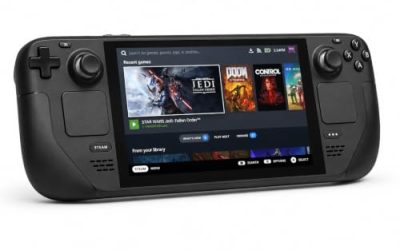
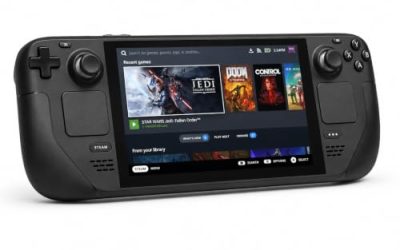
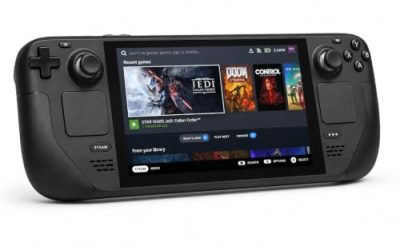
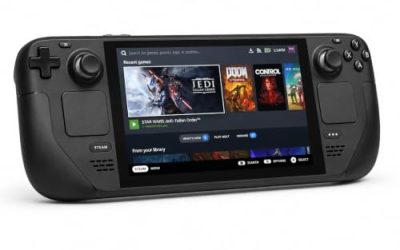
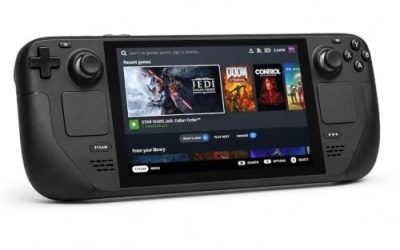
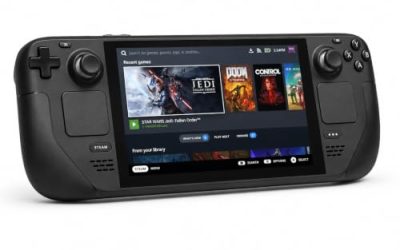
Valve Steam Deck OLED 512GB

The handheld the Verified badge was written for.
Specs
- Display: 7.4-inch HDR OLED, 1280 by 800, up to 90 Hz
- Processor: AMD Zen 2 and RDNA 2 custom APU
- Memory: 16 GB LPDDR5
- Storage: 512 GB NVMe, plus a microSD slot
- Wireless: Wi-Fi 6E and Bluetooth
- Channel note: Valve sells the Deck mainly through its own store, so Amazon listings are third-party sellers
8BitDo Ultimate 2 Bluetooth Controller
The docked and desktop pad pick.
Specs
- Connectivity: Bluetooth wireless and USB-C wired
- Joysticks: TMR electromagnetic, anti-drift design
- Triggers: Hall effect, with mode switching
- Extras: two remappable back buttons, motion control
- In the box: charging dock included
Xbox Wireless Controller, Carbon Black
The safest guest pad in PC gaming, with universal Steam Input support and glyphs that match what most games display.
- Connectivity: Xbox Wireless and Bluetooth
- Port: USB-C for wired play
- Controls: hybrid D-pad, dedicated Share button
- Power: AA batteries or optional rechargeable pack
Logitech G502 HERO
At a desk, a precise wired mouse turns inventory and shop trips into single clicks.
Specs
- HERO optical sensor, up to 25,600 DPI
- 11 programmable buttons
- Adjustable weight system
- Wired USB connection
- On-board memory profiles
Samsung T9 Portable SSD 2TB
For moving a Linux game library between machines, a fast USB-C drive is the simple answer. The headline figure needs a Gen 2×2 host port; on a lesser port the drive runs at that ceiling instead.
Specs
- Capacity: 2 TB portable SSD
- Interface: USB 3.2 Gen 2×2, USB-C connector
- Maker-rated speeds: up to 2,000 MB per second read, 1,950 MB per second write
- Features: Dynamic Thermal Guard, maker-rated drop resistance
How to choose
Start from the input question. If you play with a gamepad, the record is friendly: Steam lists full controller support, Valve’s Deck sheet passes every check, and the newest Proton filings describe out-of-the-box play. If you play docked with keyboard and mouse, read the dissent first: filings report the game failing to recognise keyboard and mouse under Proton, and the only reliable fix is switching to a pad.
Next, pick the Proton version by recency. The newest filings run Proton Experimental or Proton 10.0-3 with no tinkering, while the older filings needed Proton 7.0-6 and launch options to get the game open at all.
Who should skip
Skip the native-only route entirely, because there is not one to take. If your rule is to buy only games with a Linux build on Steam, this game fails it, and the newest expansion is barely a week old and still Windows-only. Skip the keyboard-and-mouse-only docked setup on Deck unless you are willing to troubleshoot: the filings that report unrecognised keyboard and mouse are specific and recent enough to take seriously, and the fix they describe is a gamepad. Skip the GOG route as well: there is no edition there.
FAQ
Is Disney Dreamlight Valley native on Linux?
No. Steam lists Windows only, the single content depot is Windows-only, and the record holds no Linux depot, no Linux requirements and no Linux launch entry. The Mac leg is the same: an unused test depot and unfilled placeholder fields.
How well does it run under Proton?
Page-level figures give a Platinum headline across 33 reports, with the newest filings describing out-of-the-box play on Proton Experimental and Proton 10.0-3. Older filings needed Proton 7.0-6 and launch options. Keyboard and mouse recognition is the fragile leg; gamepad play is the reliable one.
Is it Steam Deck Verified?
Yes, with a clean sheet: every check passes, gamepad input, and SteamOS marked Compatible. The test itself is old, run in November 2022 during Early Access against a build four years behind the current one, so it is a firm candidate for a retest.
Can I buy it on GOG instead?
No. The natural product address redirects to the general catalogue, and the products API and the catalogue and database searches return nothing. Steam is the PC storefront that sells it.
Final verdict
Disney Dreamlight Valley is not native on Linux, and nothing in the record suggests that is about to change. One Windows depot, one Windows launch entry, Windows-only packages, and eight Windows-only expansions, the newest a week old, make the platform picture as settled as it gets.
What the game does offer is a strong Proton route and a clean, if old, Deck badge. The Platinum page headline, the out-of-the-box filings on current Proton builds, and Valve’s all-pass test sheet point the same way: trust the gamepad, watch the keyboard-and-mouse path. Buy it for the Windows build under Proton, play it on a pad, and treat the Verified badge as direction, not a promise about the current build.
Product and ASIN Reference
| Product | ASIN |
|---|---|
| Valve Steam Deck OLED 512GB | B0CQ3RWQQZ |
| 8BitDo Ultimate 2 Bluetooth Controller | B0F194QFT2 |
| Xbox Wireless Controller, Carbon Black | B08DF248LD |
| Logitech G502 HERO | B07GBZ4Q68 |
| Samsung T9 Portable SSD 2TB | B0CHFS9K14 |