Odd Realm is a colony sim about founding a settlement, managing settlers, and digging too deep. It spent years in Early Access before its full release in August 2024, and its Steam page carries flags for all three desktop platforms.
The question is whether the Linux flag is backed by a real build or is just paperwork, so this article checks every layer of the record: flags, requirements, depots, launch entries, the family, ProtonDB, the Deck sheet, and GOG.
As an Amazon Associate, we earn from qualifying purchases.
Quick answer
Yes. Odd Realm sells a genuine native Linux build on Steam: the platform flags read Windows, Mac and Linux, the depot table holds a dedicated Linux content depot, and the launch configuration includes a Linux executable alongside the Windows and Mac entries. The public branch was rebuilt in November 2026, so the record is alive, and ProtonDB classifies the game Native.
The native verdict, layer by layer
The flags are the first layer, and they are unanimous. Steam’s appdetails record for app 688060 reads Windows true, Mac true and Linux true. The sole purchase package, sub 197083, contains the base app alone and carries an all-true platform mask, so the purchase itself covers all three platforms. The Linux tab asks for Ubuntu 22, a 2.2 Ghz processor, 4 GB of RAM and 500 MB of storage, with a minimum display resolution of 1200 by 768. The Windows tab asks for Windows 10 with the same processor and memory figures plus DirectX 11, and the Mac tab asks for macOS Big Sur 11 with the same processor and memory and an Intel HD Graphics 4000 card.
The depot list is the decisive layer, and it holds one content depot per platform. Windows content is depot 688061 at 499.81 MiB, macOS content is depot 688062 at 640.22 MiB, and Linux content is depot 688063 at 511.37 MiB, for a total install of 1.61 GiB. There are no size-less shells and no depot with an “Unused” label anywhere in the table. The launch configuration matches the depots exactly: three entries, one per platform, each a default launch under its own binary. Windows launches OddRealm.exe, macOS launches the binary inside the OddRealm.app bundle, and Linux launches OddRealm.x86_64.
Two paperwork details deserve a note. First, the LinuxClientIcon is registered on the record, and this time there is a real build behind it, which is the inverse of the leftover-icon trap where an icon is registered with no build to match. Second, the appinfo osextended field reads macos64 only, omitting Linux. That is stale paperwork of the same kind seen on other native games, and it decides nothing against the depots and the launch entries.
The controller position follows the record rather than the genre. Steam’s appdetails record carries no controller-support field for this game, the store lists no controller category, and the purchase package reads full_gamepad false. The Deck test sheet names gamepad as the supported input, which describes the handheld’s translation layer rather than a declared pad mode. Treat Odd Realm as a mouse-first game and any pad as a Steam Input translation device, not as a supported control scheme the record declares.
The family sweep is short. The record’s DLC array holds a single entry, the Odd Realm Soundtrack, app 2551960, a music-type app released on 30 August 2023 with all three platform flags true. That is the familiar soundtrack scenery pattern: a music app’s flags say nothing about the game build, and since the base game is native it forms no trap. There are no expansions, no art book, no demo and no ghost apps to read. The anti-cheat and DRM layers are silent: no DRM notice and no third-party account notice on the Steam record, and SteamDB’s detection names only libraries, Unity Engine, DirectStorage SDK, UnityBurst SDK and UnityIL2CPP SDK. The anti-cheat list was read in full from the repository root path, 1,167 entries, and holds no entry for Odd Realm.
The ProtonDB file
The ProtonDB summary feed was down this session: the summary endpoint returned an empty response for app 688060 and for the control app 570 in the same session, so no headline tier, no best-reported tier, no trending tier and no confidence figure is claimed here. The game page itself rendered in full, so its page-level figures are quoted strictly as page figures. The page classifies the game Native, shows the Deck status as Playable, and lists 4 reports. The heading check completed on that page: it heads the requirements block “Natively Supports:”, and Steam confirms the claim at every layer, so the heading agrees with the record.
The newest filing runs Proton 10.0-3 on Arch Linux and reports that the game works out of the box with no issues. Two filings run Proton 9.0-4. The oldest visible filing runs Proton 7.0-4 on Linux Mint 21 and reports no problems at all, adding that a second monitor works while playing and that alt-tab works as well.
Steam Deck: Playable, on old paperwork
Valve rates Odd Realm Playable on Steam Deck, with SteamOS separately Compatible. The verdict was read through SteamDB’s republication of Valve’s data, because Valve’s own compatibility endpoint returned compressed garbage all session; that route is disclosed here rather than hidden. The single test dates to 18 January 2023 and graded build 9915601, with the native runtime as the recommended runtime. That last detail matters: Valve graded the native runtime, not a Proton route, which is the shape seen on other genuinely native games where the sheet confirms the native build directly.
The deductions are three: some functionality is not accessible with the default controller configuration and needs the touchscreen, the virtual keyboard or a community configuration; the game sometimes shows mouse, keyboard or non-Deck controller icons; and entering text requires manually invoking the on-screen keyboard. Two checks pass cleanly: in-game interface text is legible, and the default graphics configuration performs well.
The GOG edition
GOG sells Odd Realm, and the edition is narrower than Steam’s on one leg. The live product page is identity-verified: the same title, the same developer in Unknown Origin Games Inc, the same feature description as the Steam page, in stock, and DRM-free. The embedded product record carries sku 1301888900 and reads operatingSystem “Windows, Linux”, with a GOG release date of 2 December 2020. There is no Mac build in the GOG edition, so the Mac copy exists only on Steam.
Gear that fits the record
The gear below follows the record’s shape: the handheld the Playable badge was written for, two pads for docked and desktop play, a mouse for menu-heavy desktop sessions, and library storage.
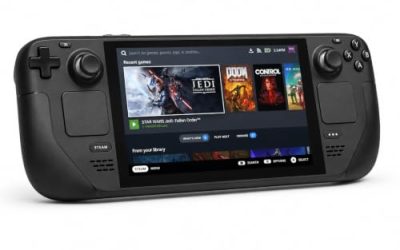
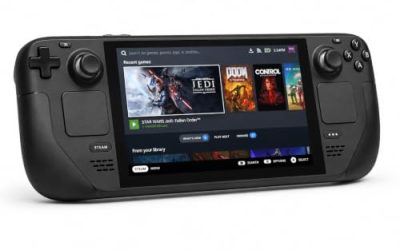
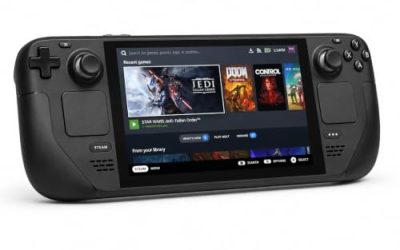
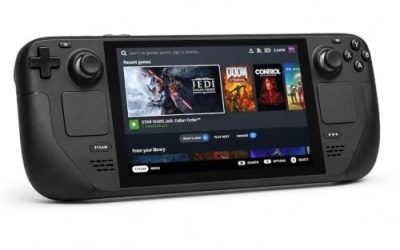
Valve Steam Deck OLED 512GB

The handheld the Playable badge was written for. Valve’s sheet grades the native runtime, and the test notes that text stays legible and the default graphics configuration performs well on Deck.
Specs
- Display: 7.4-inch HDR OLED, 1280 by 800, up to 90 Hz
- Processor: AMD Zen 2 and RDNA 2 custom APU
- Memory: 16 GB LPDDR5
- Storage: 512 GB NVMe, plus a microSD slot
- Wireless: Wi-Fi 6E and Bluetooth
- Channel note: Valve sells the Deck mainly through its own store, so Amazon listings are third-party sellers
8BitDo Ultimate 2 Bluetooth Controller
The docked and desktop pad pick. Odd Realm is mouse-first on the record, so this pad is for players who prefer a controller in hand and accept Steam Input translation for a game built around a cursor.
Specs
- Connectivity: Bluetooth wireless and USB-C wired
- Joysticks: TMR electromagnetic, anti-drift design
- Triggers: Hall effect, with mode switching
- Extras: two remappable back buttons, motion control
- In the box: charging dock included
Xbox Wireless Controller, Carbon Black
The safest guest pad in PC gaming: Steam Input support is universal, the glyphs match what most games display, and it pairs over Bluetooth or its own wireless standard. On the handheld, the test sheet’s note applies: some functions need the touchscreen or virtual keyboard, and text entry needs a manual keyboard invoke.
- Connectivity: Xbox Wireless and Bluetooth
- Port: USB-C for wired play
- Controls: hybrid D-pad, dedicated Share button
- Power: AA batteries or optional rechargeable pack
Logitech G502 HERO
Odd Realm’s settlement management is menu-driven, and at a desk a precise wired mouse turns room placement and settler orders into single clicks. Eleven programmable buttons cover the confirm, cancel and camera inputs a long session repeats.
Specs
- HERO optical sensor, up to 25,600 DPI
- 11 programmable buttons
- Adjustable weight system
- Wired USB connection
- On-board memory profiles
Samsung T9 Portable SSD 2TB
For moving a Linux game library between a desktop and a laptop, or keeping an offline backup of installers, a fast USB-C drive is the simple answer. The headline figure needs a Gen 2×2 host port; on a lesser port the drive runs at that ceiling instead.
Specs
- Capacity: 2 TB portable SSD
- Interface: USB 3.2 Gen 2×2, USB-C connector
- Maker-rated speeds: up to 2,000 MB per second read, 1,950 MB per second write
- Features: Dynamic Thermal Guard, maker-rated drop resistance
How to choose
Choose the Steam copy if you want every platform from one purchase, because it is the only storefront selling the Mac build, and it is the build every compatibility record in this article describes. Choose the GOG copy if you want a DRM-free installer and play on Windows or Linux, because the GOG Linux copy is the same native build.
Who should skip
Skip this one if you want a native Mac build from a DRM-free storefront, because GOG does not sell one. Skip it if you only buy games with a current Deck test, because the Playable badge here dates to January 2023 and the game has changed substantially since. Skip it if a four-report ProtonDB file is not reassurance enough and you only play games with a large community file behind them. And skip the pad-first plan if you are unwilling to drive a mouse-heavy colony sim through Steam Input, because the record declares no controller mode for this game.
FAQ
Is Odd Realm native on Linux?
Yes. Steam’s record flags all three platforms, the depot table holds a dedicated Linux content depot at 511.37 MiB, and the launch configuration includes a Linux executable, OddRealm.x86_64. The public branch was rebuilt in November 2026, and ProtonDB classifies the game Native.
How well does Odd Realm run under Proton?
The ProtonDB summary feed was down this session, so no tier is claimed. The game page lists 4 reports and classifies the game Native, and every visible filing describes a clean run, from Proton 7.0-4 on Linux Mint 21 to Proton 10.0-3 on Arch Linux.
Is Odd Realm Steam Deck Playable?
Yes, with SteamOS separately Compatible. Valve’s single test dates to January 2023 and graded the native runtime, with deductions for controller configuration gaps, non-Deck glyphs and manual keyboard invocation. The paperwork predates the current November 2026 build, so it is a firm candidate for a fresh test.
Can I buy Odd Realm on GOG instead?
Yes, and the GOG copy is DRM-free with a native Linux build. The GOG edition covers Windows and Linux only, so the Mac build is available solely on Steam.
Final verdict
Odd Realm is a genuine native Linux game with an unusually complete paper trail: all-true flags, three populated requirements tabs, one content depot per platform, a three-entry launch configuration, a registered Linux client icon with a real build behind it, and a public branch rebuilt in November 2026. Buy the Steam copy for every platform, or the GOG copy for a DRM-free Windows or Linux install, and play the native build first.
Product and ASIN Reference
| Product | ASIN |
|---|---|
| Valve Steam Deck OLED 512GB | B0CQ3RWQQZ |
| 8BitDo Ultimate 2 Bluetooth Controller | B0F194QFT2 |
| Xbox Wireless Controller, Carbon Black | B08DF248LD |
| Logitech G502 HERO | B07GBZ4Q68 |
| Samsung T9 Portable SSD 2TB | B0CHFS9K14 |