Polaris Sector is the kind of 4X strategy game Linux players keep hoping will quietly pick up a port: a single-player space empire builder from SoftWarWare, published by Slitherine Ltd. in March 2016, with ship design, research trees and real-time fleet battles. The question still comes up years later, because the game has the low hardware demands that usually make a Linux version plausible.
The records answer it plainly. Steam’s own data lists Windows as the only platform, and every layer underneath that flag agrees: one Windows content depot, no Linux launch entry, no Linux requirements, and an expansion that is Windows-only on its own record. The GOG edition tells the same story. This article walks through those records, covers what the ProtonDB and Steam Deck databases do and do not say right now, and finishes with the desktop gear that suits a long campaign played through the compatibility layer.
As an Amazon Associate, we earn from qualifying purchases.
Quick answer
Polaris Sector does not run natively on Linux. Steam’s record for the game lists Windows as the only platform, with a single Windows content depot, no Linux launch entry and no Linux requirements, and the Lumens expansion is Windows-only too. On a Linux PC the game is a Proton title: install the Steam copy, enable Steam Play and launch the Windows build through the compatibility layer.
What the Steam record actually says
Start with the platform flags, because everything else lines up behind them. The app record for Polaris Sector reads Windows true, Mac false, Linux false. The Linux requirements field is an empty list, which matters for how you read it: some Windows-only games carry a populated Linux tab left over from a cancelled port or a shared engine template, and that paperwork can mislead a quick check. Here there is no tab at all. The record never claims Linux in any field.
The depot table confirms the flags. SteamDB lists exactly one content depot, depot 418251, named Polaris Sector Content, at 4.32 GiB, with no operating system split in its configuration. A native Linux build cannot hide inside that structure: every genuine Linux port on Steam ships either a dedicated Linux depot or a shared depot with a Linux launch entry, and this record has neither. The public branch sits on a build from October 2018, so the delivery record has been frozen for years and nothing in it has quietly changed since.
Two smaller details round out the picture. The asset list carries a standard client icon but no Linux client icon, the small asset that native releases ship. And the game’s categories on its own record are Single-player and Family Sharing only: there is no controller support field at all, a point that matters later when we talk about gamepads. The interface ships in English, Russian and Spanish, and SteamDB detects a Lua SDK in the build. None of that opens a Linux door; it just describes the one Windows build that exists.
The Lumens expansion and the GOG edition
An expansion can occasionally differ from its base game, so the Lumens expansion was read on its own record rather than assumed. It does not differ. Lumens, released in November 2017, lists Windows true, Mac false and Linux false, with the same empty Linux requirements field. Buying the complete Steam package therefore changes nothing about the platform picture: base game and expansion are the same single Windows build path.
The GOG route closes the last alternative. GOG does sell this game, as a product titled Polaris Sector – Gold Edition, and its own product record reads content compatibility as Windows true, OSX false, Linux false. That is worth stating carefully, because GOG’s search endpoints are unreliable witnesses and a zero result there would prove nothing either way. This ruling rests on the product record itself, which GOG publishes for the edition it actually sells. The DRM-free copy is the same Windows build in a different wrapper, and Proton is the layer that has to carry it.
ProtonDB and the Steam Deck: two records that say less than usual
ProtonDB normally settles how well a Windows build behaves under Proton, but this session it settled nothing, and the honest thing is to say exactly why. The summary endpoint returned its not-found page for this game, and the same page for a control app, Dota 2’s app 570, in the same session. When the control fails too, the feed itself is down, and any tier, report count or confidence figure quoted from it would be invented. This article therefore claims none of them. The game page itself rendered only as a JavaScript shell through a text fetch, so the familiar heading check, whether the page carries a stray Natively Supports label, could not be completed either. No heading claim is made.
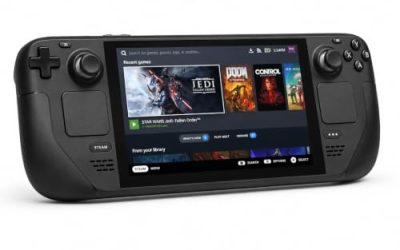
The Steam Deck record is emptier still, and this one is a genuine absence rather than a broken feed. Valve’s compatibility endpoint for this app returns a resolved category of zero with an empty item list, for both the Deck category and the SteamOS category. Category zero means Valve has never tested the game. There is no Verified badge to lean on, no Playable sheet with deductions to weigh, and no Unsupported ruling to warn against. Anyone who tells you this game is Deck Verified, or Deck broken, is going beyond the record. What can be said from the game’s own data is that it is a mouse-driven 4X with dense interface screens and no listed controller support, which is a desktop shape of game whatever the handheld verdict eventually becomes.
Anti-cheat, at least, is a non-issue. The game is single-player only, and the AreWeAntiCheatYet database, read in full at its current 1,167 entries, holds no entry for Polaris Sector at all. There is no anti-cheat gate between the Windows build and Proton. The only question Proton has to answer here is the ordinary one of a 2016 strategy build running through the translation layer, and the frozen 2018 branch means the target has not moved in years.
Gear for a desktop campaign
Because Valve has not tested the game on the Deck and its record is a desktop record, the picks below are framed for a desk rather than a dock. One honesty note first: the game’s own Steam record lists no controller support of any kind, so the two pads here are picks for the rest of a Linux library, not inputs this game promises to read. The mouse and keyboard are the real controls for a 4X campaign.
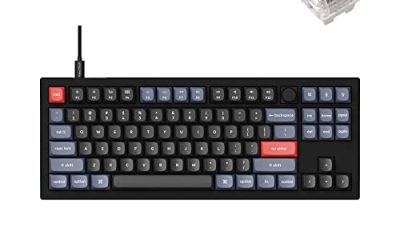
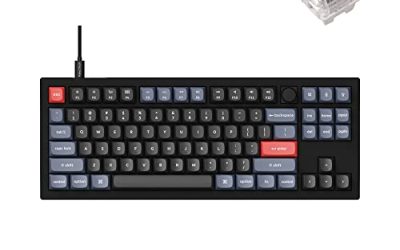
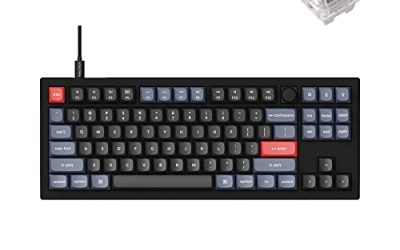
Keychron V3
The keyboard pick for desktop sessions: a tenkeyless board with QMK and VIA support lets you remap keys at the keyboard level, which keeps working across every Linux install you plug it into. End-turn, ship-design and research shortcuts can live exactly where your hand expects them.
Specs
- Tenkeyless layout with rotary knob
- QMK and VIA remapping support
- Hot-swappable K Pro Brown switches
- Wired USB-C connection
- Maker-rated 1,000 Hz polling
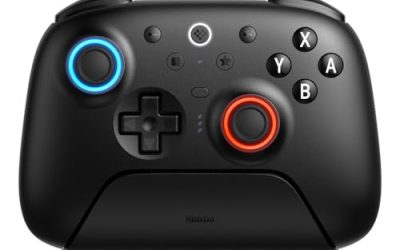
8BitDo Ultimate 2 Bluetooth Controller

A pad for the wider library rather than for this title: modern sticks and triggers plus back buttons suit the action and racing games a Linux collection accumulates, and the dock keeps it charged between sessions.
Specs
- Connectivity: Bluetooth wireless and USB-C wired
- Joysticks: TMR electromagnetic, anti-drift design
- Triggers: Hall effect, with mode switching
- Extras: two remappable back buttons, motion control
- In the box: charging dock included
Xbox Wireless Controller, Carbon Black
The safest guest pad in PC gaming, included for the same library reason: Steam Input support is near-universal across the catalogue, and the glyphs match what most games display. It will not change how Polaris Sector plays, but it covers the games that do read a pad.
- Connectivity: Xbox Wireless and Bluetooth
- Port: USB-C for wired play
- Controls: hybrid D-pad, dedicated Share button
- Power: AA batteries or optional rechargeable pack
Logitech G502 HERO
The mouse is the primary instrument for this game: galaxy maps, fleet lists, research queues and ship-design grids are all pointer work. Eleven programmable buttons cover the confirm, cancel and camera inputs a long session repeats, and the wired connection removes one variable from a Proton setup.
Specs
- HERO optical sensor, up to 25,600 DPI
- 11 programmable buttons
- Adjustable weight system
- Wired USB connection
- On-board memory profiles
Samsung T9 Portable SSD 2TB
For moving a Linux game library between a desktop and a laptop, or keeping an offline backup of installers, a fast USB-C drive is the simple answer. The headline figure needs a Gen 2×2 host port; on a lesser port the drive runs at that ceiling instead.
Specs
- Capacity: 2 TB portable SSD
- Interface: USB 3.2 Gen 2×2, USB-C connector
- Maker-rated speeds: up to 2,000 MB per second read, 1,950 MB per second write
- Features: Dynamic Thermal Guard, maker-rated drop resistance
How to choose
Choose the store first, knowing it does not change the build. Steam is the practical default for a Linux player, because Steam Play puts the Proton toggle in the client and the copy updates itself; the GOG Gold Edition is the pick only if a DRM-free installer matters more to you than the integrated compatibility switch, since its record is the same Windows build with no Linux flag. Add Lumens if you want the complete campaign content, with no platform expectations attached.
Then set up the route honestly. Install the Steam copy, leave the compatibility tool at its default for a first launch, and judge the game on your own desktop rather than on a database tier this article could not read. Keep a mouse and keyboard as the control plan: a pad is library gear here, not a campaign input.
Who should skip
Skip the purchase if you only buy native Linux builds on principle: there is no native build in either store, and the frozen branch makes a surprise port a claim no record supports. Skip it if your only gaming machine is a Steam Deck and you need a tested verdict before spending, because Valve’s sheet for this app is empty. And skip it if you wanted a controller-led experience, since the game’s own record lists no controller support at all.
FAQ
Is Polaris Sector native on Linux?
No. Steam’s record lists Windows as the only platform, the depot table holds a single Windows content depot with no Linux launch entry, and the Linux requirements field is empty. The game reaches Linux only as a Windows build running through Proton.
Does the Lumens expansion run natively instead?
No. Lumens was read on its own app record and it repeats the base game’s flags exactly: Windows true, Mac false, Linux false, with an empty Linux requirements field. The expansion adds campaign content, not a platform.
Is the GOG version a Linux version?
No. GOG sells the game as Polaris Sector – Gold Edition, and GOG’s own product record for that edition lists compatibility as Windows only. It is the same Windows build in a DRM-free wrapper, so a Linux player still needs Proton or Wine to run it.
What is the Steam Deck verdict for Polaris Sector?
There is none. Valve’s endpoint returns category zero with an empty item list, which means the game has never been tested for the Deck. This article claims no verdict in either direction, and the game’s mouse-driven interface and missing controller support make the desktop its natural home regardless.
Final verdict
Polaris Sector on Linux is a Proton story with unusually tidy paperwork. The Steam record, the depot table, the expansion’s separate record and GOG’s product record all say the same thing: one Windows build, sold since 2016, frozen since 2018, with no native Linux edition anywhere. The databases that would normally grade the workaround are silent this session, ProtonDB because its feed is down, Valve because it has never tested the game. Buy it as a desktop Proton title with a mouse in hand, and the record supports exactly that purchase.
Product and ASIN Reference
| Product | ASIN |
|---|---|
| Keychron V3 | B0B2DMMMG2 |
| 8BitDo Ultimate 2 Bluetooth Controller | B0F194QFT2 |
| Xbox Wireless Controller, Carbon Black | B08DF248LD |
| Logitech G502 HERO | B07GBZ4Q68 |
| Samsung T9 Portable SSD 2TB | B0CHFS9K14 |