
Stuttering in Helldivers 2 Fix Guide
Stuttering in Helldivers 2 usually shows up as a short freeze that repeats every few seconds, even when the frame counter reads a healthy average. That gap matters. Uneven frame timing feels worse than a locked, slightly lower frame rate, because the eye reads hitches as jumps in motion. This guide walks through the causes that appear most often on Windows gaming PCs and the order in which to test them. It is a troubleshooting and buying guide, not a bench report. We have not run controlled tests on the hardware in the listing, and nothing below promises a result on your system.
The hero listing above is the first pick for the query “game stuttering fix”, with four alternatives in the same group. Treat the card as a closest-match listing for the product class. Confirm the exact model, interface and compatibility before you buy, because a fix that helps one player with a full drive or a tight memory budget may do nothing for another.


Work Out Which Kind of Stutter You Have
Before you change any setting, sort the problem into one of three groups. A stutter that appears only on first launch or right after a patch is usually shader compilation. A stutter that builds up after twenty or thirty minutes of play often points to video memory pressure, or to a background program that grows over time. A stutter that follows the camera into crowded scenes can be a CPU frame-time problem. Each group has a different first test, and mixing them up wastes an evening.
Open a frame-time overlay and watch the graph during a hitch. Spikes that line up with a new area load are a different problem from spikes that line up with a heavy combat scene. If the graph is unclear, log temperatures at the same time, because thermal throttling can look very similar to stutter. Our guide on checking GPU and CPU temperature covers how to capture that side of the picture.
Shader Cache and First-Launch Hitches
Modern engines compile shaders as they meet new effects. After a game update, many players see short freezes while the game builds what it needs. Let any build phase finish and avoid alt-tabbing repeatedly during the first few minutes. If the hitches continue long after that phase ends, the cause is probably something else, and you should move on to the memory and driver checks below.
Video Memory Pressure and Texture Settings
When the game asks for more video memory than the card has free, data has to move across the PCIe bus into system memory. That transfer is far slower than reading from local VRAM and shows up as a hard hitch. Lower texture quality by one step, reduce the render scale slightly and watch the reported VRAM use over a long session. Cards with 8 GB of memory have less room for high texture settings than cards in the 12 GB and 16 GB tiers, so this step matters most on smaller cards.
Driver, Background and Storage Causes
Keep the GPU Driver Clean
Install the latest stable driver from the GPU maker and avoid stacking old and new installs on top of each other. A clean install removes leftover profile settings that can conflict with a newer title. A display driver removal tool is useful when a normal install keeps failing, but it is not a first step for every player.
Close Overlays and Background Apps
Capture software, RGB control suites, browser tabs that auto-play video and cloud sync clients all compete for disk and CPU time. Close them one at a time and test after each change. The goal is to find the one program that matters, not to strip the system down to nothing.
Storage Speed While Streaming Assets
Large open maps read assets from disk while you play. A game on a slow hard drive, or on a nearly full SSD, can stutter while it loads textures for the next area. Keep the game on a fast NVMe drive with plenty of free space, and avoid large downloads on the same drive during a session. The overview of NVMe SSDs for gaming explains the trade-offs between tiers, and the SSD for gaming PC page covers capacity planning.
Comparing the Hardware in This Group
If the software steps do not fix the problem, the hardware is the next suspect. The table compares the hero listing and the four alternatives by role. It does not list exact prices, because those change by seller and by week. Check the live card for current pricing and the exact model.
| Option | Role in this guide | Best for | What to confirm | Price |
|---|---|---|---|---|
| Hero listing | Closest match for the query | Players who want a single, clear first pick | Exact model, interface, capacity | Check current price |
| Alternative 1 | Same class, different option | Buyers comparing value within the group | Compatibility with your board or system | Check current price |
| Alternative 2 | Same class, second option | Builds with limited free space | Stated capacity and warranty | Check current price |
| Alternative 3 | Same class, third option | Upgrades in an existing system | Required connector or slot type | Check current price |
| Alternative 4 | Same class, fourth option | Players who want a different brand | Review count and return policy | Check current price |
Memory, CPU and GPU Checks Worth Doing
Check System Memory Capacity and Speed
Running low on system memory forces the operating system to swap, and swapping produces the same long pauses that players blame on the game. Sixteen gigabytes is a minimum for a modern title, and 32 GB gives comfortable headroom if you run a browser, a launcher and a voice app alongside the game. If you need to buy, the 32 GB DDR5 buying guide lists the kits worth comparing, and RAM for gaming covers the difference between capacity and speed.
CPU Frame-Time Spikes in Crowded Scenes
A processor that is too slow for the simulation load will show stutter when many enemies and effects appear at once. Watch the CPU graph during a busy fight. If one or two cores sit near full while the GPU has spare capacity, the processor is the limit. The best CPU for Helldivers 2 guide compares processors by that exact behaviour.
When a Faster GPU Is the Real Answer
If the GPU sits at full load during every hitch and VRAM is already near its limit, a faster card or a lower resolution target is the honest fix. Read the best GPU for Helldivers 2 page for the class of card that matches your target resolution, and the 1440p GPU guide if you are planning a resolution change.

GIGABYTE GeForce RTX 5080 Gaming OC 16G Graphics Card, WINDFORCE Cooling System, 16GB 256-bit GDDR7, GV-N5080GAMING OC-16GD Video Card


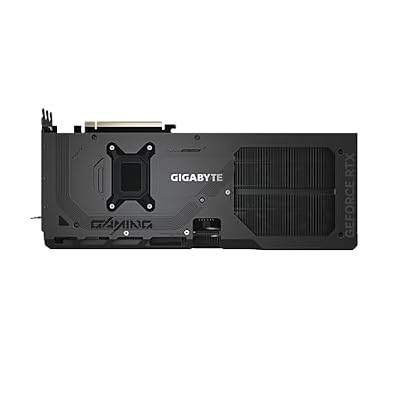


As an Amazon Associate we earn from qualifying purchases. Product prices and availability are accurate as of the date/time indicated.
A Practical Order to Test Changes
Change one thing at a time and log the result. Testing several settings together makes it impossible to know which one helped.
- Record a short session with the frame-time overlay running and note when the hitches occur.
- Let any shader build finish, then play for twenty minutes before judging the result.
- Lower texture quality one step and repeat the same route in the game.
- Update or clean-install the GPU driver, then repeat the test.
- Close background programs one at a time to find the one that matters.
- Move the game to a faster drive with more free space if the graph shows storage spikes.
- Check memory and CPU use during a busy fight before deciding on any purchase.
This order puts the cheapest and most reversible steps first. Only spend money once the graph points to a specific bottleneck. For a wider view of how these parts fit together, the complete gaming PC buying guide explains how to balance the CPU, GPU, memory and storage in one build.
Frequently Asked Questions
Does stutter always mean my GPU is too weak?
No. Stutter often comes from memory pressure, storage reads, background software or a CPU that cannot keep up with the simulation. A slow GPU lowers the average frame rate, but uneven frame timing is a different symptom. Check the graph before you assume the card is the problem.
Will lowering settings fix stuttering?
It can, when the cause is video memory or texture streaming. Lowering a setting that does not touch those systems will not remove the hitch. Test texture quality and render scale first, because those settings most often change how often the game reaches for data it cannot hold locally.
Should I cap my frame rate to reduce stutter?
A modest cap can help when the GPU hits full load and the frame times swing wildly. It is a stability tool, not a cure. If the cap makes the hitches shorter but they still appear, the bottleneck is still in the system and the earlier steps in this guide still apply.
Is the hero listing guaranteed to fix my problem?
No. The listing is a closest match for the product class and does not promise a result. Use the steps above to confirm the cause first, then buy only the part that addresses it.





