
Madden 27 GPU Memory Allocation & Stuttering Fix Guide
Madden NFL games are demanding on graphics memory, because stadiums, player models, crowd detail and broadcast-style presentation all compete for the same video memory. When the budget runs short, the game does not always drop the frame rate evenly. Instead, it often hitches when it loads new assets, such as during a replay, a camera change or a transition between screens. This guide explains how video memory use affects that stutter, how to check it, and which settings reduce the pressure without a full hardware change.
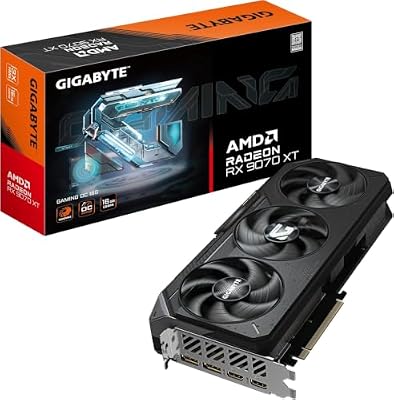
This is a troubleshooting and buying guide. We have not measured video memory use or frame times for this game in this article, and no figures here come from our own testing. Menu names, memory options and driver behaviour change between game versions, so confirm them in your build. The hero listing above is the closest match to the graphics hardware discussed. Confirm the exact model, memory size and price on the card before buying, because the listing may be a substitute for the part you searched for.
How Video Memory Causes Stutter
Graphics memory holds textures, geometry and other data the card needs for each frame. When the scene needs more than the card has free, the driver moves data in and out of system memory, which takes time. The result is a hitch that looks like a stall rather than a steady drop. Hitches often appear at the moment the game loads a new set of assets, such as a crowd, a stadium section or a close-up replay. A card with enough memory for the settings you choose can avoid most of these hitches.
A stutter from memory pressure has a recognisable pattern. The frame rate may be fine for most of a play and then spike down for a moment when the camera changes. If the frame rate is low all the time, the problem is more likely the processor or the graphics load, and the memory fixes below will change little.
Check Memory Use Before You Change Anything
Use an on-screen overlay that shows video memory use, and play a few minutes in a busy stadium scene. Watch whether the used memory sits close to the total during the stutter. If it does, memory is the limit. If it stays well below the total, look elsewhere. Our guide on checking GPU and CPU temperature explains how to set up an overlay that logs the hardware while you play, which makes this check easier.
Settings That Reduce Memory Pressure
Texture quality is the largest lever for video memory. Lowering it by one step often frees a significant amount of memory with a small visual cost at normal viewing distance. Next, reduce crowd and stadium detail, because those add many objects that need their own data. Shadow resolution and reflection quality also use memory, so lower them if you are still short. Upscaling can help too, since a lower internal resolution reduces some of the memory used for the frame buffers.
Make the changes one at a time and test the same scene each time. Stop as soon as the stutter disappears, because each step you take back costs image detail. Keep a note of the setting that worked, since a driver or game update can change the default values.
Driver and Background Apps
Close programs that hold video memory, such as browsers with hardware acceleration, recording tools and other games. Keep the graphics driver up to date, and use a clean install when a new driver causes problems. These steps are cheap and do not change the picture.

MSI NVIDIA GeForce RTX 5070 Ti 16G Gaming Trio OC Plus Graphics Card - 16 GB GDDR7 (28 GB/s, 256-bit), PCIe 5.0 - TRI FROZR 4 (3 x STORMFORCE Fans) - RGB - HDMI 2.1b, DisplayPort 2.1b


As an Amazon Associate we earn from qualifying purchases. Product prices and availability are accurate as of the date/time indicated.
When a Memory Upgrade Is the Honest Answer
If you have lowered texture quality and crowd detail and the stutter remains, the card may simply have too little memory for the image you want. At that point a card with more video memory is the most direct fix. A better processor will not solve a memory limit, and neither will more system RAM, because the stutter happens inside the graphics memory budget. Check the memory size of any card before you buy, and remember that a larger number on the box does not guarantee a stable result without the right settings.
Comparison Table: Graphics Options for Memory-Heavy Play
The table compares the hero listing with the four alternatives by use case. It is a shortlist aid, not a ranking, and it does not predict how any card will handle a specific stadium or replay.
| Option | Role in this guide | Best for | What to confirm | Price range |
|---|---|---|---|---|
| Hero listing | Closest match to the card discussed | Players who want headroom at high texture settings | Exact model, video memory size and power connectors | Check current price |
| Alternative 1 | Second listing in the same set | Players who want a similar class at a lower spend | Driver support and cooler design | Check current price |
| Alternative 2 | Third listing in the same set | Balanced play at 1440p | Memory size and warranty terms | Check current price |
| Alternative 3 | Fourth listing in the same set | Quieter operation in a mid-size case | Fan design and case clearance | Check current price |
| Alternative 4 | Fifth listing in the same set | Compact builds with a smaller power supply | Card length and required wattage | Check current price |
Use the table to shortlist, then check the memory size, card length and power needs against your system before you order.

NVIDIA GeForce RTX™ 5070 Ti OC Triple-Fan Graphics Card | 16GB GDDR7, 256-bit, Boost: 2572 MHz, PCIe® 5.0, HDMI®/DP 2.1, 2.98-Slot, NVIDIA Blackwell Architecture, DLSS 5


As an Amazon Associate we earn from qualifying purchases. Product prices and availability are accurate as of the date/time indicated.
Frequently Asked Questions
Why does Madden stutter when the camera changes?
Camera changes often load new assets, such as crowd detail or stadium sections. If the graphics memory is near its limit, the load causes a hitch. Lowering texture and crowd detail usually helps.
Will more system RAM fix the stutter?
Not directly. The stutter happens inside the graphics memory budget, so more system RAM does not solve it, though enough system memory still matters for a smooth overall experience.
Should I lower textures or resolution first?
Lower textures first, because they use the most memory for the least change in speed. Resolution and upscaling come next if the stutter persists.
How do I know if memory is the problem?
Watch the memory use in an overlay during a stutter. If it sits close to the total at the moment of the hitch, memory is the limit.
Next Steps
If you are deciding on a card with more memory, the best GPU for gaming list compares options across tiers, and the budget GPU guide covers the lower end of the market. For higher resolutions, the 1440p GPU guide and the 4K GPU guide show how memory needs change with the screen. Memory for the rest of the system is covered in the RAM buying guide and the DDR5 RAM guide. For a full build around a sports title, the budget gaming PC build guide shows how to balance the parts, and the gaming PC SSD guide helps with fast loading.


