
NVIDIA vs AMD vs Intel GPU Gaming Comparison 2026
Choosing a graphics card is the largest single decision in most gaming PC builds, and in 2026 the choice is between three major GPU makers: NVIDIA, AMD and Intel. Each brand has strengths in upscaling technology, ray tracing, driver maturity and price-to-performance, and each has trade-offs that matter at different budgets. This NVIDIA vs AMD vs Intel GPU gaming comparison explains the features that actually change your experience, how the brands differ at each price tier and which checks to make before you buy. It is a buying guide built around the product classes, not a benchmark review, so use it as a framework for reading individual listings and current reviews.
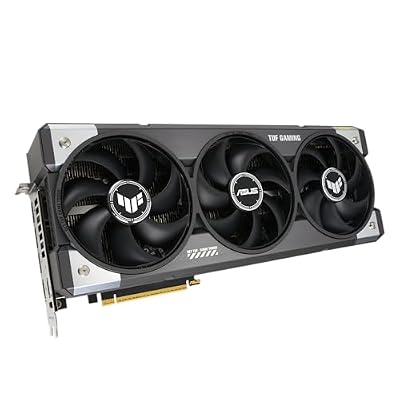
The hero listing was selected for the query “gaming GPU benchmark” and may be a close match rather than the exact card you choose. Check the card for the exact model, memory size and current price. Verify performance in reviews that test your target games and resolution, rather than relying on any single number.
The Features That Matter Beyond Raw Speed
Upscaling Technology
Upscaling renders a game at a lower resolution and reconstructs a sharper image, which can raise frame rates substantially. NVIDIA’s DLSS, AMD’s FSR and Intel’s XeSS are the three main systems. Support varies by game, and quality depends on the version of each technology a game uses. When you compare cards, check which upscaling methods your favourite games support, because a feature that is missing from your library adds little value.
Ray Tracing Performance
Ray tracing adds realistic lighting and reflections, but it is demanding. NVIDIA cards have generally led in ray tracing workloads, while AMD and Intel have closed the gap in newer generations. The gap still varies by game and by resolution, so check reviews that test ray tracing in the titles you play. If ray tracing is a priority, give it more weight in your decision than headline frame rates in older games.
Drivers and Software
Driver stability and extra software features affect daily use. NVIDIA’s software suite is mature and widely used. AMD’s driver and tuning tools are also well established. Intel’s graphics drivers have improved substantially since the first Arc cards, but the company’s ecosystem is younger. Read recent driver-related reviews for the generation you are considering.
Comparison Table: Brand Strengths by Tier
The table below summarises the typical positioning. It is a general guide to brand strengths, not a ranking of specific cards. Prices are broad ranges, and the exact figure should be checked on the card before you buy.
| Brand | Key strength | Best for | Main trade-off | Typical price range |
|---|---|---|---|---|
| NVIDIA | Strong ray tracing and mature upscaling | Buyers who want the widest feature set | Often higher price for a similar raster level | Check current price |
| AMD | Competitive price-to-performance in raster games | Buyers focused on value and open upscaling | Ray tracing can trail in some titles | Check current price |
| Intel Arc | Competitive value and a strong upscaler | Budget and mid-range builds | Younger driver ecosystem and fewer tuning options | Check current price |
| Last-generation cards | Lower prices for a known feature set | Tight budgets and used-market buyers | No newer features and shorter support window | Check current price |
If you are still choosing a tier, our best GPU for gaming guide covers the main options by performance level, and the best budget GPU for gaming roundup focuses on lower prices.
Choosing by Resolution and Budget
1080p and 1440p Gaming
At 1080p and 1440p, most current mid-range cards from all three brands can deliver high frame rates in many games. The best choice often comes down to price, upscaling support and the specific games you play most. Our best GPU for 1440p gaming guide and the best GPUs for 1440p gaming roundup compare cards at this resolution.
4K and High Refresh Targets
At 4K, or at high refresh rates in demanding games, the top tier matters more. Cards with more memory and stronger upscaling tend to perform best here. If you plan a 4K display, check the upscaling quality and the power requirements of the card, and consider the rest of the system. Our best GPU for 4K gaming guide covers this tier in more detail.
Tight Budgets
On a limited budget, the value gap between brands can be large. AMD and Intel often offer strong raster performance per dollar, while NVIDIA can justify a premium through feature support and driver consistency. Used or last-generation cards can also be good value, but check their remaining warranty and whether they support the upscaling features you want. Our best gaming graphics card on a budget guide covers the lower end of the market.

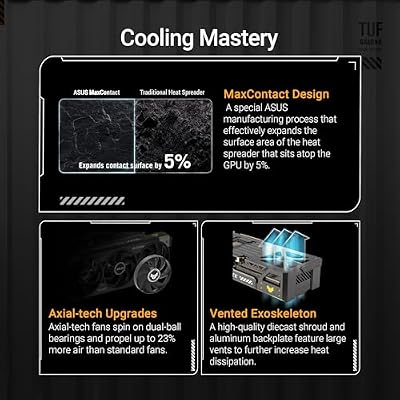
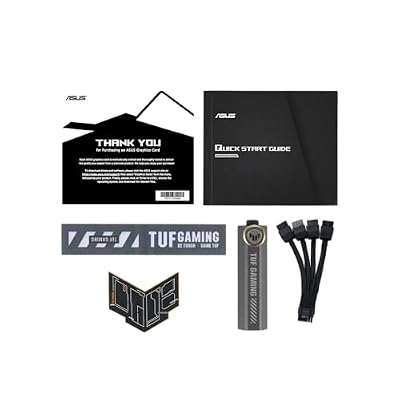
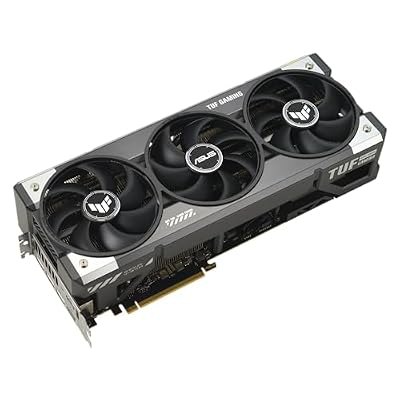
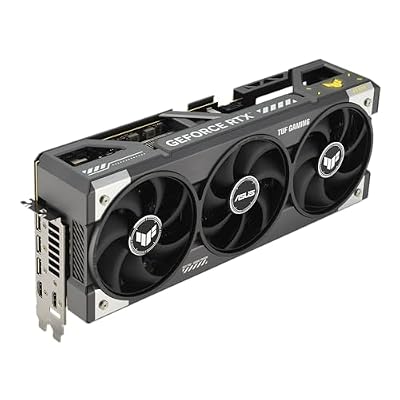
ASUS TUF Gaming GeForce RTX 5090 32GB GDDR7 OC Edition Gaming Graphics Card | PCIe 5.0, HDMI/DP 2.1, 3.6-slot, Military-grade Components, Protective PCB Coating, Axial-tech Fans










As an Amazon Associate we earn from qualifying purchases. Product prices and availability are accurate as of the date/time indicated.
CPU Pairing and System Balance
The graphics card is only one part of the frame rate equation. A strong GPU paired with a weak CPU will leave performance on the table in CPU-heavy games, and an oversized CPU on a modest GPU wastes money. Match the card to the processor and to your target resolution. Our best CPU for 1440p gaming guide helps match the processor to a high-resolution build, and the best gaming CPU in 2026 roundup covers the wider processor market.
Power supply sizing matters too. Higher-tier cards draw more power and need appropriate connectors. Our best gaming PC power supply guide explains how to size a supply for your chosen graphics card.
Intel Arc and the Value Argument
Intel’s Arc cards have become a serious option in the budget and mid-range segments. Their upscaling technology is competitive, and driver updates have improved performance across many titles. The trade-off is that the driver ecosystem is still younger, and some older or niche games may perform less well. Our Arc B580 review covers one of the company’s cards in more detail, and it is worth reading current driver notes before you buy.
Frequently Asked Questions
Which brand is best for ray tracing?
NVIDIA has generally led in ray tracing, but AMD and Intel have improved. The best choice depends on the games you play and the resolution you target. Check reviews that test ray tracing in your favourite titles.
Is AMD a good choice for gaming?
Yes. AMD cards often deliver strong raster performance for the price, and FSR is widely supported. The main trade-off is ray tracing in some titles, so weigh that against your game list.
Is Intel Arc reliable enough for a gaming PC?
For many buyers it is. Arc cards have a competitive upscaler and value pricing, but they are newer to the market. Check driver support and reviews for your specific games before buying.
Should I buy last-generation or current-generation?
Last-generation cards can offer better value, especially when their prices fall. Current generations bring newer features and longer support. Compare the feature set you need with the price difference.
Final Recommendation
For most buyers, NVIDIA is the safest choice when feature support, ray tracing and driver maturity matter most, and it commands a premium for that reliability. AMD is the strongest value option for many players who focus on raster performance and open upscaling. Intel Arc is worth serious consideration on budget and mid-range builds, provided you check current driver support for the games you play. Before buying, confirm the exact model and memory size on the card, check reviews that test your target games and resolution, and make sure your CPU and power supply match the card. Those checks will usually point to the right brand for your build.


