
Gaming Laptop vs Gaming Desktop 2026 Comparison
The gaming laptop vs gaming desktop choice comes down to how you live and play. A laptop lets you game in bed, at a friend’s house or on a train, while a desktop offers more performance for the money, easier upgrades and better cooling over long sessions. In 2026, both categories have improved, and the gap in raw performance is smaller than it used to be for the same price. This guide compares the two form factors on performance, cooling, upgrade path, portability, cost and long-term value, so you can decide which fits your habits. It is a buying guide built around the product classes, not a lab review, and it avoids specific benchmark claims for individual models.
The hero listing was selected for the query “gaming desktop vs laptop” and may be a close match rather than the exact model you finally buy. Check the card for the exact specifications, memory, storage and current price. The alternatives in the list cover other options in the same category.


Performance for the Same Money
A desktop generally delivers more performance per dollar. Desktop graphics cards can draw more power and run cooler, and desktop processors can use larger coolers. A laptop must fit its components into a thin chassis, which limits power draw and cooling capacity. For a fixed budget, a desktop usually offers a stronger graphics card, while a laptop trades some of that headroom for portability.
Laptops also use mobile versions of graphics chips, which are named similarly to desktop parts but run at lower power. Compare mobile listings with care. A mobile card with the same name as a desktop card can deliver noticeably lower performance. Read the specific wattage and reviews for the model you are considering before assuming equal results.
Cooling, Noise and Sustained Performance
Cooling is where desktops have the clearest advantage. A desktop case can hold large air coolers or radiators, and it can move more air through the system. A laptop relies on compact heat pipes and small fans, which can run loud under load and throttle when temperatures rise. Sustained performance matters for long sessions, and a laptop that starts strong may slow down after a while in a warm room.
If you are considering a laptop, check how it handles heat over time. Our best gaming laptop 2026 guide lists current models, and the best cooling pad for a gaming laptop roundup covers accessories that can help in warm environments.
Comparison Table: Laptop vs Desktop
The table below summarises the typical trade-offs. Prices are broad ranges, and the exact figure should be checked on the card before you buy.
| Option | Key feature | Best for | Main trade-off | Typical price range |
|---|---|---|---|---|
| Thin gaming laptop | Portable chassis with mobile graphics | Travel and mixed use | Lower sustained performance and noisier fans | Check current price |
| Large gaming laptop | Higher power limits and better cooling | Players who want portability with more power | Heavy and short battery life | Check current price |
| Mid-tower gaming desktop | Desktop graphics and room for coolers | Home gaming and upgrades | Not portable and needs desk space | Check current price |
| Compact gaming desktop | Small form factor with desktop parts | Limited space with desktop performance | Harder to upgrade and cool | Check current price |
If you are weighing a desktop, our best gaming desktops under $1000 guide shows what a mid-budget system can deliver, and the best small gaming desktop roundup covers compact options that save space.






As an Amazon Associate we earn from qualifying purchases. Product prices and availability are accurate as of the date/time indicated.

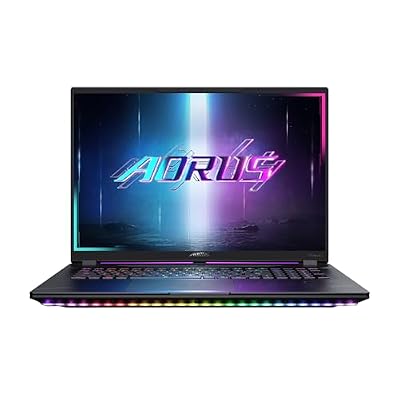
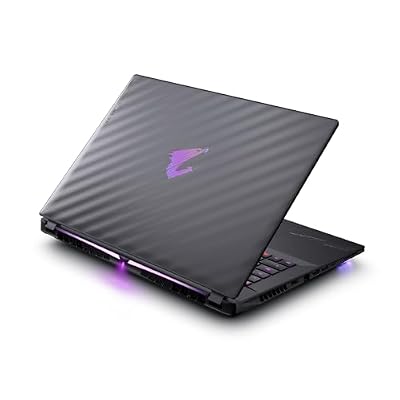
ASUS ROG Strix Scar 18 AI Gaming Laptop 18" 240Hz Mini LED WQXGA Display (Intel Ultra 9-275HX, GeForce RTX 5090 24GB, 32GB DDR5, 2TB PCIe SSD, RGB KB, Win 11 Pro) w/DKZ USB Port Expander



As an Amazon Associate we earn from qualifying purchases. Product prices and availability are accurate as of the date/time indicated.
Upgrade Path and Longevity
A desktop is far easier to upgrade. You can swap the graphics card, add memory, replace the storage or change the processor in many cases, usually without buying a new case or power supply. That flexibility extends the life of the system and lets you spread upgrade costs over time. A laptop’s graphics chip, memory and often its storage are fixed or hard to replace. When the laptop falls behind, the usual answer is a full replacement.
Plan the desktop’s power supply and case with future upgrades in mind. Our best gaming PC power supply guide explains how to size a supply for a future card, and the best gaming PC SSD article covers storage choices that suit a desktop build.
Portability, Space and Lifestyle
Portability is the laptop’s main advantage. If you move between rooms, travel for work or study, or play at friends’ homes, a laptop removes the problem of getting your rig from place to place. It also works without a separate monitor, keyboard and mouse setup, although most players connect external peripherals for long sessions anyway.
A desktop is better for a fixed setup. It needs desk space, a stable power supply and a room where you can keep the case and cables tidy. If you already have a workstation, a desktop fits it well. For players who want a balance, a compact desktop can be moved more easily than a full tower while still offering desktop cooling and upgrade options.
Cost of Ownership and Hidden Expenses
The sticker price is not the whole cost. A laptop often needs a dock, a monitor and a keyboard and mouse if you play at a desk, which adds to the total. A desktop needs a monitor, peripherals and sometimes a case fan upgrade, but you may already own some of those items. Compare the full setup you will use, not only the main unit.
Battery life and repair costs also matter. Laptop batteries wear over time, and repairs on compact boards can be expensive. Desktop parts are generally modular, so failed components can often be replaced individually. For players who game on the go, the premium for a laptop may be worth paying. For home use, a desktop often gives more performance for the same spend. For budget laptop picks, see the best affordable gaming laptop guide, and the best gaming PC hub covers desktop builds.
Frequently Asked Questions
Is a gaming laptop as good as a gaming desktop?
For the same price, a desktop usually delivers more sustained performance and a stronger graphics option. A laptop is a strong choice when portability matters more than raw power. Compare the specific mobile graphics chip and its power limit before deciding.
Can I upgrade a gaming laptop later?
Upgrades are limited. Some models allow memory and storage changes, but the graphics chip and processor are usually fixed. Check the listing and manual for upgrade options before buying.
Which is better for streaming, laptop or desktop?
A desktop generally handles streaming and gaming at the same time more comfortably, because it has more cooling and power headroom. A laptop can stream, but heat and fan noise can become issues in long sessions.
Do I need a monitor for a gaming laptop?
Not to play, but most players connect an external monitor for higher refresh rates, more screen space and better ergonomics. Plan for the monitor as part of the total cost of the setup.
Final Recommendation
For most players who game mainly at home, a gaming desktop is the better choice. It offers more performance for the money, better cooling and a far easier upgrade path. A gaming laptop makes sense when you need to move the system between rooms or travel regularly, and when you accept lower sustained performance and a fixed upgrade path. Before buying, check the exact model and mobile graphics specification on the card, compare the total setup cost including monitor and peripherals, and think about how many years you want the system to last. If portability is not a real need, the desktop almost always gives the better long-term value.


