
PCIe Gen5 vs Gen4 NVMe SSD Gaming Performance
PCIe Gen5 NVMe drives promise higher sequential transfer speeds than Gen4 drives, and that headline figure is the main reason many builders consider the newer format. In gaming, the practical question is different. Does a faster drive change load times, texture streaming or the day-to-day experience enough to justify the extra cost and heat? The honest answer is that most games see modest differences, and the value of Gen5 depends on what else you do with the drive.
This is a buying and performance guide. It explains what the interface generation changes, where storage speed matters in games and where it does not, and how heat, cost and platform support should shape the choice. It does not provide game load times, because those depend on the title, the drive controller, the operating system and the processor. Use reviews that test your specific games for measured results.
The listing below is the primary pick for this search. It is a PCIe NVMe drive in the category the comparison covers, and it may not be the exact model you intend to buy. Check the card for the precise model, interface generation, capacity and price before ordering.
What Gen5 Changes Compared With Gen4
PCIe is the interface that connects an NVMe drive to the motherboard. Each generation roughly doubles the bandwidth of the previous one per lane. Gen5 drives therefore have a higher theoretical ceiling for sequential reads and writes than Gen4 drives, and that ceiling is what most headline specifications report. Sequential speed is a useful measure for large file copies and certain workloads, but it is not the whole story for gaming.
Gaming workloads are often a mix of small random reads, bursts of larger reads and background writes. Random performance, controller quality, the amount of cache and the drive’s behaviour under sustained load matter alongside the headline interface figure. A well-designed Gen4 drive can perform strongly in games, while a poorly designed Gen5 drive can be less consistent than expected.
Platform support is the first check
A Gen5 drive only runs at Gen5 speed if the motherboard, the processor and the slot all support it. Many current platforms offer a Gen5 slot for the primary storage device, and others offer Gen5 on a secondary slot only. Check the motherboard manual before buying, because installing a Gen5 drive into a Gen4-only slot will limit it to Gen4 speed. The PCIe Gen5 versus Gen4 SSD comparison covers the platform questions in more depth.

Crucial T705 PCIe Gen5 NVMe 2TB SSD, Up to 14,500MB/s, TLC NAND, Intel & Ryzen Compatible, for Hardcore Gaming & High-Speed Storage, Solid State Drive, Includes 1Mo Adobe CC – CT2000T705SSD3


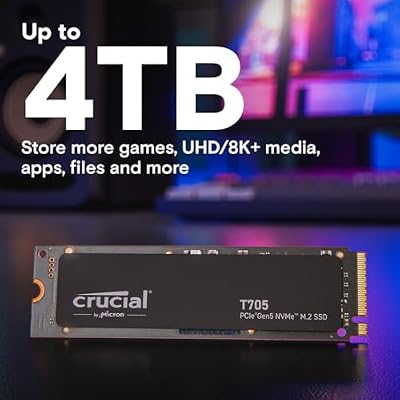


As an Amazon Associate we earn from qualifying purchases. Product prices and availability are accurate as of the date/time indicated.
Where Storage Speed Matters in Games
Storage speed matters most at load time, during level transitions and when a game streams large assets quickly. Some modern engines use direct storage methods that reduce the work the processor does when loading assets, and these methods can benefit from fast drives. In these cases, a faster drive can reduce waiting, although the size of the reduction varies by game. For many titles, the difference between a good Gen4 drive and a good Gen5 drive is small once the game is running.
Storage does not usually set the frame rate during steady play. Once a game has loaded the assets it needs, the graphics card and processor determine most of the performance. A fast drive is still useful because it reduces the time players spend waiting, but it rarely changes the core frame rate.
Games and their use of storage
Open-world games that stream large areas quickly, and titles that load frequent assets during play, are the most likely to show a visible difference. Competitive shooters with small maps and frequent matches usually load quickly on any modern drive. Check the reviews of your favourite games, and look for measured load times rather than general claims.
Heat, Cooling and Thermal Throttling
Gen5 drives typically run hotter than Gen4 drives under sustained load, and that heat can cause the controller to reduce speed to protect itself. Thermal throttling is the main practical risk with a high-speed drive. A heatsink or a motherboard with a suitable M.2 heatsink helps keep the drive within its safe range, and airflow over the drive matters as well.
Check whether the motherboard includes a heatsink for the Gen5 slot, and confirm the drive’s cooling requirements. If you plan a large sequential transfer or a long session of heavy writes, a capable heatsink matters more than the headline interface speed. Our guide to the best gaming PC SSD covers drives that offer a sound balance of speed and thermal behaviour.
Cost and Value
Gen5 drives usually cost more per gigabyte than Gen4 drives, and the premium can be significant. For a gaming build, the extra money may be better spent on a larger Gen4 drive, a better graphics card or a stronger monitor. The best value depends on your workload. A user who moves large video files or works with very large datasets may benefit more from Gen5 than a player who mainly launches games.
Capacity matters too. Modern games can take up a large amount of space, and running out of storage causes more frustration than a small difference in interface speed. Plan capacity first, then decide whether the speed class is worth the extra cost. The best 2TB gaming SSDs guide helps with capacity planning, and the best PCIe 5 NVMe SSDs for 2026 article covers the Gen5 category in detail.
Comparison Table: NVMe Drive Options
The table compares the listings by the role they are likely to play in a build. It avoids specific prices and speed figures, which vary by model and capacity.
| Option | Best for | Price tier | Trade-off to check |
|---|---|---|---|
| Primary pick (hero listing) | Builders on a Gen5 platform who want headroom | Premium tier | Confirm Gen5 slot support and heatsink needs |
| Alternative 1 | Users who want a Gen5 drive with a different capacity | Premium tier | Higher heat and cost than Gen4 options |
| Alternative 2 | Players who want a balanced high-capacity drive | Mid tier | Check sustained-write behaviour and cooling |
| Alternative 3 | Budget-minded builders who want fast load times | Check current price | Gen4 may deliver similar game load times for less |
| Alternative 4 | Users who need a secondary drive for a game library | Entry tier | Speed matters less for storage that holds installs |
Which Drive Makes Sense for Your Build
Choose a Gen5 drive if your motherboard has a Gen5 slot for the primary drive, you work with large files alongside gaming and you have a plan for cooling. It suits builders who want the newest interface and are comfortable paying a premium for it.
Choose a well-reviewed Gen4 drive if you mainly play games, your budget is better spent elsewhere or your motherboard does not support Gen5 in the slot you need. A good Gen4 drive is a sensible choice for most gaming systems, and the practical difference in play is often smaller than the specification sheet suggests.
In both cases, check the drive’s endurance rating, warranty and firmware update policy. A stable drive with a clear warranty is worth more than a marginal speed advantage.
If you want a broader list of drives, the best NVMe SSD for gaming in 2026 guide covers the main options, and the best gaming SSDs roundup compares capacities. For larger libraries, the best 4TB NVMe SSDs article and the best SSD for gaming PC guide cover storage planning, and the best PS5-compatible SSDs article shows the console side of the market.
Frequently Asked Questions
Will a Gen5 SSD increase my frame rate?
Storage speed rarely changes steady-state frame rate. Once a game has loaded its assets, the graphics card and processor usually determine performance. A faster drive mainly affects load times and streaming behaviour.
Is a Gen4 SSD good enough for gaming?
For most gamers, yes. A well-reviewed Gen4 drive delivers fast load times and performs well in modern games. Gen5 offers more headroom, but the gain in everyday gaming is often modest.
Do Gen5 SSDs need a heatsink?
Many do, or at least benefit from one, because they can run hot under sustained load. Check the drive’s specifications and the motherboard’s built-in cooling options, and make sure there is airflow over the drive.
Will a Gen5 drive work in any M.2 slot?
It will physically fit in a compatible M.2 slot, but it only reaches Gen5 speed in a slot that supports Gen5 on that platform. Check the motherboard manual to see which slots offer full Gen5 bandwidth.


