
GPU Buying Guide 2026 Performance Tier Breakdown
The graphics card is the part of a gaming PC that decides most of what you actually see on screen, and it is also the part with the widest price spread. A GPU buying guide for 2026 has to cover more than a single number. It needs to explain how performance tiers are organised, how video memory and resolution interact, and where the practical price-to-performance sweet spot sits for different types of players. This guide breaks the market into tiers, explains what each one is good for, and gives a ranked recommendation for most buyers.
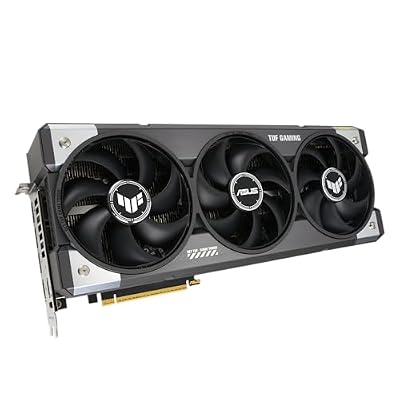
The hero listing above is a graphics card from the current generation, and the four alternatives sit in neighbouring tiers. The card may be a close match rather than the exact model named in your search, so check the card for the precise chip, memory size and price before you buy. The tier logic below applies whichever specific card you pick.

How GPU Performance Tiers Work
Performance tiers group cards by the level of gaming they can deliver at a target resolution and quality setting. The labels change from one generation to the next, but the logic stays the same. Entry cards aim for smooth 1080p gaming at high settings. Midrange cards handle 1440p well and can run demanding titles with upscaling enabled. High-end cards target 1440p at high frame rates or 4K with upscaling. The flagship tier sits above that and is priced for buyers who want the most headroom available, regardless of cost.
Tier boundaries are blurry because game engines differ widely. One title may run comfortably on a midrange card at 1440p while another, with heavy ray tracing or a large open world, pushes the same card below your target. That is why a tier should be read as a range of expected outcomes, not a promise for every game.
Why Video Memory Matters More Than the Box Suggests
Video memory, or VRAM, stores textures and other data the GPU needs during rendering. Running out of it forces the game to stream data from system memory, which causes stutter and sudden frame drops. As a general guide, 8GB is now tight for new titles at 1440p with high texture settings, 12GB is a workable baseline for 1080p and 1440p, and 16GB gives more room for 1440p and 4K builds that you want to keep for several years. Check reviews that test memory-heavy games at your target resolution before you assume a card has enough.
Upscaling and Frame Generation
Modern GPUs rely on upscaling technologies such as NVIDIA DLSS, AMD FSR and Intel XeSS to render at a lower internal resolution and output a sharper image. Frame generation adds more frames on top of that. These features can change which tier you need. A card that struggles at native 1440p may deliver smooth results with upscaling enabled, but the image quality and input latency differ between vendors and between titles. Support depends on the game, so check the feature list for the titles you play most.
Tier-by-Tier Breakdown for 2026
Entry Tier: Smooth 1080p Gaming
Entry cards suit buyers on a tight budget, players who mainly run esports titles, and anyone upgrading an older system with a modest CPU. They can deliver high frame rates in lighter games at 1080p, and they are a reasonable choice for a first build. The limitation is headroom. Demanding AAA titles at high settings will require compromises, and the card may age faster as game requirements rise. Our guide to budget GPUs for gaming lists the cards that fit this tier best.
Midrange Tier: The 1440p Sweet Spot
Midrange cards are where most buyers should look first. They offer a good balance of cost, memory and performance for 1440p monitors, which have become the mainstream choice for many gamers. A midrange card paired with a 1440p display and upscaling usually gives a strong experience across most genres. Our best GPU for 1440p gaming roundup covers the options in this range, and the RTX 5060 Ti review shows how one popular midrange card is positioned.
High-End Tier: 1440p at High Refresh and Entry 4K
High-end cards are for players who want high frame rates at 1440p or a capable 4K experience with upscaling. They also suit creators who use the GPU for rendering or AI tasks alongside gaming. The price jump from midrange is significant, so the question is whether your monitor and games will actually use the extra performance. A 1080p player will rarely benefit from a card in this tier. Our 4K GPU guide explains what a card in this range can and cannot do at higher resolutions.
Flagship Tier: Maximum Headroom
The flagship tier is for buyers who want the most performance available and do not mind the cost, power draw or case size that comes with it. Expect higher board power, a larger cooler and a PSU requirement well above midrange builds. Our RTX 5090 review covers what this class of card looks like in practice, and the graphics card hierarchy places it against the rest of the lineup.
Comparing Options by Tier and Role
The table below lists the hero card and the four alternatives by the role they play in a buying decision. It does not give exact prices, because prices change often and vary between sellers. Use the live listing to confirm the model, memory size and current price before you order.
| Option | Tier | Best for | Memory to confirm | Price |
|---|---|---|---|---|
| Hero listing | Midrange to high-end | 1440p gaming with upscaling | VRAM size on the card | Check current price |
| Alternative 1 | Midrange | Value-focused 1440p builds | VRAM size on the card | Check current price |
| Alternative 2 | Midrange to high-end | High frame rates at 1440p | VRAM size on the card | Check current price |
| Alternative 3 | Entry to midrange | 1080p high-refresh gaming | VRAM size on the card | Check current price |
| Alternative 4 | High-end | 4K with upscaling and creative work | VRAM size on the card | Check current price |
Choosing Your Tier Without Overspending
Start From Your Monitor, Not the Card
The resolution and refresh rate of your display set the target. A 1080p 144Hz monitor does not need a flagship card, and a 4K panel will not look better with a midrange card unless you accept lower settings. Decide on the monitor first, then pick the tier that reaches your frame-rate goal with upscaling in your favourite games.
Check Your Power Supply and Case
Higher tiers draw more power and need more space. Before committing to a high-end or flagship card, confirm that your PSU has the right wattage and connectors, and that your case has enough clearance. Our PSU guide for gaming covers the wattage and connector details to check.
Consider Vendor Features Against Price
NVIDIA, AMD and Intel each have strengths in upscaling quality, driver maturity, ray tracing performance and price. The right answer depends on the games you play. For a broader comparison of the two main vendors, see our AMD vs NVIDIA buyers guide. Budget-minded buyers may also want to look at the Intel Arc B580 review to see how a lower-priced card compares.

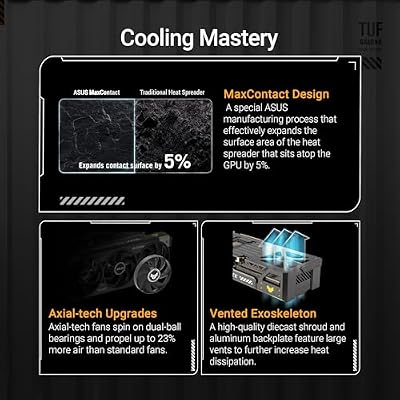
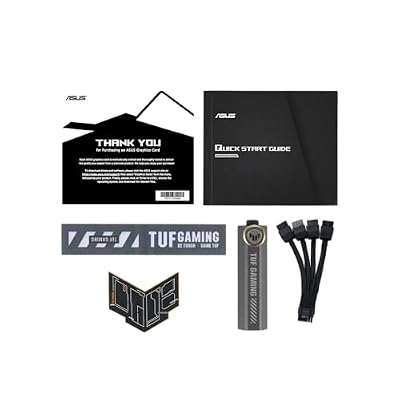
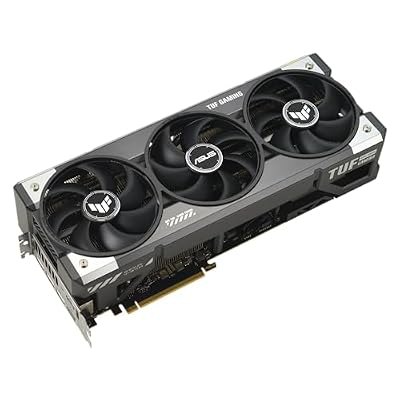
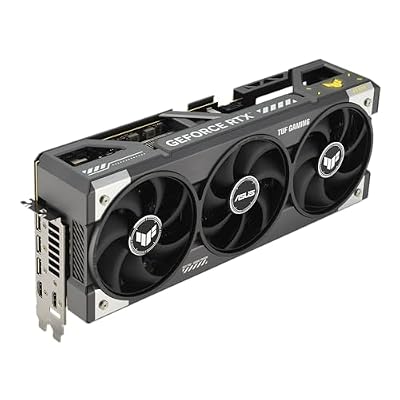
ASUS TUF Gaming GeForce RTX 5090 32GB GDDR7 OC Edition Gaming Graphics Card | PCIe 5.0, HDMI/DP 2.1, 3.6-slot, Military-grade Components, Protective PCB Coating, Axial-tech Fans










As an Amazon Associate we earn from qualifying purchases. Product prices and availability are accurate as of the date/time indicated.
Our Ranked Recommendation
Ranked by value for most readers, the order is simple. First, a midrange card with at least 12GB of memory for a 1440p monitor, since that tier delivers the best balance for most games. Second, a high-end card if you run a high-refresh 1440p display or a 4K panel and want headroom for upscaled settings. Third, an entry card for a 1080p build on a strict budget. Fourth, a flagship card only if your monitor, PSU and case can use it and you have a clear reason to pay for the top tier. The hero listing and the midrange alternatives cover the first and second choices for most buyers.
Frequently Asked Questions
Which GPU tier is best for 1440p gaming?
The midrange and high-end tiers both handle 1440p well. Midrange cards suit most players at standard refresh rates, while high-end cards are better for high-refresh 1440p and for keeping settings high in demanding games.
Is 8GB of VRAM enough in 2026?
For 1080p and older titles, 8GB can still work. For newer games at 1440p with high texture settings, 12GB or more is a safer target. Check reviews that test memory-heavy titles at your resolution.
Should I buy the newest generation or a previous card?
Previous-generation cards can offer good value when they drop in price, but check their feature support for upscaling and frame generation first. Newer cards usually have better feature support and longer driver attention.
Do I need a flagship GPU for 4K?
Not always. A high-end card with upscaling can deliver a strong 4K experience in many games. A flagship card gives more headroom, but it also requires a larger PSU and case and costs considerably more.





