
CPU Buying Guide for Gaming 2026 Process
The processor is the part of a gaming PC that buyers most often overthink. Core counts, clock speeds, cache sizes and socket types all appear on spec sheets, and it is not obvious which of them actually change the frame rate you see in a game. This CPU buying guide for 2026 explains the process to follow: start from your GPU and resolution, decide which platform you want, then choose a core count and cache size that fit your games and budget. The goal is a processor that does not hold back your graphics card, without paying for performance you will never use.
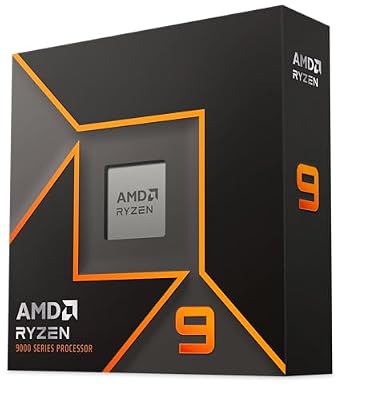
The hero listing above is a current gaming-oriented processor, and the four alternatives cover nearby price and performance points. The listing may be a close match rather than the exact chip you searched for, so check the card for the precise model, socket and bundled cooler before you buy. The process below applies whichever specific processor you pick.


Step One: Let the Resolution and GPU Set the Target
Games are often limited by the graphics card at higher resolutions and by the processor at lower ones. At 1080p with a fast graphics card, the CPU can become the bottleneck, because the GPU finishes its work quickly and waits for the next frame of instructions. At 4K with upscaling, the GPU usually sets the ceiling and the processor matters less. Most readers gaming at 1440p sit in the middle, where a good midrange processor and a good midrange graphics card balance each other.
Before you look at any CPU, write down your monitor resolution, your target refresh rate and the GPU you own or plan to buy. That short list tells you whether you need a processor built for high frame rates in competitive titles or one that is simply fast enough for single-player games at high settings. Our guide to the best CPU for 1440p gaming expands on that middle ground.
Step Two: Pick a Platform Before a Chip
A processor locks you into a socket and a chipset family, and that decides which motherboards you can use and how long you can upgrade. AMD’s AM5 platform uses the Ryzen 7000 and 9000 series, and it is the current main route for new AMD builds. Intel’s LGA1851 socket serves the Core Ultra 200S series, while LGA1700 still covers the 12th, 13th and 14th generation chips that many buyers already own. AMD’s older AM4 platform remains a budget option for upgrades, but it is no longer the place to start a new build.
Platform choice also affects memory. AM5 and LGA1851 use DDR5, while some older Intel and AMD boards use DDR4. If you already have DDR4 memory, a DDR4 platform can save money, but a new build will usually benefit from DDR5. For a deeper look at the memory side of the decision, see our DDR4 vs DDR5 gaming comparison.
AMD or Intel for Gaming
Both vendors produce capable gaming processors, and the leader changes as new generations arrive. AMD’s X3D chips, which carry extra 3D-stacked cache, have been a common choice for gaming-focused builds because the cache helps in many titles. Intel’s higher-end chips offer strong multi-threaded performance, which matters if you stream or edit alongside gaming. Our Intel vs AMD gaming comparison walks through the trade-offs in more detail, and the Intel 14900K vs 9800X3D comparison shows how two flagship-class chips split the gaming workload.
Step Three: Choose Core Count and Cache
How Many Cores Are Enough
Six cores is the practical minimum for a modern gaming PC, because many current titles run background tasks alongside the main game thread. A six-core chip such as the Ryzen 5 7600X shows what that class delivers in practice. Eight cores is the sweet spot for most players in 2026, since it leaves room for streaming, voice chat, launchers and browser tabs without stealing frames from the game. Processors with more cores are useful for rendering and heavy multitasking, but they add cost and heat that many gamers will not use.
Why Cache Matters for Gaming
Cache is a small, fast memory close to the processor cores. Games repeatedly access the same data, so a larger cache can reduce trips to slower system memory. That is why cache-heavy chips often post strong gaming results relative to their clock speed. When you compare two processors with the same core count, the one with more cache usually deserves a closer look for a gaming-focused build.


As an Amazon Associate we earn from qualifying purchases. Product prices and availability are accurate as of the date/time indicated.
Comparing Processor Options for Gaming
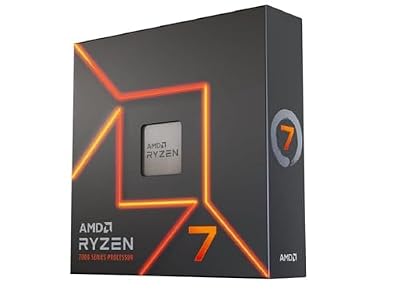
The table below lists the hero processor and four alternatives by role. It does not state exact prices, because they change often and vary by seller. Confirm the socket, the included cooler status and the current price on the live listing before you order.
| Option | Platform role | Best for | Spec to confirm | Price |
|---|---|---|---|---|
| Hero listing | Primary pick for the query | Gaming-focused 1440p builds | Socket and cache size | Check current price |
| Alternative 1 | Same platform family, different tier | Buyers who want a value option | Core count and boost clock | Check current price |
| Alternative 2 | High-core option | Streaming and gaming together | Thread count and cooler needs | Check current price |
| Alternative 3 | Budget platform option | Entry gaming builds | Memory type and socket | Check current price |
| Alternative 4 | Upgrade path option | Upgrades on an existing board | Board compatibility | Check current price |


As an Amazon Associate we earn from qualifying purchases. Product prices and availability are accurate as of the date/time indicated.
Step Four: Plan the Cooler, Motherboard and Power
Cooling Requirements
Modern processors can run hot under sustained load, and the cooler matters for both performance and noise. Many current chips ship with a basic stock cooler, but gamers who push clocks or want quiet operation often choose an aftermarket air cooler or an AIO liquid cooler. Check the cooler’s socket support and height clearance before you buy. Our CPU cooler guide covers the options in each price band.
Motherboard and BIOS Support
The processor has to match the motherboard socket and chipset, and the motherboard BIOS must support the chip you choose. Some older boards need a BIOS update before they can recognise newer processors, so check the motherboard support list. Stability also depends on BIOS updates for some recent Intel chips, so keep the firmware current on the board you pick.
Power and Thermal Headroom
High-end processors draw meaningful power during heavy loads. Pair them with a PSU that has enough capacity for the whole system, and make sure the case has airflow that can move the heat away. The PSU guide for gaming explains how to size the power supply for a complete build.
Our Ranked Recommendation
For most gaming builds in 2026, the ranked order is clear. First, an eight-core processor on a current platform with a strong cache and a good upgrade path, which suits most readers at 1440p. Second, a six-core processor for a budget build where the GPU budget matters more, with the understanding that you may need to upgrade sooner. Third, a higher-core processor only if you stream, edit or run heavy workloads alongside your games. Fourth, an older platform only when you already own compatible parts and want to save money. The hero listing and the eight-core alternatives fit the first choice for most readers. For a shortlist of the strongest options, see our best gaming CPU for 2026 roundup.
Frequently Asked Questions
Is a six-core CPU still enough for gaming in 2026?
For many single-player and esports titles, a six-core processor can still deliver good frame rates, especially at 1080p or 1440p. It becomes a limit when you run background tasks, streaming or heavier open-world games, so eight cores is a safer target for most builds.
Does cache size matter more than clock speed?
For gaming, cache often matters a lot, and it can outweigh a small clock speed difference in many titles. Compare chips with similar core counts and check gaming benchmarks from reviews you trust.
Should I buy an Intel or AMD processor for gaming?
Both can be excellent choices. The better option depends on your games, your budget and whether you need extra multi-threaded performance for streaming or editing. Check current reviews for the exact models you are considering.
Do I need a separate cooler for a gaming CPU?
It depends on the chip and your noise and performance goals. Some processors include a basic cooler, but many gamers prefer an aftermarket cooler for lower temperatures and quieter operation.





