
Controller Drift Fix Gaming Guide 2026
Stick drift is the phantom movement that makes a character walk, a camera pan or a menu cursor slide when the stick is at rest. It is one of the most common faults on gamepads, and it tends to appear gradually. At first the drift is a few degrees of movement that a sharp player can ignore. Later it becomes a constant nudge that ruins aim and navigation. This guide explains what causes drift, which fixes work without opening the controller, when a repair or a replacement makes more sense, and how to choose a replacement with a design that wears more slowly. It is a troubleshooting and buying guide. We have not tested the controllers in the listing, and the steps describe what to try on your own pad.
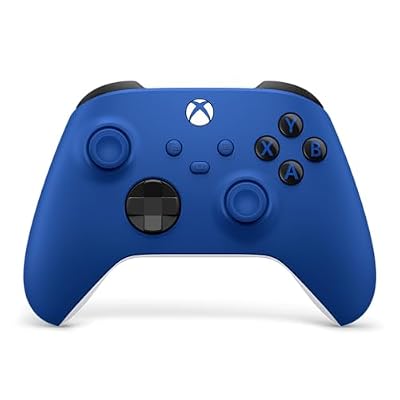
The hero listing above is the first pick for the query “game controller drift fix”, with four alternatives in the same group. Treat the card as a closest match for the product class, and confirm the exact model, platform support and connection type before buying. Compatibility with your console or PC matters more than the brand name on the box.
What Causes Stick Drift
Most traditional analog sticks use a resistive track, often called a potentiometer, that changes its reading as the stick moves. Over time the contact surface wears, and dust or grease can build up on the track. The controller then reads a small offset even when the stick is centred. Impacts, heavy use and a sticky environment all speed up that wear. Drift is therefore a mechanical problem that software can hide but cannot fully remove.
Some newer sticks use a different sensing method, usually a magnetic Hall-effect sensor. Because the sensor does not rub a contact track in the same way, these designs tend to resist this kind of wear better. They are not immune to every fault, but they are a strong option if drift keeps returning on a standard stick.
Test Before You Assume It Is Broken
Open the controller test screen on your platform or in Steam, and watch the stick reading with the stick released. A small, steady offset suggests drift. A reading that jumps or changes only at certain angles suggests a worn track or debris. Try the stick in a second game or a system test. If the offset appears everywhere, the controller is the source, not the game.
Software Fixes That Work Without Opening the Pad
Adjust the Dead Zone
A dead zone tells the system to ignore small stick movements near the centre. Increasing the dead zone can hide mild drift, at the cost of a slightly less precise feel near the centre. Steam Input and many games include dead zone controls, and the operating system settings can change calibration for some pads. Raise the value a little at a time, and test in a game that needs fine aim, such as a shooter or a racing title.

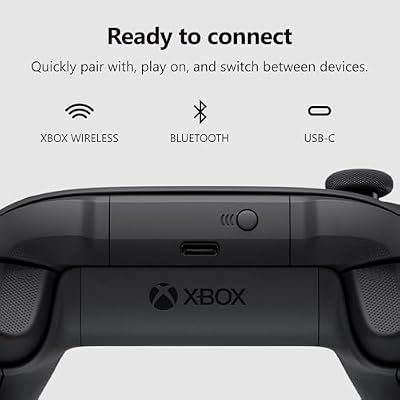
XBOX Wireless Gaming Controller | Carbon Black | Textured triggers and bumpers, Hybrid D-pad, XBOX Wireless, Bluetooth, USB-C, Play across Console & PC & Cloud Devices




As an Amazon Associate we earn from qualifying purchases. Product prices and availability are accurate as of the date/time indicated.
Recalibrate in System Settings
Most platforms include a calibration step for their controllers. Run it with the stick released, then test again. A calibration can remove a small offset, but it will not fix a worn sensor, so treat it as a temporary step. If drift returns within a few days, the mechanical problem is growing.
Cleaning, Repair and Warranty
When Cleaning Helps
Dust and sweat can make a stick feel rough and can cause a small offset. Use compressed air to clear debris around the stick base, and wipe the cap with a dry cloth. A cleaning step is worth trying, but opening the shell can break the warranty and can damage the flex cable inside. Check the manufacturer’s warranty terms before opening anything.
Warranty and Official Repair
A controller that drifts within its warranty period should be repaired or replaced under that warranty. Keep your receipt and record the date the drift started. Official repair programs vary by region and by platform, so check the manufacturer’s support page for current terms. If the warranty has expired, a repair kit or a replacement may be cheaper than the controller itself.
Choosing a Replacement Controller
The table compares the hero listing and the four alternatives by role. It does not list prices, because they change often. Check the card for current pricing, the exact platform support and the connection type before buying.
| Option | Role in this guide | Best for | What to confirm | Price |
|---|---|---|---|---|
| Hero listing | Closest match for the query | A first candidate for a drift replacement | Platform support and model | Check current price |
| Alternative 1 | Same class, first alternative | Buyers comparing value in this group | Warranty length and return terms | Check current price |
| Alternative 2 | Same class, second alternative | Players who want a wired option | Cable length and port type | Check current price |
| Alternative 3 | Same class, third alternative | Players who want a wireless option | Battery type and connection stability | Check current price |
| Alternative 4 | Same class, fourth alternative | Budget-focused buyers | Stick design and dead zone support | Check current price |

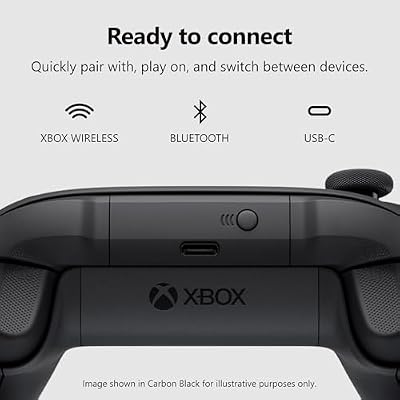
Xbox Wireless Gaming Controller | Deep Pink | Textured triggers and bumpers, Hybrid D-pad, XBOX Wireless, Bluetooth, USB-C, Play across Console & PC & Cloud Devices




As an Amazon Associate we earn from qualifying purchases. Product prices and availability are accurate as of the date/time indicated.
Sensor Design and Stick Type
When you compare replacements, look at the stick sensing method as well as the controller’s wireless range or battery life. A pad with Hall-effect sticks is a sensible choice if you expect heavy use, and it may cost more than a standard design. The best gaming controller guide compares pads by use case, and the best PC gaming controller page focuses on pads for computers.
Platform Compatibility
A controller that works on one platform may need an adapter or a different driver on another. Check the platform list in the card before you buy. The Xbox controller versus DualSense on PC comparison explains how the two most common pads behave on a Windows machine, and the controllers for PC gaming roundup covers the wider field.
If you are shopping for a replacement across budgets, start with the best computer gaming controller list and the gaming PC controller guide. Players on a tight budget can check the gaming controllers under 50 dollars roundup, while Xbox owners can compare the Xbox gaming controllers. If you play on a phone or tablet as well, the mobile gaming controller page covers the options that connect differently.
A Practical Order for Drift
- Confirm the drift with the controller test screen and a second game.
- Check the warranty status and record the date the drift began.
- Adjust the dead zone in your system or in Steam Input, starting at a small value.
- Recalibrate the stick with it released and test again.
- Clean the stick base with compressed air if the warranty allows it.
- Use the official repair or replacement route if the drift returns.
- Buy a replacement only after the warranty and repair options are clear.
The order favours free and reversible steps first. A dead zone change costs nothing and can be undone. Opening the controller or buying a replacement should wait until the simpler steps have been tried or ruled out.
Frequently Asked Questions
Can drift be fixed permanently with software?
Not usually. Software can hide a mild offset with a dead zone or a calibration, but it does not repair a worn sensor. If the drift grows, a repair or replacement is the lasting fix.
Is opening the controller a good idea?
It can work for some models, but it can void the warranty and damage the internal parts. Check the warranty first, and only open the shell if you are comfortable with the risk and have the right tools.
Do Hall-effect sticks prevent drift completely?
No design prevents every fault. Hall-effect sticks avoid the rubbing contact that causes many drift problems, which makes them a strong choice for heavy use, but they still need correct calibration and a healthy controller.
Will the hero listing stop my drift?
Only as a replacement controller. The listing is a closest match for the query and does not promise a result. Check the warranty and the platform support before you buy.





