
Low FPS Troubleshooting Guide 2026
Low frame rate has many causes, and the cure for one is often useless for another. Turning settings down helps a graphics-limited system and does nothing for a processor that cannot feed the card. Changing the power plan can fix a laptop and barely move a desktop. Before you spend money or tear into the settings menu, you need to know which part of the machine is holding the frame rate down. This guide gives a diagnostic path for a Windows gaming PC in 2026, then covers the fixes that match each result. It is a troubleshooting guide, not a benchmark article. We have not tested the hardware in the listing, and the steps describe how to find a bottleneck rather than promising a number.
The hero listing above is the first pick for the query “low FPS fix gaming”, and the four alternatives sit in the same group. The card is a closest-match listing for the class of product. Use it to compare specifications, then confirm the exact model and compatibility with your system. A listing that suits one bottleneck may not suit another, so do the diagnosis first.

Find the Bottleneck First
Start a game you know well, at the settings you normally use, and watch the usage numbers while you play a demanding section. Open a hardware monitor that shows per-core processor load and graphics card load at the same time. Record at least five minutes. The goal is to see which component is close to full while the frame rate is low.
If the graphics card sits near full load and the frame rate tracks the scene complexity, the system is graphics-limited. Lowering resolution, render scale or the heaviest effects will raise the frame rate. If one or two processor cores are pinned while the card has spare capacity, the system is processor-limited, and graphics settings will barely help. If neither is close to full, look at memory, storage, a frame cap or a driver problem, because the bottleneck is somewhere else.
Graphics-Limited Systems
A graphics-limited system responds to resolution and quality settings. Try the upscaling option your game offers, such as DLSS, FSR or XeSS where supported, and reduce shadow and volumetric effects first. These settings cost frame rate for little visual gain in many titles. A reduction of one or two steps often recovers a lot of performance without changing how the game looks in normal play.
Processor-Limited Systems
A processor-limited system does not benefit much from a stronger graphics card. Look at settings that depend on the processor, such as crowd density, physics and draw distance. Check that memory runs in dual channel, because a single stick or an unbalanced pair can slow the processor. The best CPU for gaming page compares processors by how they behave under heavy scenes.
Settings and Windows Changes Worth Testing
Frame Caps and Vertical Sync
A frame cap or vertical sync can make a fluctuating frame rate look lower than it is. A cap set a few frames below your average can stabilise the picture, while vertical sync can hold the frame rate at a fixed step when the system falls just short of the refresh rate. Test with each option off, then on, and compare the frame-time graph rather than the average alone.
Hardware-Accelerated GPU Scheduling
Windows offers a hardware-accelerated GPU scheduling option. Its effect varies by card, driver and game, so it is a test rather than a default. Turn it on or off, restart, and repeat the same route in the game. Keep the setting that gives the better and steadier result for your system.
Background Load and Power Plans
Background software can consume processor time that the game needs. Check the task manager during play, close optional programs and look for anything that uses a steady share of a core. Set the Windows power plan to a high-performance or balanced option, and make sure the processor is allowed to reach its normal boost behaviour. A laptop on battery will often hold a lower power limit, so plug it in before judging the result.

MSI NVIDIA GeForce RTX 5070 Ti 16G Gaming Trio OC Plus Graphics Card - 16 GB GDDR7 (28 GB/s, 256-bit), PCIe 5.0 - TRI FROZR 4 (3 x STORMFORCE Fans) - RGB - HDMI 2.1b, DisplayPort 2.1b


As an Amazon Associate we earn from qualifying purchases. Product prices and availability are accurate as of the date/time indicated.
Memory, Storage and Drivers
Memory Capacity and Dual Channel
Sixteen gigabytes is a reasonable minimum for many current titles, and 32 GB is comfortable for games with large maps or a browser and streaming software running at the same time. Memory that spills into the page file causes long pauses that look like low frame rate. Check that the sticks are in the slots recommended in the motherboard manual so the system runs in dual channel. The RAM for gaming PC guide explains capacity and layout choices, and the amount of RAM for gaming page covers how much you actually need.
Storage Free Space
A drive that is nearly full slows down asset loading and background tasks. Keep the system drive and the game drive with comfortable free space. If the game loads slowly and the frame rate dips when a new area streams in, move it to a faster drive. The SSD for gaming PC guide lists drives suited to this job.
Driver Versions and Clean Installs
A driver that has drifted out of step with a game can cost frame rate without any obvious error. Install the current stable driver from the graphics card maker, and do a clean install if the previous one left settings behind. Avoid stacking tuning tools that change clock speeds or fan curves without a clear reason. Each extra tool is another variable to test.
Hardware Options in This Group
If the diagnosis points to a hardware limit that software cannot solve, the table compares the hero listing and the four alternatives by role. Prices change often and vary by seller, so the table does not list them. Check the card for current pricing and exact specifications before you buy.
| Option | Role in this guide | Best for | What to confirm | Price |
|---|---|---|---|---|
| Hero listing | Closest match for the query | A clear starting point for a low-FPS upgrade | Exact model and compatibility | Check current price |
| Alternative 1 | Same class, first alternative | Buyers comparing value within the group | Warranty and included accessories | Check current price |
| Alternative 2 | Same class, second alternative | Systems with spare slots or bays | Physical size and interface | Check current price |
| Alternative 3 | Same class, third alternative | Builds with a fixed budget ceiling | Rated capacity and speed | Check current price |
| Alternative 4 | Same class, fourth alternative | Players who prefer a different brand | Return policy and review count | Check current price |
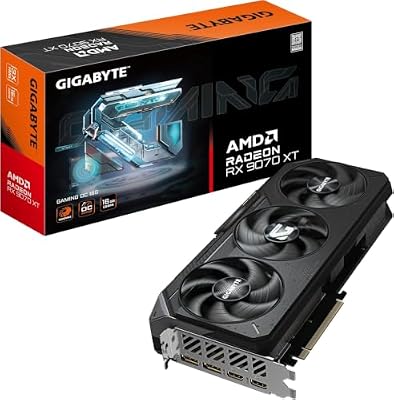
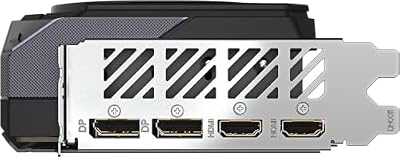
Radeon RX 9070 XT Gaming OC 16G Graphics Card - 16 GB GDDR6, 256 Bit, PCI-E 5.0, 3060 MHz Core Frequency, 2 x DisplayPort, 2 x HDMI, GV-R9070XTGAMING OC-16GD


As an Amazon Associate we earn from qualifying purchases. Product prices and availability are accurate as of the date/time indicated.
Which Upgrade Fits Which Result
A graphics-limited system needs a better card or a lower target resolution. A processor-limited system needs a faster processor or a platform change, and a new card will not fix it. A memory-limited system often needs more capacity or a dual-channel fix before any other upgrade. Decide on the result of the diagnosis, not on a general sense that the system feels slow. For budget planning, the budget GPU guide and the 1440p GPU guide show how the classes compare at common targets, and the budget CPU guide covers the processor side. Shoppers with a fixed ceiling should also read the GPU for gaming on a budget page before deciding how much to spend.
Frequently Asked Questions
Why is my FPS low even with a strong graphics card?
The processor, memory or a background process may be the limit. A strong card will sit idle while the processor waits, so check per-core load and the frame-time graph before buying a new card.
Does lowering resolution always raise FPS?
It usually helps a graphics-limited system, but it does little for a processor-limited one. Test with the usage numbers on screen to see whether the change is worth the visual cost.
Should I use upscaling to get more frames?
Upscaling is a practical way to gain frame rate on many modern titles. Compare the image quality at your target resolution, and choose the mode that keeps the picture acceptable for your play style.
Is the hero listing the right fix for my low FPS?
Only if the diagnosis shows the matching bottleneck. The listing is a closest match for the query and does not promise a result, so confirm the limit first and then compare the options against it.





