Solar War is a turn-based grand strategy game from Snipefish Entertainment: defend Earth against an alien invasion rolling in from the edge of the Solar System, negotiate with Earth’s governments, plant bases on other planets and design the ships that fight the war. It first appeared in August 2013 and reached Steam on 6 January 2015. For a game of that vintage, the Linux question usually ends in disappointment, so the record deserves a careful read rather than a guess.
This one ends the other way. Steam’s record for app 340880 flags Linux next to Windows, publishes a complete Linux requirements tab, and ships dedicated Linux depots with their own launch entry. Valve has also tested the game on Steam Deck, recently and against the build that is still current. One caution: a different, newer game also called Solar War sits on the same store under app 2543990. Nothing below describes that title; every figure here belongs to app 340880 alone.
As an Amazon Associate, we earn from qualifying purchases.
Quick answer
Yes. Solar War is native on Linux: Steam flags Linux alongside Windows, publishes full Linux requirements, and ships dedicated Linux depots with a solarwar.sh launch entry, so no Proton is needed. Valve rates it Playable on Steam Deck, tested on the current build with the native runtime recommended. ProtonDB holds no summary record for the game at all.
What Steam’s own record says
The appdetails record names the game Solar War, developed and published by Snipefish Entertainment, released on Steam on 6 January 2015 after an original release in August 2013. The platform flags read Windows true, Mac false and Linux true. The mac requirements field is an empty list, consistent with the false Mac flag: there is no Mac tab in any form. The Linux side is the opposite shape. Its requirements are published in full and describe a Java title: the minimum asks for a Linux system with Sun Java 6 support, a Pentium 4 class processor or AMD equivalent, 2 GB of memory, an OpenGL 2.1 graphics adapter and 256 MB of storage, with 4 GB of memory and 512 MB of storage recommended.
Two absences are worth stating plainly. The DLC array is empty: no add-on apps exist to audit, so the family’s Linux flag cannot be hiding on a soundtrack or an expansion. And the record carries no controller-support field at all. This is a mouse-and-keyboard strategy game by design, and nothing below pretends otherwise. The single selling package, 57269, delivers the depots in the next section; the detected technologies are the JVM, LWJGL and OpenAL, exactly the stack the requirements describe.
The depots and the launcher
Flags and requirements tabs can be paperwork. Depots are delivery. SteamDB’s depot table for app 340880 lists five: a shared Solar War Content depot at 10.06 MiB, two Windows depots (Windows Binaries at 2.88 MiB and Windows Java at 110.56 MiB), and two Linux depots of the same construction: Solar War Linux Binaries at 2.85 MiB and Solar War Linux Java at 133.57 MiB. The pattern is the Java architecture showing through: a small platform binaries depot plus a large platform Java payload, mirrored per operating system. A Linux install pulls the shared content and both Linux depots, roughly 146 MiB in total.
The launch configuration closes the loop: solarwar.exe scoped to Windows, and solarwar.sh scoped to Linux. A shell-script entry point aimed at the Linux depots is not a fossil or a leftover; it is the mechanism Steam uses to start the native build. The public branch sits on build 1346355, dating from September 2016, and has not moved since, which matters for the Deck sheet below: the build Valve tested is the build a buyer receives today.
The ProtonDB file: an honest blank
ProtonDB’s summary endpoint returns its not-found page for app 340880, while the same endpoint answers normally for a control app in the same session. The feed is up; this game simply has no summary record, so this article claims no tier, no report count and no confidence figure for it. The heading check on the game’s ProtonDB page could not be completed either: the page fetch returned no extractable content, the JavaScript-shell behaviour seen on other titles in this series, so no heading claim is made in either direction.
None of that leaves a practical gap. ProtonDB exists to grade Windows builds running through a compatibility layer, and Solar War does not need one: the native build is the primary route on desktop, laptop and, per Valve’s configuration, Steam Deck.
The Steam Deck sheet
Valve rates Solar War Playable on Steam Deck, with SteamOS marked Compatible, and the sheet is unusually fresh for a back-catalogue strategy title: the test timestamp is 8 November 2025, and the tested build is 1346355, the same build the public branch still serves. The verdict is current by build, not a stale badge inherited from an older version. The configuration’s recommended runtime is native, meaning Valve’s pass was earned by the Linux build itself, not by Proton.
The deductions are the familiar mouse-game list. Some functionality is not accessible under the default controller configuration, so the touchscreen, the virtual keyboard or a community configuration fills the gaps. The game sometimes shows mouse, keyboard or non-Steam-Deck controller icons, text entry requires manually invoking the on-screen keyboard, some in-game text is small, and the game supports the Deck’s native resolution without setting it by default. The performance line is clean: the default graphics configuration performs well. The sheet’s supported input class reads “other”, matching the store record: Solar War lists no controller support, so the pads below are Steam Input mapping tools and wider-library gear, not a control scheme the game declares.
The storefront ruling and anti-cheat
There is no GOG edition. GOG’s own catalogue search returns no Solar War product, and the game’s natural product address on GOG resolves to the general games catalogue rather than a product page, so there is no purchasable GOG copy to rule on; Steam is the only PC storefront selling the game. On anti-cheat there is nothing to report: Solar War is single-player, the store record names no anti-cheat, and the Are We Anti Cheat Yet database, read in full at 1,167 entries, holds no entry for this game. Its only “Solar” title is an unrelated racing game.
Gear that fits the record
The record’s shape sets the gear: a native build that runs anywhere, a Deck badge earned by the native runtime, and a mouse-driven interface at the desk. A precise mouse and library storage do the real work here; the pads serve the wider library and Steam Input cursor control.
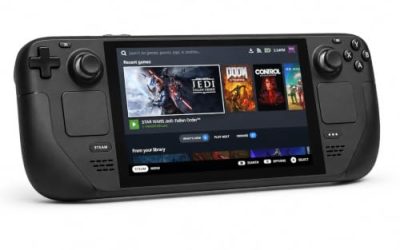
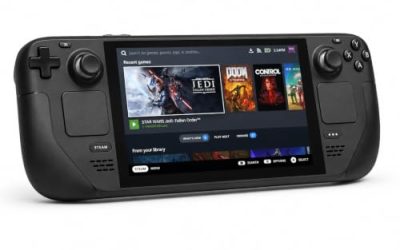
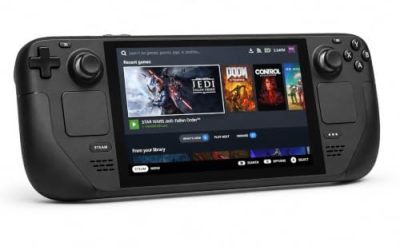
Valve Steam Deck OLED 512GB

The handheld Valve’s Playable sheet was written against. The native runtime recommendation means the Deck runs the same Linux build as a desktop, and the game’s tiny footprint is a rounding error next to this storage.Specs:
- Display: 7.4-inch HDR OLED, 1280 by 800, up to 90 Hz
- Processor: AMD Zen 2 and RDNA 2 custom APU
- Memory: 16 GB LPDDR5
- Storage: 512 GB NVMe, plus a microSD slot
- Wireless: Wi-Fi 6E and Bluetooth
- Channel note: Valve sells the Deck mainly through its own store, so Amazon listings are third-party sellers
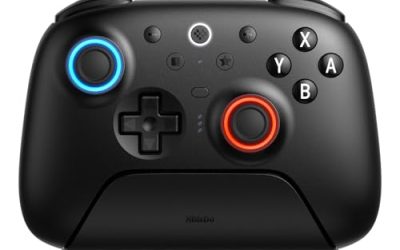
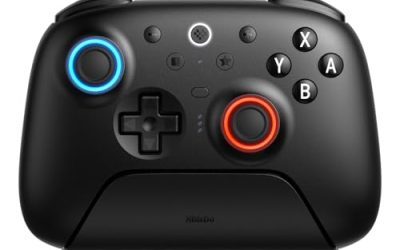
8BitDo Ultimate 2 Bluetooth Controller
The docked pad pick for the wider library. Solar War itself declares no controller support, so treat this as Steam Input gear for the couch and the rest of the catalogue, where its sticks, triggers and back buttons earn their place.
Specs
- Connectivity: Bluetooth wireless and USB-C wired
- Joysticks: TMR electromagnetic, anti-drift design
- Triggers: Hall effect, with mode switching
- Extras: two remappable back buttons, motion control
- In the box: charging dock included
Xbox Wireless Controller, Carbon Black
The safest guest pad in PC gaming: Steam Input support is universal, the glyphs match what most games display, and it pairs over Bluetooth or its own wireless standard.
- Connectivity: Xbox Wireless and Bluetooth
- Port: USB-C for wired play
- Controls: hybrid D-pad, dedicated Share button
- Power: AA batteries or optional rechargeable pack
Logitech G502 HERO
This is the input Solar War was designed around. A turn-based grand strategy interface is menus, maps and right-clicks, and a precise wired mouse with eleven programmable buttons covers the inputs a long campaign repeats.
Specs
- HERO optical sensor, up to 25,600 DPI
- 11 programmable buttons
- Adjustable weight system
- Wired USB connection
- On-board memory profiles
Samsung T9 Portable SSD 2TB
For moving a Linux game library between machines, or keeping an offline backup of installers, a fast USB-C drive is the simple answer. The headline figure needs a Gen 2×2 host port; on a lesser port the drive runs at that ceiling instead.
Specs
- Capacity: 2 TB portable SSD
- Interface: USB 3.2 Gen 2×2, USB-C connector
- Maker-rated speeds: up to 2,000 MB per second read, 1,950 MB per second write
- Features: Dynamic Thermal Guard, maker-rated drop resistance
How to choose
Buy the Steam copy; it is the only PC edition on sale and the exact build every record above describes. On a Linux desktop or laptop, install and launch: Steam selects the solarwar.sh entry and the native depots automatically, with no compatibility tool to configure. The one legacy note is the Java requirement printed on the store page, dating from the Sun Java 6 era; the shipped Java depot is the payload Steam delivers, so start from the standard install before reaching for system-level fixes. On Steam Deck, expect the Playable experience Valve describes: the native build with a clean performance line, plus touchscreen or virtual-keyboard moments where the mouse interface shows through. If small text on a handheld screen bothers you, the desktop is the better seat for long campaigns.
Who should skip
Skip it if you are looking for the newer game of the same name: that is app 2543990, a different title this record says nothing about. Skip it if you want a DRM-free offline installer, because no GOG edition exists. Skip it if you need declared controller support; the record lists none, on any platform. And skip it if a 2016-vintage Java strategy interface, small text and all, is not what you are shopping for.
FAQ
Is Solar War native on Linux or does it need Proton?
It is native. Steam flags Linux true, publishes a full Linux requirements tab, ships dedicated Linux binaries and Java depots, and provides a solarwar.sh launch entry. Proton is not part of the route on desktop or on Steam Deck, where Valve’s recommended runtime is the native one.
How does Solar War run on Steam Deck?
Valve rates it Playable, tested in November 2025 against build 1346355, still the current public build. The performance line is clean; the deductions are interface-shaped: some functions sit outside the default controller configuration, text entry needs the on-screen keyboard invoked manually, some text is small, and the native resolution is supported but not set by default.
Why is there no ProtonDB rating for Solar War?
Because ProtonDB holds no summary record for app 340880: its endpoint returns a not-found page for this game while answering normally for other titles. With a native build as the primary route, the absence costs the reader nothing.
Can I buy Solar War on GOG instead?
No. GOG’s catalogue search returns no product for the game and its natural GOG address resolves to the general catalogue. Steam is the only PC storefront selling Solar War, which is also where the Linux build lives.
Final verdict
Solar War is one of the clean cases in this series: a genuinely native Linux game where every layer of the record agrees. The flags say Linux, the requirements tab is real, the Linux depots carry actual size, the launcher points at a shell script, and Valve’s fresh Deck test recommends the native runtime. Add an empty DLC array, no second storefront and no ProtonDB file to argue with, and the status is simple: buy it on Steam and run the native build.
Product and ASIN Reference
| Product | ASIN |
|---|---|
| Valve Steam Deck OLED 512GB | B0CQ3RWQQZ |
| 8BitDo Ultimate 2 Bluetooth Controller | B0F194QFT2 |
| Xbox Wireless Controller, Carbon Black | B08DF248LD |
| Logitech G502 HERO | B07GBZ4Q68 |
| Samsung T9 Portable SSD 2TB | B0CHFS9K14 |