Space Empires IV Deluxe is the 2006 Steam edition of Malfador Machinations’ turn-based space 4X, published by Strategy First: deep research trees, ship design down to individual components, and empires managed one careful turn at a time. For a Linux player the first question is whether any of that was ever built for the penguin.
It was not. The Steam record for app 1610 is Windows-only at every layer that matters, and frozen in that shape for over a decade. What Linux players get instead is Proton, where the community file is a workable one, plus something its sequel never received: an actual Steam Deck grade from Valve, and a recent one.
As an Amazon Associate, we earn from qualifying purchases.
Quick answer
No native Linux build exists. Space Empires IV Deluxe ships a single Windows depot behind a single Windows launch entry, its Linux requirements field is an empty list, and both purchase packages flag Windows only. The Linux route is Proton: ProtonDB settles it at Silver across 10 reports, and Valve grades it Playable on Steam Deck.
The record, layer by layer
The appdetails record for app 1610 names the game exactly as pinned: Space Empires IV Deluxe, developed by Malfador Machinations, published by Strategy First, released 7 February 2006. Its platform flags read Windows true, Mac false, Linux false. Both ways of buying it repeat that pattern: package 57, the game on its own, and package 287, the Space Empires IV and V Pack pairing it with its sequel, each report Windows true and the other two platforms false.
The depot table is as plain as the flags. There is exactly one content depot, depot 1611, carrying the game’s own name, at 311.72 MiB, with no operating-system split. The launch configuration holds a single unnamed option whose executable is se4\se4.exe, a Windows binary down a Windows-style path. The requirements fields complete the picture: the Windows minimum is populated with period hardware, while the Mac and Linux requirements fields are empty lists. As with its sequel, this is not a dressed-up Linux tab hiding an absent build; the record simply never claims Linux in any form. The asset list agrees, carrying the standard client icon set with no Linux client icon among them.
Two more facts fix the ruling in place. The app has no DLC array at all, so no expansion or soundtrack flags can blur the platform story. And the record is old and still: the public branch sits on build 71977, built in May 2013. The Windows build sold today is the one that has been there since 2013, and no Linux build has ever joined it.
Steam Deck: Playable, and freshly tested
Unlike its sequel, this game has been through Valve’s Deck programme. Valve’s compatibility endpoint returns resolved category 2, Playable, and SteamDB’s republication of the same sheet dates the test to 27 June 2025 against build 71977. That build is still the current public build, so the grade is not stale paperwork: Valve tested exactly what a buyer downloads today. The sheet’s recommended runtime is a Proton 9.0-4 release candidate.
The test items are nearly clean. Valve records that all functionality is accessible with the default controller configuration, that the game shows Steam Deck controller icons, and that the default graphics configuration performs well. The single negative item is the one a 2000-era interface earns honestly: some in-game text is small and may be difficult to read. The SteamOS category on the same record resolves to Compatible as well.
One distinction is worth stating plainly. The game’s own record carries no controller-support field, and both packages report no full gamepad support. Valve’s sheet describes how the game behaves under the Deck’s controller configuration and Steam Input mapping, not a native pad implementation promised by the store page. This is a mouse-and-keyboard design; the Deck grade says the handheld’s controls carry it acceptably, nothing more.
The Proton file: Silver, with a Platinum ceiling and fine print
ProtonDB’s summary for app 1610 is a full read: a settled tier of Silver, a best-reported tier of Platinum, a trending tier of Platinum, 10 reports and moderate confidence. The spread between the settled and best tiers is the story of the file. The newest report, on a GE-Proton 10 build, says the game works out of the box in fullscreen, with tweaks offered only to window it. Older reports document the work that used to be required.
The recurring fixes are specific. The game was designed around a 1024 by 768 desktop and has no scaling and no windowed mode: at higher resolutions it sits in a centred square surrounded by black. The standard cure is a virtual desktop set in the Wine configuration, often paired with setting the Windows version to XP. A second fix is shared with its sequel: editing the Settings.txt data file to set Allow CD Music to FALSE, because the game expects to initialise music from a physical CD. The oldest Silver report adds a quartz install through winetricks. The earliest reports, from 2018 and 2019, are marked Borked, with access-violation popups and freezes; the file has climbed steadily since.
One heading on that page needs naming. The ProtonDB game page renders in full, and it carries a “Natively Supports” heading above the game’s minimum requirements. Those requirements are the Windows ones quoted from the Steam record, and every layer of that record contradicts a native reading. The heading is the known stray-tag artefact found across ProtonDB’s catalogue; this article follows Steam, and the game is not native.
Buying it outside Steam, and the anti-cheat question
There is no GOG edition. GOG’s catalogue search returns no Space Empires product at all, and the title’s natural GOG product address redirects to the generic games catalogue rather than resolving to a product page. Together those settle it: Steam, standalone or in the IV and V pack, is the only place this game is sold, and both packages are Windows-only.
Anti-cheat is a non-issue. The game does not appear anywhere in the AreWeAntiCheatYet catalogue, and nothing on its Steam record names an anti-cheat. SteamDB flags the app as having no servers; its multiplayer belongs to an earlier era rather than to any modern server-backed service. Nothing stands between a Linux player and the game except Proton and the windowing quirks above.
Gear for a turn-based 4X on Linux
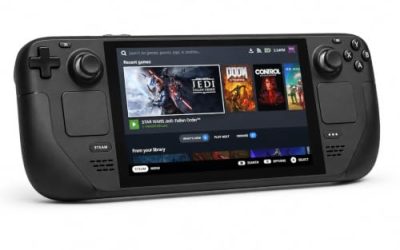
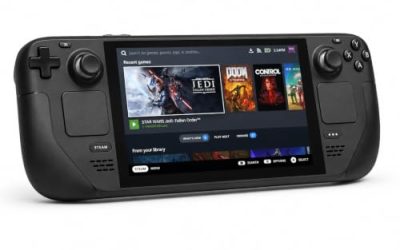
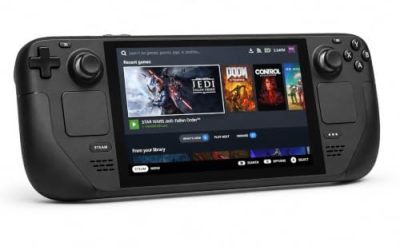
Valve Steam Deck OLED 512GB

The handheld Valve graded Playable in June 2025, tested on the very build sold today. A turn-based 4X suits the couch, and the one caution on the sheet, small text, is worth knowing first.
Specs
- Display: 7.4-inch HDR OLED, 1280 by 800, up to 90 Hz
- Processor: AMD Zen 2 and RDNA 2 custom APU
- Memory: 16 GB LPDDR5
- Storage: 512 GB NVMe, plus a microSD slot
- Wireless: Wi-Fi 6E and Bluetooth
- Channel note: Valve sells the Deck mainly through its own store, so Amazon listings are third-party sellers
Logitech G502 HERO
The input this game actually uses. Empire management is hundreds of precise clicks through research queues, design screens and fleet lists, and eleven programmable buttons give repeated commands a permanent home under your thumb.
Specs
- HERO optical sensor, up to 25,600 DPI
- 11 programmable buttons
- Adjustable weight system
- Wired USB connection
- On-board memory profiles
8BitDo Ultimate 2 Bluetooth Controller
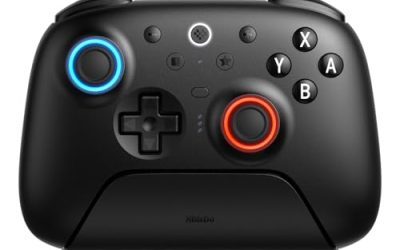
The docked and desktop pad pick for the wider library. This game’s record lists no controller support, so the pad earns its place through the rest of a Linux collection: modern sticks and triggers, back buttons, and a charging dock.
Specs
- Connectivity: Bluetooth wireless and USB-C wired
- Joysticks: TMR electromagnetic, anti-drift design
- Triggers: Hall effect, with mode switching
- Extras: two remappable back buttons, motion control
- In the box: charging dock included
Xbox Wireless Controller, Carbon Black
The safest guest pad in PC gaming: Steam Input support is universal and the glyphs match what most games display. It earns its place in a general Linux setup, not in this title, whose record grants no pad support.
- Connectivity: Xbox Wireless and Bluetooth
- Port: USB-C for wired play
- Controls: hybrid D-pad, dedicated Share button
- Power: AA batteries or optional rechargeable pack
Samsung T9 Portable SSD 2TB
For moving a Linux game library between machines, or keeping an offline backup of installers, a fast USB-C drive is the simple answer. The headline figure needs a Gen 2×2 host port; on a lesser port the drive runs at that port’s ceiling.
Specs
- Capacity: 2 TB portable SSD
- Interface: USB 3.2 Gen 2×2, USB-C connector
- Maker-rated speeds: up to 2,000 MB per second read, 1,950 MB per second write
- Features: Dynamic Thermal Guard, maker-rated drop resistance
How to choose
Start with the windowing question, because it decides your first evening. If you are content playing fullscreen, the newest reports suggest current Proton builds need little from you. If you want the game in a window beside other work, budget the setup time the older reports describe: a virtual desktop at 1024 by 768, possibly a Windows XP version setting, and the music flag switched off if the CD error appears.
Choose the bundle deliberately. The IV and V pack pairs the two games in one purchase and both are Windows-only Proton projects with Silver files, so it suits a player who wants the whole Malfador arc and accepts the tinkering both entries ask for.
On hardware, spend on the mouse first. This is a dense, text-heavy interface built for a pointer, and the Deck’s Playable grade, small text and all, is the backup plan rather than the main stage.
Who should skip
Skip this one if you are looking for a native Linux 4X. The record is unambiguous and frozen: the build has not moved since 2013 and no Linux version is hiding anywhere in it.
Skip it if a fixed 1024 by 768 frame surrounded by black borders is a deal-breaker and you have no patience for virtual-desktop workarounds. Skip it, too, if you want a DRM-free installer, because no GOG edition exists. And if small interface text strains your eyes, take Valve’s one negative test item seriously before planning long handheld sessions.
FAQ
Is there a native Linux version of Space Empires IV Deluxe?
No. Steam’s record flags Linux false, the single depot carries the Windows build, the only launch entry points at a Windows executable, the Linux requirements field is empty, and both purchase packages report Windows only.
How well does Space Empires IV Deluxe run under Proton?
ProtonDB settles it at Silver across 10 reports with moderate confidence, with Platinum as both the best-reported and trending tier. The newest report describes out-of-the-box fullscreen play on a current GE-Proton build; older reports document a virtual-desktop setup, a Windows XP setting and switching CD music off in the settings file.
Is Space Empires IV Deluxe Steam Deck Verified?
It is graded Playable, one step below Verified. Valve reviewed it in June 2025 against build 71977, still the current public build, and the only negative item on the sheet is small in-game text. Its sequel has never been graded at all.
Can I buy Space Empires IV Deluxe on GOG instead?
No. GOG’s catalogue holds no Space Empires product record, and the title’s natural GOG address redirects to the general catalogue. The Steam packages, standalone or bundled with Space Empires V, are the only copies on sale, both Windows-only.
Final verdict
Space Empires IV Deluxe on Linux is the friendlier of the two Malfador records. There is no native build and never has been, but Proton has carried the game from Borked reports to a Silver file whose newest entry needs no tinkering, and Valve’s fresh Playable grade on the current build gives Deck owners a tested answer its sequel never got. For a 4X fan comfortable with a virtual desktop and a settings-file edit held in reserve, this 2006 classic is a reasonable buy. For anyone who wants native, or windowed play without homework, it is not.
Product and ASIN Reference
| Product | ASIN |
|---|---|
| Valve Steam Deck OLED 512GB | B0CQ3RWQQZ |
| Logitech G502 HERO | B07GBZ4Q68 |
| 8BitDo Ultimate 2 Bluetooth Controller | B0F194QFT2 |
| Xbox Wireless Controller, Carbon Black | B08DF248LD |
| Samsung T9 Portable SSD 2TB | B0CHFS9K14 |