Predestination is a turn-based 4X space strategy game from Brain and Nerd Ltd, released in February 2019 after a long development that began life as a one-person project. It promises the classic explore, expand, exploit and exterminate loop with a single-player campaign, sandbox galaxies and a ship designer, and it does all of that as a Windows program. For Linux players the question is whether any of it arrives on their platform, natively or through Proton.
The answer has two halves, and neither is encouraging. Steam’s delivery record for the game is Windows-only on every layer that can be checked, with no Linux depot, no Linux launch entry and no Linux requirements tab in any form. The Proton fallback is almost as bare: ProtonDB holds exactly two reports for the game, both rated borked, both filed in 2019, and Valve has never put the game through its Steam Deck testing at all.
As an Amazon Associate, we earn from qualifying purchases.
Quick answer
Predestination has no native Linux build. Steam’s record flags Windows only, its single content depot and its only launch entry are Windows, and no Linux client icon exists. Valve has never Deck-reviewed it. ProtonDB holds just two reports, both borked and both from 2019, so the honest status is unproven rather than playable.
What the Steam record actually sells
Start with the platform flags, because here they tell the whole story without any traps attached. The app record for Predestination (app 340210) reads windows true, mac false, linux false. The one purchase package on the record, package 57060, repeats exactly the same three flags, so the copy Steam sells and the app it describes agree with each other. There is no split between storefront paperwork and delivery paperwork to reconcile.
The depot table is just as plain. SteamDB lists a single content depot, 340211, named Windows English Predestination Content, at 4.04 GiB. Alongside it sit only Windows redistributables: a Visual C++ 2010 package, a DirectX June 2010 package and a .NET 4.5.2 package. There is no Linux depot, no macOS depot and no shared depot that a Linux build could hide inside. The launch configuration holds one entry, Launch Predestination, running Predestination.exe with its operating system field set to windows. The asset list carries a standard client icon and no Linux client icon, and the requirements fields close the case: both the Mac and Linux requirements come back as empty lists, which means no Linux tab exists on the store page in any form, populated or otherwise.
Two absences are worth naming because they remove the usual sources of confusion in this series. The app record exposes no DLC array at all, so there is no soundtrack app carrying stray platform flags and no expansion family to audit one by one; the game is a single self-contained product. And there is no populated-but-empty requirements shell either: some records print a Linux heading over empty lists, but this one simply has nothing, which is the cleaner kind of no. SteamDB’s detected technologies list the MonoGame and XNA engines plus a .NET redistributable, a thoroughly Windows-era stack that matches the flags exactly. The public branch has not moved since build 4512367 in December 2019, so the record being read is the record as it has stood for years.
The Proton file: two reports, both borked, both old
With no native build, Proton is the only route, and the community file for this game is about as thin as a file can be while still existing. ProtonDB’s summary record was read in full: the settled tier is pending, the best-reported tier is borked, the trending tier is pending, the report count is two, and the confidence rating is inadequate. A pending settled tier means the file never accumulated enough agreement to earn a headline grade at all; the two reports that exist both describe failure.
The report texts explain what kind of failure. One player on Manjaro with a Radeon RX 580 reports the game crashing when loading race resources. The other, on Linux Mint 19.1 with a GeForce GTX 780, reports clicking run and having nothing happen at all: no error, no window, nothing. Both reports date from 2019, filed against the Proton versions and drivers of that year, and no one has filed a newer report since. That cuts both ways, and the honest reading matters. The borked verdicts are real evidence about the builds of 2019, but Proton has changed enormously since then, and a two-report file with inadequate confidence cannot settle what a current Proton release would do with a frozen 2019 Windows build. What can be said is narrower: nobody has documented a working run, and the only documented attempts failed.
One more record needs correcting before it misleads anyone. The ProtonDB game page displays a “Natively Supports” heading over the requirements area. Steam’s record contradicts that heading on every layer checked above: flags, depot, launch entry, icon and requirements all say Windows only. The heading is a labelling artefact of the page template, not a platform claim, and this article follows Steam’s delivery record, as every article in this series does when the two disagree.
Steam Deck: untested, which is not the same as failed
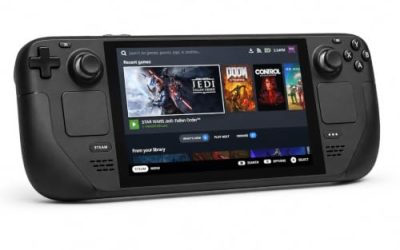
Valve’s own compatibility record for app 340210 returns resolved category 0 for the Steam Deck, with an empty item list, and the SteamOS category reads 0 as well. Category 0 means untested: Valve has never run the game through its Deck verification programme, so there is no Verified, Playable or Unsupported badge to report, and ProtonDB’s page shows the Deck status as Unknown, which agrees. An untested game is not a failed game, and this article claims no verdict in either direction. What follows from the paperwork is only practical: the game is a mouse-driven 4X with no controller support listed anywhere on its record, so even a successful Proton launch would be a desktop-shaped experience, and the gear section below is framed for a desk rather than a couch or a handheld.
Gear for a desktop-only 4X
Because the record points to a desk, the picks below lead with keyboard, mouse and storage. The game’s own record lists no controller support at all, and the package record reports full gamepad support as false, so the two pads included are there for the rest of a Linux library, not as a way to play this title.
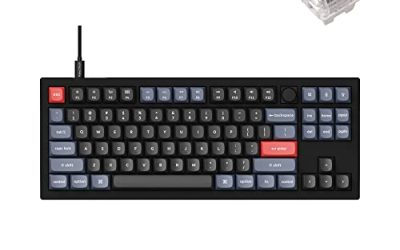
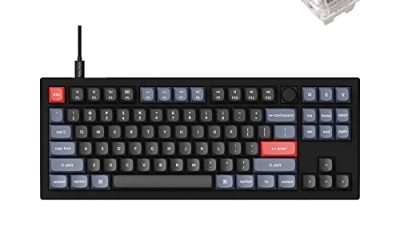
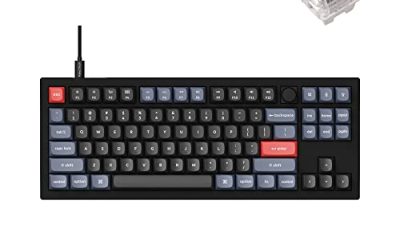
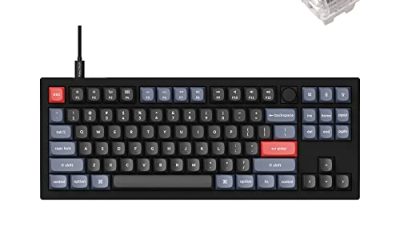
Keychron V3
A turn-based 4X lives on hotkeys, and a tenkeyless board with QMK and VIA support lets you remap keys at the keyboard level, which keeps working across every Linux install you plug it into.
Specs
- Tenkeyless layout with rotary knob
- QMK and VIA remapping support
- Hot-swappable K Pro Brown switches
- Wired USB-C connection
- Maker-rated 1,000 Hz polling
Logitech G502 HERO
Predestination’s turns are spent clicking through star maps, research queues and fleet orders, and a precise wired mouse with eleven programmable buttons covers the confirm, end-turn and camera inputs a long session repeats.
Specs
- HERO optical sensor, up to 25,600 DPI
- 11 programmable buttons
- Adjustable weight system
- Wired USB connection
- On-board memory profiles
Samsung T9 Portable SSD 2TB
For moving a Linux game library between a desktop and a laptop, or keeping an offline backup of installers, a fast USB-C drive is the simple answer. The headline figure needs a Gen 2×2 host port; on a lesser port the drive runs at that ceiling instead.
Specs
- Capacity: 2 TB portable SSD
- Interface: USB 3.2 Gen 2×2, USB-C connector
- Maker-rated speeds: up to 2,000 MB per second read, 1,950 MB per second write
- Features: Dynamic Thermal Guard, maker-rated drop resistance
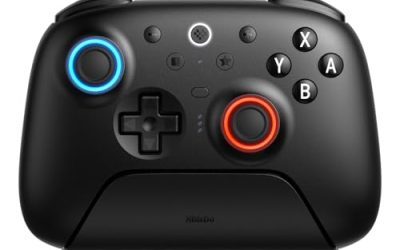
8BitDo Ultimate 2 Bluetooth Controller

The wider-library pad pick. Predestination itself lists no controller support, so this one earns its place on the desk for the many Linux games that do support a pad, with modern sticks and triggers plus back buttons for menu shortcuts.
Specs
- Connectivity: Bluetooth wireless and USB-C wired
- Joysticks: TMR electromagnetic, anti-drift design
- Triggers: Hall effect, with mode switching
- Extras: two remappable back buttons, motion control
- In the box: charging dock included
Xbox Wireless Controller, Carbon Black
The safest guest pad in PC gaming: Steam Input support is universal, the glyphs match what most games display, and it pairs over Bluetooth or its own wireless standard. Again, a library pick rather than a Predestination pick, since the game’s record names no pad support.
Specs
- Connectivity: Xbox Wireless and Bluetooth
- Port: USB-C for wired play
- Controls: hybrid D-pad, dedicated Share button
- Power: AA batteries or optional rechargeable pack
How to choose
Choose the Steam copy if you buy at all, because it is the only PC edition on sale and the exact build both records describe; there is no GOG edition to compare it with, as the check below confirms. Go in with the right expectation: you are buying a Windows build from 2019 whose branch froze that December, and your Linux plan is a Proton experiment, not a documented route. If you try it, current Proton versions are the sensible starting point precisely because the only failure reports on file predate them by years. Buy it for a Windows machine or a dual-boot you already own if the 4X design itself is the draw, and treat any Linux success as a bonus you verified yourself rather than a promise anyone has made.
Who should skip
Skip this one if you need a documented working route before you buy: the entire public evidence file is two borked reports from 2019 and an untested Deck record. Skip it if you are shopping for a native Linux 4X, because this record is Windows-only on every layer and nothing in it is ambiguous. Skip it if you want a DRM-free offline installer, because no GOG edition exists. And skip it as a Steam Deck purchase, not because Valve failed it, but because Valve has never reviewed it and the game offers no controller support for the handheld’s controls to use.
FAQ
Is Predestination native on Linux?
No. Steam’s record for app 340210 flags Windows only on both the app and its purchase package, the single content depot is a Windows depot, the only launch entry runs a Windows executable, and the Linux requirements field is an empty list. The “Natively Supports” heading on the ProtonDB page is a template artefact that the delivery record contradicts.
How well does Predestination run under Proton?
Nobody knows from the public record. ProtonDB holds two reports, both borked, both from 2019 hardware and software, with inadequate confidence and a settled tier still pending. One describes a crash loading race resources; the other describes the game not opening at all. No newer report exists, so current Proton behaviour is undocumented rather than proven good or bad.
Is Predestination Steam Deck Verified?
Valve has never reviewed it. The Deck compatibility record returns category 0, untested, with no items, and the SteamOS category is also 0. That is an absence of testing, not a failing grade, but it also means no badge backs a Deck purchase, and the game lists no controller support.
Can I buy Predestination on GOG instead?
No. GOG’s product records hold no edition of the game, and the natural product address resolves to the general catalogue rather than a purchasable page. Steam is the only storefront selling a PC copy, and its build is the Windows-only one described above.
Final verdict
Predestination is a Windows-only release whose Linux story is defined by absence: no Linux depot, no Linux launch entry, no Linux requirements tab, no DLC family to complicate the reading, and no Deck test on file. The Proton evidence is two borked reports from 2019 and nothing since, which makes the game unproven on Linux rather than condemned, but unproven is all it is. Buy the Steam copy for Windows if the 4X design appeals, and let Linux players who need certainty spend their money on a title whose record can actually answer them.
Product and ASIN Reference
| Product | ASIN |
|---|---|
| Keychron V3 | B0B2DMMMG2 |
| Logitech G502 HERO | B07GBZ4Q68 |
| Samsung T9 Portable SSD 2TB | B0CHFS9K14 |
| 8BitDo Ultimate 2 Bluetooth Controller | B0F194QFT2 |
| Xbox Wireless Controller, Carbon Black | B08DF248LD |