Ropz Esports Setup Keyboard Settings 2026
Ropz is a respected esports player, and many viewers want to know how his keyboard is set up. Keyboard settings are less visible than mouse settings, but they affect how fast you press keys, how comfortable your hand feels and how many mistakes you make over a long session. This guide uses a Ropz-style esports setup as a reference for keyboard choices and keybind tuning. It focuses on layout, switch feel, actuation and the habits that make a keyboard feel right, rather than copying one player’s exact configuration.
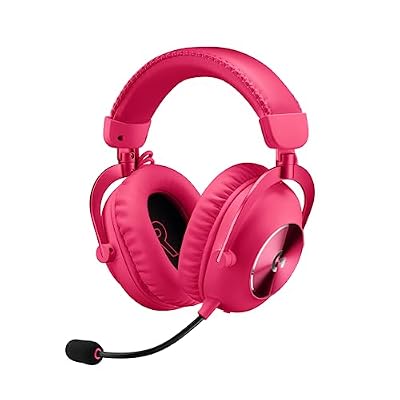
The listing above is a close match for the keyboard or accessory this topic points to. It is not confirmed as the exact model or settings any player uses today, and keyboard features vary by model and firmware. Check the card for the exact model, switch type and current price before you buy. The advice below stays useful whichever listing you choose.
What Matters in an Esports Keyboard
An esports keyboard has to do three jobs well. It must register presses reliably, it must feel the same over long sessions, and its layout must let you reach the keys you use most without moving your hand. Those jobs matter more than backlighting, macros or extra keys. A keyboard with a clean feel and a layout that fits your hand will serve you better than a board with many features you never use.
Keyboard settings also shape how the board behaves. Some keyboards allow you to change actuation points, debounce settings or key remaps through software. Others have fixed behaviour. Check what your model supports before you plan a setup around one feature. Features vary by model and by firmware, so the manufacturer’s current documentation is the source of truth.
Layout: Tenkeyless Versus Full Size
A tenkeyless board removes the numpad, which frees desk space for the mouse. Many esports players prefer this because the mouse can move without hitting the keyboard. A full-size board keeps the numpad, which suits players who use it for binds. A 75 percent board keeps arrow keys and a compact number row in a smaller footprint. Choose the layout that keeps your hand in a relaxed position, and check the spacing between the keys you use most.
Switch Feel and Actuation
Switch type is a personal choice. Linear switches give a smooth press with no bump, which suits fast repeated inputs. Tactile switches give a clear point of activation, which some players like for precise taps. Clicky switches are loud, and that can disturb people nearby. Many esports players choose a linear or soft tactile switch because it is quiet and predictable. For a broader guide to switches, see the best keyboard switches for gaming.
Keybinds and Hand Position
Keybinds should match where your fingers already rest. Move a key only if you can reach it without shifting your hand. Keep the most used actions in the easiest positions, and avoid placing critical keys in awkward spots. Many players test binds in practice rounds before they change them in ranked matches. A bind that feels clever in a calm moment can be hard to reach during a fight.
Hand position matters for comfort. Keep your wrist close to neutral and your forearm supported. If you feel tension in the wrist or forearm after an hour, check the keyboard height, the desk height and the chair. For seating, see ergonomic gaming chairs.
Comparison Table: Keyboard Setup Options
The table compares the main keyboard options for an esports player. It focuses on what each option does well rather than a fixed winner, because the right choice depends on your hand and your desk.
| Option | Best for | What to check | Typical price range |
|---|---|---|---|
| Tenkeyless linear board | Smooth presses and more mouse room | Switch quality, layout, cable | Check current price |
| Tenkeyless tactile board | Clear feel and precise taps | Bump strength, noise, key feel | Check current price |
| Full-size board | Players who use numpad binds | Desk room, key count, software | Check current price |
| 75 percent board | Compact desks and mixed use | Arrow keys, key spacing, plate feel | Check current price |
In practice, layout and switch feel decide most of the comfort. Features like software remapping are useful, but they cannot fix a layout that does not suit your hand.
Keyboard and Mouse Working Together
The keyboard and mouse have to work as a pair. If the keyboard sits too close to the mouse, your hand will hit keys during movement. If the mouse sits too far away, your arm will tire. Leave enough space for a wide mouse arc, and keep the keyboard at a height where your wrist is relaxed. For the mouse side, see the best gaming mouse in 2026.
Mousepad and Desk Space
A mousepad that gives stable control helps the whole setup. Cloth surfaces give control, and hard surfaces give glide. Our comparison of cloth versus hard gaming mousepads explains the trade-offs. For a desk that gives you room for both keyboard and mouse, see the best gaming desk.
Monitor and Frame Rate
A monitor with a high refresh rate makes motion smoother, but the benefit depends on your frame rate. A 144Hz panel is a sensible target for many esports players, and a 240Hz panel helps when your PC reaches high frames. Our guide to choosing refresh rate for gaming explains the trade-offs.
Headset and Communication
Clear comms help a team play together, and comfort helps you stay focused. Look for a headset with a microphone that picks up your voice without capturing keyboard noise. A quiet keyboard helps here too. For a budget headset, see the best budget gaming headset, and for a microphone, the best budget gaming mic lists options for voice chat.
Budget Path for an Esports Keyboard
You do not need a premium keyboard to play well. A reliable board with a layout you like and a switch feel you trust will serve most players. Spend first on fit and comfort, then on extras such as software features. If you want a broader view of keyboards, see the best budget gaming keyboard. For a complete desk plan, the best gaming setup guide shows how the pieces fit together.
Frequently Asked Questions
Do I need the same keyboard as a pro to play well?
No. A pro’s keyboard reflects their hand, their habits and their keybinds. Use it as a reference, then test layout and switch feel on your own hands before you buy.
Is a tenkeyless keyboard better for esports?
Many players prefer it because it frees desk space for the mouse. If you rely on the numpad for binds, a full-size board may suit you better.
Which switch type is best for competitive play?
There is no single answer. Linear switches suit smooth, repeated presses, while tactile switches suit players who want a clear point of activation. Choose the feel that keeps your presses consistent and that does not disturb others in your room.
Should I change keyboard settings often?
Change them only with a clear reason. Frequent changes make it hard to judge whether a setting helped. Keep notes on each change and test it over several sessions before you decide.