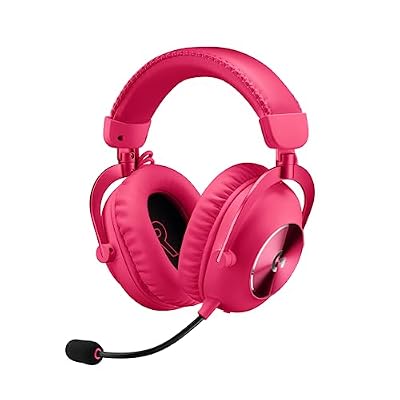
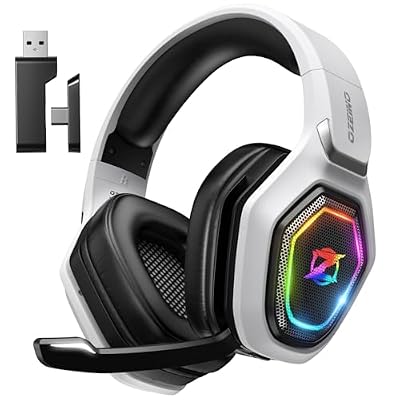
Donk CS2 Pro Player Setup Peripherals
Donk has become one of the most talked-about young players in Counter-Strike 2, and many players want to know what peripherals sit on his desk. A published setup is useful as a reference, but it does not explain why the gear suits that player. Grip, hand size, sensitivity and practice habits all shape how a mouse or keyboard feels. This guide uses a Donk-style CS2 setup as a starting point for a peripheral buying plan, with a focus on what to check before you copy anything and how to choose gear that fits your own hands.
The listing above is a close match for the type of peripheral this topic covers. It is not confirmed as the exact model any player uses today, and esports setups change as players switch gear. Check the card for the model, connection type and current price before you buy. The buying framework below holds whichever listing you pick.
Why Peripherals Matter in CS2
CS2 is a game of precise aim, quick movement and reliable communication. Your mouse carries most of the aim load, your keyboard handles movement and utility, and your headset helps you read footsteps and callouts. A peripheral that feels slightly wrong can cost consistency, especially over a long match or a tournament day. That is why esports players spend time on fit and feel rather than chasing the newest release.
Many players also overlook posture. A desk and chair that keep your arm in a relaxed position help you stay accurate late in a session. If your wrist aches after an hour, the problem is usually the mouse shape, the mousepad height or the desk, not your skill.
Mouse Shape and Grip
Start with your grip. Palm grip players often prefer larger, rounded mice that let the whole hand rest on the body. Claw grip players often prefer medium shapes with a raised back and room for the fingers to flex. Fingertip grip players usually prefer small, light mice. The best shape is the one that lets you move with your arm while keeping your fingers relaxed. For a broader list by shape, see the best gaming mouse in 2026.
Sensor, Polling Rate and Connection
Most modern gaming mice use an optical sensor and offer a 1000Hz polling rate. That means the mouse reports its position every millisecond. Some models offer higher rates, but the benefit depends on your system and on your sensitivity. Check sensor reviews and the connection type. A wired mouse is simple and avoids battery concerns, while a wireless mouse removes cable drag. Choose the one that keeps your aim consistent.

ASUS ROG Azoth Extreme Wireless Mechanical Gaming Keyboard – 75% TKL, ROG NX Snow Linear Switches, PBT Keycaps, Aluminum Chassis, Carbon Fiber, Gasket Mount, Color OLED Screen, PC/Mac Support - Black


As an Amazon Associate we earn from qualifying purchases. Product prices and availability are accurate as of the date/time indicated.
Keyboard and Keybinds for CS2
CS2 uses the keyboard for movement, utility, buy menus and communication. Most players keep the standard WASD cluster and place utility keys within easy reach. A tenkeyless keyboard frees desk space for the mouse, while a full-size board suits players who use extra keys for binds. Switch feel is personal. Linear switches give smooth presses, tactile switches give a clear feel, and clicky switches can be loud in a shared room.
Keybinds should match your hand. Move a key only when you can reach it without changing your grip. If you want a longer list of keyboard options, see the best gaming keyboards in 2026, and for switch types, the best keyboard switches for gaming explains the trade-offs.
Comparison Table: CS2 Peripheral Choices
The table compares the main choices for a CS2 player. The best option depends on your grip, your desk and your habits, so the table focuses on fit rather than a fixed winner.
| Peripheral | Best for | What to check | Typical price range |
|---|---|---|---|
| Lightweight wired mouse | Quick flicks and stable connection | Cable drag, shape, sensor reviews | Check current price |
| Medium wireless mouse | No cable drag and clean desk | Battery life, dongle placement, latency reviews | Check current price |
| Tenkeyless keyboard | More room for the mouse | Layout, switch feel, cable quality | Check current price |
| Full-size keyboard | Players who use extra binds | Key count, software, desk room | Check current price |
For most players, the mouse and keyboard matter more than any other peripheral in CS2. Once those fit, the headset and microphone come next.
Sensitivity and eDPI
Your effective sensitivity is DPI multiplied by in-game sensitivity. For example, 800 DPI at 1.0 in-game sensitivity gives an eDPI of 800. Two players with different DPI and in-game numbers can have the same eDPI and feel similar on screen. The practical goal is to find a comfortable eDPI, then keep it steady so you can judge your progress. Our article on the best DPI for gaming explains how to test a range without copying someone else’s settings.
Mousepad, Desk and Posture
A CS2 mousepad needs stable, predictable friction. Cloth surfaces give control, while hard surfaces give glide. Pick based on your movement style and your sensitivity. Our comparison of cloth versus hard gaming mousepads lists the trade-offs, and the best esports mousepads covers sizes for competitive play.
Your desk should let you move the mouse in a wide arc. A desk that is too high lifts your shoulder, and a desk that is too small forces you to reduce sensitivity. For a desk that suits long sessions, see the best gaming desk. For seating, ergonomic gaming chairs explains the adjustments that matter most.
Headset, Microphone and Audio Cues
CS2 is a sound-driven game. Footsteps, reloads and utility sounds help you place enemies, and clear voice comms help your team. A headset with clear positional audio and a comfortable clamp is the priority. If you need a microphone for team calls, see the best gaming microphones for options across budgets.

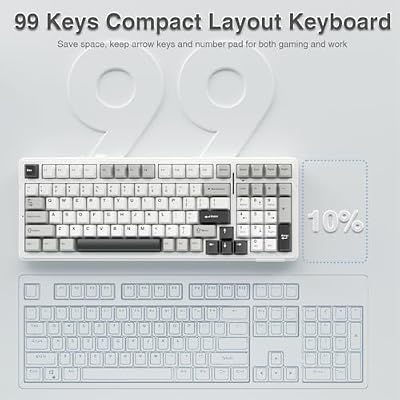
AULA F99 Wireless Mechanical Keyboard,Tri-Mode BT5.0/2.4GHz/USB-C Hot Swappable Custom Keyboard,Pre-lubed Linear Switches,RGB Backlit Computer Gaming Keyboards for PC/Tablet/PS/Xbox


As an Amazon Associate we earn from qualifying purchases. Product prices and availability are accurate as of the date/time indicated.
Monitor and Frame Rate
A monitor with a high refresh rate makes fast motion easier to read. A 144Hz panel is a sensible target for many players, while a 240Hz panel helps only if your PC reaches high frame rates in CS2. Our guide to choosing refresh rate for gaming explains the trade-offs, and the best 240Hz gaming monitor covers competitive options.
Building a Budget CS2 Setup
You do not need a full pro rig to play well. Start with a mouse that fits your hand and a keyboard with a layout you like. Add a headset with clear audio, then a monitor that suits your frame rate. If you are building a PC as well, our overview of the best CPU for Counter-Strike 2 and the best GPU for Counter-Strike 2 helps you match the computer to your target frame rate. For a complete desk layout, see the best gaming setup guide.
Frequently Asked Questions
Can I copy a pro CS2 setup and play like that player?
Not by copying gear alone. Aim and decision-making come from practice, and the gear has to suit your own hand. Use the setup as a reference, then test your grip, eDPI and keybinds before you commit.
Should I choose a wired or wireless mouse for CS2?
Both work for competitive play. Wired mice remove battery concerns, and wireless mice remove cable drag. Check battery life, connection reviews and dongle placement, then choose the option that keeps your aim steady.
What keyboard layout is best for CS2?
A tenkeyless layout gives more room for the mouse, and a full-size layout suits players who use many extra binds. Choose the layout that keeps your hands relaxed during long matches.
Do I need a 240Hz monitor for CS2?
It helps if your PC can reach high frame rates in the game. If your frame rate sits well below 240, a 144Hz monitor may give you most of the benefit for less money.