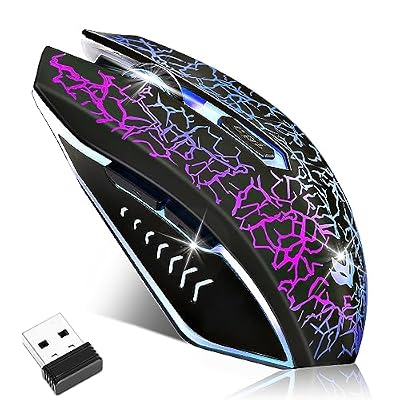
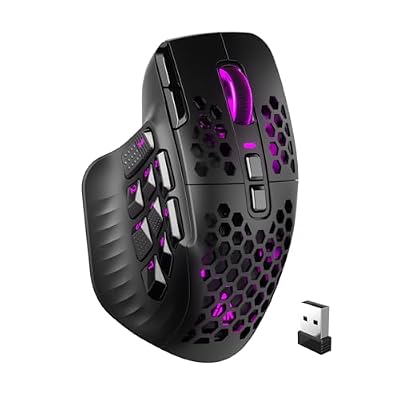
FC 26 Esports Mouse & Settings Setup Guide
EA Sports FC 26 is played mainly with a controller, and most players never touch a mouse during a match. That fact shapes this guide. A mouse still matters on PC for menus, squad management, transfer screens and many of the tasks around the match itself. This article explains what to look for in an esports mouse for that kind of use, how to set the sensitivity and related options sensibly, and where a mouse stops making a difference.
This is a buying and setup guide, not a review of any product. We have not tested these mice in FC 26 or measured input latency, and no figures in this article come from our own testing. Settings options and menu locations can change between game versions, so confirm them in your build. The hero listing above is the closest match to the mouse class discussed. Check the listing for the exact model, sensor, weight and price before buying, because the listing may be a substitute for the model you searched for.
Where a Mouse Actually Helps in FC 26
On PC, a mouse is useful in the menus, in squad and career screens, in lists of players and in the many pages around the match. It is quick to move between options and makes it easy to compare items side by side. During a match, most players rely on a controller, so the focus for mouse settings is the non-match part of the experience. If your goal is precise aiming in a shooter, this guide does not apply, and you should look at the shooter guides instead.
Be honest about the use case before you spend. A premium esports mouse is a poor buy if you only use the mouse to open menus. A simpler mouse that is comfortable and reliable will do the job.
Choosing an Esports Mouse for Menu-Heavy Play
Several features matter most for this kind of use. Shape and grip comfort come first, because you will spend long sessions on menus and pages. A sensor with a stable tracking profile helps with accurate pointer control, and the sensor’s maximum figure is less important than how it behaves at the speeds you use. Weight affects how easily you can make small corrections, and a lighter mouse is often easier to control on a menu grid. Buttons should be firm and clearly separated, so that you do not click the wrong item.
Wired or wireless is a personal choice. A wireless mouse gives freedom of movement, while a wired one avoids battery charging. Check the battery life and the charging method before you buy a wireless model. Our wired gaming mouse guide covers the trade-offs in more detail, and the wireless gaming mouse guide explains what to check before you buy one.
Sensitivity and DPI: Set It Once and Stop
DPI and in-game pointer speed are different things. DPI sets how far the sensor moves for each physical inch of movement. The pointer speed in the game or the operating system sets how far the cursor moves on the screen. For menu work, pick a DPI that lets you cross a large screen with a short, comfortable movement, and then set the pointer speed so that small corrections are easy. Many players settle on a mid-range DPI value and keep it fixed. Changing it often makes muscle memory harder to build.
Turn off any pointer acceleration in the operating system if you want the cursor to move in a predictable way. Keep the setting the same across sessions, and write it down so that you can restore it after a driver or system change. Mouse drivers from the manufacturer often include a profile system, which is useful if you use one mouse on different games.
Comparison Table: Mouse Options for Menu-Heavy PC Play
The table below compares the hero listing with the four alternatives by use case. It is a shortlist aid rather than a ranking, and it does not predict performance in any game.
| Option | Role in this guide | Best for | What to confirm | Price range |
|---|---|---|---|---|
| Hero listing | Closest match to the mouse class discussed | Players who want a precise, light pointer for menus | Exact model, sensor, weight and connection type | Check current price |
| Alternative 1 | Second listing in the same set | Players who want a similar style at a lower spend | Grip size and button layout | Check current price |
| Alternative 2 | Third listing in the same set | Wireless use with charging | Battery life and charging method | Check current price |
| Alternative 3 | Fourth listing in the same set | Long sessions on a shared desk | Cable stiffness and mouse feet | Check current price |
| Alternative 4 | Fifth listing in the same set | Players who want a simple, reliable mouse | Software needs and warranty | Check current price |
Use the table to shortlist. Then compare grip size and weight by holding the mouse if you can, because those two factors affect comfort more than any spec sheet figure.
Setting Up the Desk Around the Mouse
A mouse performs better on a surface it tracks well. Choose a mat with a consistent texture and enough room for full arm movement, since a small mat forces awkward strokes. Place the keyboard and monitor so that your wrist rests in a neutral position. Keep the cable clear of the desk edge, or use a cable guide if the mouse is wired. These small steps help more than a premium mouse on a poor surface. Our esports mousepad guide explains which surfaces suit different styles.
Frequently Asked Questions
Do I need an esports mouse to play FC 26 on PC?
No. Most players use a controller for matches. A comfortable, reliable mouse is enough for menus and other screens, and a premium esports model is optional.
What DPI should I use for menus?
Pick a DPI that lets you move across the screen with a short, comfortable motion. Set the in-game or system pointer speed to match, and keep both fixed so your movements stay consistent.
Should I turn off pointer acceleration?
For predictable pointer movement, yes. Turn it off in the operating system and keep it off across sessions, so your muscle memory stays consistent.
Is a wireless mouse good enough?
Modern wireless mice can be reliable, but check battery life and the charging method. A wired mouse avoids charging, which some players prefer for long sessions.
Next Steps
If you want to compare mice across price tiers, start with the best gaming mouse for 2026 guide and the best budget gaming mouse list. For a lightweight model that helps with quick corrections, read the ultralight gaming mouse guide, and the economical gaming mouse guide covers lower-cost options. If you are choosing a mouse for a shooter instead, the FPS gaming mouse guide covers the features that matter there. For the surface under the mouse, the gaming mousepad guide explains the main choices, and the best mouse for gaming page lists a wider range of models.