Demon1 Valorant Setup: Pro Peripherals That Matter in a Competitive Kit
People searching for a Demon1 Valorant setup usually want the same thing as anyone shopping for esports peripherals: a clear picture of which mouse, keyboard, headset and mousepad make sense for competitive play. The gear a player uses on stage is only one input. Their hands, desk, monitor distance and routine all shape how the kit performs. This guide focuses on the peripherals, and explains how to judge them for your own setup.
You will find a breakdown of each peripheral category, a comparison table, guidance on testing and a short list of mistakes that waste money. The advice is written for a buyer who wants to build a reliable Valorant kit, not a perfect replica of one player’s desk.

The listing above may be a close match for the style of peripheral used in a pro Valorant setup rather than the exact product of any named player. Check the card for the exact model, specifications and current price. The buying logic in this article applies to whichever model you choose.
Why Peripherals Matter in Valorant
Valorant asks a lot from your hands. You aim, move, cast abilities, buy weapons and communicate, often within a few seconds. Peripherals that feel natural reduce mistakes that come from awkward reach or fatigue. They also help you repeat the same movements round after round, which builds the muscle memory competitive players depend on.
Pro players often change their gear for sponsorship or team reasons. A roster or sponsor change can alter a pro’s kit overnight. For that reason, treat any published pro setup as a snapshot. The principles behind the choices are more durable than the specific model.
Mouse: The Most Important Peripheral
Shape and Grip
The mouse should fit your grip without forcing your fingers into an unnatural position. Palm grip users often prefer larger, rounded shapes. Claw and fingertip grip users may favour lighter, narrower designs. Test a few shapes if you can. A mouse that feels wrong for three days will not become right on the fourth.
Wired or Wireless
Modern wireless mice are reliable for competitive play, and many players use them without issue. A wired mouse avoids battery charging and removes one variable. Choose the connection type that gives you the most confidence, then keep the battery or cable in good shape. Our best wired gaming mouse and best wireless gaming mouse guides compare the two options side by side.
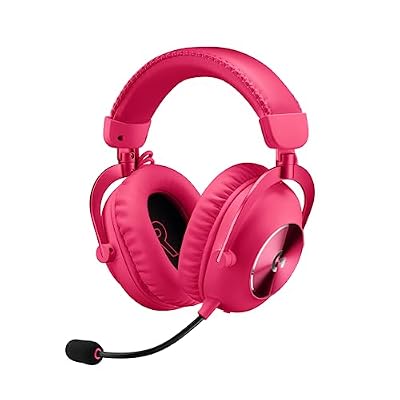
Logitech G PRO X 2 Lightspeed Wireless Gaming Headset, 50mm Graphene Drivers, DTS:X Headphone 2.0—7.1 Surround, Bluetooth/USB/3.5mm Aux, for PC, PS5, PS4, Switch - Magenta (Renewed)


As an Amazon Associate we earn from qualifying purchases. Product prices and availability are accurate as of the date/time indicated.
Mousepad
A mousepad supports consistent glide and stable friction. Cloth surfaces offer control, while hard surfaces offer speed. Edges matter too, because a stitched edge can keep the mouse from catching. The best esports mousepads guide and the cloth vs hard gaming mousepads comparison explain the trade-offs.
Keyboard and Headset
Keyboard Layout and Switches
The keyboard should keep your main keys within easy reach. Many Valorant players want a compact layout that gives them room to move the mouse. Switch type is a personal choice. Linear switches feel smooth, tactile switches give clearer feedback and silent switches reduce noise. Our best gaming keyboard in 2026 guide covers the options, and the best keyboard switches for gaming article explains each type.
Headset and Audio Cues
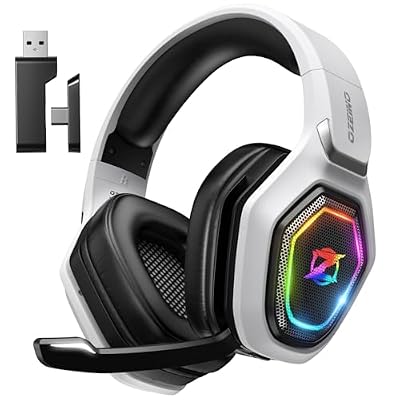
Valorant depends on sound. Footsteps, abilities and reloads all give information. A headset with clear mids and a comfortable fit helps you hear those cues and communicate with your team. Check whether the microphone suits your room. Our best budget gaming headset guide is useful if you want solid audio without a premium price.

Logitech G PRO X 2 Lightspeed Wireless Gaming Headset: Wireless Gaming Headphones with Mic, 50mm Graphene Drivers, 2.02.0—7.1 Bluetooth/USB/3.5mm Aux for PS4/PS5/PC/Nintendo Switch - White (Renewed)


As an Amazon Associate we earn from qualifying purchases. Product prices and availability are accurate as of the date/time indicated.
Comparison: Valorant Peripheral Priorities
| Peripheral | Best for | Key factor | Typical price range |
|---|---|---|---|
| Mouse | Aim and comfort | Shape, weight, grip fit | Check current price |
| Mousepad | Consistent movement | Surface type and edge finish | Check current price |
| Keyboard | Abilities and utility keys | Layout and switch feel | Check current price |
| Headset | Audio cues and voice comms | Sound clarity and fit | Check current price |
Start with the mouse, because it affects every fight. The mousepad comes next, since it supports the same movement every session. Keyboard and headset choices depend more on preference and budget.
Budget Priorities If You Are Building Gradually
Few players can buy a full pro kit at once, and that is fine. A sensible order is to start with the mouse, because it has the biggest effect on every aim movement. Once the mouse feels right, spend on the mousepad, since a worn or inconsistent surface can undo a good mouse. The keyboard and headset can follow. If your budget is tight, a best budget gaming mouse pick lets you test your grip before you commit to a premium model. Many players also keep an older keyboard longer than expected, since a comfortable layout matters more than the newest switch type.
Spend time on fit before you spend on features. Check mouse width against your palm, confirm that your keyboard keys sit where your hand expects, and make sure your headset clamps without pressing on your ears. These checks cost nothing, and they catch most of the mistakes that lead to returns. A mid-range kit that fits well will serve you better in ranked games than a premium kit that fights your hands.
How to Test Peripherals Before You Commit
Use Practice Time Well
Use aim training or unrated games for testing. Change one peripheral at a time and play the same routine for several sessions. A fair test takes days, not minutes. Note how your wrist, fingers and shoulder feel after long sessions, because fatigue often shows up later.
Check Return Policies
Buy from a seller with a clear return policy whenever possible. Peripherals are personal, and a return window gives you room to correct a poor choice. Keep packaging until you are sure.
Mistakes to Avoid
The first mistake is buying a complete pro kit before you have tested your own grip. The second is ignoring the mousepad, which quietly affects every aim movement. The third is choosing a headset for looks while overlooking clarity. Build the kit around comfort and repeatable feel, then add extras when you know what you need.
Frequently Asked Questions
Do I need the same peripherals as a pro to play Valorant well?
No. Practice and consistent routines matter more than matching a specific kit. Choose peripherals that fit your hands and your budget, then train with them.
Is a wireless mouse good enough for competitive Valorant?
Many competitive players use wireless mice successfully. Pick a model with good reviews for reliability, and keep it charged. If you prefer no battery concerns, a wired mouse is a solid choice.
Which peripheral should I upgrade first?
Start with the mouse if your current one feels uncomfortable. Upgrade the mousepad next if movement feels inconsistent. Keyboard and headset changes can follow.
How long should I test a new mouse?
Give it at least a week of regular play before judging it. Short sessions can hide problems with grip fatigue or sensitivity.