Faze Apex Pro Player Setup 2026 Esports
Pro-style esports setups get copied constantly, and most of the copying goes wrong. A buyer sees a photo of a famous team desk, orders the same mouse and keyboard, and then wonders why nothing feels different. The gear is only one part of the picture. Grip style, sensitivity, monitor refresh rate, desk height and the way a player tunes settings all matter, and most of those are personal. This guide uses a FaZe-style competitive setup as a starting point for a practical buying framework, not as a checklist to copy line by line.
The listing above is a close match for the kind of peripheral this topic calls for. It is not a guaranteed replica of any roster’s current equipment. Check the card for the exact model, connection type and price before you buy. Team rigs change between seasons, and players often switch hardware during the year, so anything described as a “team setup” is really a snapshot in time. The buying logic below stays valid whichever model you choose.

What a Team-Style Esports Setup Actually Includes
Competitive setups share a small core. There is a fast, comfortable mouse, a keyboard with a layout the player trusts, a headset that makes footsteps easy to place, a monitor with a high refresh rate, and a desk and chair that keep posture stable through long sessions. Everything beyond that is preference: lighting, decorative mats, stream decks and extra cables. If you are building your first serious setup, buy the core first and treat the rest as optional.
Teams usually standardise the core so that a player can sit at any machine, at home or on LAN, and feel the same. This is the most useful lesson from team setups. Consistency beats the newest release. A mouse you have used for a year, with the same weight and shape, will usually help your aim more than a flagship model you have only used for a week.
The Core Four: Mouse, Keyboard, Headset and Monitor
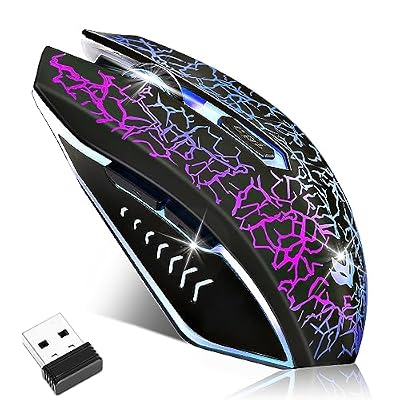
The mouse gets the most attention because it touches almost every action in a shooter. Look at shape and grip first. A palm grip needs a larger body, a claw grip favours a medium shape with a raised back, and a fingertip grip wants something light and small. Sensor quality and polling rate are the other two checks. Most modern gaming mice offer a 1000Hz polling rate, which means the mouse reports its position every millisecond. Higher polling rates exist on some models, but the difference is only noticeable for some players, so do not pay extra for a number alone.
The keyboard matters most for utility keys and movement. A full-size board is useful if you rely on macros, while a tenkeyless layout gives more room for the mouse. Switch type is a personal choice. Linear switches feel smooth, tactile switches give a bump, and clicky switches make a sound that some players dislike in shared rooms. For a broader comparison of boards, see our guide to best gaming keyboards in 2026.
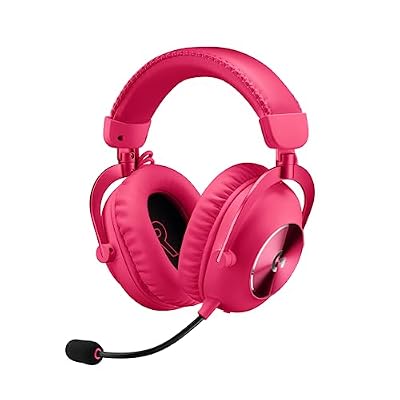
The headset is where many players underspend. Clear positional audio, a comfortable clamp and a microphone that does not pick up keyboard noise are more important than a loud bass boost. The monitor is the last piece of the core. A 240Hz panel gives smoother motion than a 144Hz panel, but only if your graphics card can push high frame rates in the games you play. Our explainer on choosing refresh rate for gaming covers the trade-off in more detail.
Why Consistency Matters More Than the Newest Model
When a player changes mouse every few months, muscle memory resets. Aim that felt natural in one month can feel off in the next, even if the new mouse is technically better. Teams avoid this by locking in a model and a sensitivity, then only changing gear when there is a clear reason, such as a worn switch or a broken cable. For a home player, the same rule applies. Pick a setup that you can keep for a year or more.
How to Build Your Own Setup Around the Core
Start by deciding which game you play most. A tactical shooter rewards precise, low-drift aim and a mouse that tracks well at low sensitivity. A hero shooter may reward a lighter mouse and faster flicks. A battle royale game often rewards good building keybinds and a keyboard you can reach without looking. The same esports setup can look different depending on the title, so write down your top two games before you shop.
Next, measure your desk. Mouse movement depends on the space you have, and many players lose accuracy because they run out of mat before they run out of sensitivity. A desk that is too high or too low will also cause wrist and shoulder strain. If you want to upgrade the surface, our guide to the best gaming desk explains which sizes and heights work for different room layouts.
Sensitivity and DPI: The Number That Matters
DPI is the sensor setting, and in-game sensitivity is the multiplier inside the game. Many players compare setups using eDPI, which is simply DPI multiplied by in-game sensitivity. For example, 800 DPI at 0.3 in-game sensitivity gives an eDPI of 240. Two players with different DPI settings can have the same eDPI and feel similar in game. The practical point is to find a comfortable eDPI, then keep it stable. Changing DPI and sensitivity every week makes it hard to judge whether your aim has improved.
For a deeper look at how sensor settings interact with game feel, see our article on the best DPI for gaming. It covers how to test your own range without copying someone else’s numbers.

Logitech G Pro X Superlight 2 Lightspeed Wireless Gaming Mouse, Black | Lightweight, LIGHTFORCE hybrid switches, HERO 2 sensor, 32,000 DPI, 5 programmable buttons, USB-C charging, Mac & PC gaming


As an Amazon Associate we earn from qualifying purchases. Product prices and availability are accurate as of the date/time indicated.
Comparison Table: Esports Setup Tiers
The table below groups gear by how much a player needs to spend and what that money buys. The prices are not listed here because they change often. Use the cards in this article, or check the live listing, for current figures.
| Setup tier | Core gear | Best for | Typical price range |
|---|---|---|---|
| Essentials | One reliable mouse, a keyboard you like, a basic headset | Ranked play and first serious setup | Check current price |
| Competitive | Lightweight mouse, tested keyboard, clear headset mic, 240Hz monitor | Players who grind ranked daily | Check current price |
| Team-style | Matched peripherals, spare mouse and cable, desk and chair tuned to posture | LAN play, streamers and semi-pro teams | Check current price |
The table shows that the jump from essentials to competitive is usually about the monitor and the mouse. The jump from competitive to team-style is mostly about backups and consistency. If you are not travelling to events, a spare mouse may be the only team-style item you need.
Desk, Chair and Audio: The Parts That Keep You Playing
A good setup is only useful if you can sit in it for three hours. Posture changes how your wrist moves, and a poor chair can cause back pain that lowers your focus. Our review of ergonomic gaming chairs lists the adjustments that matter most, including lumbar support and seat depth.
For audio, the headset should match your ears and your room. If you share a room, a microphone with a cardioid pickup pattern helps keep background noise out of your voice chat. If you stream, you will want a separate microphone. Our guide to the best gaming microphones compares options for different budgets and room types.
Headset Checks Before You Buy
Look at the clamp force and the earcup material first, because those decide how long you can wear the headset. Check whether the microphone is detachable or boom-based, and whether the cable is replaceable. Wireless headsets offer freedom from cables, but they need charging and can add latency compared with wired models. Decide which trade-off suits your room before you buy.
Mousepad and Small Accessories
A mousepad is the cheapest upgrade in this whole guide. A cloth surface gives control and a hard surface gives speed, and most players settle on one based on how they move. A stable, non-slip base matters more than a decorative print. If you are comparing surfaces, see our article on cloth versus hard gaming mousepads.
Small accessories matter too. A spare cable, a second mouse, grip tape and a cable holder can save a match when something fails. Teams keep these items in a bag at events. At home you can keep them in a drawer, but the principle is the same. Plan for the one failure that would stop you playing for a day.
A Budget Path Without Losing the Essentials
You do not need the full team-style rig to play at a high level. Most of the gain comes from a comfortable mouse, a stable monitor and a headset with clear audio. Spend your first money there, then add accessories later. If you are building a PC as well, our breakdown of gaming PC builds for every budget helps you decide how much to put into the computer versus the peripherals.
For a full room plan, including lighting, cable management and storage, our overview of the best gaming setup brings the parts together. Build in stages, keep notes on what works, and resist the urge to change everything at once.
Frequently Asked Questions
Can I copy a pro player’s setup exactly?
You can buy the same models, but you will not get the same results. Players tune sensitivity, grip, desk height and settings over years. Use the published gear as a reference point, then test your own preferences before you commit.
What matters most for a competitive FPS setup?
For most players the order is a comfortable mouse, a stable monitor with a high refresh rate, and a headset with clear positional audio. Keyboard choice comes next, followed by desk and chair. Start with the items you touch most often.
Is a team-style setup worth it for a home player?
Only partly. A spare mouse, a good chair and a reliable headset are worth it because they reduce downtime. Matching every item to a team kit is usually unnecessary unless you play in organised events or travel to LAN.
How often should I change my peripherals?
Change them when they wear out or when a clear upgrade fixes a real problem. Frequent changes reset muscle memory, which can hurt aim and consistency more than a small spec gain helps.