

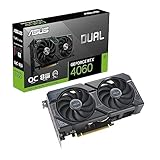
- Top Pick: ASUS Dual GeForce RTX 4060 V2 OC Edition (PCIe 4.0, 8GB GDDR6, DLSS 3, HDMI 2.1a, DisplayPort 1.4a, 2-Slot Design, Axial-tech Fan Design, 0dB Technology), 3 Year Warranty
- Best Value: ASUS Dual GeForce RTX 4060 OC Edition 8GB GDDR6 (PCIe 4.0, 8GB GDDR6, DLSS 3, HDMI 2.1a, DisplayPort 1.4a, 2.5-Slot Design, Axial-tech Fan Design, 0dB Technology), 3 Year Warranty
- Premium Choice: ASUS Dual GeForce RTX 4060 OC White Edition 8GB GDDR6 (PCIe 4.0, 8GB GDDR6, DLSS 3, HDMI 2.1a, DisplayPort 1.4a, 2.5-Slot Design, Axial-tech Fan Design, 0dB Technology), 3 Year Warranty
Outlast is not a demanding game, and it never was. The official minimum specification asks for a 2.2 GHz dual-core processor, 2 GB of RAM and a 512 MB DirectX 9 graphics card; the recommended spec raises that to a 2.8 GHz quad-core, 3 GB of RAM and a 1 GB card such as a GeForce GTX 460 or Radeon HD 6850. Those are 2013-era numbers. Any gaming PC built in the last decade, and most recent laptops with modern integrated graphics, will run Outlast at 1080p without breaking a sweat.
Originally released on September 4, 2013 and built on Unreal Engine 3, Outlast is a first-person survival horror game set inside a psychiatric hospital. It renders small, enclosed, corridor-based environments, with no ray tracing, no open-world streaming and no physics-heavy simulation running in the background. The performance challenge is minimal – the challenge is atmosphere. Below is what the game actually asks for, how those requirements translate to current hardware at 1080p, 1440p and 4K, and how to get more performance out of very old or low-power systems.
As an Amazon Associate we earn from qualifying purchases at no extra cost to you.



Outlast Official PC System Requirements
| Component | Minimum (official) | Recommended (official) |
|---|---|---|
| OS | Windows XP / Vista / 7 / 8 – 64 bits * | Windows Vista / 7 / 8 – 64 bits |
| Processor | 2.2 GHz Dual Core CPU | 2.8 GHz Quad Core CPU |
| Memory | 2 GB RAM | 3 GB RAM |
| Graphics | 512 MB NVIDIA GeForce 9800GTX / ATI Radeon HD 3xxx series | 1GB NVIDIA GTX 460 / ATI Radeon HD 6850 or better |
| DirectX | Version 9.0c | Version 9.0c |
| Storage | 5 GB available space | 5 GB available space |
Source: the official Outlast Steam store listing (app 238320), checked October 2026. Publishers can update these specs after patches.
The table above is the specification the developer published for Outlast, and it has not changed since launch. Two details are worth noting: the game renders in DirectX 9.0c, and 32-bit Windows is not officially supported – the listed operating systems are 64-bit editions of Windows XP, Vista, 7 and 8, with Vista, 7 and 8 named for the recommended tier. 64-bit Windows 10 and Windows 11 also run the game without issue even though they postdate that list. A DirectX-compatible sound card and a broadband connection are listed as well, the latter for activation and updates rather than for gameplay itself.
In practice, virtually any PC assembled after roughly 2015 clears the recommended column by a wide margin. A 2.8 GHz quad-core processor, 3 GB of RAM and a 1 GB graphics card describe entry-level hardware from well over a decade ago, and the 5 GB storage requirement is trivial next to any modern install. You do not need a current-generation GPU, a high-core-count CPU or fast storage to play Outlast.
How Demanding Is Outlast in 2026?
Not demanding at all. Outlast is a linear, corridor-based horror game with small, enclosed levels. There is no open world to stream, no crowd or traffic simulation, no large multiplayer match to keep synchronised, and no ray-traced lighting. The heaviest visual work is the camcorder night-vision effect and the shadows cast by that light in dark rooms, which is light work for any GPU that meets the official recommended spec.
Because it runs on Unreal Engine 3, the game is also tightly optimised for the hardware it was built for. It is not a CPU-heavy title – the official recommended processor is a 2.8 GHz quad-core, and a modern dual-core still clears the minimum comfortably. Frame rates are usually limited by the game’s own frame-rate cap or by your monitor’s refresh rate long before they are limited by your CPU or GPU. If you are seeing stutter, it is far more likely to be a frame-rate limiter, vsync or an outdated driver than a lack of raw performance.
GPU Performance by Resolution: What to Expect
Everything below scales from the official figures: a 512 MB DirectX 9 card for minimum, and a 1 GB GeForce GTX 460 or Radeon HD 6850 for recommended. The guidance is qualitative – how a class of card handles the game – rather than a set of benchmark numbers.
1080p (Full HD) – The Sweet Spot
At 1920×1080, a card that meets the official minimum – a GeForce 9800 GTX or a Radeon HD 3000-series part with 512 MB – will run Outlast with settings reduced. Anything that meets the recommended spec, such as a 1 GB GTX 460 or HD 6850, and every card newer than those, handles 1080p at maximum settings comfortably: a GTX 750 Ti, GTX 1050 Ti, GTX 1650, RX 570 or RX 6400 all have far more power than the game can use. Current budget cards like the GeForce RTX 5060 or Radeon RX 9060 XT are massively overspecced for 1080p here. Modern integrated graphics – Radeon 780M or 880M, or the Arc iGPU in Intel Core Ultra processors – are also enough at 1080p, particularly if you trim shadow quality.
1440p (QHD)
At 2560×1440, Outlast remains easy. A budget card such as a GTX 1060, RX 580, RTX 3050, RX 6600 or Arc A580 will run it at maximum settings without trouble, and a current-generation RTX 5060 or RX 9060 XT will barely register the load. There is no need for upscaling technologies like DLSS or FSR here – the game’s VRAM appetite is measured in hundreds of megabytes, not gigabytes, so even 4 GB cards have far more memory than Outlast can use. If performance does dip at 1440p on an older card, shadows and anti-aliasing are the first settings to revisit.
4K (Ultra HD)
Even at 3840×2160, Outlast does not require enthusiast hardware. A card from the recommended tier or a generation or two newer – GTX 970, GTX 1060, RX 570, GTX 1650 – can drive 4K with some settings reduced, and modern mid-range cards such as the GeForce RTX 5060 / RTX 5070 or Radeon RX 9060 XT / RX 9070 render it with enormous headroom to spare. The game was designed around 512 MB to 1 GB of video memory, so VRAM is never the limiting factor at 4K; the display connection and your monitor’s refresh rate matter far more than the GPU itself.
CPU, RAM and Storage Notes for Outlast
CPU
The official requirement is a 2.2 GHz dual-core for minimum and a 2.8 GHz quad-core for recommended. Outlast is not a CPU-heavy game – there is no simulation, no large-scale multiplayer and no open world to manage. Unreal Engine 3 does lean on single-thread performance, but every modern processor clears that bar by a huge margin. A budget chip such as an Intel Core i3-12100 or i3-14100, an AMD Ryzen 5 5600, or a Core Ultra 5 will spend most of its time idle. You do not need a high-end Ryzen 7, Core i7 or an X3D chip for this title, and a low-power laptop CPU is more than sufficient. If frame rates seem low, check that your power plan is set to a performance profile and that the game is not being held back by vsync or a background frame limiter.
RAM
The official figures are 2 GB minimum and 3 GB recommended, a reflection of how little the game holds in memory at once. Modern 64-bit Windows itself wants considerably more than that – 8 GB is a sensible floor for the operating system, and 16 GB is the common standard for a gaming PC – but that is a general system requirement, not an Outlast one. The game will not benefit from 32 GB, and memory speed has essentially no effect on it.
Storage
Outlast needs 5 GB of free space, and it was designed for mechanical hard drives. There is no asset streaming system that benefits from an NVMe SSD; a SATA SSD or NVMe drive will shorten initial loading screens, but it will not change frame rates once a level is loaded. Any drive with 5 GB free is enough, though an SSD is a nice quality-of-life upgrade for a modern PC in general.
Example PC Builds for Outlast in 2026
Because Outlast is so light, the builds below are far more powerful than the game needs. They are intended as sensible general-purpose gaming PCs that will also handle modern titles, while running Outlast without any compromise. These are not requirements – a decade-old office PC with a low-profile card such as a GTX 1050 Ti or RX 6400 is already enough for Outlast.
Budget / 1080p Entry Build
This class of PC is already overkill for Outlast and is a reasonable starting point for a new gaming PC. It will run Outlast at any resolution you are likely to own, and handle modern games at 1080p.
- CPU: Intel Core i3-12100F / i3-14100F or AMD Ryzen 5 5600
- GPU: NVIDIA GeForce RTX 3050 6GB / RTX 5060 or AMD Radeon RX 6600 / RX 9060 XT
- RAM: 16 GB DDR4 (2x8GB)
- Storage: 512 GB – 1 TB NVMe SSD
For Outlast specifically, this configuration is limited only by the game’s frame-rate cap and your monitor’s refresh rate, and it leaves plenty of headroom for recording or streaming.
Mid-Range / 1440p & 4K Build
This is enthusiast territory for Outlast specifically, but a logical choice if you also play newer AAA horror games.
- CPU: Intel Core i5-14400F / Core Ultra 5 245 or AMD Ryzen 5 7600 / Ryzen 7 5700X3D
- GPU: NVIDIA GeForce RTX 5060 Ti / RTX 5070 (or the previous-generation RTX 4060 Ti / RTX 4070) or AMD Radeon RX 9060 XT / RX 9070
- RAM: 16 GB – 32 GB DDR5
- Storage: 1 TB NVMe SSD
At this level, Outlast is completely engine-limited. You can run it at 4K with vsync off and still be held back by the game rather than by the hardware.
Laptop and Handheld Performance: Steam Deck, ROG Ally and More
Outlast is an excellent fit for laptops and handhelds. It has controller support, it draws very little power, and its 5 GB install size leaves plenty of room on a small SSD.
Gaming Laptops: Any gaming laptop with a discrete GPU from the last several years will run Outlast at 1080p with maximum settings, and so will a modern thin-and-light with integrated graphics such as Radeon 780M or an Intel Arc iGPU. There is no need for a high-wattage GPU; even an entry-level laptop part like an RTX 2050 or RTX 3050 Laptop GPU sits far above the official recommended spec.
Steam Deck / ROG Ally / Legion Go: Outlast runs very well on handhelds, and it suits their 1280×800-class screens. On a Steam Deck you can run it at the panel’s native resolution with settings at or near maximum and expect smooth frame rates plus long battery life compared to a modern AAA title – the game was built for hardware far weaker than a handheld. The ROG Ally and Legion Go offer similar or better performance and can push up to 1080p. For the longest sessions on a Deck, cap the frame rate and leave upscaling off unless you specifically need the extra battery.
Outlast has no anti-cheat or launcher complications that get in the way on handhelds, and its small footprint makes it easy to keep installed alongside larger games.
Best Settings to Increase FPS in Outlast
If you are on very old hardware, pre-2020 integrated graphics or a low-power handheld, the changes below offer the largest gains for the smallest visual cost. The advice is generic to how Unreal Engine 3 handles lighting and post-processing, so check your in-game options and apply what is available to you.
1. Lower Shadows and Shadow Quality First
Shadow work is the most expensive part of Outlast’s rendering, because the game leans heavily on the light from your camcorder in dark corridors. Dropping shadow quality by one or two steps is usually the single biggest gain on an older GPU, and the loss is minimal in a game that is dark by design.
2. Disable or Lower Motion Blur and Chromatic Aberration
Post-processing effects such as motion blur add GPU cost and can make a low frame rate feel worse. Turning motion blur off is essentially free performance, and it makes the image clearer when you turn quickly – useful when you are being chased.
3. Reduce Anti-Aliasing
Anti-aliasing is relatively cheap in this engine, but on very weak integrated graphics every bit counts. If you need the extra performance, lowering it or turning it off will help. At 1080p the jagged edges are noticeable, while on a small handheld screen they are easy to ignore.
4. Turn Down Texture Filtering / Anisotropic Filtering
Outlast’s textures are low-resolution by modern standards, so high anisotropic filtering is not essential. Dropping it from 16x to 4x or 2x can help very old GPUs with limited memory bandwidth, though the gain is smaller than the one from shadows.
Avoid lowering resolution scale unless nothing else works. Because the game is so light, you are better off keeping native resolution and reducing shadows and post-processing first. Image clarity matters when you are trying to spot something in the dark.
FAQ
Can I run Outlast without a graphics card?
Yes, if your processor has modern integrated graphics. Radeon 780M or 680M graphics, or Intel’s Arc integrated graphics on Core Ultra chips, sit well above the official minimum and will run Outlast at 1080p with settings at or near maximum. Older integrated graphics such as Intel HD 4000 or HD 5000 can also run it, but you will likely need to lower settings and resolution to keep frame rates comfortable.
Does Outlast need an SSD?
No. It was designed for mechanical hard drives and runs fine from one. An SSD shortens initial load times, but it does not raise frame rates or remove stutter once a level is loaded.
Is Outlast CPU or GPU intensive?
Neither. The official requirements top out at a 2.8 GHz quad-core processor, 3 GB of RAM and a 1 GB graphics card, and modern hardware sits far above all three. You will hit the game’s frame-rate cap or your monitor’s refresh rate long before your CPU or GPU is fully used.
Can my laptop run Outlast?
Almost certainly yes. Any laptop with a dedicated GPU, and any recent thin-and-light with modern integrated graphics and 8 GB of RAM, will run Outlast smoothly at 1080p. Handhelds such as the Steam Deck, ROG Ally and Legion Go also run it well with good battery life.















