You are halfway through a boss fight when the screen flashes a message: the SD card was removed. The card is still sitting in the slot. You never touched it. This error is different from a card the handheld cannot read at all, because the card worked a minute ago and will probably work again after a reboot. Something in the connection between the card and the handheld is breaking for a split second, long enough for the system to treat the card as gone. That break can come from dirty contacts, a tired slot spring, heat swelling inside a thin plastic shell, or plain vibration in your hands. The good news is that each cause leaves a different fingerprint, and a short sequence of checks can tell you which one you are dealing with before you spend anything.
As an Amazon Associate, we earn from qualifying purchases.
Quick Answer
When a handheld claims the SD card was removed while it is still inserted, the connection is dropping out briefly rather than failing completely. Reseat the card, clean its gold contacts, then test whether the error follows the card or stays with the handheld. Errors tied to heat or jostling point at the slot; errors that follow one card everywhere point at the card.
Read the Pattern Before You Touch Anything
The timing of the error is the best diagnostic tool you have, and it costs nothing. Note when the message appears and what the handheld was doing in the minute before it showed up.
If the error appears during long sessions and rarely in the first ten minutes, heat is the prime suspect. A microSD card and the slot around it expand as the handheld warms up, and a marginal connection that holds when cold can open up once everything is hot. If the error appears when you shift your grip, set the handheld down, or play in a moving vehicle, the connection is mechanically loose: the card is physically losing contact when it moves. If the error appears right after waking from sleep, the problem is often power negotiation, where the slot does not bring the card back online cleanly. If it appears at random with no pattern at all, suspect the card’s internal controller, which can drop offline under load even in a perfect slot.
Write down which pattern you see. Every fix below maps to one of these patterns, and guessing without the pattern usually means replacing parts that were never broken.
How to Choose the Right Fix
Work through the causes in order of how easy they are to test.
Contacts first. The gold fingers on a microSD card oxidize and pick up pocket lint and skin oil. A card that has lived in a wallet, a drawer, or a handheld for two years may have contacts that look fine but conduct poorly at one pin. That is exactly the kind of fault that produces intermittent dropouts rather than total failure.
The slot second. Most handheld slots are push-push designs with small spring contacts pressing up against the card. Those springs weaken, and a slot that has swallowed and ejected cards hundreds of times may no longer press firmly. A slot fault stays with the handheld no matter which card you insert.
The card third. Flash memory wears, and a failing card often starts by disconnecting under sustained reads, such as streaming game assets, before it fails outright. A card fault follows the card into every device you try.
Heat and fit last. Some cards sit slightly thinner than others, and some shells flex. A card that is a fraction loose in its slot can break contact when the plastic around it warms and softens. This is why the same card can be flawless in a reader on your desk and unreliable in a handheld at full brightness.
The Checks, in Order
Reseat the card properly. Power the handheld fully off, not sleep. Push the card in until it clicks, then push again to eject it, and reinsert it once more. A surprising share of these errors come from a card that was never fully latched after the last swap. Boot up and play for a while to see whether the message returns.
Clean the contacts. Remove the card and wipe the gold contacts with a dry microfiber cloth. For heavier oxidation, a pencil eraser rubbed gently along the contacts, followed by a wipe to clear the crumbs, restores a clean surface. Keep liquids out of the slot itself; if you use contact cleaner, put it on the card or a swab, never spray it into the handheld.
Run the swap test. This is the single most informative step. Put a different, known-good card in the handheld, and put the suspect card in a phone, camera, or USB reader. Play on the handheld and use the suspect card elsewhere. If the error follows the card, the card is dying and you should copy its contents off immediately and retire it. If the error stays with the handheld even with a good card, the slot or its contacts are at fault.
Test cold versus warm. If the error only appears after the handheld heats up, try lowering screen brightness and taking a short break between sessions to confirm the pattern. A confirmed heat pattern with a healthy card usually means the slot’s contact pressure is marginal, and it will get worse over time rather than better.
Check for a loose fit. With the handheld off, gently press the card’s exposed edge. It should sit firm with no rock. If it wobbles, a temporary diagnostic is to play with the handheld resting flat and your hands off the card side; if the errors stop, movement was breaking the connection. A slot that cannot hold a card firmly is a hardware wear issue, and the practical fixes are a fresh card with a slightly thicker body, which sometimes restores pressure, or service for the slot itself.
Protect your saves while you diagnose. Intermittent disconnects are dangerous for data: a card that vanishes mid-write can corrupt whatever was being saved. Back up your save files and save states to a computer before long test sessions, so a failing card cannot take your progress with it.
Products That Help You Test and Replace
A second card and a reader turn guesswork into a verdict, and a quality replacement card ends the problem when the card is the culprit.
SanDisk Extreme microSDXC
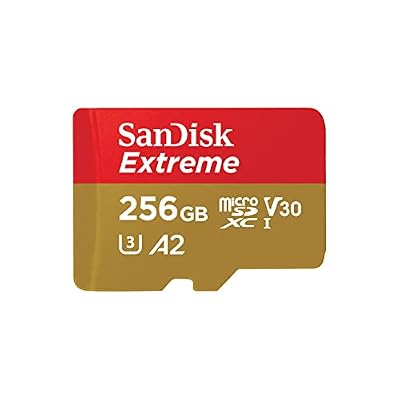
The Extreme line is the standard recommendation for handhelds because its sustained read speeds keep game loading smooth and its A2 rating handles the small random reads that emulators and game engines generate constantly. As a replacement for a suspect card it removes speed from the list of variables.
Specs
- Brand: SanDisk
- Line: Extreme microSDXC
- Role: Replacement card and known-good test card
- Strength: Fast sustained and random reads
SanDisk Ultra microSDXC

The Ultra is the budget test card. It is not the fastest card here, but it is a genuine, widely sold card, which makes it perfect for the swap test: if a brand-new Ultra also gets dropped by the handheld, the slot is guilty. It also serves well as a secondary card for smaller libraries.
Specs
- Brand: SanDisk
- Line: Ultra microSDXC
- Role: Low-cost known-good card for swap testing
- Strength: Inexpensive way to isolate the fault
Samsung EVO Select microSDXC

Samsung’s EVO Select gives you a second brand to test with, which matters more than it sounds. Slot contact problems can be brand-sensitive because card thickness varies slightly between makers, so a card from a different manufacturer that sits firmly can confirm a fit problem with the original card.
Specs
- Brand: Samsung
- Line: EVO Select microSDXC
- Role: Alternate-brand test and replacement card
- Strength: Different card body for fit diagnosis
SanDisk MobileMate USB 3.0 Reader

The MobileMate lets you stress-test the suspect card on a computer, where you can copy its full contents off and watch whether the copy itself drops out. A card that disconnects in a reader under a long copy is finished, no matter how it behaves in the handheld afterward.
Specs
- Brand: SanDisk
- Model: MobileMate
- Interface: USB 3.0
- Role: Card testing and full backups on a PC
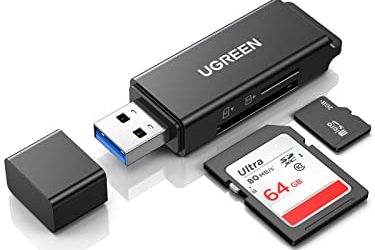
UGREEN Micro SD Card Reader

The UGREEN reader covers both USB-A and USB-C connections in one small body, so it works with laptops, phones, and tablets alike. It is the tool for the other half of the swap test: running the suspect card in a second device to see whether the dropouts follow it.
Specs
- Brand: UGREEN
- Type: USB-A and USB-C microSD reader
- Role: Second-device testing for suspect cards
- Strength: Works across computers and phones
Who Should Skip
Skip the home diagnosis if your handheld is still under warranty and the slot itself is the suspect; opening or prodding a slot can void coverage, and a weakening spring is exactly the kind of fault warranty service exists for. Skip repeated reseating if the card shows visible cracks or a bent corner, because a physically damaged card can short or jam in the slot. Skip further testing and go straight to data recovery thinking if the card no longer mounts anywhere at all; that is a different and more serious failure than the intermittent error covered here. And skip buying a premium replacement card until the swap test clears your slot, because a worn slot will mistreat a new card exactly the way it mistreated the old one.
Frequently Asked Questions
Why does the error only appear after the handheld gets warm?
Heat expands the card, the slot, and the shell around them at slightly different rates. A connection that is barely making contact when cold can open up once everything warms and shifts. Warm-only errors almost always mean marginal contact pressure, either from weakened slot springs or a card that sits slightly thin in the slot.
Can this error corrupt my save files?
Yes, and this is the main reason to act quickly. If the card drops out while the handheld is writing a save or a save state, that file can be left half-written and unreadable. Back up your saves before running long diagnostic sessions, and avoid saving during play on a card you already suspect.
The card works fine in my PC reader. Does that clear it?
Not completely. A reader holds the card in a different slot with different spring pressure, and desktop use rarely reproduces the heat and movement of a handheld in your hands. It does clear the card’s basic health, though, and it shifts suspicion toward the handheld’s slot. The decisive test is a different card inside the handheld itself.
Is it safe to keep playing on a card that drops out once in a while?
It is safe for the handheld, but risky for your data and your patience. Dropouts tend to become more frequent as contacts wear or a card’s controller degrades, so treat the first errors as an early warning: back up, run the swap test, and replace whichever side is failing before it strands a long game.
Final Verdict
An SD card that reports itself removed while still in the slot is a connection problem, and connection problems can be isolated with method rather than money. Read the pattern, clean the contacts, and let the swap test deliver the verdict: errors that follow the card mean a replacement card, and errors that stay with the handheld mean the slot needs attention. Do the backup first, and a fault that starts as an annoyance will not end as lost saves.
Product and ASIN Reference
| Product | ASIN |
|---|---|
| SanDisk Extreme microSDXC | B09X7CRKRZ |
| SanDisk Ultra microSDXC | B073JYC4XM |
| Samsung EVO Select microSDXC | B0887P21Z2 |
| SanDisk MobileMate USB 3.0 Reader | B07G5JV2B5 |
| UGREEN Micro SD Card Reader | B0779V61XB |