A retro handheld is a personal device, and its speakers are the least personal part of it. On a train, in bed next to a sleeping partner, or in a shared living room, wireless earbuds turn a loud little console into a private one. Almost every current handheld has Bluetooth on board, so pairing itself takes a minute. The part that needs a guide is what happens after pairing: the delay between a jump and its sound effect, the earbud that only plays in one ear, and the connection that drops when the handheld sleeps.
This guide covers audio only. Pairing a Bluetooth controller is a different job, and it has its own guide on this site. Here the focus is earbuds: how to pair them on Android and Linux handhelds, how to keep the audio delay small enough to ignore, and how to fix the problems that make people plug a cable back in.
As an Amazon Associate, we earn from qualifying purchases.
Quick Answer
Put the earbuds in pairing mode, open Bluetooth settings on the handheld, and select the earbuds by name. On Android handhelds this lives in the standard Settings app; on Linux handhelds it is a Bluetooth menu inside the firmware settings. After pairing, turn on the earbuds’ low-latency game mode if they have one, because codec delay, not the pairing, is what makes wireless audio feel wrong in games.
First, Know Which Bluetooth Your Handheld Actually Has
What differs between handhelds is not the pairing steps but the Bluetooth stack behind them, and that decides both reliability and delay.
Android handhelds use the full Android Bluetooth stack. Pairing is handled by the system, and most modern earbuds connect on the first attempt. Android also decides which audio codec to use, and usually picks the best one both sides support.
Linux handhelds run a smaller stack provided by the firmware, usually BlueZ under the hood. Pairing works on maintained firmware builds, but the menus are plainer, reconnection after sleep is less consistent, and codec choice is limited: most Linux firmware sends plain SBC audio and nothing fancier.
If wireless audio matters to you, an Android handheld is the safer device. A Linux handheld will pair and play, but expect SBC quality and occasional reconnection quirks.
Pairing on an Android Handheld
Start with the earbuds, not the handheld. Place both buds in their case, open the lid, and hold the case button, or hold a touch panel on the buds, until the indicator light pulses. The state you want is discoverable: the buds are advertising themselves to any nearby device. If your earbuds are already paired with your phone, they may reconnect to the phone instead, so turn the phone’s Bluetooth off for this step.
On the handheld, open Settings, then Connected devices or Bluetooth, and start a new pairing scan. Tap the earbuds’ product name, accept the prompt, and wait for the status to change to connected for audio. Play a game sound to confirm both buds work before closing settings.
Two finishing touches are worth doing immediately. Check the volume: the buds respond to the handheld’s media volume, and some keep their own touch-based volume on top of that. And if the buds offer a low-latency or game mode in their companion app, switch it on now.
Pairing on a Linux Handheld
Linux firmware hides Bluetooth in different places depending on the build, but the pattern is consistent: open the system settings, find the Bluetooth page, and enable Bluetooth if it is off. Then put the earbuds in pairing mode as above and start a scan.
Select the earbuds when they appear and accept any pairing code the firmware shows. Once paired, the buds should become the audio output device. If the game still plays through the speakers, look for an audio output setting in the firmware or in RetroArch’s audio driver options and point it at the Bluetooth device.
Linux handhelds have two habits worth knowing. Reconnection after waking from sleep is the flaky one: if the buds do not come back, toggling Bluetooth off and on almost always restores them. The second is range: the small antennas in budget Linux handhelds lose connection sooner than a phone does, so keep the handheld in the open rather than buried under a blanket.
The Latency Problem, in Plain Terms
Every Bluetooth audio connection delays the sound. The audio is encoded, sent, and decoded, and that pipeline costs time. With the basic SBC codec the delay is usually around two hundred milliseconds. In a film that is invisible, because the picture is delayed to match. In a game nothing delays the picture, so you hear the coin sound after the coin is collected.
Codecs shrink the gap. AAC is a little faster than SBC on hardware that supports it well. The aptX family is faster again, and aptX Low Latency gets close to wired-feeling territory. The catch is that both sides must support the same codec, and most retro handhelds negotiate SBC or AAC and stop there.
This is why the earbuds’ own game mode matters. Game mode trims the buffer inside the earbuds and cuts perceived delay noticeably even over SBC. For platformers, role-playing games, and most action titles, a decent game mode over SBC or AAC is good enough that most players stop noticing within a session.
Genre decides how much you should care. Turn-based and puzzle games are unaffected at any delay. Platformers and shooters sit in the middle: playable with game mode on, mildly annoying without it. Rhythm games and frame-tight fighting combos are the honest exception.
Five Handhelds That Handle Bluetooth Audio Well
The five devices below all carry modern Bluetooth radios and the headroom to keep audio stable while emulating.
AYN Thor Pro

The flagship option, with a modern Bluetooth 5.3 radio and the strongest processor in this list. The Snapdragon 8 Gen 2 holds full speed on heavy systems while Bluetooth audio runs alongside.
Specs:
– Chipset: Qualcomm Snapdragon 8 Gen 2
– Display: 6.31-inch AMOLED main screen, 3.92-inch secondary screen
– Memory: up to 16 GB RAM, up to 1 TB storage
– Connectivity: Wi-Fi 7, Bluetooth 5.3
– Battery: 6,000 mAh
– System: Android 13
Retroid Pocket 5

The balanced pick. Its Bluetooth 5.1 connection is stable at room distances, and Android 13 gives it the standard pairing flow above. For most players this is where earbuds simply work.
Specs:
– Chipset: Qualcomm Snapdragon 865
– Display: 5.5-inch AMOLED, 1080 x 1920 touchscreen
– Memory: 8 GB RAM, 128 GB storage
– Connectivity: Wi-Fi, Bluetooth 5.1
– Battery: 5,000 mAh
– System: Android 13
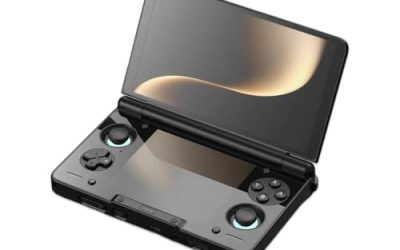
Retroid Pocket Flip 2

The clamshell variant of the same formula. Its Bluetooth 5.1 behaves exactly like the Pocket 5 for audio, and the folding shell protects the screen on the move. Choose it for the form factor, not for any audio difference.
Specs:
– Chipset: Qualcomm Snapdragon 865
– Display: 5.5-inch AMOLED, 1080 x 1920 touchscreen
– Memory: 8 GB RAM, 128 GB storage
– Connectivity: Wi-Fi, Bluetooth 5.1
– Battery: 5,000 mAh
– System: Android 13
Anbernic RG556

The widescreen budget route to good wireless audio. The Unisoc T820 and Bluetooth 5.0 pair reliably. Its Bluetooth generation is a step behind the Retroid devices, which shows up mainly as slightly shorter range.
Specs:
– Chipset: Unisoc T820
– Display: 5.48-inch AMOLED, 1080 x 1920 touchscreen
– Memory: 8 GB RAM, 128 GB storage
– Connectivity: dual-band Wi-Fi, Bluetooth 5.0
– Battery: 5,500 mAh
– System: Android 13
Anbernic RG406H

The 4:3 option. The same T820 and Bluetooth 5.0 as the RG556 in a smaller shell with a screen shaped for the classic generations, and the compact body makes it the easiest of the five to use in transit.
Specs:
– Chipset: Unisoc T820
– Display: 4-inch IPS, 960 x 720 touchscreen
– Memory: 8 GB RAM, 128 GB storage
– Connectivity: dual-band Wi-Fi, Bluetooth 5.0
– Battery: 5,000 mAh
– System: Android 13
Fixing the Problems Everyone Hits
Sound in only one earbud almost always means the buds paired as two separate devices or one bud missed the pairing. Put both buds back in the case, delete the pairing on the handheld, and pair again with both buds out of the case at the same time.
Dropouts in one room but not another point at interference or range. The 2.4 GHz band is shared with Wi-Fi and microwaves; shifting position so your body is not between the buds and the device fixes more dropouts than any setting can.
Volume that is suddenly very low is often a per-device volume memory on Android: raise the volume while audio is playing, because Android stores media volume per output device. And if the earbuds refuse to appear in the scan at all, they are almost certainly still connected to your phone. Earbuds hold an existing connection tightly; free them first, then scan.
How to Choose
Choose the handheld for its Bluetooth generation and operating system before anything else. Android devices with Bluetooth 5.1 or newer give the smoothest pairing and the widest codec support. The Thor Pro leads on radio hardware; the Retroid Pocket 5 and Flip 2 are the dependable middle.
Then match the earbuds to your genres. If you already own earbuds with a low-latency game mode, any of the five handhelds will serve you well. If your library leans on rhythm games, keep a wired pair for those titles and treat Bluetooth as the convenience option for everything else. And if you are buying a Linux handheld for other reasons, expect working pairing but SBC audio and the occasional manual reconnection.
Who Should Skip Bluetooth Audio
Skip it if you play rhythm games or competitive fighting games and notice timing. The delay is real, it varies by codec, and wired audio removes it entirely.
Skip it if you mostly play at home, where speakers or a wired headset give better sound with zero pairing friction. Skip it, too, if you share earbuds between many devices daily: constant re-pairing across a phone, a laptop, and a handheld is the friction that makes people abandon wireless audio on handhelds altogether.
Frequently Asked Questions
Why is there a delay between the action and the sound?
Bluetooth audio is encoded before it is sent and decoded when it arrives, and that pipeline takes time. The standard SBC codec adds roughly two hundred milliseconds. Faster codecs and an earbud game mode shrink the gap, but no Bluetooth connection is truly instant.
Can I use AirPods with a retro handheld?
Yes. AirPods pair like any other Bluetooth earbuds: open the case near the handheld, hold the case button until the light pulses, and select them in the Bluetooth settings. They connect over AAC on Android handhelds, which keeps delay moderate.
Why do my earbuds only play sound in one ear?
The two buds were probably paired separately, or one bud was still in the case during pairing. Return both buds to the case, delete the pairing, then take both buds out together and pair again so they register as one stereo device.
Do Bluetooth earbuds drain a handheld’s battery faster?
Slightly. The Bluetooth radio uses a small amount of power while streaming audio, modest next to the screen and the processor. Expect a small reduction in play time rather than a dramatic one.
Final Verdict
Pairing Bluetooth earbuds with a retro handheld is a two-minute job; making the result feel right is about latency, not pairing. Pick an Android handheld with a current Bluetooth radio, use earbuds with a game mode, and keep a wired pair for rhythm games. The Retroid Pocket 5 is the safe all-round choice, the Thor Pro is the best-equipped, and the RG556 and RG406H bring the same convenience to smaller budgets.
Product and ASIN Reference
| Product | ASIN |
|---|---|
| AYN Thor Pro | B0FV3HKG9P |
| Retroid Pocket 5 (Black) | B0DT4G4PD2 |
| Retroid Pocket Flip 2 (Snapdragon 865) | B0FDQGNNS4 |
| Anbernic RG556 (Blue) | B0FKHBVGLQ |
| Anbernic RG406H (White) | B0DNF3LD4C |