Updated November 2026 – Cloud gaming is good if you have a stable connection and play games a service supports: Xbox Cloud Gaming is the easier pick for a Game Pass library and free Fortnite, while GeForce Now is the stronger pick for streaming PC games you already own at higher quality.
People asking “is cloud gaming good xbox cloud gaming and geforce now” mostly want to know whether it feels playable, what it needs and what it cannot do. This guide answers with what Microsoft and NVIDIA state and what independent outlets report, and it keeps to words rather than price figures because plans and caps change.
Is the Cloud Gaming Good? Quick Reference
| Use case | Verdict | What to pair it with |
|---|---|---|
| Single-player and casual games | Good | Wired Ethernet or 5 GHz Wi-Fi, any modern laptop or phone |
| Fast competitive shooters | Playable but not ideal | Closest data center, wired connection, GeForce Now top tier |
| Trying a game before buying hardware | Very good | Free tier or a cheap plan |
| Playing on a phone or tablet | Good with a controller | Bluetooth gamepad and a phone clip |
| Owning games long term | Depends on the service | GeForce Now streams games you own; Game Pass is a rented library |
| Rural or capped internet | Poor | Local gaming instead |
Is Xbox Cloud Gaming Good?
Yes for casual and single-player play, and it is the best-value route into cloud gaming for people who already like Game Pass. You need a Microsoft account and a supported browser or app, and you play over the internet while Microsoft runs the game in a data center.
Xbox Cloud Gaming lets you stream select free-to-play titles such as Fortnite with only a free Microsoft account, according to reports on the service. Paid Game Pass tiers add the catalog. Xbox Wire announced in September 2026 that, starting in November, Game Pass plans include a set number of cloud gaming hours each month: 15 for Ultimate, 10 for Premium and 5 for Essential. Microsoft also said players can buy extra cloud playtime separately, and that session limits and resolution details would be shared closer to the change. Higher-bitrate streaming up to 1440p began rolling out for Ultimate members in February 2026, so read Microsoft’s own plan page for the plan you intend to use.
Xbox’s official getting-started guide recommends at least 20 Mbps with wired Ethernet or 5 GHz Wi-Fi preferred. Third-party summaries of Xbox guidance give 10 Mbps as the minimum for mobile.
GeForce Now Tiers Explained
GeForce Now streams PC games from your own Steam, Epic and other store libraries, rather than renting a catalog. The service has three tiers in words:
- Free: sessions of about one hour, ads before a session and the longest queue times, according to NVIDIA’s plan and support pages.
- Performance: much longer sessions, no ads and priority access, with a monthly playtime allowance.
- Ultimate: the top tier, with the longest sessions and the highest resolution and frame-rate options NVIDIA offers, which have been raised more than once, so check its plan page for current figures.
Since January 2026, NVIDIA’s paid tiers have carried a monthly playtime allowance with a limited rollover, rather than unlimited play, so read NVIDIA’s current plan page before relying on all-day use. NVIDIA also publishes recommended connection speeds that rise with resolution and frame rate, and it recommends a low-latency connection to the data center.
Cloud Gaming Latency: How Bad Is It?
Latency is the real cost of cloud gaming. One TechTimes comparison reported about 82 ms end to end for GeForce Now Ultimate and about 85 ms for Xbox Cloud Gaming, which puts the two close together. Other sites give lower figures, and results vary with distance to the data center, Wi-Fi quality and the game, so treat any single number as indicative.
That delay is barely noticeable in story games, racing games with a controller and turn-based titles. It is noticeable in aim-heavy shooters and fighting games, where local play wins. Wired Ethernet, a 5 GHz or newer Wi-Fi connection placed close to the router and a modest quality setting reduce jitter, and several outlets say jitter and packet loss matter as much as raw speed. Pausing downloads on other devices helps.
| Factor | Xbox Cloud Gaming | GeForce Now |
|---|---|---|
| Library model | Game Pass catalog plus some owned games | Games you own on supported stores |
| Free option | Select free-to-play titles such as Fortnite | Free tier with short sessions and queues |
| Top quality | Up to 1440p for Ultimate members, lower on other plans; check Xbox’s plan page | Highest resolution and frame rate on Ultimate; check NVIDIA’s plan page |
| Best for | Value and variety | Quality and your existing library |
How to Set Up Xbox Cloud Gaming
- Confirm you have a Game Pass plan with cloud play, or plan to try a free-to-play title using a free Microsoft account.
- Open a supported browser such as Edge, Chrome or Safari and go to xbox.com/play, then sign in.
- Pick a game and connect a controller. Pair Bluetooth controllers in the device’s own settings before launching.
- Use the 5 GHz Wi-Fi band or Ethernet and close other bandwidth-heavy apps.
On a PC you can also use the Xbox app. Microsoft says more than two-thirds of the Game Pass library is enabled for cloud streaming, and some games outside Game Pass can be streamed if you own them. Availability depends on your region and changes over time.
How to Play Cloud Gaming on Mobile and Use Xbox Cloud Gaming on Mobile
To use Xbox Cloud Gaming on mobile, open a supported browser on your phone, go to xbox.com/play, sign in and start a game. On iPhone and iPad the route is Safari; adding the page to the home screen gives an app-like icon. Android works in the same way through a browser or Microsoft’s apps.
Most games need a gamepad, and a Bluetooth controller with a phone clip is the usual setup. Some games offer touch controls, and a few support mouse and keyboard. GeForce Now also has mobile access through apps or the browser, and the same controller advice applies.
How to Play Fortnite on Cloud Gaming
To play Fortnite on cloud gaming, use Xbox Cloud Gaming, which lets you stream Fortnite with a free Microsoft account, then sign in with your Epic account in the game. Fortnite is also reported as playable through GeForce Now, which streams games from its supported list. Both options work on phones, tablets and low-power laptops, and touch or controller input depends on the service.
Is GTA Available on Xbox Cloud Gaming?
GTA V has an official Xbox Cloud Gaming listing page, according to the sources reviewed, but availability depends on your region and on either owning the game or having it in your plan’s catalog at the time. It is not a free-to-play title there. Search for it on the Xbox play page signed in to your account to see whether it launches for you.
Best Laptop for Cloud Gaming
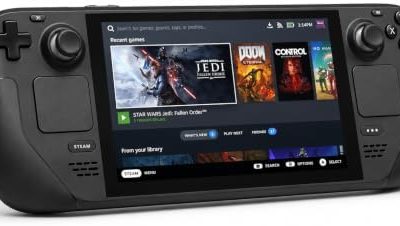
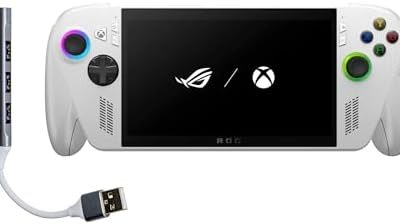
The best laptop for cloud gaming does not need a strong graphics card, because the server does the rendering. Look for a modern Wi-Fi chip (Wi-Fi 6 or newer is common on current laptops), a hardware video decoder that supports H.264 and the newer codecs, a screen with a decent refresh rate and an Ethernet adapter option. A light laptop with good battery life and a quality screen is a better match than a heavy gaming laptop for this use, and a Chromebook or tablet is enough for Xbox streaming through a browser.
| Feature | Why it matters |
|---|---|
| Wi-Fi 6 or newer, or an Ethernet adapter | Stable, low-jitter stream |
| Modern video decoder | Smooth playback at high resolution |
| High-refresh display | Shows the higher frame rates the service offers |
| Bluetooth | Controller connection |
Library Limits and Who Should Skip It
Cloud gaming only runs games the service has enabled, so some titles are missing, and publishers can remove games over time. Game Pass is a rented library, so you lose access if you stop paying. GeForce Now streams games you own but only from supported stores. Mods, custom settings and offline play are limited, and data caps can be a problem because streaming uses a lot of bandwidth every hour. If your internet is unstable, a local console or PC is the better choice.
Cloud Gaming Pros and Cons at a Glance
The main advantage is access: a modest laptop, tablet, phone or smart TV can play demanding games because the server does the work. There is no large download, no installation on your device, and no graphics card to buy. Startup is quick on a good connection, and you can switch devices and continue.
The disadvantages are latency, dependence on the internet and library limits. Image quality is compressed video, so fine detail and fast motion can look softer than a local render, especially at lower bitrates. Sessions can end if the connection drops, queues appear at busy times on free tiers, and a game can leave a service if the publisher withdraws it.
| Pros | Cons |
|---|---|
| Plays on weak or portable devices | Needs a stable, fast connection |
| No big installs or hardware upgrades | Added input delay versus local play |
| Easy way to try a game | Compressed image quality |
| Free tiers exist on both services | Library and session limits apply |
Tips for a smoother stream
- Use Ethernet where you can, or sit close to a 5 GHz router.
- Pick the data center or region closest to you if the service lets you choose.
- Turn off VPNs, which add distance and delay.
- Lower the stream quality setting if you see stutter, since a steady lower resolution feels better than a fluctuating high one.
- Pause large downloads and video calls on other devices while you play.
Frequently Asked Questions
Is cloud gaming good?
Yes, if your connection is stable and your games are supported. Latency is the cost, so it suits single-player and casual play better than fast competitive shooters.
Is Xbox Cloud Gaming good for beginners?
Yes. It runs in a browser, works with a controller and lets you try select free-to-play titles with a free Microsoft account. Game Pass tiers add the catalog.
How much internet speed do I need for cloud gaming?
Xbox recommends at least 20 Mbps with Ethernet or 5 GHz Wi-Fi. NVIDIA publishes higher speed recommendations as resolution and frame rate rise.
Can I use Xbox Cloud Gaming on a phone?
Yes. Open xbox.com/play in a supported mobile browser, sign in, pair a Bluetooth controller and launch a game. Touch controls exist for some titles.
Is Fortnite free on cloud gaming?
On Xbox Cloud Gaming it can be streamed with a free Microsoft account according to reports on the service. Fortnite itself is free to play.
Is cloud gaming better than a gaming PC?
Not on responsiveness or ownership. A local PC has lower latency and no session limits, while cloud gaming avoids hardware costs and works on weak devices.