Updated November 2026 – Yes, Wi-Fi 5, Wi-Fi 6 and Wi-Fi 6E can all be good enough for gaming on a healthy connection, but Wi-Fi 6 or 6E on a strong signal is the safer pick, and Ethernet is still the steadiest option for competitive play.
If you are asking is Wi-Fi 5, Wi-Fi 6 or Wi-Fi 6E good for gaming, the honest answer is that the generation matters less than signal strength, congestion and your router’s behaviour under load. Games send small packets and need little bandwidth, so what hurts is delay and jitter (variation in delay), not raw speed. This guide explains where each generation helps, when to use 5GHz or 6GHz, how Ethernet and 2.5GbE compare, whether fibre is good for gaming and what to buy if your PC has no Wi-Fi.
Wi-Fi 5 vs Wi-Fi 6 vs Wi-Fi 6E: quick reference
| Connection | Verdict for gaming | Best for | Main limit |
|---|---|---|---|
| Wi-Fi 5 (5GHz) | Fine on a quiet network | Single-player, co-op, casual online play | Latency climbs on crowded networks |
| Wi-Fi 6 (2.4/5GHz) | Good | Households with many devices | Still shares airtime with neighbours on 5GHz |
| Wi-Fi 6E (adds 6GHz) | Very good where signal is strong | Apartments with congested 5GHz | Shorter range through walls |
| Ethernet (1GbE or 2.5GbE) | Best | Competitive shooters and fighting games | Needs a cable run |
| Fibre broadband | Very good as the line into the home | Low and stable ping | Wi-Fi inside the home still matters |
Is Wi-Fi 5 good for gaming?
Yes, on a good 5GHz signal with few neighbours it plays most games without trouble. Wi-Fi 5 does not have the scheduling improvements of Wi-Fi 6, so when many devices share the network, reviewers and comparison sites report higher added latency. One comparison site lists 20 to 80ms of added latency under heavy load for Wi-Fi 5, against single-digit to low double-digit milliseconds for newer generations. Those figures come from third-party sites and vary by home, so treat them as a direction rather than a promise.
If your Wi-Fi 5 setup is stable and your game feels fine, there is no urgent reason to replace it. Move the PC closer to the router, use 5GHz and see if a wired option is practical before spending money.
Is Wi-Fi 6 good for gaming?
Yes, it is a sound choice. The main improvement is how the router schedules many devices at once (OFDMA), which helps when phones, TVs and consoles are all active. It lowers latency added by the wireless link under load, but it does not fix problems upstream such as ISP congestion, a distant game server or a router that suffers from bufferbloat. Gaming needs little bandwidth, so the extra headline speed of Wi-Fi 6 matters less than the steadier delivery.
Is Wi-Fi 6E good for gaming?
Yes, especially in busy buildings. Wi-Fi 6E adds the 6GHz band, which only newer devices can use, so it is often much quieter than 2.4GHz or 5GHz. One guide notes the 6GHz band offers 59 non-overlapping 80MHz channels, and that it reports lower added latency under load than Wi-Fi 6. The trade-off is range: higher frequencies lose energy faster and pass through walls less well, so a PC two floors away from the router may do better on 5GHz. That same guide advises upgrading from Wi-Fi 6 to 6E only if you have congestion and devices that support 6GHz.
Wi-Fi 7 exists and adds wider channels and multi-link operation, but for gaming the same source says the gain over 6E is small. Games do not use wide channels; wireless VR and large file transfers do.
Is 5GHz Wi-Fi good for gaming?
Yes, 5GHz is the sensible default for gaming Wi-Fi. It has more channels and less interference than 2.4GHz, whose three usable channels are shared with microwaves, Bluetooth devices and neighbours. Use 2.4GHz only if the signal on 5GHz is too weak, and then expect more variation in ping. If your router offers a combined name for both bands, a dedicated 5GHz name lets you pin your gaming PC to the better band.
Ethernet and 2.5GbE for gaming
Ethernet gives the lowest and most consistent latency because there is no radio, no airtime contention and no interference. Sources differ on how big the gap is: some report that well-set-up Wi-Fi 6E is almost indistinguishable from Ethernet in single-player, co-op and battle royale games, while others report larger jitter on Wi-Fi. For competitive shooters and fighting games, where each millisecond and every dropped packet matters, wired is the common advice, and tournaments run on wired connections.
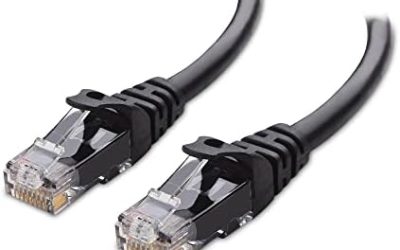
Gigabit (1GbE) Ethernet is plenty for gaming traffic. 2.5GbE helps with fast downloads from a 2Gbps-class connection and large file transfers on a home network, but it does not lower in-game ping on its own. Many current motherboards list 2.5GbE ports. If a cable run is awkward, powerline adapters and MoCA adapters are alternatives, though results depend on your home wiring. A mesh system with a wired backhaul keeps the PC’s own link wired where it counts.
Is AT&T fibre good for gaming? Fibre vs cable
Fibre is generally a very good connection for gaming because it typically offers low latency, symmetrical upload and download speeds and fewer slowdowns at peak times than cable. That is a feature of the technology and the plan, not a promise from any one provider, and your result depends on the route to the game server, your router and your home network. If you have a fibre plan from a provider such as AT&T, the line is rarely the weak point; the Wi-Fi inside your home or the router’s behaviour under load more often is. Upload speed matters because streaming, cloud backups and uploads can crowd out game traffic on slower upstream links.
Best Wi-Fi card for a gaming PC and gaming laptop
If your desktop has no Wi-Fi, an internal PCIe or M.2 Wi-Fi card is the cleaner solution because the antennas sit on the back of the case or on a cable you can place on the desk. Look for these points in the maker’s spec sheet.
- Generation. Wi-Fi 6E or Wi-Fi 7 cards support 6GHz; Wi-Fi 6 cards do not.
- Bluetooth version. Most cards include Bluetooth for headsets and controllers.
- Antenna placement. An external antenna on a short cable usually gets a better signal than a card hidden behind the case.
- Fit. Check whether your motherboard has a free PCIe slot or an M.2 E-key slot and confirm driver support for your Windows version.
Laptops often have a soldered or replaceable M.2 Wi-Fi card. Swapping it may void a warranty or be impossible on some models, so read the laptop’s service guide and keep it simple: use a USB adapter or Ethernet dongle if you cannot open the laptop.
Best Wi-Fi USB adapter for a gaming PC
A USB Wi-Fi adapter is the quick option if you do not want to open the case. Pick one that lists the generation you need (6 or 6E), uses USB 3.0 or faster, and has an extension cable or cradle so it can sit away from the rear of the PC where metal blocks the signal. Plugging a high-speed adapter into a rear USB 3 port next to a busy USB 3 drive can cause interference, so use a short extension cable if you notice problems.
When Wi-Fi is fine, and when to go wired
| Situation | Recommended connection |
|---|---|
| Competitive shooter or fighting game | Ethernet |
| Co-op, MMO, battle royale, casual play | Wi-Fi 6 or 6E on a strong 5GHz or 6GHz signal |
| Cloud gaming and game streaming | 5GHz or 6GHz, or Ethernet |
| PC in a far room with weak signal | Mesh system with wired backhaul, or powerline/MoCA |
| Wi-Fi 5 router already works well | Keep it and fix placement first |
Fix Wi-Fi gaming problems before replacing hardware
- Move the router up and into the open, away from metal and thick walls.
- Connect the gaming PC to 5GHz or 6GHz instead of 2.4GHz.
- Pause large downloads and cloud backups during play.
- Turn on the router’s smart queue management or gaming QoS if it has one, to limit bufferbloat.
- Update the Wi-Fi adapter driver and router firmware.
- Run a ping test to the game’s region during play to see jitter and packet loss, not only speed.
How much bandwidth do games need?
Online games send small packets, so the data rate while playing is usually far below what any modern connection offers. What eats bandwidth is downloading and updating games, streaming video on other devices and uploading clips. That is why a plan with plenty of headroom and a router that keeps game packets ahead of bulk traffic matters more than a bigger speed tier. Cloud gaming and game streaming services are the exception: they stream video to you and list a higher minimum speed in their own requirements, so read the service’s stated needs.
Wi-Fi settings that help gaming
- Give the gaming PC a fixed spot on 5GHz or 6GHz and avoid band steering that moves it to 2.4GHz.
- Choose a less crowded channel if the router lets you, or use automatic selection if it handles neighbours well.
- Keep router firmware current and restart it occasionally if it shows problems.
- Use the router’s smart queue management or gaming QoS to keep ping steady during downloads.
- Avoid placing the router inside a cabinet or near metal and appliances.
Frequently Asked Questions
Is Wi-Fi 5 good for gaming?
Yes, on a strong 5GHz connection it handles most games well. It struggles more than newer generations when many devices share the network, so a wired link or Wi-Fi 6 helps in busy homes.
Is Wi-Fi 6 good for gaming?
Yes, it is a solid choice. Its scheduling improvements reduce wireless delay on busy networks, though it cannot fix a slow ISP route or a router that suffers bufferbloat.
Is Wi-Fi 6E good for gaming?
Yes, particularly in apartments with crowded 5GHz. The 6GHz band is quieter, but its shorter range means the PC should be in the same room or close to the router.
Is 5GHz Wi-Fi good for gaming?
Yes, 5GHz is the best default for gaming Wi-Fi because it has more channels and less interference than 2.4GHz. Use 2.4GHz only when the 5GHz signal is too weak.
Is AT&T fibre good for gaming?
Fibre is generally a very good connection for gaming because of its low delay and fast upload. Results depend on the plan, route to the game server and your home network, so wiring your PC gets the most from it.
Do I need 2.5GbE Ethernet for gaming?
No, gigabit Ethernet is plenty for game traffic. 2.5GbE only helps with very fast internet plans and large transfers, and it does not lower in-game ping on its own.