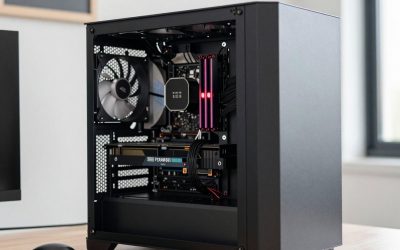
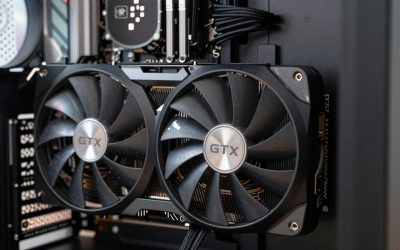
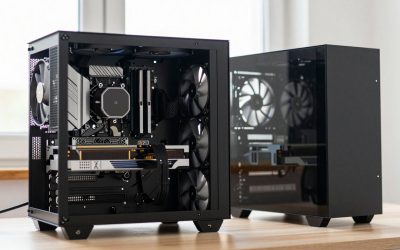
Updated November 2026 – How to get into PC gaming: pick a budget, choose between a prebuilt (an HP Omen, CLX or similar) and a self-built PC, buy a monitor, keyboard and mouse alongside the tower, then install Windows, drivers and a game launcher. For most first-timers, a well-specified prebuilt is the fastest start and a self-build is the cheapest long-term route.
How to Get Into PC Gaming: The Five-Step Roadmap
- Decide what you want to play and at what resolution and frame rate.
- Set a total budget that includes the monitor, keyboard, mouse and headset, not only the tower.
- Choose prebuilt or build your own.
- Set up Windows, drivers, storage and launchers correctly.
- Tune settings and decide whether to add a controller.
Everything else in this guide expands on those steps, in the order a beginner meets them.
Step 1: Decide What You Will Play
Game choice drives hardware. Esports and older titles such as Counter-Strike 2, Valorant, Fortnite, Minecraft or League of Legends run well on modest hardware. Big modern single-player games and anything with ray tracing need a stronger graphics card. List the five games you most want to play and read the maker’s recommended specifications on each store page or official site; those lists are the simplest guide to what your PC needs.
How Much for a Good Gaming PC? Budget Tiers in Words
People often search “how much for a good gaming PC”. The honest answer is that it depends on resolution and ambition, and it is better to think in tiers than in numbers because component costs change.
| Tier | Typical target | Typical parts |
|---|---|---|
| Entry | 1080p, esports and older games, medium settings | Entry graphics card, 6-core CPU, 16GB RAM, 500GB to 1TB SSD |
| Mid-range | 1080p high or 1440p, most modern games | Mid-range RTX 50-series or Radeon RX 9000 card, 6- to 8-core CPU, 16GB to 32GB DDR5, 1TB SSD |
| High-end | 1440p high refresh or 4K | Upper-tier GPU, 8-core or better CPU such as Ryzen 7 9800X3D, 32GB DDR5, 2TB SSD |
As a rule, spend the largest share on the graphics card, because it sets frame rate more than any other part for most games.
Prebuilt vs Build Your Own
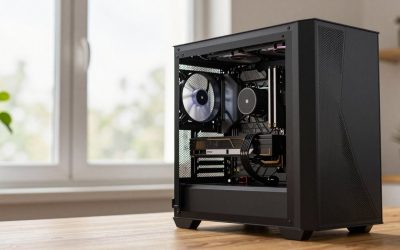
A prebuilt arrives assembled, quality-checked by the seller and under one warranty, which suits anyone who wants to start playing immediately. Building your own often yields better parts for the same money and lets you choose a quality power supply, but it takes time and care. See below for what to check in each.
| Factor | Prebuilt | Self-built |
|---|---|---|
| Time to first game | Plug in and install | Several hours of assembly and setup |
| Value for money | Varies by promotion and brand | Often better per component |
| Upgradeability | Can be limited by proprietary parts | Standard parts, easy to upgrade |
| Warranty | One support contact | Separate warranty per part |
| Skill needed | None | Basic, with guides and care |
Is the HP Omen a good gaming PC?
HP’s Omen gaming line moved under the HyperX name in 2026 (now branded HyperX Omen), so older and newer listings may carry either name. Reviewers generally describe Omen desktops as competent mainstream prebuilts with straightforward designs and decent cooling, and note that some models use proprietary power supplies or motherboards that limit upgrades. HP lists the exact components for each configuration, so compare the graphics card, processor, RAM and storage to similar machines from other makers before buying. If you want freedom to upgrade later, check whether the chassis accepts standard parts.
Is CLX a good gaming PC?
CLX is a US system builder selling configured gaming desktops, including the Set, Scarab, Horus and Ra lines. Reviewers describe them as conventional builds using mostly standard parts, which helps upgradeability, and customers should check the exact power supply, RAM speed and warranty terms listed on the product page. As with any builder, compare the full parts list rather than the brand name.
Best starter pre-built gaming PC: what to look for
When shopping for the best starter pre-built gaming PC, the checklist is short:
- A dedicated graphics card, not just integrated graphics, matched to your target resolution.
- 16GB of RAM as a minimum, in two sticks (dual channel), ideally DDR5 on current platforms.
- An NVMe SSD of at least 1TB so that several modern games fit.
- A named power supply with an efficiency rating, not an unlabelled one.
- A case with front-to-back airflow and a maker warranty you understand.
Best Starter PC Build for Gaming: Parts in Order of Priority
If you build, work through parts in this order of importance for gaming:
- Graphics card: the main frame-rate driver. Match it to monitor resolution.
- CPU: a modern 6-core to 8-core chip such as a Ryzen 5 or Ryzen 7, or an Intel Core Ultra 5 or 7, is enough for most players. The AM5 socket has a long upgrade path, which helps.
- Motherboard: choose one that matches the CPU socket, supports DDR5, and has the ports and slots you need.
- RAM: 16GB is the floor, 32GB gives comfortable headroom.
- Storage: a fast NVMe SSD for Windows and games.
- Power supply: a reputable, certified unit with enough wattage and the correct GPU connector. Never open a power supply; replace it if faulty.
- Case and cooling: airflow matters more than looks.
Use the PC part picker tools offered by the community to check compatibility, and follow motherboard and CPU cooler manuals during assembly. Power down and unplug the system before touching internals.
What to Buy First: Monitor, Mouse and Keyboard
New players often spend everything on the tower. A good monitor changes the experience as much as the graphics card.
| Item | What to look for | Beginner note |
|---|---|---|
| Monitor | 1080p or 1440p, 144Hz or higher, adaptive sync | Match resolution to what your GPU can drive |
| Mouse | Comfortable shape, wired or reliable wireless, adjustable DPI | Shape matters more than headline DPI |
| Keyboard | Mechanical or membrane, full-size or compact | Pick a layout you will use daily |
| Headset | Comfortable, clear microphone | Stereo is fine for most games |
| Mouse pad | Large, smooth surface | Inexpensive upgrade with a real effect |
Controller vs keyboard and mouse
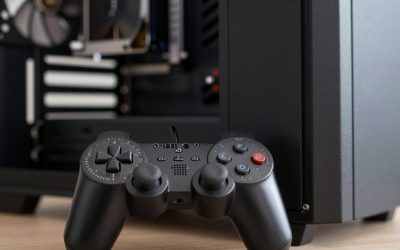
Keyboard and mouse remain the best for shooters, strategy and most online games. A controller suits racing, platformers, fighting games and many third-person action titles. Windows and Steam support Xbox and PlayStation controllers well, so a controller is a cheap addition for games that feel better on one.
Storage: How Much and What Kind
Modern games can take 100GB or more each. A 1TB NVMe SSD is a sensible starting point and a 2TB one is comfortable. Install Windows and the games you play most on the fast drive. Hard drives are useful for archives and old games, but loading is slower. Check the motherboard manual for M.2 slot count and PCIe generation; a PCIe 4.0 drive is a good practical choice, and PCIe 5.0 drives add speed that games rarely use.
Windows Setup and Launchers
- Install Windows 11 and run Windows Update until no updates remain.
- Install the latest graphics driver directly from NVIDIA, AMD or Intel.
- Install the chipset driver from the motherboard or CPU maker.
- In display settings, select your monitor’s highest refresh rate.
- Turn on Game Mode and adaptive sync.
- Install launchers: Steam, Epic Games Store, GOG Galaxy, Battle.net, EA app and Xbox app, depending on your games.
- Set a secure password and two-factor sign-in on your launcher accounts.
If a game runs poorly, lower resolution scale or shadow quality before anything else, and use upscaling features such as DLSS, FSR or XeSS where the game supports them.
Common Beginner Mistakes
- Plugging the monitor into the motherboard instead of the graphics card, so the card is not used.
- Leaving RAM in a single stick, which halves memory bandwidth.
- Skipping the XMP or EXPO memory profile in the BIOS. The menu name varies by maker; follow the motherboard manual and keep settings conservative.
- Choosing a monitor the graphics card cannot drive at its refresh rate.
- Buying an unbranded power supply to save money.
Your First Week: A Simple Checklist
- Unbox, connect the monitor to the graphics card output and set the refresh rate.
- Install Windows updates and drivers, then restart.
- Create launcher accounts and enable two-factor sign-in.
- Install one or two games first and check frame rate with the game’s built-in counter or the graphics driver overlay.
- Adjust settings: lower shadows and volumetric effects first, since they cost the most performance for the least visible change.
- Back up saves using cloud sync in the launcher.
Keep the machine dust-free with a gentle clean every few months, after powering down and unplugging it, and leave the inside of the power supply alone.
Is Omen, CLX or a Self-Build Right for You?
| Pick this | If |
|---|---|
| Prebuilt such as an HP Omen or CLX desktop | You want to play quickly with one warranty and little setup |
| Self-built starter PC | You want the best value and plan to upgrade over time |
| Entry laptop | You need portability and accept limited upgrades |
| Mid-range build with a 1440p monitor | You want modern games at high settings for several years |
Frequently Asked Questions
How do I get into PC gaming with no experience?
Start with a clear budget, choose a prebuilt or a simple build, and buy a monitor, keyboard and mouse at the same time. Then install Windows updates, graphics drivers and a launcher such as Steam.
Is it cheaper to build or buy a gaming PC?
Building often gives better parts for the same budget, though promotions on prebuilts can close the gap. Prebuilts save time and include a single warranty.
Is an HP Omen a good gaming PC for beginners?
Reviewers describe Omen desktops as solid mainstream machines, though some use proprietary parts. Compare the graphics card, RAM and storage against alternatives and check the upgrade options.
How much RAM and storage do I need to start?
16GB of RAM and a 1TB NVMe SSD are a sensible starting point. Move to 32GB and 2TB if you play large modern games or stream.
Do I need a controller for PC gaming?
No, but one is useful for racing, platformer and action games. Xbox and PlayStation controllers work with Windows and Steam.
What should I buy first?
Buy the graphics card and monitor as a matched pair, since together they decide your resolution and frame rate. Add a comfortable mouse and keyboard next.