

- Top Pick: Samsung 32" Odyssey (G55C) Series QHD 1000R Curved Gaming Monitor,
- Best Value: Sceptre New 22-Inch Gaming Monitor, FHD 1080p, Up to 144Hz, HDMI, DisplayPort, Built-in Speakers, Machine Black (E225W-FW144 Series, 2026)
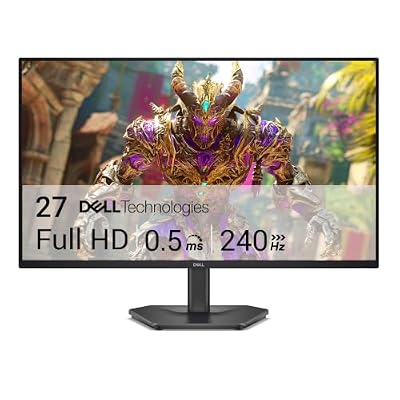
- Premium Choice: Dell 27 240Hz Gaming Monitor – SE2726HG – 27-inch FHD (1920×1080) Display, in-Plane Switching (IPS) Technology, AMD FreeSync Premium, TÜV 3-Star, 2X HDMI, DisplayPort 1.4, Tilt
Monitoring your CPU temperature and usage helps you catch cooling issues and understand performance. Several excellent free tools do the job, each with different strengths.
- HWiNFO
- Core Temp
- HWMonitor
- MSI Afterburner + RTSS
- Which Tool to Choose
- Setting Up an In-Game Overlay
- Logging for Diagnostics
- Reading the Numbers Correctly
- Key Takeaways
- Choosing the Right Tool for the Job
- Reading Beyond Temperature
- Final Thoughts and Quick Recap
- A Note on Keeping Your PC in Shape
- Frequently Asked Questions
- Related Guides
Here are the best free CPU monitoring tools in 2026 and when to use each.
As an Amazon Associate we earn from qualifying purchases at no extra cost to you.




HWiNFO
HWiNFO is the most comprehensive free monitoring tool, showing per-core temperatures, package temperature, clock speeds, power draw, voltages and fan speeds. Its sensor-only mode is lightweight and ideal for logging.
It is the enthusiast’s choice for detailed diagnostics and pairs well with the RTSS overlay for in-game monitoring.
Core Temp
Core Temp is a tiny, focused tool that shows per-core temperatures and load in the system tray. It is perfect if you just want a quick, always-visible temperature reading without extra clutter.
Its simplicity makes it great for beginners.
HWMonitor
HWMonitor from CPUID gives a clean overview of temperatures, voltages and fan speeds for the whole system, including the GPU and drives. It shows current, minimum and maximum values at a glance.
It is a good all-round dashboard for a system health check.
MSI Afterburner + RTSS
Although aimed at GPUs, MSI Afterburner with RivaTuner Statistics Server provides an excellent in-game overlay that can display CPU temperature, usage, frame rate and more. It works with any brand of hardware.
This is the go-to for monitoring temperatures live while gaming.
Which Tool to Choose
For deep diagnostics and logging, use HWiNFO. For a simple tray reading, use Core Temp. For a whole-system snapshot, use HWMonitor. For in-game overlays, use Afterburner with RTSS.
Many enthusiasts run HWiNFO for data and Afterburner/RTSS for the in-game display together.
Setting Up an In-Game Overlay
To monitor temperatures while playing, install MSI Afterburner and its bundled RivaTuner Statistics Server, then enable the CPU temperature, usage and frame-rate items in the on-screen display. This works with any brand of hardware.
Position the overlay in a corner so it does not distract, and use it to catch throttling or thermal spikes during real gameplay.
Logging for Diagnostics
HWiNFO can log sensor data to a file over time, which is invaluable for diagnosing intermittent problems. Run it during a long gaming session, then review the maximum temperatures, clock speeds and any throttling events.
Logging turns vague complaints like ‘it feels slow’ into concrete data you can act on.
Reading the Numbers Correctly
Focus on the CPU Package temperature for an overall figure, and per-core readings to spot an uneven cooler mount. On Ryzen, brief spikes to the limit are normal; on Intel, watch sustained package temperatures under load.
Combine temperature with clock-speed monitoring to confirm the CPU is holding its boost rather than throttling.
Key Takeaways
To recap the essentials of this guide on best free cpu temperature monitor tools: follow the official method, keep your software current, and change one thing at a time so you can tell what worked. The steps above are quick, safe and reversible.
If you take away one thing, it is that a little maintenance and the right free tools prevent most problems before they start, keeping your PC fast, stable and ready for the next game.
Choosing the Right Tool for the Job
For a quick tray reading use Core Temp; for a full-system dashboard use HWMonitor; for deep logging and diagnostics use HWiNFO; for an in-game overlay use MSI Afterburner with RTSS. Many enthusiasts run HWiNFO for data plus RTSS for the on-screen display.
There is no need to run several at once for daily use; pick the one that matches whether you want a glance, a log or an overlay.
Reading Beyond Temperature
Good tools also show CPU usage, clock speed and power draw, which together tell you whether the CPU is throttling or holding its boost. Pairing temperature with clock-speed data is how you diagnose whether cooling is limiting performance.
Watching per-core temperatures can also reveal an uneven cooler mount if one core reads much hotter than the rest.
Final Thoughts and Quick Recap
Best Free CPU Temperature Monitor Tools does not need to be complicated. Stick to the official tools and methods covered above, make one change at a time, and verify the result before moving on. That disciplined approach keeps your PC stable and avoids the trial-and-error that causes most headaches, and it applies whether you are a first-time builder or a seasoned enthusiast.
The key points are simple: use trusted sources, keep your software current, and let real data rather than guesswork guide your decisions about best free cpu temperature monitor tools. A few minutes of care here saves hours of troubleshooting later, and the habits pay off across every game and application you run.
The payoff is a system that stays fast, quiet and reliable, ready for whatever you play next. Bookmark this guide and revisit the steps whenever you upgrade a component or run into a new issue, and use the related guides below to keep the rest of your build in equally good shape. Consistent, small maintenance beats occasional big fixes every time.
A Note on Keeping Your PC in Shape
Whatever prompted you to read about best free cpu temperature monitor tools, the same principle applies across your whole system: small, regular attention prevents big problems. Update drivers and firmware on a sensible schedule, keep an eye on temperatures, leave some free space on your drives, and enable your memory profile so the hardware you paid for runs at full speed.
None of this requires deep technical knowledge or expensive tools. The free utilities and official software mentioned throughout this guide are all you need to keep a gaming PC running smoothly for years, and building these habits now means fewer surprises down the line when you are in the middle of a game you love.
Frequently Asked Questions
What is the best free CPU temperature monitor?
HWiNFO for detail, Core Temp for simplicity, and MSI Afterburner with RTSS for in-game overlays.
Are these tools safe to install?
Yes; all are well-established, widely used and free from their official sites.
How do I monitor temperature while gaming?
Use MSI Afterburner with RivaTuner Statistics Server to overlay CPU and GPU stats in-game.
Do monitoring tools slow down my PC?
No meaningfully; sensor-only modes are extremely lightweight.
Related Guides
- How to Check Your CPU Temperature
- What Is a Safe CPU Temperature for Gaming?
- How to Stress Test Your CPU Safely
- CPU-Z Explained: How to Read Your PC’s Specs















