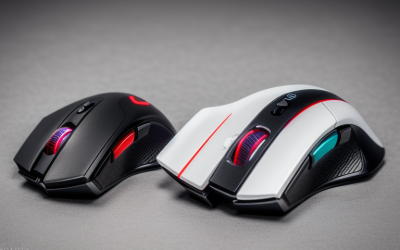
Mechanical mouse switches register a click when a metal contact closes, while optical switches register it when the button interrupts a beam of light. Optical designs are usually promoted for longer life and freedom from double-click faults, mechanical designs are known for a crisp tactile snap, and for most players the difference in feel matters more than any spec on the box.
The choice shows up on spec sheets in 2026 as a switch type, a click rating in millions, and sometimes a hybrid label. This guide explains how each design works, what the durability numbers can and cannot tell you, how clicks feel, and which type fits different players. Claims about lifespan come from manufacturers and vary by model, so confirm details on the product page and warranty terms.
How Each Switch Type Works
Understanding the mechanism explains most of the differences in wear, feel and failure behavior.
Mechanical Switches
A mechanical mouse switch contains small metal contacts, often a spring-like leaf. Pressing the button pushes the contacts together and completes an electrical circuit. The contact point produces the familiar tactile click. Because metal touches metal, the contacts can wear, collect residue or oxidize over time, and that is the usual source of a failing button.
Optical Switches
An optical switch uses an infrared light source and a sensor. When you press the button, a small shutter or part of the mechanism blocks or reveals the beam, and the sensor reads the change. Actuation happens without the metal contacts touching, so that part of the system does not wear in the same way.
Hybrid Designs
Some makers combine an optical sensing method with a mechanical spring or lever to preserve a familiar click. Others use different technologies again, such as magnetic sensing. Labels on product pages differ, so read the description to see what actually detects the press.
Durability: What the Numbers Mean
Switch life is quoted in millions of clicks, and the numbers are tempting to compare directly. Treat them with care.
Rated Click Counts
Mechanical switches are commonly rated in the tens of millions of clicks, and optical switches are often advertised at higher figures. These ratings come from the manufacturer, use their own methods and may represent ideal conditions. They are useful for a rough comparison and not for predicting how long your mouse will last.
Double-Click Faults
The best-known mechanical failure is the unwanted double click, where one press registers twice, or a held button drops. It results from worn contacts and often appears after heavy use. Optical switches avoid contact wear, which is the main reason people cite them for reliability. They are not immune to every fault, since dust near the sensor path or a worn lever can still cause trouble.
Repairability
Some mice use socketed switches that can be swapped with basic tools, while others have switches soldered to the board. If you are comfortable with a small repair, a replaceable switch can extend a mouse’s life regardless of type. Opening a mouse may affect its warranty, so check the terms first.
Click Feel and Response
Feel is subjective, but some patterns appear across many designs.
Tactile Snap and Pre-Travel
Mechanical switches usually give a defined tactile bump and an audible click. Pre-travel, the distance before a click registers, varies by model. Many players like the clear feedback, especially for precise tapping in shooters.
Optical Light Touch
Optical switches can feel lighter and sometimes smoother, with a different click sound. Some players describe them as less distinct, and others find them more comfortable for rapid clicking. Since this depends on the individual mouse, not only the technology, reading how a specific model is described matters.
Latency and Debounce
Mechanical contacts can bounce, producing several rapid signals, so firmware applies a short debounce delay to filter them. Optical designs can skip much of that filtering, which is why they are often marketed as faster. Modern mechanical mice use well-tuned firmware, so any difference in practice may be tiny, and most players will not notice it in games.
Side-by-Side Comparison
| Factor | Mechanical | Optical |
|---|---|---|
| Actuation method | Metal contacts close a circuit | Beam of light interrupted |
| Typical weakness | Double-click from contact wear | Dust or lever wear; less tactile for some |
| Rated life | Commonly tens of millions of clicks | Often advertised higher |
| Click character | Crisp tactile snap | Lighter, smoother, varies by model |
| Debounce handling | Needed; short delay in firmware | Less needed |
| Repair options | Socketed or soldered, depends on mouse | Depends on mouse design |
Which Type Suits Which Player
Match the switch to how you play and how long you want the mouse to last.
Competitive Shooter Players
If you click constantly and care about consistent feedback, both types work. Pick on feel first. Players who tap rapidly and value longevity often lean optical, while players who want a distinct click lean mechanical.
Strategy and Click-Heavy Genres
Games with heavy clicking, such as real-time strategy and online role-playing games, wear switches fastest. Durability claims and a good warranty matter more for these players.
Casual and Mixed Use
If the mouse also handles office work, the sound level and the comfort of the click may matter most. Quieter optical designs and many mechanical models with dampened clicks fit shared spaces.
Spotting and Slowing Switch Wear
Whichever type you own, a few habits and warning signs help you catch problems early and keep a good mouse going longer.
Signs a Switch Is Failing
Look for single presses that register twice, drags that drop mid-movement, clicks that fail only sometimes, and a button that feels different from its twin. Open a free click-test page in your browser and press the button slowly, one click at a time. A healthy button shows one entry per press. Repeated extra entries point to a worn switch.
Ways to Extend Switch Life
- Keep the mouse clean and avoid eating over it, since crumbs and residue get into the button gap.
- Avoid hammering the buttons harder than needed. A lighter touch reduces stress on the mechanism.
- Update the mouse firmware and companion software, since debounce and click filtering are sometimes improved there.
- Register the product if the maker offers extended coverage, and keep proof of purchase.
- If a click starts to misbehave, contact the manufacturer before you open the shell.
Why Other Specs Often Matter More
A mouse is more than its switches. Shape and size decide comfort over long sessions, weight affects control, and the sensor and polling rate affect tracking. A mouse with the perfect switch and the wrong shape will still disappoint. Treat switch type as one factor in a short list, along with grip style, weight, cable or wireless design, and warranty terms.
Finally, remember that lifespan ratings come from makers working under controlled conditions, and real life varies a great deal from one desk to the next. Typical home use includes dust, skin oils, temperature changes and uneven pressure. Because of that, a longer warranty and a repair-friendly design are practical signals, since they show the maker is willing to stand behind the part that wears out first. If you can, try a friend’s mouse or a display model so you can judge the click force and sound in person before committing.
Quick Checklist
- Check how the product page says the switch detects a click.
- Look at the warranty length, not only the click rating.
- Find out whether the switches are socketed and replaceable.
- Compare click force and sound descriptions with your preference.
- Read recent owner feedback for double-click reports on that specific model.
Common Mistakes
- Treating click ratings as precise lifetime guarantees.
- Assuming optical means faster in a way you will notice in games.
- Ignoring the warranty, which often protects you better than any rating.
- Buying on switch type alone and overlooking shape, weight and sensor.
- Forgetting that dust and heavy use shorten the life of any design.
Related guides
- Aio Liquid Coolers For High Performance Gaming
- Wireless Gaming Headsets Under 100 For Pc
- Ssds For Large Video And Raw Photo Files
Frequently Asked Questions
Are optical mouse switches always better?
No. They avoid contact wear, but feel is personal and some players prefer the snap of a mechanical design. Choose by use and preference, then check the warranty.
Can a mechanical mouse start double-clicking?
Yes, it is a known fault as contacts wear. Cleaning, replacing the switch or using the warranty are the usual solutions, depending on the model.
Is the click speed difference noticeable?
For most players, no. Firmware debounce on modern mechanical mice is short, so any gap is small compared with other factors such as the sensor, polling rate and your own reaction time.
Does the switch type affect click noise?
Often, yes, but it varies by design. Optical switches can sound softer, though mechanical models with dampening can also be quiet. Descriptions and owner feedback give the best clue, and a sound sample in a video can help if you share a room with other people.