

The InnoGear Heavy Duty Mic Stand for Blue Yeti with Pop Filter is the heavier-rated sibling to InnoGear’s popular mid-tier boom arm. It is built specifically for the Blue Yeti class — the heavier USB mics that the cheaper scissor arms can’t comfortably support — and it ships with a pop filter and a shock mount included in the box. With pricing around $45 it is a notable value bundle for buyers setting up a complete streaming station around a Blue Yeti or comparable mic. This InnoGear Heavy Duty Mic Stand review covers the specifications, build, reach, mic compatibility and value.

InnoGear Microphone Stand Mic Boom Arm Windscreen Pop Filter, Medium


As an Amazon Associate we earn from qualifying purchases. Product prices and availability are accurate as of the date/time indicated.
🛒 Best Price Today on Amazon
Prime members get fast, free shipping on everything above, plus member-only deals. New members get a 30-day free trial — cancel anytime.
As an Amazon Associate we earn from qualifying purchases.


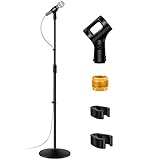

InnoGear Heavy Duty Mic Stand at a Glance
| Specification | Detail |
|---|---|
| Arm type | Heavy-duty spring boom (two-section) |
| Load capacity | Rated for the Blue Yeti class, up to approximately 3.3 lb |
| Mic compatibility | Blue Yeti, HyperX QuadCast, Shure MV7, Rode NT-USB; universal via thread adapters |
| Mount type | C-clamp; desk lip up to about 2 inches |
| Reach | Horizontal extension around 32 inches; vertical reach around 32 inches |
| Cable management | Internal channels along the arm tubes |
| Construction | Metal arm tubes and pivot joints with matte black finish |
| Included accessories | Desk clamp, pop filter, shock mount, thread adapters |
| Approx price | Around $45 |
Build Quality & Materials
The Heavy Duty Mic Stand is built around the same metal-tube design as InnoGear’s lighter arms but with heavier spring tensioning specifically for the Blue Yeti class. The arm sections are metal tubes with springs concealed inside, the pivot joints are metal-on-metal, and the clamp is the substantial steel design InnoGear uses across its mid-tier arms. The finish is consistent matte black, the joints rotate without play, and the assembly holds a Blue Yeti without sag at full extension.
The bundled pop filter and shock mount are appropriate to the price — they are functional rather than premium. The pop filter is a standard dual-mesh design on a gooseneck mount, which is exactly the right design for breath-blast control in front of the mic, and the shock mount uses elastic isolation to absorb desk-bump vibrations. Note that the pop filter adds roughly 100g to the mic-end load, which is worth factoring into the load calculation for a Blue Yeti setup. Inside the bundle the arm-mic-pop-filter combination is well sorted for the price.
Reach & Adjustability
Reach is generous — roughly 32 inches horizontal and 32 inches vertical — which gives the flexibility to position a Blue Yeti for both speaking and the desired camera framing. The heavier spring tensioning means the arm holds position confidently at full extension, where lighter arms would sag under a Blue Yeti load. The two-section design folds back close to the clamp when not in use, keeping the desk usable when the mic is not in front of the speaker.
Adjustability is fast and intuitive. The heavier springs are appropriately tensioned so a Blue Yeti can be positioned with one hand, and the metal-on-metal pivot friction holds the arm where you set it. The design is not as silent as a damped flagship arm — there is some spring noise during fast adjustment — but it is quieter than a budget scissor arm and well-mannered enough that mid-stream micro-adjustments are usable. For the price the adjustment quality is appropriate.
Cable Management
Cable management is internal, which is a strong feature at this price tier. The Blue Yeti’s USB cable enters the tube at the mic end, runs through the entire arm length, and exits at the clamp end behind the desk. The cable is fully enclosed and invisible from any normal viewing angle. For a heavier mic where the visible cable would otherwise drape conspicuously, the internal routing makes a meaningful difference to the desk-corner appearance.
Thread the cable through the arm tubes during install before connecting the mic — feed the cable through the upper section, attach it to the mic, then route the lower section before fitting to the clamp. Leave a small amount of slack at each pivot. The arm holds the cable cleanly through the full range of motion. Combined with a desk from our best gaming desks guide and a webcam from our best streaming webcams guide, the arm-cable look is one of the cleaner aspects of the streaming corner.
Mic Compatibility — Blue Yeti / HyperX / Shure
This arm is built specifically for the Blue Yeti and equivalent heavier USB mics. The Blue Yeti plus its native shock mount comfortably fits the arm’s roughly 3.3 lb rating, with the heavier springs holding the mic confidently at full extension. The HyperX QuadCast and SoloCast, the Shure MV7 family, the Rode NT-USB family and the various lighter USB condensers are all well within the load envelope and will be held with margin to spare.
Note that the bundled pop filter and shock mount add roughly 100g of mass at the mic end, which is worth factoring into the load calculation if the mic is at the upper end of the rating. The supplied 5/8-inch and 3/8-inch threaded adapters give universal mic mounting. For Blue Yeti owners specifically this is one of the natural arm choices — see our best USB microphones guide for the broader USB mic recommendations and best streaming microphones for the full streaming-mic category.
Installation & Setup
Installation is straightforward but takes slightly longer than the bare-arm options because of the bundle. Slide the C-clamp under the back edge of the desk and tighten the bolt by hand until firm — the clamp fits desks with a lip up to about 2 inches, which covers most gaming and office desks. Drop the arm pole into the clamp socket. Then fit the shock mount to the arm via the supplied thread adapter, attach the Blue Yeti to the shock mount via its native thread, and position the pop filter on its gooseneck arm in front of the mic.
Total install with the full bundle is about twenty minutes for one person. Cable routing through the arm tubes adds another five to ten minutes. After installation, adjust the arm position and the shock mount tilt to set the mic correctly relative to the speaker’s mouth, and position the pop filter about 2 to 4 inches in front of the mic capsule. Re-check the clamp tightness after the first week, particularly given the heavier total load with the full bundle.
Verdict
The InnoGear Heavy Duty Mic Stand for Blue Yeti with Pop Filter is one of the best-value bundles for a new Blue Yeti owner setting up a complete streaming station. At around $45 it delivers a heavy-rated boom arm, an included pop filter and a shock mount in a single package — buying the three components separately at quality you would actually use would cost noticeably more. The arm is well-built for the price, the bundle is genuinely useful rather than padding, and the load rating handles the Blue Yeti comfortably.
It is not the right choice for a buyer who already owns a quality pop filter and shock mount and is looking only for an arm — for that buyer the bare-arm InnoGear or one of the flagship options is more sensible. For a complete-bundle Blue Yeti starter setup, however, this is one of the most sensible single purchases at the price. Combine it with the rest of the gear from our best streaming gear guide for a coherent streaming corner.
Frequently Asked Questions
Will this arm hold the Blue Yeti?
Yes. This is one of the arms specifically rated for the Blue Yeti class, with heavier spring tensioning that holds the mic confidently at full extension. The Blue Yeti plus its native shock mount fits comfortably within the roughly 3.3 lb rating.
Does the bundle include a pop filter?
Yes. The bundle includes a dual-mesh pop filter on a gooseneck mount, a shock mount, and the boom arm itself with thread adapters. It is a complete starter package for a Blue Yeti streaming setup.
How much does the pop filter add to the load?
The bundled pop filter adds roughly 100g to the mic-end load. This is worth factoring into the load calculation if the mic is at the upper end of the arm’s rating, but for the Blue Yeti class the arm has comfortable margin.
How thick a desk does the clamp fit?
The C-clamp fits a desk lip up to about 2 inches thick, which covers most gaming and office desks. Thicker or curved-edge desks may not work — measure first.
More Boom Arm Reviews
- TONOR Microphone Arm Stand with Pop Filter Review
- InnoGear Mic Boom Arm for Yeti, HyperX, SoloCast Review
- Aokeo AK-49 Adjustable Compact Boom Scissor Arm Review
- InnoGear Mic Stand for Blue Snowball with Pop Filter Review
- NEEWER Microphone Arm Stand Suspension Scissor Review
- NEEWER Boom Scissor Mic Arm with Screws Review
- NEEWER Low Profile Mic Arm with Damping 360° Review
- InnoGear Boom Arm for Blue Yeti and HyperX QuadCast Review
Affiliate Disclosure: As an Amazon Associate, we earn from qualifying purchases. If you click a link and make a purchase, we may earn a small commission at no extra cost to you. Prices and availability are accurate as of publication and may change.
Ready to decide? Our #1 pick for 2026 is the Arm type.
Live price & availability on Amazon.


