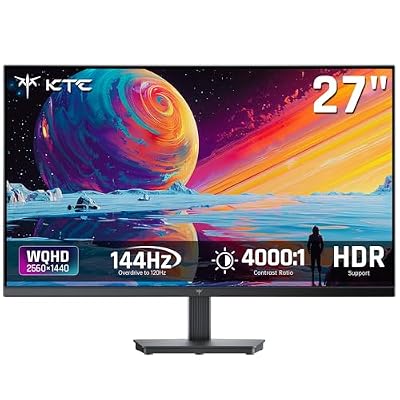
First Gaming PC Build Under $1000 Guide: Parts, Priorities and Mistakes
A first gaming PC build under $1000 is possible, but only if you spend the money in the right order. The graphics card does most of the work in modern games, the processor and memory have to keep up without wasting budget, and the power supply and case must be chosen with the card in mind. Most failed budget builds do not fail because the parts are bad. They fail because the buyer spent too much on a case with RGB lighting and too little on the GPU, or bought a cheap power supply that could not handle the rest of the system.
This page is a buying guide for a first build around the $1000 mark. It does not rely on hands-on benchmarking. Instead it explains how the parts fit together, how to split a fixed budget, and what to check before you click buy. The hero listing above is the primary pick for the query “gaming PC $1000 build”, with four alternatives in the same general role. Treat the card as a starting point: confirm the exact model, revision, warranty and included parts before ordering, because listings for the same product line can differ.


How to Split a $1000 Budget for Gaming
A useful starting point is to treat the budget as a set of rough shares rather than a list of exact prices. Prices move constantly, and a part that costs a little more this month may drop later. The shares below are a planning tool, not a rule. The graphics card usually takes the largest slice, because frame rate in most games depends on it more than on any other part. The processor, memory and storage take the next portions, and the motherboard, power supply and case fill the rest.
If you are building for 1080p gaming, a larger share for the GPU is normal. If you plan to stream while you play, a slightly larger share for the processor can make sense. The main rule stays the same: do not let any single supporting part eat the budget that the graphics card needs. A balanced build that runs your favourite games at sensible settings is better than a lopsided one that looks impressive on paper but stutters in practice.
Graphics Card First
Start by choosing the graphics card, then pick a processor that does not hold it back. In a budget build the card is the part you cannot easily replace later without a bigger purchase, so it deserves the first decision. Check that the listing is a current-generation card with reasonable video memory for the resolution you plan to use. Our budget GPU guide explains the trade-offs between cards in this range, and the GPU for gaming budget page covers the same decision from a different angle.

ZYNEEX Prebuilt Gaming Desktop PC, AMD Ryzen 5 5500, GeForce RTX 3050 6GB,16GB DDR4 3200MHz RAM, 1TB NVMe SSD, ARGB Air Cooling, Wi-Fi,Tower Computer for Gaming, Streaming, Editing


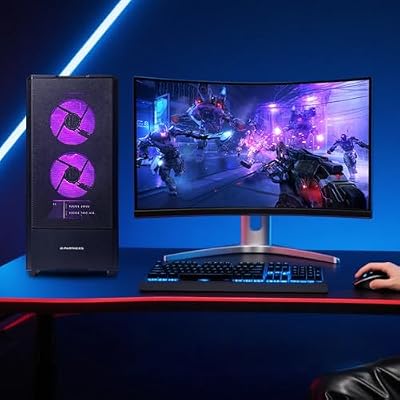


As an Amazon Associate we earn from qualifying purchases. Product prices and availability are accurate as of the date/time indicated.
Processor and Motherboard Pairing
The processor and motherboard must match in socket type and memory standard. A cheap motherboard that supports only one memory type, or a processor that needs a newer chipset than the board offers, will waste money. Choose the platform first, then the board, then the memory. Keep the motherboard simple: you need enough slots for the card and storage, a reliable power section for the processor and a BIOS that is kept up to date. Extra features such as wireless connectivity are optional at this budget.
Parts Checklist for a First Gaming Build
Before you order anything, write down each part and confirm it is compatible with the others. The list below is the minimum set for a working gaming PC. It includes the operating system because many first-time buyers forget it, and the cost of a licence or a second drive can unexpectedly push a build over budget.
- Processor, matched to the motherboard socket
- Motherboard with the right socket, memory standard and enough PCIe slots
- Graphics card, sized to fit your case and power supply
- Memory, usually 16GB as a practical minimum for modern games
- NVMe solid state drive for the operating system and main games
- Power supply with a rating that covers the whole system with margin
- Case with enough clearance for the card and cooler you chose
- CPU cooler, which can be the stock cooler for some processors
- Operating system licence and any extra cables or fans you need
Choosing Memory and Storage
For most first builds, 16GB of memory in a matched dual-channel pair is enough for current games. Check the speed the processor and motherboard support, then buy within that range rather than paying for speed the platform will not use. For storage, a single fast NVMe drive is usually the best use of money. It loads the operating system and games quickly, and you can add a larger secondary drive later. Our NVMe SSD guide for gaming explains the capacity and speed options in more detail.

Lenovo Legion Tower 5i – AI-Powered Gaming PC - Intel® Core Ultra 7 265F Processor – NVIDIA® GeForce RTX™ 5060 Ti Graphics – 16 GB Memory – 1 TB Storage – 3 Months of PC GamePass
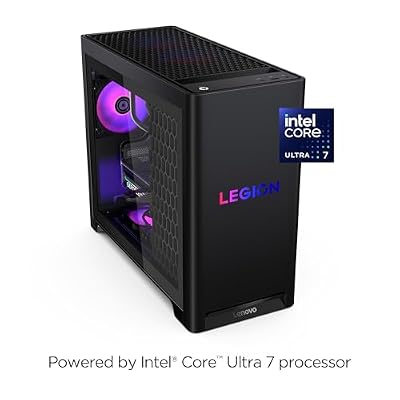


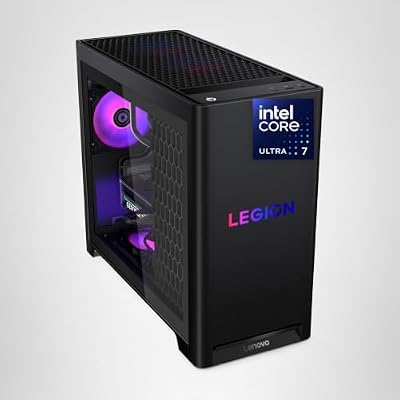
As an Amazon Associate we earn from qualifying purchases. Product prices and availability are accurate as of the date/time indicated.
Power Supply and Case: The Quiet Budget Savers
Why the Power Supply Is Not the Place to Cut
A cheap, unrated power supply is one of the most common causes of unstable first builds. It can shut the system down under load, and in the worst case it can damage other components. Choose a unit from a known maker with a clear wattage rating and a recognised efficiency certification. A little more capacity than the system needs is safer than a unit that runs at its limit. If you want to compare options in this range, the PSU picks for gaming page and the budget gaming PSUs under $150 roundup are useful starting points.
Case Choice for a Budget Build
A case should be chosen for airflow and clearance, not for lighting. Check the maximum graphics card length and cooler height the case allows, then confirm that the front and top can take fans. A simple mid-tower with a mesh front panel usually gives better temperatures per dollar than a glass-fronted case with restrictive airflow. Compare options in our mid-tower gaming case guide before you commit.
Common First-Build Mistakes
Buying Parts That Do Not Fit Together
The most expensive mistake is a part that cannot be installed. Check the graphics card length against the case, the cooler height against the case and memory clearance, and the motherboard form factor against the case mounting points. Read the compatibility notes on each product page. If a listing is unclear, ask the seller or choose a part with clear specifications. A return window is not a substitute for a check before ordering.
Forgetting the Operating System and Drivers
A first build also needs an operating system and time to install drivers. Budget for the licence if you do not already own one, and plan for updates to the motherboard BIOS, the chipset driver and the graphics driver. The Windows 11 installation guide for gaming PCs walks through the setup steps. Keep the installation media and the driver downloads ready before you start.
Buying for Benchmarks Instead of Your Games
Benchmarks are useful, but they can push buyers toward parts that do not help their favourite games. Decide which games you play most, check their demands, and buy for those titles. If you mostly play esports titles at high refresh rates, the balance between processor and graphics card will differ from a single-player open-world build. Our guide to the best GPU for Valorant shows how a demanding but popular game changes the calculation.
How This Build Fits the Wider Gaming PC Plan
A first build under $1000 is a starting point rather than a final machine. Many buyers add memory, storage or a better graphics card in a later year. Choosing a motherboard with spare slots and a power supply with some headroom makes those upgrades simpler. It also helps to know where the build sits in the broader range of budgets. The $500 gaming PC build shows a lower tier, while the $1500 gaming PC build shows what a step up in budget changes. For a complete order of decisions, the gaming PC buying guide is the best reference.
Comparing the Options in This Guide
The table compares the hero listing with the four alternatives by role. Prices change often, so use the live listing for current numbers.
| Option | Role in this guide | Best for | What to confirm | Price |
|---|---|---|---|---|
| Hero listing | Primary pick for the query | Balanced first build near $1000 | GPU model, included PSU and warranty | Check current price |
| Alternative 1 | Same class, different brand | Buyers comparing value across brands | Revision, bundled parts and warranty | Check current price |
| Alternative 2 | Same class, different tier | Builders wanting more GPU headroom | Power draw and case clearance | Check current price |
| Alternative 3 | Same class, compact-friendly layout | Small cases with tight clearance | Case clearance and cable length | Check current price |
| Alternative 4 | Same class, value-focused | Tight budgets that need the lowest entry cost | Memory and storage included or extra | Check current price |
Frequently Asked Questions
Can I really build a good gaming PC for under $1000?
Yes, for 1080p gaming at sensible settings in many popular titles. The result depends on the graphics card you can fit into the budget and on keeping the other parts balanced. Expect to make trade-offs on resolution, refresh rate and future upgrades.
Should I buy a pre-built PC or build my own under $1000?
A custom build can give better value for the same money because you choose the parts that matter most. A pre-built PC saves time and includes an operating system, but it often uses a weaker power supply or a less useful mix of components. Compare the specifications of both before you decide.
Is 16GB of memory enough for a first build?
For most current games, 16GB in a matched pair is a practical starting point. Some heavy games and background tasks benefit from more, so leave room to add memory later if the motherboard has spare slots.
Do I need a Windows licence for a budget gaming PC?
Yes, you will need a valid operating system licence to use Windows on a new build. Budget for it at the start, or check whether you already hold a licence you can transfer to the new hardware.