
First Gaming PC Build Under $500 Budget
A gaming PC under $500 is one of the hardest builds to get right. The budget is tight enough that every part has to earn its place, and the expectations you bring to it matter as much as the parts themselves. This guide explains how to plan a first build around a $500 total, which components deserve the money, where to save without wrecking the experience, and what kind of gaming a system at this level can realistically deliver. It is written for a buyer who wants a working, honest budget PC rather than a machine that promises more than it can deliver.
The hero listing above is a budget gaming PC product, and the four alternatives are similar entry-level options in the same general class. The listing may be a closest-match substitute rather than the exact configuration you searched for, so check the card for the precise components, memory, storage and warranty before you buy. The planning approach below applies whichever system or parts you choose.


Set Realistic Expectations Before You Shop
At a $500 total, you are buying a system for lighter games, esports titles and older favourites rather than the most demanding releases at high settings. That does not make it useless. Many popular multiplayer games run well on modest hardware, and a budget system can be a solid entry point. What it cannot do is match a midrange build with a stronger graphics card, and it will need careful settings choices in newer titles. Knowing this before you shop keeps you from buying a system that disappoints on day one.
Decide which games matter most to you. If you play esports titles, a budget system can deliver playable frame rates at lower resolutions. If you want modern single-player games with high detail, the same budget will be tight, and you should consider stretching the budget or planning an early upgrade. Our best budget gaming PC guide explains which kinds of systems suit which games.
Where the $500 Should Go
Graphics Card Takes Priority
In a budget build, the graphics card is the part to protect. It decides the resolution and settings you can run, and it has a bigger effect on frame rates than almost anything else. Look for the strongest GPU you can fit into the plan, with enough video memory for your target resolution. Our best budget GPU for gaming guide lists cards that offer a sensible balance of price and performance.
A Processor That Does Not Bottleneck the GPU
The processor should be modern enough to keep the graphics card busy without taking a large share of the budget. A budget six-core chip is often the right target. Pair it with a motherboard that supports the memory type and socket you choose. Our best budget processor for gaming guide shows the chips that fit this kind of plan.

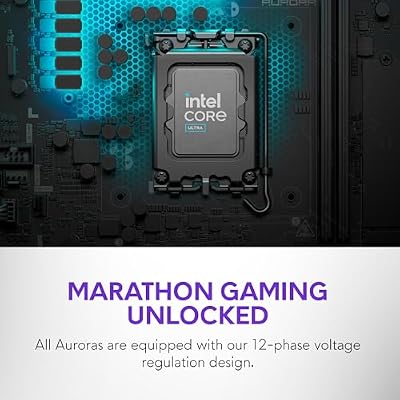
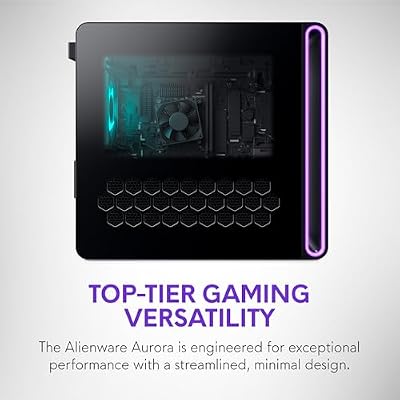
Alienware Aurora Gaming Desktop, RTX 5070, Intel Core Ultra 7 265F | 1TB SSD, 32GB DDR5, Wi‑Fi 7, Bluetooth, Killer 2.5Gb Ethernet, Windows 11 Home, Wired Keyboard, ACT1250





As an Amazon Associate we earn from qualifying purchases. Product prices and availability are accurate as of the date/time indicated.
Memory and Storage
Aim for at least 16GB of memory, because 8GB is too tight for many modern games and background apps. A fast NVMe SSD of a sensible size makes the system feel responsive, and it is worth more than a slightly faster processor for everyday use. If the budget is very tight, buy a smaller SSD first and add storage later, rather than cutting memory below the minimum.
Power Supply and Case
Do not cut the power supply to a bargain unit with an unknown name. A budget PSU from a reputable brand protects the rest of the system. Choose a simple, well-ventilated case with enough room for the graphics card. Our budget PSU roundup lists units that suit a low-cost build without sacrificing stability.

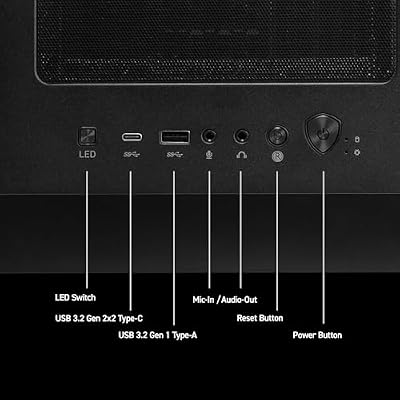
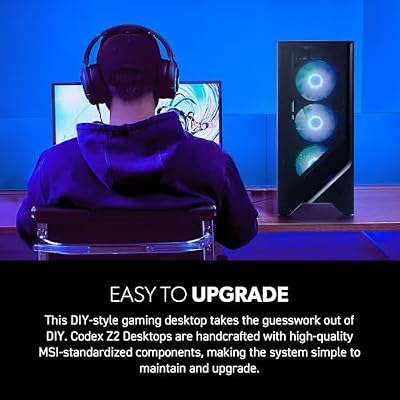
msi Codex Z2 Gaming Desktop, AMD R7-8700F, RTX 5070, 32GB DDR5, 2TB SSD | NVIDIA GeForce RTX 5070, USB Type-C, VR-Ready, Windows 11 Home. Model A8NVP-436US



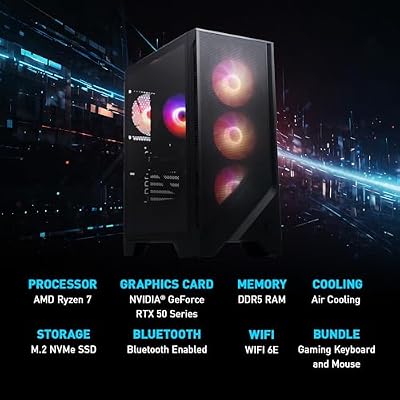
As an Amazon Associate we earn from qualifying purchases. Product prices and availability are accurate as of the date/time indicated.
What a $500 Build Usually Leaves Out
A budget build often excludes the monitor, keyboard, mouse, headset and operating system. Check whether the system you are buying includes Windows, and remember that a monitor is an extra cost. If you already own a monitor, make sure it works with the graphics card’s outputs. Our best budget gaming monitor guide lists displays that suit a modest system.
Comparing Budget Options
The table below lists the hero system and four alternatives by the role they play in a budget decision. Prices change often and vary by seller, so the table does not show exact figures. Confirm the GPU model, memory, storage and warranty on the live listing before you order.
| Option | Budget role | Best for | Spec to confirm | Price |
|---|---|---|---|---|
| Hero listing | Primary pick for the query | Esports and lighter games at 1080p | GPU model and memory size | Check current price |
| Alternative 1 | Compact budget system | Small desks and light use | Cooling and power supply | Check current price |
| Alternative 2 | Memory-focused system | Multitasking on a budget | Memory capacity and SSD size | Check current price |
| Alternative 3 | Upgrade-friendly system | Players planning a GPU upgrade | Motherboard upgrade path | Check current price |
| Alternative 4 | Entry-level value system | Students and first-time buyers | Warranty and included OS | Check current price |
Buying Used or Refurbished
Used or refurbished parts can stretch a $500 budget, but they carry risk. A used graphics card may have worn fans or thermal paste, and an unknown power supply may have seen heavy use. If you buy used, prefer sellers with return policies, test the parts under load, and avoid used power supplies unless you can verify their condition. Our $500 gaming PC build guide covers the trade-offs in more detail.
Planning Your Upgrade Path
The smartest budget build is one you can improve later. Choose a motherboard and case with room for a stronger graphics card, leave a little headroom in the power supply, and keep the memory and SSD upgradeable. Upgrading the GPU first is usually the most noticeable step. Our $500 gaming PC build plan lays out a sensible starting configuration and the order to upgrade it.
Our Ranked Recommendation
For a first build under $500, the ranked order is practical. First, a system or parts list that prioritises the graphics card, with at least 16GB of memory and a reputable power supply. Second, a balanced system with a slightly weaker card and a larger SSD if your games are lighter. Third, a ready-made budget PC with a clear warranty if you want to avoid assembly. Fourth, used parts only when you can test them and buy from a seller with returns. The hero listing and the balanced alternatives fit the first choice. For a shortlist of complete budget systems, see our best gaming desktop under $500 guide.
Frequently Asked Questions
Can I play modern games on a $500 PC?
Some, at lower settings and resolutions. Lighter and esports titles tend to run best. Demanding new releases at high settings will need a stronger graphics card than most budget systems include.
Is 8GB of RAM enough for a budget gaming PC?
It is tight. Sixteen gigabytes is a safer minimum for modern games and background apps, and it is worth prioritising over a larger SSD or a faster case.
Should I buy a pre-built or build it myself?
A pre-built saves time and comes with a warranty. Building yourself can give better value and more control over the parts, but it takes care and research. Choose the route that matches your confidence.
Is it worth buying a used graphics card for a budget build?
It can be, if the price is right and the card has been tested. Buy from a seller with a return policy, check the fans and thermal condition, and avoid cards with unclear history.


