

- Top Pick: Elgato HD60 X Capture Card for PS5, Xbox Series X/S, Switch 2, USB-C Connector, USB 3.0 Hardware Interface, Black, Windows 10/11 and macOS
- Best Value: Elgato 4K X Capture Card, HDMI 2.1, 4K144 Ultra-Low Latency
- Premium Choice: Elgato HD60 X 1080p60 HDR10 External Capture Card for PS5, PS4/Pro, Xbox Series X/S, Xbox One, PC/Mac (Renewed)
The Elgato HD60 S is the streaming standard among external capture cards — a USB 3.0 device that captures 1080p60 from any HDMI source and feeds it into your streaming PC. With more than 25,300 reviews on Amazon and a long-running reputation for plug-and-play reliability, it has become the default recommendation for new streamers. At around $225 it sits in the established mainstream tier. This Elgato HD60 S review covers the capture resolution, pass-through, connection type, software integration and value.
- Elgato HD60 S at a Glance
- Capture Resolution and Frame Rate
- HDR, Pass-Through and Display Compatibility
- Connection Type and Latency
- Software, OBS Integration and Streaming Features
- Who Is the Elgato HD60 S For?
- Pros and Cons
- Is the Elgato HD60 S Worth It?
- Frequently Asked Questions
- More Capture Card Reviews
- Related Articles
- Related Articles

Elgato HD60 S, External Capture Card, Stream and Record in 1080p60 with ultra-low latency on PS5, PS4/Pro, Xbox Series X/S, Xbox One X/S, in OBS, Twitch, YouTube, works with PC/Mac


As an Amazon Associate we earn from qualifying purchases. Product prices and availability are accurate as of the date/time indicated.
🛒 Best Price Today on Amazon
Prime members get fast, free shipping on everything above, plus member-only deals. New members get a 30-day free trial — cancel anytime.
As an Amazon Associate we earn from qualifying purchases.



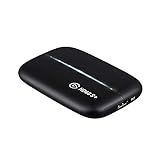



Elgato HD60 S at a Glance
| Component | Specification |
|---|---|
| Type | External capture card |
| Connection | USB 3.0 |
| Max capture resolution | 1080p60 |
| HDR support | Not on capture (SDR only) |
| Pass-through resolution | Ultra-low latency 1080p60 pass-through |
| Compatibility | PS5, Xbox, Switch, PC, Mac |
| Latency class | Ultra-low latency |
| Price | Around $225 |
Capture Resolution and Frame Rate
The Elgato HD60 S captures at up to 1080p60 — full HD, sixty frames per second. For the vast majority of streamers that remains the sweet spot: 1080p60 is the resolution that Twitch and most platforms encode comfortably, and it is what the established gaming and streaming workflow has been built around. The HD60 S does not capture in 4K or HDR — it is an SDR 1080p device by design. For streamers who want to upgrade to 4K or HDR capture there are newer models in Elgato’s range, but if your end output is 1080p Twitch or YouTube, capturing higher than 1080p adds processing overhead with no visible benefit to viewers. The HD60 S delivers exactly the format streaming actually needs.
It is worth being explicit about why 1080p60 has stayed the streaming default for so long. The capture resolution sets a ceiling on what every downstream tool — encoder, streaming platform, archive — has to deal with. By staying at 1080p the HD60 S keeps that downstream work modest, which means the streaming PC’s CPU and GPU are free to do other things, and the resulting file sizes for local recordings remain manageable. It is a balance the HD60 S strikes well, which is the reason the card has remained a category leader for so long.
HDR, Pass-Through and Display Compatibility
The HD60 S does not capture HDR — captured footage is SDR 1080p60. Pass-through, however, is where the device shines: it provides ultra-low latency pass-through so that the player can use a separate display to play the game without the lag that comes from watching a software preview on the capture PC. That is essential for any kind of fast-paced gameplay. On display compatibility, because the device passes through 1080p60 HDMI it works with any modern monitor, and because it is an external box it is platform-agnostic — PS5, Xbox Series X/S, Nintendo Switch and PC all work without driver headaches. Pass-through is limited to 1080p60, so this is not the card to pick if you want to keep playing in 4K on your second screen while capturing — but for 1080p workflows it is faultless.
Connection Type and Latency
The HD60 S is an external capture card connected over USB 3.0. That has three real advantages over an internal PCIe card. First, portability: you can move it between a laptop and a desktop, or take it to a friend’s house, in a way an internal card cannot match. Second, simplicity: no PC case to open, no driver complications — plug HDMI in, USB out, and the card is ready. Third, compatibility: an external USB card works with laptops, with desktops, and with Mac as well as Windows. The trade-off is latency. Internal PCIe capture cards can offer marginally lower software latency because they bypass the USB bus, but for streaming use cases that latency is invisible — the ultra-low latency pass-through on the HD60 S means the player never sees lag on their gameplay display regardless. For a streamer, external is the right choice.
Software, OBS Integration and Streaming Features
The HD60 S integrates with OBS Studio — the industry-standard free streaming software — as well as with Elgato’s own 4K Capture Utility and with Streamlabs. OBS treats the HD60 S as a standard video capture source, so adding it to a scene is as simple as adding a webcam, and the integration is mature and stable. That OBS support matters more than the brand of card you pick: every serious streaming workflow runs through OBS or a fork of it. Elgato’s own software offers built-in flashback recording and stream commands and is well regarded for its polish, but the OBS workflow is what most streamers actually use day to day. The HD60 S sits comfortably inside that workflow.
Who Is the Elgato HD60 S For?
The HD60 S is for the streamer who has settled on 1080p60 as the end output, who wants a card that simply works, and who values portability and ease of setup. If you are starting your streaming journey, if your end platform is Twitch or YouTube at 1080p, and if you want a card with the broadest community support so that every tutorial on the internet applies to you, the HD60 S is squarely your card. It is less suited to two groups: streamers targeting 4K or HDR capture, who should look at the HD60 X or the 4K X; and the very budget-conscious buyer, who can get going at much lower cost with a basic USB 2.0 dongle. For the 1080p streaming mainstream, the HD60 S remains the default choice.
Pros and Cons
Pros: Industry-standard 1080p60 capture; ultra-low latency pass-through; plug-and-play USB 3.0 setup; works on Windows and Mac and across all consoles; mature OBS Studio integration; enormous community and tutorial base from 25,300+ reviews.
Cons: Capped at 1080p60 — no 4K capture and no HDR; pass-through limited to 1080p60, so cannot keep playing in 4K on the second screen; the price is mainstream rather than budget. For 4K options see our best RTX 5070 gaming laptops context guide for the host PC side.
Is the Elgato HD60 S Worth It?
At around $225 the Elgato HD60 S is the card you pick when you want a known quantity. It does not chase the latest resolution headlines, but it does exactly what the vast majority of streamers actually need — 1080p60 capture with rock-solid pass-through and tooling that every guide on the internet has covered. For the 1080p streamer it earns a confident recommendation. Buyers who do want 4K HDR should jump to the HD60 X or 4K X for a relatively modest premium. Streaming-PC build buyers can compare host options in our best gaming laptops under $1,200 guide.
Frequently Asked Questions
Does the Elgato HD60 S capture in 4K?
No. The HD60 S captures at up to 1080p60. For 4K capture you would need a newer Elgato model such as the HD60 X (4K30) or the 4K X (4K144).
Can I use the Elgato HD60 S with a PS5?
Yes. The HD60 S works with PS5, Xbox Series X/S, Nintendo Switch and PC via HDMI. Note that capture is 1080p60 — the PS5’s 4K output is downscaled to 1080p for capture.
Does the Elgato HD60 S work on a laptop?
Yes. Because it is an external USB 3.0 device it works with any laptop that has a USB 3.0 port, on both Windows and Mac, without opening the chassis.
Is the Elgato HD60 S compatible with OBS Studio?
Yes. OBS Studio recognises the HD60 S as a standard video capture source, and Elgato also provides its own 4K Capture Utility software. Streamlabs and other OBS forks are supported.
More Capture Card Reviews
- Elgato Cam Link 4K External Capture Card Review
- Elgato HD60 X External Capture Card Review (HDR10)
- Elgato 4K X Capture Card Review (4K144 Flagship)
- Elgato 4K S External Capture Card Review
- EVGA XR1 Pro Capture Card Review (1440p/4K HDR)
- AVerMedia GC573 Live Gamer 4K Internal Capture Card Review
- UGREEN 1080P HDMI Capture Card Review (Budget)
- UGREEN 4K@30Hz HDMI Capture Card Review
Affiliate Disclosure: As an Amazon Associate, we earn from qualifying purchases. If you click a link and make a purchase, we may earn a small commission at no extra cost to you. Prices and availability are accurate as of publication and may change.
Related Articles
Looking for more on this topic? Browse the hand-picked guides below — each one applies the same scoring rubric used in this review.


