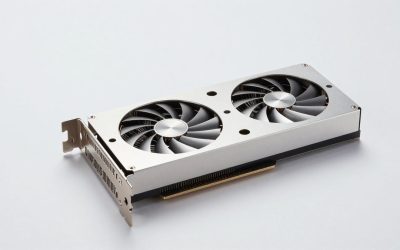
- Top Pick: The Horizon Autherium Dragon RGB I9 RTX Gaming PC || 64GB RAM || 5TB Storage || Core I9 Upto 5.4Ghz || RTX 5070 OC || Windows 11 PRO || 360MM AIO || 2.4GB/s WiFi, VR, Gaming Ready Desktop Computer
- Best Value: STGAubron Gaming PC Desktop,Core I7,RX 580 8G,16G RAM,1T SSD | Gaming Computer Tower for Streaming,Video Editing,Home,School,I7 up to 3.9GHz,ARGB Fan,WiFi 6,BT 5.0,4K HDMI,Win11 Home
- Premium Choice: STGAubron Gaming PC Desktop,Core I5,RX 550 4G,16G RAM,512G SSD | Gaming Computer Tower for Streaming,Video Editing,Home,School,I5 up to 3.6G,ARGB Fan,WiFi 6,BT 5.0,4K DP,HDMI,Win11 Home
The best video game computer is the one whose graphics card matches the screen you own, so start from your monitor, not from the biggest number in a listing title. This guide covers four prebuilt gaming desktops from the listings we pulled, ranging from an RX 550 starter to an RTX 5070 system with 64GB of RAM, plus a wired gamepad and a USB microphone that are not computers and are labeled as extras. They suit first-time PC gamers, parents buying for a teenager and anyone replacing a console. Every spec below is as stated in the seller’s title.
Picks in one glance
As an Amazon Associate we earn from qualifying purchases at no extra cost to you.


![ZD-V+ USB Wired Gaming Controller Gamepad For PC/Laptop Computer(Windows XP/7/8/10/11) & PS3 & Android & Steam - [Black]](https://m.media-amazon.com/images/I/41Ddk2Xp33L._SL400_.jpg)

- The Horizon Autherium Dragon (RTX 5070 OC) – best for a no-compromise, high-spec system
- WIWB Gaming PC (RTX 3050 8GB, Ryzen 7 4700LE) – best for a mid-level 1080p build
- STGAubron Core i7 with RX 580 8G – best for an entry gaming budget
- STGAubron Core i5 with RX 550 4G – best for light games only
- ZD-V+ wired gamepad – extra for couch play
- COCONISE USB microphone – extra for voice chat
Compare the six listings
| Listing | Type | Stated specs | Best for |
|---|---|---|---|
| The Horizon Autherium Dragon | Prebuilt tower | Core i9 up to 5.4GHz, RTX 5070 OC, 64GB, 5TB, 360mm AIO, Win 11 Pro | High-end play |
| WIWB Gaming PC | Prebuilt desktop | RTX 3050 8GB GDDR6, Ryzen 7 4700LE; check the listing for RAM, storage | 1080p play |
| STGAubron (i7) | Prebuilt tower | Core i7 up to 3.9GHz, RX 580 8G, 16GB, 1TB SSD, Win 11 Home | Entry budget |
| STGAubron (i5) | Prebuilt tower | Core i5 up to 3.6GHz, RX 550 4G, 16GB, 512GB SSD, Win 11 Home | Light games |
| ZD-V+ gamepad | Not a computer | USB wired, PC, PS3, Android, Steam | Controller |
| COCONISE microphone | Not a computer | USB condenser, quick mute, pop filter | Voice chat |
What each listing offers
The Horizon Autherium Dragon RGB i9 RTX Gaming PC
The only premium machine in the group. The title lists a Core i9 up to 5.4GHz, an RTX 5070 OC graphics card, 64GB of RAM, 5TB of storage, a 360mm all-in-one liquid cooler, Windows 11 Pro and VR readiness. The i9 generation and the 5TB split between SSD and hard drive are not stated, so ask. “2.4GB/s WiFi” is an unusual way to quote wireless speed, since wireless links are normally given in megabits or gigabits, so confirm the actual Wi-Fi standard. A 360mm cooler on a high-end chip is sensible, but the case, power supply brand and warranty term are the facts that decide whether this is good value, and none is in the title. Memory at 64GB is more than games need; it helps if you also edit video or run virtual machines. Another detail to settle is how the 5TB is arranged: a single 5TB drive is unusual, so it is probably a mix of SSD and hard drive, and the SSD portion decides how fast games load. The title also calls the system RGB, which is cosmetic. If you play at 1080p, a card of this class will have headroom to spare, so the real value shows at 1440p or when you use the extra memory for content work. Ask for photographs of the interior if possible, to see cable tidiness and airflow.
- Pro: modern graphics tier plus 64GB RAM
- Pro: large storage and liquid cooling
- Con: highest price tier of the four
- Con: processor generation and PSU not stated
Who it’s for: players who want 1440p-class performance and a workstation side. Who should skip it: budget buyers, because 64GB and 5TB are paid for even if unused.
WIWB Gaming PC Desktop (RTX 3050 8GB, Ryzen 7 4700LE)
The title is short: a GeForce RTX 3050 with 8GB of GDDR6 and a Ryzen 7 4700LE, and nothing else. There is no RAM, storage, operating system or power supply in the title, so each is a question for the seller. The RTX 3050 is an entry-level modern card from Nvidia’s older generation, aimed at 1080p play. The 4700LE is not a part number most retail buyers will recognize, so look up published specifications and any seller documentation before relying on it. With good RAM and an SSD this could be a competent 1080p machine; without them, it is not. To make it worth buying, ask four questions before ordering: how much RAM, what SSD size, which power supply and what warranty. The 8GB of video memory on the card is a plus for texture-heavy games at 1080p, which a 4GB card would struggle with. Because the title is so brief, the listing page may carry the rest, so read its bullet points and any attached specification image rather than assuming.
- Pro: dedicated RTX card with 8GB of video memory
- Pro: Ryzen 7 stated
- Con: RAM, storage and Windows edition missing from the title
- Con: CPU model is unfamiliar
Who it’s for: 1080p gamers who accept a seller-check step. Who should skip it: buyers who need a fully specified listing.
STGAubron Gaming PC with Core i7 and RX 580 8G
Here the title offers an i7 “up to 3.9GHz”, an RX 580 with 8GB, 16GB of RAM, a 1TB SSD, Wi-Fi 6, Bluetooth 5.0, 4K HDMI and Windows 11 Home. The RX 580 is an older AMD card by general reputation, and a 3.9GHz ceiling on an i7 suggests an older generation too, though the title gives no model number. It is marketed for streaming, video editing and school, which stretches what the hardware does well. The 1TB SSD and 16GB are the best parts of the spec. “4K HDMI” describes an output, not 4K gaming. The seller’s copy lists streaming, video editing, home and school, which signals a general-purpose machine styled as a gaming PC. That is fine if you treat it as a first PC that can play older and lighter games. Wi-Fi 6 and Bluetooth 5.0 are handy if your desk is far from the router. Plan to check the listing for the power supply and the motherboard, because those are not in the title.
- Pro: 16GB RAM and 1TB SSD
- Pro: 8GB graphics memory
- Con: older-generation graphics card
- Con: exact CPU model not given
Who it’s for: a first PC for esports-class and older games at 1080p. Who should skip it: anyone wanting recent AAA games at high settings.
STGAubron Gaming PC with Core i5 and RX 550 4G
This is a near-sibling of the previous listing: same seller, same marketing language, but a Core i5 up to 3.6GHz, an RX 550 with 4G, 16GB of RAM and a 512GB SSD. The RX 550 is an entry-level card, so the claim of streaming and video editing deserves caution. 4K DP and HDMI describe output ports. It is the lowest-spec machine in the group and suits very light games, school and browsing, so treat it as a general home PC with modest gaming ability. The two STGAubron titles share the same wording, so read both side by side to be sure which graphics card and storage size you are ordering; they are variants of one product line and are easy to mix up. A 512GB drive with Windows and a few modern games installed leaves little room, so an external drive or a larger SSD may be needed soon after purchase. Think of it as a home and school PC first.
- Pro: the lowest cost tier here
- Pro: 16GB RAM and WiFi 6
- Con: very entry-level graphics
- Con: 512GB fills with a few large games
Who it’s for: light and older games. Who should skip it: anyone who will play current titles; the i7 variant is a better use of money.
ZD-V+ USB Wired Gaming Controller (not a computer)
A wired USB gamepad listed for PC and laptop on Windows XP through 11, plus PS3, Android and Steam. It is an extra, not a computer, and is included because many PC games play better with a controller. Wired pads need no batteries or pairing, but a short cable limits where you can sit. Controller layout and button feel are not described in the title, and compatibility with a specific game depends on how the game reads controllers. Many PC games detect an Xbox-style controller most reliably, so check which input mode this pad uses before relying on it, and check buyer feedback for the stick drift and button feel that titles never mention. If you mostly play competitive shooters with a mouse and keyboard, you may never use it, which is a fair reason to skip it. Cable length is another question for the listing page.
- Pro: plug-in simplicity
- Pro: works with Steam per the listing
- Con: wired only
- Con: build quality not in the title
Who it’s for: couch gamers on a budget. Who should skip it: people who want wireless or advanced features.
COCONISE Gaming Microphone for PC (not a computer)
A USB condenser microphone with a quick mute and pop filter, described as RGB and compatible with PS4/5 and computers. It is an add-on, not a computer. USB mics are easy to set up, and the pop filter helps with plosives. A condenser mic picks up keyboard clatter and room noise, so a close position and a mute habit matter. Sound quality is not stated beyond the type. Most gaming headsets already include a boom microphone, so a separate USB mic only makes sense if you stream, record or dislike wearing a headset. Mount it on a stand or arm rather than leaving it on the desk, where it picks up vibration from the keyboard. Compatibility with consoles in the title is a convenience, not a reason to buy for a PC-only setup.
- Pro: simple plug-in
- Pro: quick mute and pop filter
- Con: condenser mics hear the room
- Con: RGB styling is cosmetic
Who it’s for: chat and streaming starters. Who should skip it: players who already own a headset with a mic.
How we picked these
We described each listing from its title only: processor, graphics card, memory, storage, cooling and operating system where given. Two of the six turned out to be accessories, so they are labeled as such. Where two listings are variants from the same seller, we compare them directly. Our basis is published specifications, manufacturer documentation and buyer reviews. Nobody on the team used or measured these units. Title claims are the sellers’ claims, and prebuilt listings from small brands often omit the power supply and motherboard, so we say “check the listing” where that matters.
What to look for in a video game computer
Start from the screen
Match the graphics card to resolution and refresh rate. The table is general guidance, not a claim about any one listing.
| Screen | Graphics class to aim for | Notes |
|---|---|---|
| 1080p at 60Hz | Entry to mid-range card | Older and esports titles run well |
| 1080p at 144Hz or 1440p | Mid to upper mid-range card | Recent games need tuned settings |
| 1440p at high settings or 4K | High-end card | Needs cooling and a strong power supply |
Refresh rate matters as much as resolution: a 144Hz monitor asks the card for more frames per second than a 60Hz one, so a card that is comfortable at 1080p and 60Hz can feel stretched at 1080p and 144Hz. Lowering settings such as shadows and view distance is the usual fix, and it costs less than a new card. Ask whether your monitor already supports a high refresh rate before paying for power you cannot display.
Decode the title
Listing titles use phrases that sound technical but promise little. “Up to 5.4GHz” is a peak boost clock, not a sustained speed. “OC” means the card may be factory-overclocked, a small bump. “4K HDMI” or “4K DP” describes video output ports, not gaming resolution. “Gaming ready” and “VR ready” are marketing, with no frame-rate figure behind them. “Streaming and video editing” appears on machines with weak graphics. Always check the model of the processor and the graphics card, not just the family name. If a seller will not name the exact model, treat that as a signal to look elsewhere.
A short checklist for the listing page
Before you buy any prebuilt, find these on the listing page or ask the seller: the exact processor model, the exact graphics card model, RAM size and speed, SSD size and type, power supply brand and wattage, motherboard model, operating system edition, and warranty length. A listing that cannot answer these is a risk. Also compare the number of memory slots and storage slots, because they limit upgrades. Screenshots in the product images sometimes show a system information window, which is worth reading closely.
Processor and memory
For gaming, a modern six-core processor is a good target, and 16GB of RAM is the working minimum today, with 32GB offering headroom. Check that the RAM is dual-channel and the speed is stated. A powerful graphics card paired with an old processor wastes money, because the processor can limit frame rates, especially in strategy and open-world games. The reverse also happens: a fast processor with an entry graphics card, which is common in budget prebuilts, leaves the card as the bottleneck in nearly every modern game.
Storage and cooling
An SSD of 1TB is a sensible minimum, since modern games run to tens or hundreds of gigabytes. A 512GB drive holds a handful of titles. Cooling matters on a prebuilt: an air cooler is fine for most mid-range chips, and a liquid cooler such as the 360mm unit on the Horizon is a choice for high-end processors. Look at buyer feedback about noise and temperatures.
Power supply, warranty and upgrade path
Prebuilts from small brands often hide the power supply brand and wattage, and a weak or unbranded unit can shorten the system’s life. Ask for the model. Check the warranty length, the return window and who handles repairs. A machine with a standard motherboard and case lets you upgrade the graphics card later; a proprietary one does not.
If frame rates stutter after you buy, our frame-time troubleshooting guide walks through causes, and this comparison of game monitoring tools helps you read the numbers.
Mistakes buyers make
The first mistake is paying for RAM and storage while ignoring the graphics card; frame rates come from the card. The second is trusting “4K” in a title, which usually means output ports. The third is picking an older card like the RX 580 or an entry card like the RX 550 for current games because the CPU looks strong. The fourth is skipping the power supply question. The fifth is overlooking the operating system: Windows 11 Home and Pro both play games, but check the license is genuine. The sixth is ignoring return rules: a prebuilt is heavy and awkward to ship back, so read the window before you open the box. The last is assuming an accessory matters; a gamepad or mic is a small extra, and the computer is the purchase that counts. Photograph the system on arrival, check the Windows activation, and install the graphics driver from the maker’s site.
Verdict
For a serious modern setup, The Horizon Autherium Dragon is the only listing here with a current-generation graphics card, provided the seller clears up the processor generation and power supply. For a lower budget, the STGAubron i7 with RX 580 8G is the better of the two STGAubron machines, and the WIWB suits 1080p if its missing specs check out. Treat the i5 and RX 550 model as a light-duty home PC. Add the gamepad if you play on a TV, and the microphone only if you do not already own a headset. Before paying, get the missing specs in writing from the seller.
Related guides
Frequently asked questions
How much should a video game computer have in RAM?
Sixteen gigabytes is the working minimum for modern games, and 32GB gives headroom for background apps and streaming. Beyond that, extra memory does little for frame rates, so spend the difference on the graphics card if you can. The 64GB in the Horizon system is for creative or multitasking work, not for games alone.
Is the RX 580 still a good graphics card?
It is an older card with 8GB of memory that handles esports and older games at 1080p. Recent demanding titles will need lowered settings. For a first PC on a tight budget it can work, but newer entry cards offer better efficiency and features.
Does “4K HDMI” mean the PC can play games in 4K?
No. It means the computer has an output that can send a 4K signal to a monitor. Gaming at 4K needs a powerful graphics card. Check the card model and what it is rated for, not the port description.
Is a gamepad necessary for PC gaming?
Not for most games, but racing, platform and fighting games play better with one. A wired pad works without batteries. Check that the game supports your controller, since some expect specific layouts, and read buyer feedback about button feel and stick drift.
Are prebuilt gaming PCs from small brands safe to buy?
They can be good value, but check the warranty, the power supply model, the return policy and recent buyer feedback. Confirm what parts are used, since listings often omit the motherboard and power supply. Keep your invoice, photograph the machine on arrival and run Windows Update.