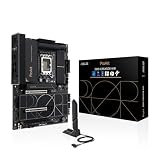
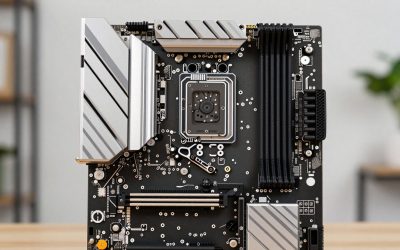
- Top Pick: Gigabyte A520M K V2 Motherboard (AM4/2xDDR4/HDMI/D-Sub/M.2/USB 3.2)
- Best Value: ASRock A520M Pro4 AMD Ryzen 3000/4000 Series (Soket AM4) Compatible with A520 Chipset, Micro ATX Motherboard [Domestic Authorized Dealer Product]
- Premium Choice: GIGABYTE B550 Eagle WIFI6 AMD AM4 ATX Motherboard, Supports Ryzen 5000/4000/3000 Processors, DDR4, 10+3 Power Phase, 2X M.2, PCIe 4.0, USB-C, WIFI6, GbE LAN, PCIe EZ-Latch, EZ-Latch, RGB Fusion
A budget AM4 board has to boot your Ryzen, hold a decent SSD and keep the CPU from throttling. Of the ten listings here, the ASRock B550 Rock WiFi crams the most features into the entry B550 tier, the GIGABYTE B550 Gaming X V2 is the better wired value, and the GIGABYTE A520M K V2 is the cheapest way in.
AM4 takes DDR4 only, so there is no memory-type choice to agonise over. Specs below come from listing titles rather than a lab, and any title that does not name Ryzen 5000 is flagged so you can check before paying.
Cheapest sensible choices
As an Amazon Associate we earn from qualifying purchases at no extra cost to you.

![ASRock A520M Pro4 AMD Ryzen 3000/4000 Series (Soket AM4) Compatible with A520 Chipset, Micro ATX Motherboard [Domestic Authorized Dealer Product]](https://m.media-amazon.com/images/I/41slLg3ZGBL._SL400_.jpg)



- ASRock B550 Rock WiFi – most features for an entry B550
- GIGABYTE B550 Gaming X V2 – best for wired builds
- GIGABYTE B550 Eagle WIFI6 – best budget ATX with Wi-Fi
- ASUS Prime B550M-K WiFi – best compact B550
- ASUS TUF Gaming B550-PLUS WiFi II – best for BIOS Flashback
- GIGABYTE A520M K V2 – lowest cost, minimal title
- ASRock A520M Pro4 – cheap A520 for older Ryzen
- ASUS Prime B550-PLUS AC-HES – plain ATX with front USB-C
- GIGABYTE B550M AORUS Elite AX – compact with Wi-Fi 6E
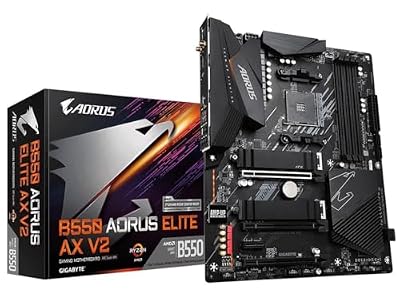
- GIGABYTE B550 AORUS Elite AX V2 – stretch pick with strong phases
Specs at a glance
| Model | Chipset and socket | Form factor | Key point from the title | Best for |
|---|---|---|---|---|
| GIGABYTE A520M K V2 | A520, AM4 | Check the listing | 2x DDR4, M.2, HDMI and D-Sub | Lowest spend |
| ASRock A520M Pro4 | A520, AM4 | mATX | Ryzen 3000/4000 named | Older Ryzen parts |
| GIGABYTE B550 Eagle WIFI6 | B550, AM4 | ATX | 10+3, 2x M.2, Wi-Fi 6, GbE | Budget with Wi-Fi |
| GIGABYTE B550 Gaming X V2 | B550, AM4 | ATX | 10+3, 2x M.2, Q-Flash Plus, GbE | Wired builds |
| ASUS Prime B550M-K WiFi | B550, AM4 | mATX | 2x M.2, Wi-Fi 6, 3-year warranty | Compact builds |
| ASUS TUF Gaming B550-PLUS WiFi II | B550, AM4 | ATX | Flashback, 2.5Gb LAN, Wi-Fi 6 | Safer BIOS updates |
| ASRock B550 Rock WiFi | B550, AM4 | ATX | Triple M.2, 2.5G LAN, Wi-Fi 6E | Feature value |
| ASUS Prime B550-PLUS AC-HES | B550, AM4 | ATX | Dual M.2, Wi-Fi 5, 1Gb LAN | Plain ATX |
| GIGABYTE B550 AORUS Elite AX V2 | B550, AM4 | ATX | 12+2, 2.5GbE, Wi-Fi 6 | Long-term base |
| GIGABYTE B550M AORUS Elite AX (rev 1.3) | B550, AM4 | mATX | 5+3, Wi-Fi 6E, 2x M.2 | Compact 6-core builds |
What each budget board offers
Gigabyte A520M K V2
This is the floor of the roundup. The title gives the socket, two DDR4 slots, HDMI and D-Sub video outputs, an M.2 slot and USB 3.2, and that is all. It does not name a Ryzen generation, a phase count or a PCIe version, so none of those can be assumed. The M in the model name usually signals micro-ATX, but confirm on the listing.
A D-Sub port is an old analogue connector, useful only with a VGA monitor and an APU that has integrated graphics. For a basic office or light-gaming build on a Ryzen with graphics, that may be all you need. For a Ryzen 5000 chip, read the manufacturer’s CPU support page first, because A520 boards vary on BIOS versions and power-section strength.
Pros
- Lowest-cost entry in the group
- Video outputs allow use without a graphics card
Cons
- Almost no CPU or phase detail in the title
- Likely a basic power section for 6-core and larger chips
Who it’s for: Tight-budget builds around a Ryzen chip with integrated graphics.
Who should skip it: Anyone planning to pair it with a 6-core or 8-core processor for sustained loads.
ASRock A520M Pro4
Here the title is clearer on CPUs: it names Ryzen 3000 and 4000 series, A520, and micro-ATX. It does not mention Ryzen 5000, so a 5600 or 5600X buyer should consult ASRock’s support list for the minimum BIOS before purchase. The wording is typo’d (“Soket”), and the phrase “Domestic Authorized Dealer Product” hints at a regional import listing, so check the seller and warranty terms.
A520 is the cheapest AM4 chipset tier, and boards like this one drop the extras seen on B550 models. For a first PC, an older Ryzen 3000 chip and a single SSD, it can do the job. If you see yourself upgrading to a 5000-series part, a B550 board gives a firmer path.
Pros
- Names micro-ATX and A520 plainly
- Priced at the very bottom of this group
Cons
- Title omits Ryzen 5000
- Regional dealer wording and typos need caution
Who it’s for: First-time budget builders pairing it with a Ryzen 3000 or 4000 part.
Who should skip it: People who want a clear route to a Ryzen 5000 upgrade.
GIGABYTE B550 Eagle WIFI6
Step up to B550 and the feature list grows quickly. This ATX listing mentions Ryzen 5000, 4000 and 3000, DDR4, a 10+3 phase claim, two M.2 slots, PCIe 4.0, USB-C, Wi-Fi 6, gigabit LAN and EZ-Latch. For the money it is among the few boards here with built-in wireless and a stated power-phase figure.
The Eagle tier is GIGABYTE’s entry line, so don’t expect premium extras like a 2.5GbE port. What you do get is an easy path for a Ryzen 5000 chip and a layout with a tool-free GPU latch, which makes swapping graphics cards less fiddly. The title mentions RGB Fusion for lighting control, which is a minor extra. Compared with the Gaming X V2, you are paying for Wi-Fi.
Pros
- Wi-Fi 6 and Ryzen 5000 both stated
- 10+3 phase claim in the title
Cons
- Gigabit LAN only
- No BIOS-flash-without-CPU feature mentioned
Who it’s for: Budget builders who want Wi-Fi and a respectable power-phase claim.
Who should skip it: Anyone who prefers a micro-ATX board for a compact case.
GIGABYTE B550 Gaming X V2
The same 10+3 claim as the Eagle, without wireless. The title lists ATX, Ryzen 5000/4000/3000, DDR4, two M.2 slots, PCIe 4.0, a front USB-C header, gigabit LAN, Q-Flash Plus and RGB Fusion. Q-Flash Plus lets you update the BIOS from a USB stick without a CPU installed, which is helpful on a budget board that might be in older stock.
Leaving out Wi-Fi keeps costs down. If your PC will sit next to the router and use Ethernet, you lose nothing. If not, a USB adapter or PCIe card will add cost and partly cancel the savings. Check the V2 revision on the box to make sure it matches the CPU support list you read. The board is a sensible default for a 6-core Ryzen.
Pros
- Q-Flash Plus listed
- Strong feature-to-cost balance for wired builds
Cons
- No wireless in the title
- Only gigabit networking
Who it’s for: Wired budget gaming rigs built around a Ryzen 5000 processor.
Who should skip it: Anyone whose PC is far from the router.
ASUS Prime B550M-K WiFi
A compact B550 at the practical end of ASUS’s Prime line. The title lists micro-ATX, DDR4, PCIe 4.0, two M.2 slots, Wi-Fi 6, Aura Sync RGB, a 3-year warranty and the claim “AMD Ryzen Ready”. That last phrase is vague, so don’t treat it as proof of Ryzen 5000 support; verify with ASUS’s CPU list.
Two M.2 slots and Wi-Fi 6 in a small package make it a handy base for a modest living-room PC or a small desk build. The title names no phase count, so for an 8-core CPU, a larger ATX board with a stated figure may be a safer pick. A 6-core chip such as a Ryzen 5 5600 is a more natural match.
Pros
- Micro-ATX with two M.2 slots and Wi-Fi 6
- 3-year warranty stated
Cons
- No phase count or LAN speed in the title
- “Ryzen Ready” wording is vague
Who it’s for: Compact budget builds with a 6-core Ryzen.
Who should skip it: Buyers who want a larger board with more expansion slots.
ASUS TUF Gaming B550-PLUS WiFi II
The most durable-sounding pick at the upper edge of the budget range. The title cites ATX, 3rd Gen Ryzen, DDR4, PCIe 4.0, Wi-Fi 6, 2.5Gb LAN, BIOS Flashback, USB 3.2 Gen 2 and an addressable RGB header. BIOS Flashback is the standout, since it lets you update the firmware without a CPU, which is a real safety net when the board ships with older software.
The 2.5Gb LAN is useful only with a matching switch or router port, and the “3rd Gen Ryzen” wording means you should confirm Ryzen 5000 support on the ASUS page. It costs more than the Eagle and Gaming X boards, so it makes sense if you want the firmware convenience and faster wired networking.
Pros
- BIOS Flashback and 2.5Gb LAN together
- Wi-Fi 6 included
Cons
- Higher price than other ATX budget picks
- Headline wording mentions only 3rd Gen Ryzen
Who it’s for: Buyers who want a safer BIOS path at the top of the budget range.
Who should skip it: Shoppers aiming for the absolute lowest spend.
ASRock B550 Rock WiFi
A feature-heavy listing for its tier. ASRock states ATX, AM4 for Ryzen 3000-5000, DDR4 4733+ as an overclock claim, PCIe 4.0, triple M.2, 2.5G LAN and Wi-Fi 6E. Three M.2 slots, 2.5G LAN and Wi-Fi 6E together are rare on a budget board, which is why it can be the best value in the group if the price lines up.
The title does not give a power-phase figure, so look at the manufacturer page before pairing it with an 8-core CPU. ASRock is also less visible than ASUS or GIGABYTE in retail, so check the warranty process in your region. The memory speed is a ceiling, not a promise.
Pros
- Triple M.2, 2.5G LAN and Wi-Fi 6E all listed
- States Ryzen 3000-5000 compatibility
Cons
- No power-phase claim in the title
- Brand warranty support may be less familiar to some buyers
Who it’s for: Budget builders who want the most features per dollar spent.
Who should skip it: Those who want a stated VRM figure before buying.
ASUS Prime B550-PLUS AC-HES
The title mentions ATX, 3rd Gen Ryzen, DDR4, dual M.2, PCIe 4.0, Wi-Fi 5, 1Gb Ethernet, SATA 6 Gbps, USB 3.2 Gen 2 Type-C, a front USB 3.2 Gen 1 Type-C header and “CEC Tier II Ready”. That last item appears to refer to an energy-efficiency standard, which has little to do with gaming speed.
Wi-Fi 5 is older than the Wi-Fi 6 on other boards here, so the listing is best seen as a plain wired-first option that happens to include wireless. As with other ASUS titles, only 3rd Gen Ryzen is named, so confirm 5000-series BIOS support on the ASUS page before buying. Its dual M.2 slots are enough for a boot SSD plus a storage drive.
Pros
- Dual M.2 with a USB-C front header
- Wi-Fi included
Cons
- Wi-Fi 5 is older than other options here
- 5000-series support not in the title
Who it’s for: Shoppers who want an ATX Prime board with front USB-C.
Who should skip it: Buyers who prioritise newer wireless or faster LAN.
GIGABYTE B550 AORUS Elite AX V2
The luxury end of this budget list. The title includes ATX, Ryzen 5000/4000/3000, DDR4, 12+2 phases, two M.2 slots, PCIe 4.0, a front USB-C header, Wi-Fi 6, 2.5GbE and Q-Flash Plus. It carries the strongest phase claim among the B550 ATX boards, which matters if you plan to run an 8-core chip for years.
It sits well above the A520 and Eagle boards in price, so it only counts as budget if you want to buy once and avoid upgrading the motherboard when the CPU changes. For a 6-core part on a tight budget, the money is better spent elsewhere, for example on a larger SSD or a better GPU. The board stays useful if you later drop in a faster Ryzen 5000 chip.
Pros
- 12+2 phase claim and 2.5GbE
- Q-Flash Plus and Wi-Fi 6 stated
Cons
- Not a bargain pick
- Only two M.2 slots despite the price
Who it’s for: Buyers who want a long-term AM4 base with room for an 8-core CPU.
Who should skip it: Anyone who needs the lowest price.
GIGABYTE B550M AORUS Elite AX (rev 1.3)
Micro-ATX, Ryzen 5000/4000/3000, DDR4, a 5+3 phase claim, two M.2 slots, PCIe 4.0, USB 3.2, Wi-Fi 6E, gigabit LAN, Q-Flash Plus and RGB Fusion. The rev 1.3 label identifies a hardware revision, so check that it matches before ordering.
The 5+3 claim is the smallest of the B550 boards here, which fits a 6-core processor better than an 8-core. It does add Wi-Fi 6E in a small package, which most other micro-ATX picks here lack. Note that phase numbers are not comparable across brands, so use the figure as a rough guide, not an exact rating. A small case with a fan blowing across the VRM area also helps.
Pros
- Compact size with Wi-Fi 6E and Q-Flash Plus
- Ryzen 5000 named in the title
Cons
- Small phase claim
- Gigabit LAN only
Who it’s for: Small cases with a 6-core Ryzen, such as the 5600.
Who should skip it: Builders planning a heavy 8-core workload.
How we picked these
We looked for AM4 listings that carry either the A520 or B550 chipset, then sorted them by what a buyer on a limited budget would care about: CPU support wording, M.2 slots, wireless and BIOS update options. The basis is published specifications, manufacturer documentation and buyer reviews. Nobody on the team used or measured these units. Titles are seller claims, so we mark vague or missing details and avoid adding specs from memory. We describe price tiers rather than quoting figures that change daily, and we skip star ratings.
Where to save and where not to on AM4
A520 versus B550
The cheapest AM4 boards use the A520 chipset, which is a cost-cutting tier that lacks CPU overclocking and is generally a PCIe 3.0 design. B550 adds PCIe 4.0 for the graphics slot and main M.2 slot, plus overclocking support and usually stronger power sections. The ladder below shows what each step buys.
| Step | What you gain | What you give up |
|---|---|---|
| A520 mATX | Lowest cost | PCIe 4.0, CPU overclocking and usually power-section strength |
| B550 mATX | PCIe 4.0, two M.2 slots, often Wi-Fi | Expansion slots and some VRM strength |
| B550 ATX entry | More slots, larger phase claim | Needs a bigger case |
| B550 ATX upper | 2.5GbE, Flashback, Wi-Fi 6E | Value for money |
VRM limits with Ryzen 5000
The cheapest boards often have lighter power sections, and a 6-core Ryzen 5 5600 is a good fit since it is a 65W part. An 8-core chip rated at 105W asks more of the VRM. Phase counts such as 5+3 or 10+3 are seller claims, and brands count differently, so use them only as a guide and look for VRM heatsinks in the listing photos.
CPU support and BIOS
AM4 boards were sold across several Ryzen generations, so a board from older stock may need a BIOS update for a newer CPU. Before buying, run this three-minute check:
- Find the CPU’s exact name on the manufacturer’s support list for your board revision.
- Note the minimum BIOS version, and see if the board has Flashback or Q-Flash Plus.
- If not, plan to borrow an older compatible Ryzen chip for the update.
- Flash with stable power and never interrupt the process.
Memory, storage and form factor
All ten boards use DDR4; two sticks of 3200 to 3600 MT/s are a sound target. Titles mentioning 4400+ or 4733+ MT/s are overclock ceilings. For storage, one or two M.2 slots are normal at this price, and only the ASRock B550 Rock WiFi lists three. Check your case before choosing: micro-ATX fits most cases but offers fewer slots.
Case fit and cooling on a small budget
Cheap boards save money in the layout as well. Check that the board’s size matches the case, that any front USB-C header you want exists on the board, and that the CPU cooler clears the memory slots. Some Ryzen 5000 parts ship with a bundled cooler and others, like the 5800X, do not, so check the CPU listing before assuming one is included. Plan airflow over the VRM area on any board with a small power section, and keep cables tidy so air can reach it. Also confirm the board has enough fan headers for the case you plan to use.
Worked example: a sensible spend
Imagine a 5600 build with a mid-range GPU, a single 1TB SSD, a wired connection and a moderate case. A B550 Gaming X V2 covers the need: a decent phase claim, Q-Flash Plus and two M.2 slots. Adding Wi-Fi would swing the choice to the Eagle, and wanting a third M.2 slot would swing it to the ASRock. If the budget is under pressure, drop to the A520 only when the CPU is a Ryzen 3000 or 4000 part, because that is where the listed support lines up.
Mistakes buyers make
The biggest error is buying an A520 board for a Ryzen 5000 CPU without checking BIOS support. Titles that name only Ryzen 3000 or 4000 are warnings.
Another is paying for features you will not use, such as 2.5G LAN or Wi-Fi 6E, instead of a better power section.
Some buyers pick a tiny micro-ATX board and later regret the lack of slots. Others forget that the CPU may need its own cooler.
The last mistake is trusting vague wording like “Ryzen Ready”. Always confirm the exact processor on the manufacturer’s support list.
Also watch for regional import listings. Wording such as “Domestic Authorized Dealer Product” can mean a different warranty path, so check who sells the unit and what support covers it. Lastly, do not judge a board by RGB or colour themes; spend on the VRM, the slot count and a BIOS update path instead.
Verdict
The ASRock B550 Rock WiFi is the best-looking value on paper, with triple M.2, 2.5G LAN and Wi-Fi 6E at the entry B550 tier. The GIGABYTE B550 Gaming X V2 is the safer wired choice with a stated phase claim and Q-Flash Plus, and the GIGABYTE A520M K V2 is the bare-minimum option. For a wider price view, see our budget motherboard shortlist, and confirm CPU support before you order. Update the BIOS carefully, with stable power, if your board needs it for a newer Ryzen chip.
Related guides
Frequently asked questions
Is A520 good enough for a budget AM4 build?
A520 works for basic builds with an older or entry Ryzen chip, but it is a cost-cut tier. It generally lacks PCIe 4.0 and CPU overclocking and may have a weaker power section. If you plan on a Ryzen 5000 processor or want to add fast storage, a B550 board is the safer starting point and often costs only a little more.
Which budget AM4 board has the best features?
Going by listing titles, the ASRock B550 Rock WiFi has triple M.2, 2.5G LAN and Wi-Fi 6E, which is a rare mix at its tier. The GIGABYTE B550 AORUS Elite AX V2 offers a stronger phase claim but costs more. Always compare the full specification page, not just the headline.
Will these boards run a Ryzen 5000 CPU?
Many titles name Ryzen 5000, including the GIGABYTE B550 boards and the ASRock B550 Rock WiFi. ASUS titles mention 3rd Gen Ryzen only, and the A520M Pro4 lists 3000 and 4000 series, so check the manufacturer’s CPU support list and the minimum BIOS version for your exact processor. Flash with stable power only.
Is built-in Wi-Fi needed on a budget motherboard?
Only if the PC is away from the router. Wired Ethernet is more stable, and boards without Wi-Fi such as the GIGABYTE B550 Gaming X V2 cost less. A USB or PCIe adapter can add wireless later, though it removes some of the savings, so decide by how your room is set up.
Is micro-ATX or ATX better for a budget build?
ATX gives more slots and, on these listings, usually stronger phase claims. Micro-ATX saves space and cost but offers fewer expansion slots. If you need a compact case, pick a mATX board such as the ASUS Prime B550M-K WiFi, and make sure the cooler and graphics card fit the case.