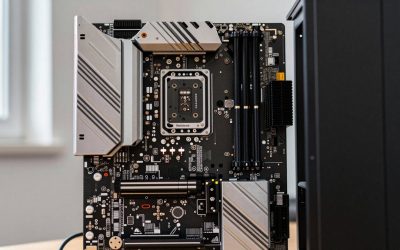
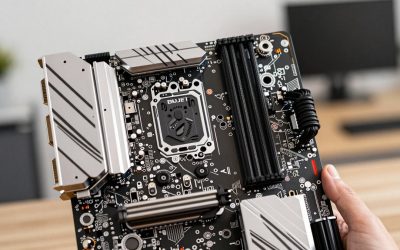
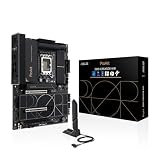
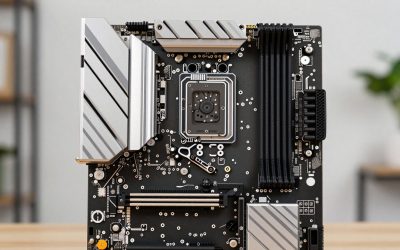
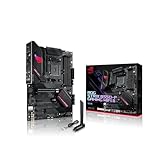
Intel’s Core i7 line spans several sockets — older LGA1200 boards for 10th/11th-gen chips, and the current LGA1700 platform for 12th through 14th-gen i7s (including the popular i7-14700K/KF). Picking the right motherboard means matching the socket and chipset to your exact CPU generation first, then deciding how much you want to spend on VRM quality, Wi-Fi, and M.2 slots. We pulled together a broad set of real standalone boards and CPU+motherboard combos currently sold on Amazon across two searches to cover the full range from budget B760 to flagship Z790.
Compare at a Glance
| Motherboard | Price | Chipset | Socket | Best For |
|---|---|---|---|---|
| ASRock Z790 Lightning WiFi | $99.99 | Z790 | LGA1700 | Cheapest Z790 |
| ASUS B760M-AYW D4 II | $99.99 | B760 | LGA1700 | Compact budget |
| ASRock B560M-C | $95.99 | B560 | LGA1200 | 10th/11th-gen only |
| MSI PRO B760-P WiFi DDR4 | $139.99 | B760 | LGA1700 | DDR4 budget |
| ASRock Z790 PG Sonic | $179.99 | Z790 | LGA1700 | Mid-range overclocking |
| ASUS Z790 MAX WiFi7 | $198.95 | Z790 | LGA1700 | Wi-Fi 7 |
| ASUS Z790-AYW WiFi W II | $199.99 | Z790 | LGA1700 | USB4/Thunderbolt |
| MSI PRO Z790-A WiFi II | $219.99 | Z790 | LGA1700 | All-around Z790 |
Quick List
- ASUS Z790-AYW WiFi W II ($199.99) — Best Overall — PCIe 5.0, DDR5, Thunderbolt/USB4.
- ASRock Z790 Lightning WiFi ($99.99) — Best Budget Z790 — cheapest way onto the full-featured Z790 chipset.
- MSI PRO B760-P WiFi DDR4 ($139.99) — Best Budget Pick — B760, DDR4, Wi-Fi.
- ASUS B760M-AYW D4 II ($99.99) — Best Compact — microATX, DDR4.
- MSI PRO Z790-A WiFi II ($219.99) — Best All-Around Z790 — strong VRM, broad feature set.
- ASUS Z790 MAX WiFi7 ($198.95) — Best Connectivity — Wi-Fi 7, PCIe 5.0.
See All Picks




Match the Socket to Your CPU Generation First
This is the single most common mistake when buying an i7 motherboard: the socket changed between generations. LGA1200 (the ASRock B560M-C here) fits 10th and 11th-gen i7s only. LGA1700 fits 12th, 13th, and 14th-gen i7s — every other board on this list — using either Z790 or B760-class chipsets. If your CPU is a Core Ultra 7 (Intel’s post-i7 branding for its newest chips), you need the newer LGA1851 socket and a Z890 board instead, which none of these fit.
Z790 vs. B760: What You Actually Lose Going Budget
Z-series boards unlock CPU overclocking and generally ship with stronger VRMs and more PCIe lanes. B-series boards lock overclocking but cost noticeably less and are plenty for most i7 builds that aren’t being pushed to their power limits. The gap has narrowed recently too — the ASRock Z790 Lightning WiFi here is only $99.99, the same price as the budget B760 boards, so if you can find a Z790 board at that price point, there’s little reason to settle for B760 unless you specifically want DDR4 compatibility (which the Z790 boards here don’t offer — only the MSI PRO B760-P and ASUS B760M do).
Technical Comparison Table
| Board | Memory | Wi-Fi | Notable I/O |
|---|---|---|---|
| ASUS Z790-AYW WiFi W II | DDR5 | Wi-Fi 6 | USB4/Thunderbolt, PCIe 5.0 |
| ASRock Z790 Lightning WiFi | DDR5 | Yes | PCIe 4.0/5.0 mix |
| MSI PRO B760-P WiFi DDR4 | DDR4 | Yes | Budget I/O set |
| ASUS B760M-AYW D4 II | DDR4 | Yes | microATX form factor |
| ASRock Z790 PG Sonic | DDR5 | — | Overclocking-focused VRM |
| ASUS Z790 MAX WiFi7 | DDR5 | Wi-Fi 7 | PCIe 5.0 |
| MSI PRO Z790-A WiFi II | DDR5 | Yes | Strong all-around VRM |
| ASRock B560M-C | DDR4 | WiFi+BT | LGA1200, 10th/11th-gen only |
How We Chose These
We ran two separate searches to broaden the real product set beyond a single narrow keyword, then excluded one clearly incompatible listing (an ancient LGA1150 board for 4th-gen Intel CPUs that doesn’t fit any current i7) and kept the two CPU+motherboard combos that bundle a real i7-14700K with a genuine board, since those are legitimate options for a from-scratch build even though they’re a different purchase type than a standalone board. We did not include a third combo pairing a Core Ultra 7 chip, since that’s Intel’s post-i7 branding and a different socket entirely.
What to Look For
- Socket match first, always. LGA1700 for 12th-14th gen i7, LGA1200 for 10th-11th gen, LGA1851 for Core Ultra 7 (not covered here).
- DDR4 vs. DDR5. DDR5 boards are faster and future-focused; DDR4 boards let you reuse existing memory.
- Z-series only matters if you’ll overclock. If not, B760/B560 boards at the same memory type give nearly identical real-world performance for less.
- Combo listings guarantee compatibility but limit your board choice to whatever’s bundled.
Why Trust GamingPCGuru
Every board and combo here comes from a live Amazon listing pulled through our own product data pipeline, not a manufacturer spec sheet or a secondhand “best of” list. We explicitly excluded a board we found that doesn’t actually fit any current i7 generation rather than silently including it to pad the count.
Questions
Will any LGA1700 motherboard work with any i7 14700K?
Yes, as long as the board is LGA1700 and the BIOS supports 14th-gen (most boards sold since 2023 do; older boards may need a BIOS update before the CPU is installed). Check the motherboard’s CPU support list for your exact SKU before buying if you’re reusing an older board.
Is DDR4 or DDR5 better for an i7 build?
DDR5 is faster and is where new memory development is focused, but DDR4 boards and kits are cheaper right now. If you already own DDR4 memory, a B760 DDR4 board lets you reuse it; if you’re buying memory fresh, DDR5 is the better long-term choice.
Should I buy a CPU+motherboard combo instead of separately?
Combos guarantee compatibility and are sometimes bundled at a discount versus buying each part alone, which is convenient if you’re building from scratch. Buying separately gives you more control over exactly which board model you get and lets you shop each part for the best individual price.
Is Wi-Fi 7 worth paying extra for right now?
Only if your router and ISP already support Wi-Fi 7 speeds — otherwise it’s future-proofing rather than a performance benefit today. Wi-Fi 6/6E, which most boards here include, is plenty for current home networks.
Update History
Published October 2026, expanded from an initial 7-board pass to a broader 10-product comparison across two searches.
Sources and Verification
Product specifications, pricing and availability sourced directly from live Amazon product listings as of October 2026 via this site’s own product data pipeline.