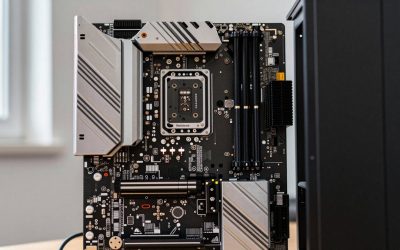
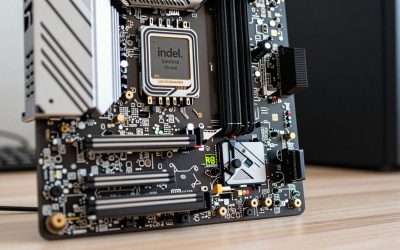
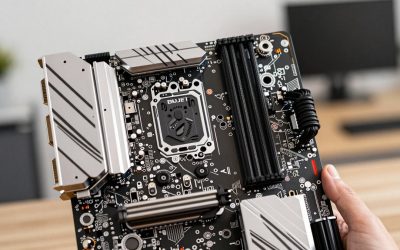
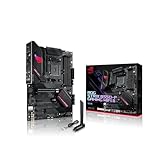
- Top Pick: ASRock B550M-HDV Socket AM4 Micro-ATX Motherboard, Supports AMD Ryzen 5000/4000/3000 Series Processors, DDR4 4733+(OC), PCIe 4.0, Gigabit LAN
- Best Value: MSI A520M-A PRO Gaming Motherboard (AMD Ryzen 5000, AM4, DDR4, PCIe 3.0, SATA 6Gb/s, M.2, USB 3.2 Gen 1, DVI/HDMI, Micro-ATX)
- Premium Choice: ASRock A620AM-X WiFi Micro-ATX Motherboard | AMD AM5 Socket | Supports Ryzen 9000/8000/7000 | DDR5 8000+ OC | WiFi 5 | 2.5G LAN | BIOS Flashback
Best Budget Motherboards Under $150 in 2026
The best budget motherboards under $150 in 2026 are the ASRock B650M Pro RS for value, MSI PRO B650-S WIFI for a balanced ATX build, and MSI PRO B760-P WiFi DDR4 for an affordable Intel system that reuses existing DDR4 memory.
At this price, the chipset matters less than the complete platform. A board with a modern socket, adequate VRM cooling, two usable M.2 slots, four DIMM slots, and a realistic upgrade path can be a better buy than a cheaper model with a longer feature list but weaker power delivery or poor expansion layout.
As an Amazon Associate we earn from qualifying purchases at no extra cost to you.


Quick comparison
| Motherboard | Platform | Memory | Expansion and storage | Typical market range | Best for |
|---|---|---|---|---|---|
| ASRock B650M Pro RS | AMD AM5, B650 | DDR5, 4 DIMM slots | PCIe 4.0 graphics slot, multiple M.2 slots, micro-ATX | Usually $120–$150 | Low-cost Ryzen gaming PCs |
| MSI PRO B650-S WIFI | AMD AM5, B650 | DDR5, 4 DIMM slots | ATX layout, PCIe 4.0 graphics support, two or more M.2 slots, Wi-Fi | Usually $130–$150 | Balanced AM5 builds |
| Gigabyte B650 Eagle AX | AMD AM5, B650 | DDR5, 4 DIMM slots | ATX layout, PCIe 4.0 graphics support, several M.2 positions, Wi-Fi | Usually $140–$150 | Builders wanting connectivity and expansion |
| MSI PRO B760-P WiFi DDR4 | Intel LGA1700, B760 | DDR4, 4 DIMM slots | ATX layout, PCIe 4.0 graphics support, multiple M.2 slots, Wi-Fi | Usually $120–$150 | Reusing DDR4 memory |
| ASRock B760M Pro RS/D4 | Intel LGA1700, B760 | DDR4, 4 DIMM slots | Micro-ATX, PCIe 4.0 graphics support, M.2 storage | Usually $100–$130 | Compact Intel systems |
Best AMD AM5 choices under $150
ASRock B650M Pro RS: best value for a Ryzen gaming build
The ASRock B650M Pro RS is one of the strongest choices when the goal is to spend as little as possible without abandoning AMD’s AM5 platform. It supports DDR5, includes four memory slots, and provides the basic PCIe and M.2 connectivity needed for a modern gaming PC.
Its micro-ATX format is useful in compact cases, but it leaves less physical room around the expansion slots than an ATX motherboard. Check the layout if you plan to install a large graphics card, a capture card, a sound card, or several PCIe expansion devices.
The board makes the most sense with processors such as the Ryzen 5 7600, Ryzen 5 7600X, or similar mid-range AM5 chips. It can also run stronger processors with appropriate BIOS support, although a budget board should not be selected for a high-power CPU unless its VRM heatsinks and case airflow are adequate.
MSI PRO B650-S WIFI: the balanced ATX option
The MSI PRO B650-S WIFI is a better fit for a conventional mid-tower build. Its ATX format generally provides more convenient spacing for expansion cards, additional headers, and storage devices. Integrated Wi-Fi also avoids spending another $25–$50 on an adapter or adding a card that could block airflow around the graphics card.
Its most important advantage is upgrade value. AM5 supports DDR5 and has a longer forward-looking CPU path than LGA1700. A buyer who starts with a six-core Ryzen processor can later move to a faster AM5 chip without replacing the motherboard and memory, provided the board receives the required BIOS support.
Gigabyte B650 Eagle AX: connectivity and expansion priority
The Gigabyte B650 Eagle AX is worth considering when wireless networking, multiple M.2 drives, and a full-size ATX layout matter more than absolute minimum cost. It is a sensible middle ground for a gaming and productivity PC with one graphics card, two NVMe drives, and several USB devices.
Before buying, confirm the exact board revision and the storage-sharing rules in its manual. Some motherboards disable or reduce the availability of a SATA port or PCIe slot when a particular M.2 socket is populated. That is normal chipset design, but it can affect a build with several older SATA drives.
Best Intel choices under $150
MSI PRO B760-P WiFi DDR4: best for reusing existing memory
The MSI PRO B760-P WiFi DDR4 is attractive when you already own a 32GB DDR4 kit. Avoiding a new DDR5 kit can save roughly $50–$100, which may buy a faster graphics card instead. The board provides four DIMM slots, useful M.2 storage support, an ATX layout, and integrated Wi-Fi.
Its limitation is platform longevity. LGA1700 supports Intel 12th-, 13th-, and 14th-generation desktop processors, but it does not offer the same forward CPU-upgrade expectation as a new AM5 build. It is therefore strongest as a cost-controlled system built around a Core i5 processor, rather than as the foundation for repeated future upgrades.
ASRock B760M Pro RS/D4: compact and inexpensive
The ASRock B760M Pro RS/D4 is a practical micro-ATX option for a Core i5 gaming computer using DDR4. It keeps the platform cost low and fits smaller cases, while retaining four memory slots and modern NVMe support.
Choose it when you need a compact system and do not expect to install several expansion cards. Micro-ATX boards can place the secondary slot very close to a thick graphics card, so measure the graphics card’s slot thickness before planning a Wi-Fi, capture, or sound card.
How the chipsets differ at this price
- AMD B650: supports AM5 processors and DDR5 memory. It is usually the better long-term choice for a new build. PCIe 4.0 graphics and NVMe support are common, while the exact number of lanes and USB ports depends on the motherboard.
- Intel B760: supports 12th-, 13th-, and 14th-generation Intel desktop processors. It does not permit traditional CPU multiplier overclocking, but memory overclocking through XMP is supported on suitable boards. DDR4 and DDR5 versions are separate products, not interchangeable.
- B650E and Z790: these can offer extra PCIe or overclocking features, but models under $150 are less common. Do not pay for a premium chipset if your graphics card and storage do not need those features.
A PCIe 4.0 graphics slot is sufficient for current mainstream gaming. Even a high-end PCIe 4.0 graphics card typically loses little performance when installed in a PCIe 4.0 x16 slot. For most buyers, VRM cooling, memory compatibility, and M.2 placement are more important than chasing PCIe 5.0 on a budget board.
VRM quality: what to look for
Voltage-regulator specifications are often presented as a phase-count contest, but phase numbers alone do not establish quality. Look for substantial heatsinks covering the CPU power stages, a reasonable board layout, and reviews or manufacturer documentation that identify the power-stage rating. A 12+2+1 design with small uncovered components may be less useful than a simpler design with large heatsinks and good airflow.
For a Ryzen 5 7600, Ryzen 7 7700, or Core i5-class processor, the boards listed above generally provide enough power delivery when operated within their normal limits. A high-end processor running sustained all-core workloads is a different requirement. If rendering, compiling, or video encoding is a major use case, choose a board with larger heatsinks and a case with at least two intake fans and one exhaust fan.
RAM support and a practical memory calculation
For a new AM5 system, 32GB is the sensible starting point: two 16GB DDR5 modules leave two slots available for a future upgrade. A typical gaming and multitasking workload might use 12–18GB, while modern games, browsers, voice chat, and background applications can push usage beyond 20GB. A 16GB kit works for a strict budget, but it gives less headroom.
Two modules are usually easier for the memory controller than four. For example, DDR5-6000 using two modules can often be configured more easily than four modules at the same advertised speed. Enable the board’s EXPO profile for compatible AMD memory, or XMP for compatible Intel memory, then test stability. If the system fails to boot, reduce the memory speed one step rather than immediately increasing voltage.
Decision matrix: which board fits your situation?
| Your priority | Recommended direction | Reason |
|---|---|---|
| New build with future CPU upgrades | AM5 B650 | DDR5 platform and a stronger upgrade path |
| You already own 32GB DDR4 | B760 DDR4 | Avoids the cost of replacing usable memory |
| Small case | Micro-ATX B650M or B760M | Shorter board fits more compact chassis |
| Two NVMe drives and several expansion cards | ATX B650 or B760 | More physical spacing and easier cable management |
| Wireless networking required | Wi-Fi version of the selected board | Usually cheaper and cleaner than adding a separate adapter |
| High-end CPU with sustained heavy workloads | Board with larger VRM heatsinks, even above $150 if necessary | Better thermal headroom and fewer power-limit compromises |
Buying checklist
- Confirm the socket: AM5 for Ryzen 7000-series and newer compatible AM5 processors; LGA1700 for Intel 12th-, 13th-, and 14th-generation desktop processors.
- Match the memory type exactly. DDR4 and DDR5 cannot be mixed, even when the processor supports both on different motherboard versions.
- Check whether the motherboard includes Wi-Fi and Bluetooth if you need them.
- Verify BIOS support for the processor, especially with older stock or a recently released CPU.
- Count M.2 slots and read the lane-sharing notes if you will use SATA drives or PCIe expansion cards.
- Make sure the rear I/O includes the video output, USB ports, and networking connection your build requires.
For most new gaming PCs under this budget, the ASRock B650M Pro RS is the value pick, the MSI PRO B650-S WIFI is the most balanced AM5 choice, and the MSI PRO B760-P WiFi DDR4 is the sensible Intel option when DDR4 memory is already available. Spend more only when you need a stronger VRM, more high-speed storage, additional expansion bandwidth, or a specific connectivity feature.