

- Top Pick: ARCTIC MX-4 (4 g) – Premium Performance Thermal Paste for All Processors
- Best Value: ARCTIC MX-7 (4 g) – Ultimate Performance Thermal Paste, Long Durability
- Premium Choice: Thermal Grizzly Kryonaut – 1 Gram – Extremely High Performance Thermal Paste + 12 Cleaning Wipes 6 Wet & 6 Dry – for Demanding Applications and Overclocking CPU/GPU/PS4/PS5/Xbox
🛒 Best Price Today on Amazon
Prime members get fast, free shipping on everything above, plus member-only deals. New members get a 30-day free trial — cancel anytime.
Top Thermal Paste Cad Picks for 2026
Here are our current top thermal paste cad picks, compared on real Amazon owner reviews, price, and features. Live prices update below.
As an Amazon Associate we earn from qualifying purchases at no extra cost to you.


CAD work is hard on a workstation in a quiet, relentless way. Rebuilding a complex assembly, running a simulation, or rendering a photoreal view keeps the CPU and often the GPU under sustained load, generating heat that has to travel from the chip into the cooler. Thermal paste is the thin but critical layer that makes that transfer efficient, and on a machine you depend on for professional work, two things matter most: that the paste performs well under prolonged load, and that it keeps doing so for years without drying out. This guide rounds up the best thermal paste for CAD in 2026, prioritising proven, reliable workstation compounds rather than chasing extreme overclocking numbers.
Our picks were chosen on what genuinely matters for a CAD workstation: sustained thermal performance, long-term stability and longevity, ease and safety of application — including whether the paste is electrically non-conductive — and value. We have included trusted all-rounders, a high-performance enthusiast paste, a professional-grade compound and a couple of budget options, with prices from around $5 up to around $15. We do not quote invented temperature figures; instead we describe each paste’s character and fit. Below is an at-a-glance comparison of all six, then a closer look at each and a buyer’s guide built around performance, longevity and safe application for a workstation you rely on.
Best Thermal Paste for CAD at a Glance
| Thermal Paste | Best For | Standout Spec | Approx Price |
|---|---|---|---|
| ARCTIC MX-4 (4 g) | Best reliable workstation all-rounder | Non-conductive, long-life | around $9 |
| Noctua NT-H1 (3.5 g) | Pro-grade dependable application | Non-conductive, easy to apply | around $9 |
| Thermal Grizzly Kryonaut (1 g) | Peak performance under load | High-performance, non-conductive | around $9 |
| ARCTIC MX-4 with Spatula (4 g) | Easy first-time application | Includes spatula, non-conductive | around $5 |
| Corsair TM30 Performance | Budget low-impedance pick | Low thermal impedance, value | around $8 |
| Arctic Silver 5 (3.5 g) | Legacy high-conductivity paste | Silver-based, high conductivity | around $15 |
1. ARCTIC MX-4 (4 g) – Premium Performance Thermal Paste for All Processors

ARCTIC MX-4 (4 g) - Premium Performance Thermal Paste for All Processors




As an Amazon Associate we earn from qualifying purchases. Product prices and availability are accurate as of the date/time indicated.
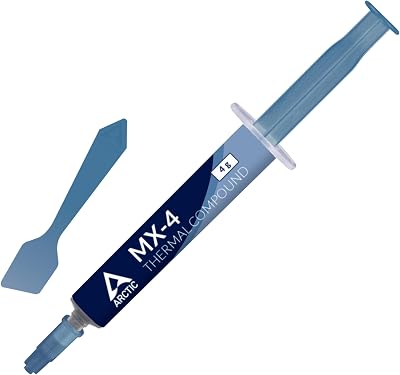
The ARCTIC MX-4 is the best all-round pick for a CAD workstation and the one to lead with. It is one of the most trusted thermal pastes in the world, prized for strong, consistent performance, a famously long service life, and the fact that it is electrically non-conductive — so a little excess will not short out components. At around $9 for a generous 4g tube, it is reliable, safe and excellent value for a machine you depend on.
For CAD this is exactly the right priority set. The MX-4 transfers heat efficiently under the sustained loads that modelling, simulation and rendering generate, and it is renowned for staying stable for many years without drying out or needing reapplication — ideal for a workstation you would rather not open up often. Its non-conductive formula and smooth, easy-to-spread consistency make application low-risk even if you are not a seasoned builder. For a dependable, long-lasting, safe paste that simply works on a professional rig, the MX-4 is the obvious starting point.
Pros: Excellent reliability, very long service life, non-conductive and safe, easy to apply, great value.
Cons: Not the absolute peak performer for extreme overclocking — but ideal for stable workstation use.
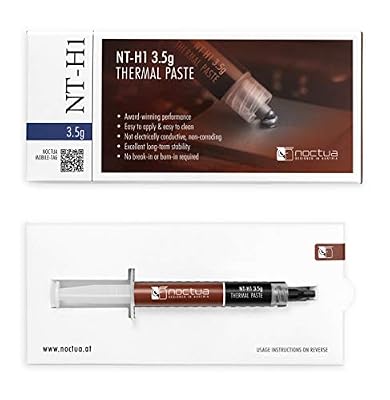
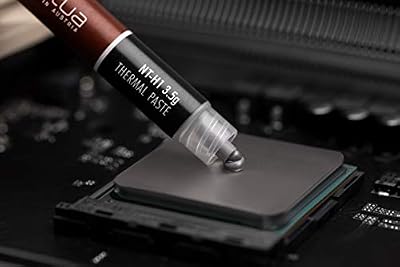
2. Noctua NT-H1 3.5g, Pro-Grade Thermal Compound Paste

Noctua NT-H1 3.5g, High-Performance Thermal Paste | High-Performance, Easy to Apply and Clean, Good Long-term Stability, for 3-20 Applications


As an Amazon Associate we earn from qualifying purchases. Product prices and availability are accurate as of the date/time indicated.
The Noctua NT-H1 is the pro-grade dependable pick. From a brand synonymous with quality cooling, it is a professional-grade compound known for being extremely forgiving to apply, electrically non-conductive and non-corroding, and rock-solid over a long service life. At around $9 it is a favourite of system builders who value consistency and peace of mind on machines that must keep running.
This is the paste for the CAD user who wants a foolproof, set-and-forget application on a workstation. The NT-H1 spreads easily and performs strongly under the prolonged loads of rendering and simulation, and its non-conductive, non-curing formula means there is no risk to components and no awkward burn-in period before it reaches full performance. Noctua’s reputation for reliability is well earned, and this compound embodies it. For a dependable, easy-to-use, professional-grade paste on a workstation you cannot afford to have throttling, the NT-H1 is a superb choice.

Pros: Pro-grade reliability, very easy and forgiving to apply, non-conductive, no burn-in needed.
Cons: Performance is excellent but not chart-topping for extreme overclockers.
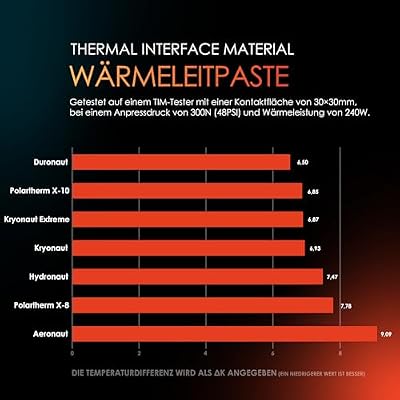
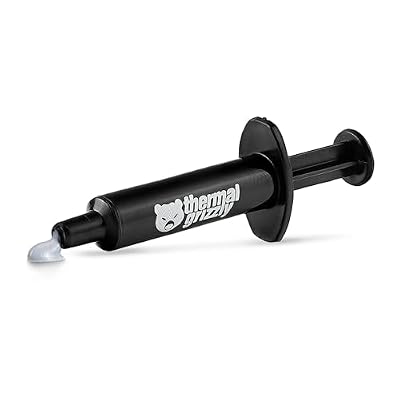
3. Thermal Grizzly Kryonaut – 1 Gram – Extremely High Performance Thermal Paste

Thermal Grizzly Kryonaut 1 g Thermal Paste CPU GPU Overclocking | High-Performance Thermal Paste, for overclocking, non-curing, electrically non-conductive, high long-term stability





As an Amazon Associate we earn from qualifying purchases. Product prices and availability are accurate as of the date/time indicated.
The Thermal Grizzly Kryonaut is the peak-performance pick for a CAD workstation that runs especially hot. It is a renowned high-performance compound favoured by overclockers and enthusiasts for its excellent heat transfer, and it is electrically non-conductive. At around $9 for a 1g tube it is the choice when you want to extract the lowest temperatures from a high-wattage CPU or GPU under heavy sustained load.
This is the paste for the demanding user with a powerful, hot-running workstation chip who wants every degree of thermal headroom during long rendering or simulation sessions. Kryonaut is engineered for top-tier performance and holds up well across a wide temperature range, making it a strong match for high-core-count or overclocked processors that push a cooler hard. It is non-conductive, so application is low-risk. If you have a hot chip and want maximum cooling performance from your paste — and do not mind reapplying a little sooner than ultra-long-life pastes — Kryonaut is the high-performance pick.
Pros: Top-tier heat transfer, ideal for hot or overclocked chips, non-conductive, wide temperature range.
Cons: Smaller 1g tube; can need reapplication sooner than ultra-long-life pastes like MX-4.
4. ARCTIC MX-4 (incl. Spatula, 4 g) – Premium Performance Thermal Paste


As an Amazon Associate we earn from qualifying purchases. Product prices and availability are accurate as of the date/time indicated.
This is the ARCTIC MX-4 bundled with an application spatula, making it the easiest first-time-application pick. It is the same excellent, non-conductive, long-life MX-4 compound as our top choice, but the included spatula helps you spread an even layer — handy if you prefer the spread method or are applying paste for the first time. At around $5 it is also the cheapest way into the MX-4 here.
This is the paste for the CAD user who wants the proven reliability of MX-4 with a little extra help applying it cleanly. You get the same strong sustained performance and famously long service life that make MX-4 ideal for a workstation, plus the spatula for a tidy, even application that maximises contact with the cooler. Its non-conductive formula keeps the process low-risk. For someone new to applying thermal paste, or anyone who simply likes the spread method, this MX-4-with-spatula bundle is a smart, value-packed choice that does not compromise on the compound itself.

Pros: Same trusted long-life MX-4, included spatula for easy even spreading, non-conductive, lowest price.
Cons: Spread method takes a little practice; the compound itself is identical to plain MX-4.
5. Corsair TM30 Performance Thermal Paste, Ultra-Low Thermal Impedance

Corsair TM30 Performance Thermal Paste | Ultra-Low Thermal Impedance CPU/GPU | 3 Grams|w/applicator, Silver for Desktop


As an Amazon Associate we earn from qualifying purchases. Product prices and availability are accurate as of the date/time indicated.
The Corsair TM30 is the budget low-impedance pick. It is a performance thermal compound engineered for ultra-low thermal impedance between a CPU or GPU and its cooler, from a brand most builders already know and trust. At around $8 it is an affordable, capable paste for a CAD workstation where you want solid performance without paying a premium.
This is the paste for the value-minded CAD user who wants dependable heat transfer on a budget. The TM30’s low thermal impedance helps move heat efficiently from the chip during the sustained loads CAD work produces, and Corsair’s manufacturing pedigree lends confidence in its consistency. It is a straightforward, no-drama compound that does its job at a fair price. While it may not match the longevity reputation of the MX-4 or the peak performance of Kryonaut, as an affordable, capable paste for a reliable workstation, the TM30 is a sensible, budget-friendly option.
Pros: Affordable, low thermal impedance, trusted Corsair brand, capable everyday performance.
Cons: Less of a long-life or peak-performance reputation than MX-4 or Kryonaut.
6. Arctic Silver 5 AS5-3.5G Thermal Paste

Arctic Silver 5 AS5-3.5G Thermal Paste,Black, Grey | NBR Material, 12mm Inner Diameter, 2mm Thickness, Spare Gasket


As an Amazon Associate we earn from qualifying purchases. Product prices and availability are accurate as of the date/time indicated.
Rounding out the list is Arctic Silver 5, the legacy high-conductivity pick and a long-famous name in thermal compounds. It is a silver-based paste with a high metal content that delivers strong heat transfer, and at around $15 it is the priciest option here. We include it honestly, with an important caveat about how it behaves that sets it apart from the others.
This is the paste for the user who specifically wants Arctic Silver 5’s well-known high-conductivity formula, but it comes with two practical notes a CAD professional should weigh. First, because it is silver-based and contains trace metals, it is slightly electrically capacitive — not as forgiving of sloppy application as the fully non-conductive pastes above, so apply it carefully and avoid contact with pins or traces. Second, it has a cure or burn-in period of some hours of use before it reaches full performance. It is a capable, proven compound, but for most workstation users a non-conductive, no-burn-in paste like the MX-4 or NT-H1 is the simpler, lower-risk choice.
Pros: Proven high-conductivity silver-based formula, strong heat transfer, long-standing reputation.
Cons: Slightly capacitive (apply carefully), needs a cure/burn-in period, priciest here.
How to Choose Thermal Paste for CAD
For a CAD workstation, prioritise sustained performance and longevity over headline overclocking numbers. CAD loads — large assembly rebuilds, simulations and rendering — keep the CPU and GPU under prolonged heat, so you want a paste that transfers heat efficiently and, crucially, keeps doing so for years without drying out. This is exactly why the ARCTIC MX-4 is our lead pick: its combination of strong sustained performance and a famously long service life suits a machine you rely on and would rather not re-paste often. A pro compound like the Noctua NT-H1 shares that set-and-forget reliability.
Pay close attention to electrical conductivity, because on a workstation safe application matters more than squeezing out the last degree. Non-conductive pastes — the MX-4, NT-H1, Kryonaut and TM30 here — will not short components if a little excess strays onto the board, which makes them forgiving and low-risk to apply. By contrast, a silver-based, slightly capacitive paste like Arctic Silver 5 demands more careful application near pins and traces. For most CAD users, a non-conductive compound is the smarter, safer default.
Consider ease of application and whether a paste needs a burn-in period. Some compounds spread easily and hit full performance immediately, like the Noctua NT-H1, while the MX-4-with-spatula bundle adds a tool to help newcomers lay down an even layer. Others, notably Arctic Silver 5, require a cure or burn-in period of several hours of use before reaching peak performance. If you want to apply paste once and get straight to work, favour an easy-to-apply, no-burn-in compound — a real convenience on a workstation you are eager to put back into service.
Finally, match performance tier and budget to how hard your machine runs. A trusted all-rounder like the MX-4 or NT-H1 is the right call for the vast majority of CAD workstations, balancing performance, longevity and safety. If your CPU or GPU runs especially hot or is overclocked, a peak-performance paste like Thermal Grizzly Kryonaut wrings out extra headroom. On a tighter budget, the Corsair TM30 or the value MX-4-with-spatula bundle deliver capable, reliable cooling for less. Decide how hot your chip runs, prioritise non-conductive reliability, and pick the paste on this list that keeps your workstation cool and stable.
Frequently Asked Questions
Which thermal paste is best for a CAD workstation?
For most CAD workstations the ARCTIC MX-4 is the best choice. It combines strong sustained performance with a famously long service life and a non-conductive formula that is safe and easy to apply, which is exactly what you want on a reliable professional machine. The Noctua NT-H1 is an equally dependable pro-grade alternative, and the Thermal Grizzly Kryonaut is the pick if your chip runs especially hot.
Does thermal paste need to be non-conductive?
It is strongly preferable on a workstation. A non-conductive paste like the MX-4, NT-H1, Kryonaut or Corsair TM30 will not short out components if a small amount strays onto the board, making application far more forgiving and low-risk. Silver-based compounds such as Arctic Silver 5 are slightly electrically capacitive and need more careful application near pins and traces, so for most users a non-conductive paste is the safer default.
How often should I reapply thermal paste on a workstation?
With a long-life, high-quality paste like the ARCTIC MX-4 or Noctua NT-H1, you can typically go several years before reapplication is needed, which is ideal for a CAD machine you would rather not open often. Peak-performance pastes such as Thermal Grizzly Kryonaut may benefit from somewhat more frequent reapplication. Reapply sooner if you notice rising temperatures or after removing and reseating your cooler.
What does it mean that a paste needs a ‘cure’ or burn-in period?
Some compounds, most notably Arctic Silver 5, reach their best performance only after several hours of normal use, as the paste settles and cures between the chip and cooler. Pastes like the Noctua NT-H1 and ARCTIC MX-4 do not require this and perform at their best essentially right away, which is more convenient when you want to apply paste and get a workstation straight back into service.
Related Guides
- Best CPU Coolers
- Best CPUs for Gaming and Work
- Best GPUs for Your Build
- Best Case Fans
- Best PC Cases for Airflow
- Best Gaming PCs
Affiliate Disclosure: As an Amazon Associate, we earn from qualifying purchases. If you click a link and make a purchase, we may earn a small commission at no extra cost to you. Prices and availability are accurate as of publication and may change.













