

- Top Pick: AMD Radeon Pro W7500 Graphic Card – 8 GB GDDR6 – Full-Height, Desktop, DisplayPort Video Output Interface
- Best Value: AMD Radeon™ Pro W7900, Professional Graphics Card, Workstation, AI, 3D Rendering, 48GB GDDR6, AV1, 61 TFLOPS, 96CUS, 295W TDP, 8K, 1x Mini DisplayPort, 3 x DisplayPort™ 2.1
- Premium Choice: PNY NVIDIA Quadro K2200 Graphics Cards VCQK2200-PB (Renewed)
For CAD and 3D modelling, the graphics card is judged on different criteria than for gaming. What matters most is VRAM — enough video memory to hold large assemblies, dense meshes and high-resolution textures — and smooth viewport performance so you can rotate, pan and manipulate complex models without lag. Raw gaming frame rates are largely beside the point; a CAD GPU lives or dies by how much it can hold in memory and how fluidly it drives the viewport. This guide rounds up the best CAD GPUs in 2026, spanning a true professional workstation card and a range of high-VRAM consumer options, with honest notes on which cards are genuinely suited to heavy CAD work.
- Best CAD GPUs at a Glance
- 1. NVIDIA RTX PRO 4000 SFF Blackwell 24GB GDDR7 ECC, PCIe 5.0
- 2. GIGABYTE Radeon RX 9060 XT Gaming OC ICE 16G Graphics Card, 16GB GDDR6
- 3. Gigabyte Radeon RX 9060 XT Gaming OC 16G Graphics Card, 16GB GDDR6
- 4. PNY NVIDIA GeForce RTX 5070 Epic-X ARGB OC Triple Fan, 12GB GDDR7
- 5. MSI Gaming GeForce RTX 3060 12GB GDDR6 192-Bit Graphics Card
- 6. msi Gaming GeForce RTX 4060 8GB GDDR6 Graphics Card
- How to Choose a CAD GPU
- Frequently Asked Questions
- Related Guides
- Related Articles
Our picks were chosen on what genuinely serves CAD and 3D work: VRAM capacity for large models, viewport-friendly architecture, professional features such as ECC memory where relevant, and value across very different price tiers. We have included one dedicated pro card and several consumer GPUs, with prices from around $399 up to a workstation card at around $2,047, and we are candid where a card’s limited memory makes it better for lighter CAD than for heavy assemblies. Below is an at-a-glance comparison of all six, then a closer look at each and a buyer’s guide built around VRAM, viewport performance and the pro-versus-gaming question.
As an Amazon Associate we earn from qualifying purchases at no extra cost to you.


🛒 Best Price Today on Amazon
Prime members get fast, free shipping on everything above, plus member-only deals. New members get a 30-day free trial — cancel anytime.
Best CAD GPUs at a Glance
| Graphics Card | Best For | Standout Spec | Approx Price |
|---|---|---|---|
| NVIDIA RTX PRO 4000 SFF Blackwell | Professional CAD workstation | 24GB GDDR7 ECC, pro-grade | around $2,047 |
| GIGABYTE Radeon RX 9060 XT Gaming OC ICE 16G | High-VRAM value CAD | 16GB GDDR6, modern arch | around $470 |
| Gigabyte Radeon RX 9060 XT Gaming OC 16G | 16GB CAD on a budget | 16GB GDDR6, viewport headroom | around $460 |
| PNY NVIDIA GeForce RTX 5070 Epic-X 12GB | Modern NVIDIA viewport | 12GB GDDR7, current-gen RTX | around $633 |
| MSI GeForce RTX 3060 12GB | Entry CAD with 12GB | 12GB GDDR6, 192-bit | around $399 |
| msi GeForce RTX 4060 8GB | Light CAD / hobby modelling | 8GB GDDR6, efficient | around $570 |
1. NVIDIA RTX PRO 4000 SFF Blackwell 24GB GDDR7 ECC, PCIe 5.0

NVIDIA RTX PRO 4000 SFF Blackwell 24GB GDDR7 ECC - PCIe 5.0x8, 4X mDP 2.1b, Low-Profile Dual-Slot AI Workstation GPU Retail


As an Amazon Associate we earn from qualifying purchases. Product prices and availability are accurate as of the date/time indicated.
The NVIDIA RTX PRO 4000 SFF Blackwell is the standout pick for serious CAD work because it is a genuine professional workstation card, not a repurposed gaming GPU. It carries a generous 24GB of GDDR7 memory with ECC (error correcting) support, a small-form-factor Blackwell design, PCIe 5.0 connectivity and four Mini DisplayPort 2.1b outputs. At around $2,047 it is by far the most expensive card here, and that price buys professional-grade capability.
For CAD and 3D modelling, this card is in a different league. The 24GB of VRAM comfortably holds the large assemblies, dense meshes and detailed textures that overwhelm consumer cards, the ECC memory guards against data errors during long professional sessions where accuracy is critical, and the workstation design is built for the certified drivers and viewport stability that professional CAD applications reward. The four Mini DisplayPort outputs suit a multi-monitor design setup. If CAD is your profession and you need reliable, high-capacity workstation graphics, this is the clear choice.
Pros: True pro workstation card, 24GB GDDR7 ECC, multi-monitor outputs, built for CAD reliability.
Cons: By far the most expensive here; overkill and poor value for hobby or light CAD use.
2. GIGABYTE Radeon RX 9060 XT Gaming OC ICE 16G Graphics Card, 16GB GDDR6

GIGABYTE Radeon RX 9060 XT Gaming OC 16G Graphics Card, PCIe 5.0, 16GB GDDR6, GV-R9060XTGAMING OC-16GD Video Card




As an Amazon Associate we earn from qualifying purchases. Product prices and availability are accurate as of the date/time indicated.
The GIGABYTE RX 9060 XT Gaming OC ICE 16G is the high-VRAM value pick for CAD, and it is the smarter of the two near-identical 9060 XT cards on this list thanks to its ‘ICE’ cooler. It pairs 16GB of GDDR6 memory with a modern Radeon architecture, giving CAD users a generous memory pool at a consumer price. At around $470 it offers far more VRAM per dollar than the pricier NVIDIA consumer cards here.
For CAD on a budget, the 16GB of VRAM is the headline. That capacity lets you load reasonably large models, assemblies and textures without constantly running out of memory — the single most common bottleneck for consumer cards in CAD — and the modern architecture drives the viewport smoothly for manipulating complex scenes. The ICE cooling keeps the card running quietly and at lower temperatures during long modelling sessions. For a CAD user or 3D hobbyist who wants ample memory and viewport headroom without paying for a professional card, this is an excellent-value choice.
Pros: Generous 16GB VRAM for the price, modern architecture, cooler ICE design, strong value.
Cons: Consumer card without certified pro drivers or ECC; gaming-oriented support.
3. Gigabyte Radeon RX 9060 XT Gaming OC 16G Graphics Card, 16GB GDDR6
The Gigabyte RX 9060 XT Gaming OC 16G is the 16GB-CAD-on-a-budget pick, the standard Gaming OC version of the card above. It offers the same core appeal — 16GB of GDDR6 memory on a modern Radeon architecture — at a slightly lower price of around $460, making it the most affordable route to a large 16GB memory pool for CAD on this list.
For CAD and 3D work, this card delivers the same fundamental advantage as its ICE sibling: 16GB of VRAM that comfortably holds larger models and assemblies than the 8GB and 12GB consumer cards here, paired with a modern architecture that keeps the viewport fluid while you rotate and edit complex geometry. The standard Gaming OC cooler is perfectly capable, and the small saving over the ICE version makes it the value-first choice if cooler acoustics and temperatures are less of a priority for you. For maximum VRAM per dollar in a consumer CAD card, it is a smart pick.
Pros: 16GB VRAM at the lowest price among the high-memory cards, modern architecture, good value.
Cons: Consumer card without pro certification or ECC; standard cooler over the ICE design.
4. PNY NVIDIA GeForce RTX 5070 Epic-X ARGB OC Triple Fan, 12GB GDDR7

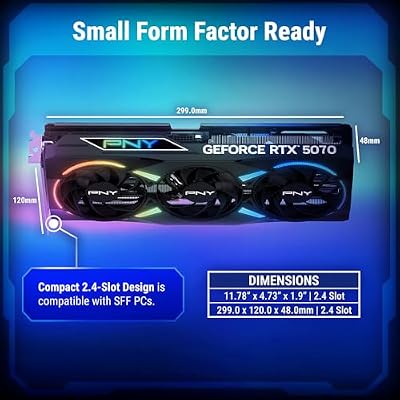
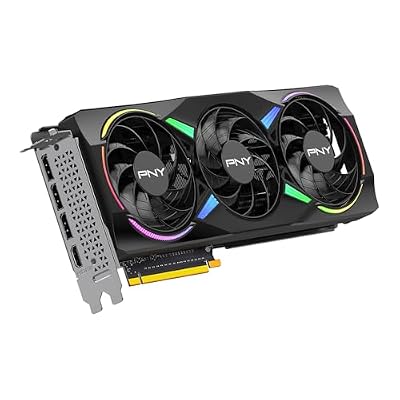
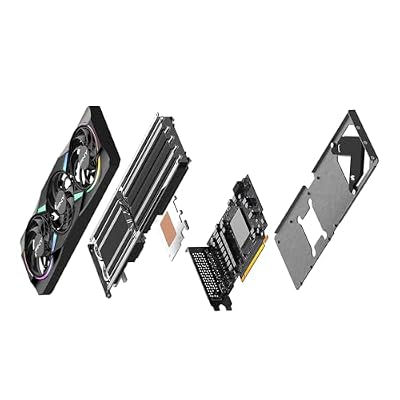
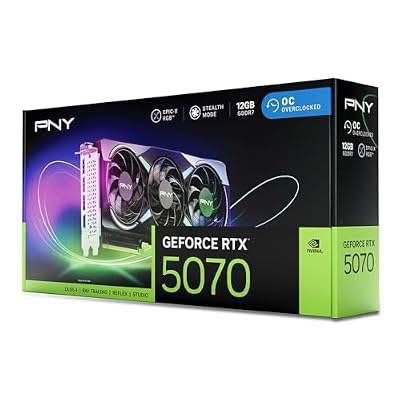
PNY NVIDIA GeForce RTX™ 5070 EPIC-X RGB® OC Triple-Fan Graphics Card | 12GB GDDR7, 192-bit, Boost: 2685 MHz, SFF-Ready, PCIe® 5.0, HDMI®/DP 2.1, 2.4-Slot, NVIDIA Blackwell Architecture, DLSS 5






As an Amazon Associate we earn from qualifying purchases. Product prices and availability are accurate as of the date/time indicated.
The PNY RTX 5070 Epic-X is the modern NVIDIA viewport pick. It is a current-generation RTX card with 12GB of fast GDDR7 memory, a triple-fan cooler and ARGB lighting, bringing NVIDIA’s latest architecture to CAD users who prefer the NVIDIA ecosystem and its broad software support. At around $633 it sits in the upper-mid consumer tier here.
For CAD and 3D modelling, the RTX 5070’s strength is its modern NVIDIA architecture and fast GDDR7 memory, which drive a smooth, responsive viewport and are well supported across professional creative and design software. The 12GB of VRAM is enough for many CAD workloads and a good deal of 3D work, though it is a step below the 16GB Radeon cards for the very largest assemblies. NVIDIA’s wide application compatibility is a genuine plus for mixed CAD-and-rendering pipelines. For a CAD user who wants current-gen NVIDIA performance and ecosystem support with solid viewport capability, it is a strong consumer choice.
Pros: Current-gen NVIDIA architecture, fast 12GB GDDR7, smooth viewport, broad software support.
Cons: 12GB VRAM trails the 16GB Radeon cards for very large CAD assemblies.
5. MSI Gaming GeForce RTX 3060 12GB GDDR6 192-Bit Graphics Card

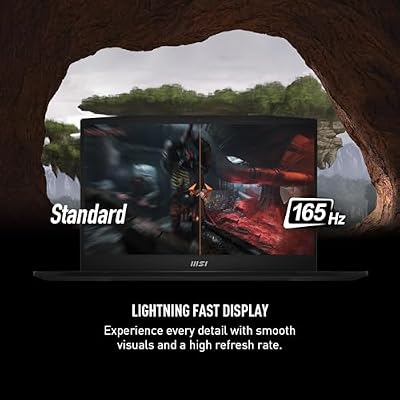
msi Katana 15 15.6” 165Hz QHD Gaming Laptop: Intel Core i7-13620H, NVIDIA Geforce RTX 4070, 16GB DDR5, 1TB NVMe SSD, Cooler Boost 5, Win 11: Black B13VGK-2000US



As an Amazon Associate we earn from qualifying purchases. Product prices and availability are accurate as of the date/time indicated.
The MSI RTX 3060 12GB is the entry CAD pick with a useful memory buffer. Although it is a previous-generation card, its 12GB of GDDR6 VRAM on a 192-bit bus has long made it a quiet favourite for memory-sensitive work like CAD, where capacity can matter more than raw gaming speed. At around $399 it is the most affordable card here and an accessible entry into 12GB-class graphics.
For CAD, the RTX 3060’s 12GB of VRAM is the reason it earns a place. That buffer is noticeably more generous than the 8GB found on many similarly priced or even newer cards, letting you load larger models and assemblies than memory alone would otherwise allow, and NVIDIA’s broad software support helps in professional design applications. The viewport performance is dependable for entry and mid-level CAD work, even if it cannot match the latest architectures. For a budget CAD or 3D user who wants 12GB of memory on a trusted card without overspending, the RTX 3060 remains a sensible pick.
Pros: 12GB VRAM at the lowest price here, broad NVIDIA software support, dependable entry CAD card.
Cons: Previous-generation architecture; viewport speed trails current-gen cards.
6. msi Gaming GeForce RTX 4060 8GB GDDR6 Graphics Card

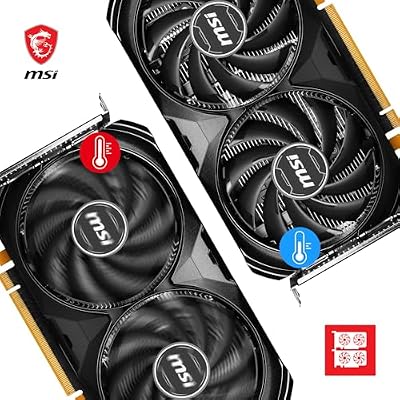
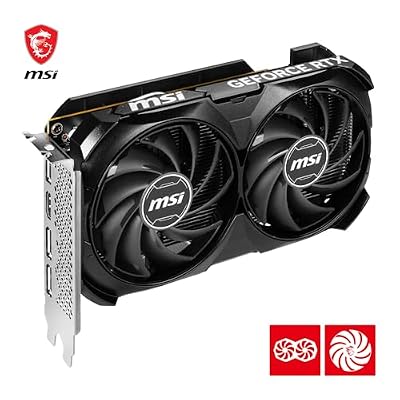
MSI GeForce RTX 4060 Ventus 2X Black 8G OC Gaming Graphics Card - 8GB GDDR6X, PCI Express Gen 4, 128-bit, 3X DP v 1.4a, HDMI 2.1a (Supports 4K & 8K HDR)



As an Amazon Associate we earn from qualifying purchases. Product prices and availability are accurate as of the date/time indicated.
Rounding out the list is the MSI RTX 4060 8GB, included with an honest caveat: it is a capable, efficient modern card, but its 8GB of VRAM makes it the lightest-duty CAD option here. It is a current-generation NVIDIA card with a compact, power-efficient design, and at around $570 it is priced for its gaming-card pedigree rather than its CAD memory capacity.
For CAD, it is important to be straight: 8GB of VRAM is the single biggest limitation for serious modelling, because large assemblies and dense textures can exhaust that buffer quickly. Where the RTX 4060 makes sense for CAD is light or hobby work — smaller models, 2D and entry 3D design, and learning — where its modern architecture and NVIDIA software support still drive a smooth viewport within the memory you have. For heavy CAD you would be better served by the 12GB and 16GB cards above; for occasional or beginner modelling on a modern, efficient card, the RTX 4060 can do the job, just within its memory limits.
Pros: Modern efficient NVIDIA architecture, smooth viewport for light models, broad software support.
Cons: Only 8GB VRAM — the key weakness for serious CAD; best for light or hobby modelling.
How to Choose a CAD GPU
Choosing a CAD GPU starts with VRAM, because video memory is the single most important spec for CAD and 3D work. Large assemblies, dense meshes and high-resolution textures all live in VRAM, and running out is the most common bottleneck that brings a viewport to a crawl. For lighter CAD, 12GB like the RTX 3060 or RTX 5070 is workable; for larger models, the 16GB Radeon RX 9060 XT cards give more comfortable headroom; and for professional assemblies, the 24GB of the RTX PRO 4000 is in another tier entirely. Buy as much VRAM as your models demand.
Viewport performance is the next consideration, and it comes from the GPU’s architecture rather than gaming frame rates. CAD work involves constantly rotating, panning and editing complex geometry, so you want a modern, capable architecture that drives the viewport smoothly under that load. A current-gen card like the RTX 5070 or the modern Radeon RX 9060 XT handles a busy viewport more fluidly than older silicon, which is worth weighing against raw memory capacity — the ideal CAD card balances generous VRAM with a recent, viewport-friendly architecture.
The professional-versus-gaming question is the big strategic decision. A true workstation card like the NVIDIA RTX PRO 4000, with ECC memory and a design built around certified professional drivers, offers stability, accuracy and application support that matter enormously if CAD is your livelihood — but it commands a steep price. Consumer gaming cards deliver far more raw capability per dollar and are excellent for students, hobbyists and many professionals, but lack ECC and certified driver guarantees. Decide honestly whether your work needs professional-grade reliability or whether a strong consumer card suffices.
Finally, match the card to your software, budget and the scale of your work. NVIDIA’s broad application compatibility (across the RTX 3060, 5070 and PRO 4000) is valuable for mixed CAD-and-rendering pipelines, while the Radeon RX 9060 XT cards win on VRAM per dollar. Be candid about an 8GB card like the RTX 4060: it is fine for light or hobby CAD but limiting for heavy assemblies. Set your budget, prioritise enough VRAM for your models, choose between pro and consumer based on your reliability needs, and pick the card on this list that fits how you actually work.
Frequently Asked Questions
How much VRAM do I need for CAD?
As much as your models demand — VRAM is the most important CAD GPU spec. For lighter CAD and entry 3D work, 12GB like the RTX 3060 or RTX 5070 is workable; for larger assemblies, the 16GB Radeon RX 9060 XT cards give more headroom; and for heavy professional models, the 24GB RTX PRO 4000 is in a different class. An 8GB card like the RTX 4060 is best reserved for light or hobby modelling, since large assemblies can exhaust that buffer quickly.
Do I need a professional workstation GPU for CAD?
Only if your work requires it. A true pro card like the NVIDIA RTX PRO 4000 offers ECC memory and certified professional drivers that deliver stability, accuracy and application support valuable for CAD as a profession — but at a steep price. For students, hobbyists and many working professionals, a strong consumer card such as the Radeon RX 9060 XT or RTX 5070 delivers far more capability per dollar and handles CAD well, just without the pro-grade guarantees.
Are gaming GPUs good for CAD and 3D modelling?
Yes, often very good, provided they have enough VRAM. Modern gaming cards like the Radeon RX 9060 XT (16GB) and RTX 5070 (12GB) offer strong viewport performance and broad software support at consumer prices, making them popular for CAD and 3D work. The main thing they lack versus a workstation card is ECC memory and certified drivers, which matter most for mission-critical professional use rather than general modelling.
Is more VRAM or a newer architecture more important for CAD?
VRAM usually comes first, because running out of video memory is the most common bottleneck in CAD and can stall a viewport entirely with large models. Once you have enough memory for your assemblies, a newer architecture — as in the RTX 5070 or the modern Radeon RX 9060 XT — improves how smoothly the viewport handles rotation and editing. The ideal CAD card balances generous VRAM with a recent, viewport-friendly architecture.
Related Guides
- Best GPUs for Your Build
- Best Workstation GPUs
- Best CPUs for CAD and 3D
- Best Monitors for CAD Work
- Best Workstation PC Builds
- Best Power Supplies for Your Build
Affiliate Disclosure: As an Amazon Associate, we earn from qualifying purchases. If you click a link and make a purchase, we may earn a small commission at no extra cost to you. Prices and availability are accurate as of publication and may change.










