

- Top Pick: CORSAIR Vengeance RGB PRO DDR4 RAM 32GB (2x16GB) 3200MHz CL16-20-20-38 1.35V Intel AMD Desktop Computer Memory – Black (CMW16GX4M2C3200C16)
- Best Value: Corsair Vengeance RGB RS DDR5 16GB (2 x 8GB) Up to 6000MHz AMD Intel RAM
- Premium Choice: G.SKILL Trident Z RGB Series DDR4 RAM (XMP) 32GB (2x16GB) Up to 3600MT/s* CL18-22-22-42 1.35V Intel AMD Desktop Computer Memory U-DIMM (F4-3600C18D-32GTZR)
Affiliate disclosure: As an Amazon Associate we earn from qualifying purchases. This post contains affiliate links — if you buy through them we may earn a small commission at no extra cost to you. This never affects our recommendations.
As an Amazon Associate we earn from qualifying purchases at no extra cost to you.
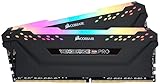


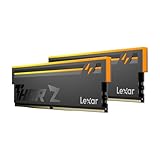


Title: Best RGB Gaming RAM in 2026: Top DDR5 Kits for Every Build
In a hurry? See the top-rated RGB Gaming RAM deals available right now:
🛒 Check Rgb Gaming Ram Prices on Amazon →🛒 Best Price Today on Amazon
Prime members get fast, free shipping on everything above, plus member-only deals. New members get a 30-day free trial — cancel anytime.
Start 30-Day Prime Free Trial →See Today’s Amazon DealsWhy RAM RGB Matters More Than You Think
By 2026, DDR5 has completely displaced DDR4 in mainstream gaming builds. Prices have normalized, XMP 3.0 and EXPO profiles are universally supported, and the performance ceiling has shifted decisively toward DDR5-6000 to DDR5-7200 territory. But the question most builders are still asking is not “DDR4 or DDR5?” — it is “which DDR5 kit delivers the right balance of performance, aesthetics, and ecosystem compatibility?”
RGB RAM is not just cosmetic. It integrates with software ecosystems — Corsair iCUE, ASUS Aura Sync, MSI Dragon Center, Gigabyte RGB Fusion — that tie your entire build’s lighting together. If your lighting pipeline breaks because your RAM is unsupported, the frustration is real. This guide cuts through the noise.
One critical number: DDR5-6000 is the sweet spot for AMD Ryzen (Zen 5) platforms, where the fabric clock runs 1:1 with DDR5-6000. Intel Core Ultra 200-series scales slightly higher, with DDR5-6400 being the Intel sweet spot. Pushing to DDR5-7200 or beyond yields less than 3% gaming performance improvement over DDR5-6000 in most titles — while adding significant cost and thermal complexity.
RGB adds a $5–$15 premium over equivalent non-RGB kits. It has zero impact on performance. Whether that premium is worth it depends entirely on whether your case has a window and whether lighting cohesion matters to your build.
Quick Comparison: Best RGB Gaming RAM 2026
| Kit | Speed | Timings | RGB Software | Clearance |
|---|---|---|---|---|
| Corsair Dominator Titanium DDR5 | DDR5-6000 to DDR5-7200 | CL30–CL36 | iCUE | 56mm (tall) |
| G.Skill Trident Z5 RGB | DDR5-6000 to DDR5-7600 | CL28–CL36 | Aura Sync, Dragon Center, Fusion | 44mm |
| Kingston Fury Beast RGB DDR5 | DDR5-4800 to DDR5-6400 | CL32–CL40 | iCUE (Infrared), Aura Sync | 34mm |
| Crucial Pro Overclocking RGB | DDR5-5600 to DDR5-6400 | CL36–CL46 | iCUE, Aura Sync | 38mm |
| TeamGroup T-Force Delta RGB DDR5 | DDR5-6000 to DDR5-7200 | CL30–CL38 | Aura Sync, Dragon Center | 42mm |
The 5 Best RGB Gaming RAM Kits in 2026
Corsair Dominator Titanium DDR5
Corsair Dominator Titanium DDR5 on Amazon
The Dominator Titanium is Corsair’s flagship DDR5 line and the most visually commanding kit on this list. The aluminum top-hat design with 12 individually addressable RGB “CAPELLIX XT” LEDs creates a near-continuous light bar effect. It is unmistakably premium — and the specs back it up.
Key Specs
- Speeds available: DDR5-6000 to DDR5-7200 (XMP 3.0 profiles)
- Timings (6000 kit): CL30-36-36-76
- Voltage: 1.35V–1.40V depending on speed bin
- Capacity options: 32GB (2x16GB), 48GB (2x24GB), 64GB (2x32GB)
- Clearance: 56mm — the tallest kit on this list
- RGB software: Corsair iCUE (native); limited Aura Sync via ARGB header adapter
Pros & Cons
Pros:
- Best-in-class RGB density and uniformity — 12 LEDs per stick is unmatched
- iCUE integration is the most mature software ecosystem for RGB synchronization
- Excellent stability across Intel and AMD at rated XMP 3.0 / EXPO speeds
- Premium build quality; aluminum heat spreader dissipates heat effectively
Cons:
- 56mm height will clear only coolers with 45mm+ clearance — rules out NH-D15, some 240mm AIO orientation setups
- iCUE is resource-intensive; background CPU/memory usage is measurable at ~100–200MB RAM
- Native Aura Sync support requires ARGB splitter — not seamless
- Price premium is significant versus competitors with comparable raw performance
Who It’s For
The Dominator Titanium is for builders who run full Corsair ecosystems — iCUE-compatible case fans, keyboard, mouse, and AIO cooler — and want seamless, unified lighting control. It is also the right call for Intel Core Ultra 200-series builds at DDR5-7200, where Corsair’s hand-binned ICs tend to validate cleanly. If you have a large-tower case and a shorter cooler (or a 240/280mm AIO where clearance is not an issue), this is the prestige pick.
G.Skill Trident Z5 RGB
G.Skill Trident Z5 RGB on Amazon

G.Skill has been the overclocking community’s preferred brand for over a decade, and the Trident Z5 RGB continues that tradition with genuinely class-leading speeds and broad software compatibility. The dual-tone aluminum fin design with a diffused RGB bar strikes a more understated look than the Dominator — clean, angular, and modern.
Key Specs
- Speeds available: DDR5-6000 to DDR5-7600 (XMP 3.0)
- Timings (6000 kit): CL30-38-38-96 (tighter bins available at CL28 for 6400)
- Voltage: 1.35V–1.45V depending on speed bin
- Capacity options: 32GB (2x16GB), 48GB (2x24GB), 64GB (2x32GB), 96GB (2x48GB)
- Clearance: 44mm — compatible with most tower coolers
- RGB software: ASUS Aura Sync, MSI Dragon Center, Gigabyte RGB Fusion (all native); iCUE via ARGB header
Pros & Cons
Pros:
- Widest native RGB ecosystem compatibility of any kit — works natively with Aura, Dragon Center, and Fusion without adapters
- Highest ceiling speed (DDR5-7600) for Intel extreme overclocking
- CL28 bins at DDR5-6400 are genuinely impressive latency figures
- 44mm clearance covers the vast majority of CPU coolers including NH-D15S
Cons:
- iCUE users need an ARGB header adapter for native sync
- Higher-speed bins (7200+) carry steep price premiums
- RGB diffuser shows individual LED hotspots under close inspection compared to Corsair’s seamless bar
Who It’s For
The Trident Z5 RGB is the best all-rounder on this list and the default recommendation for AMD Ryzen 9000-series (Zen 5) and Intel Core Ultra 200-series builds running ASUS, MSI, or Gigabyte motherboards. The DDR5-6000 CL30 kit at the AMD sweet spot is well-priced, stable, and looks excellent. If you are on an Intel build chasing maximum DDR5 overclocking headroom, the Z5 RGB is the kit to buy.
Kingston Fury Beast RGB DDR5
Kingston Fury Beast RGB DDR5 on Amazon
The Fury Beast RGB is Kingston’s value-positioned DDR5 entry, and it earns its place in a premium guide by being the most compact RGB DDR5 kit available. At just 34mm, it clears virtually every CPU cooler — including the notoriously tight NH-D15 and be quiet! Dark Rock Pro 5. The RGB implementation uses an infrared sync system that is compatible with Corsair iCUE and ASUS Aura Sync without additional hardware.
Key Specs
- Speeds available: DDR5-4800 to DDR5-6400 (XMP 3.0 / EXPO)
- Timings (6000 kit): CL36-38-38-80
- Voltage: 1.10V–1.35V
- Capacity options: 16GB (2x8GB), 32GB (2x16GB), 64GB (2x32GB)
- Clearance: 34mm — lowest-profile RGB DDR5 kit available
- RGB software: Corsair iCUE (infrared), ASUS Aura Sync (infrared)
Pros & Cons
Pros:
- 34mm clearance makes it the only RGB DDR5 kit that works with essentially any cooler configuration
- Infrared RGB sync requires no ARGB header — plug in and sync automatically
- Price-to-performance ratio is the strongest entry point for DDR5-6000 on a budget
- Reliable EXPO certification for AMD platforms
Cons:
- Timings at DDR5-6000 (CL36) are looser than G.Skill or Corsair equivalents
- Top speed caps at DDR5-6400 — not the pick for Intel extreme OC builds
- RGB is less visually impactful than taller kits with larger diffuser surfaces
- Infrared sync can occasionally conflict in complex multi-device iCUE setups
Who It’s For
The Fury Beast RGB is purpose-built for small-form-factor and mid-tower builds with large air coolers, where RAM clearance is genuinely constrained. It is also the right pick for budget-conscious AMD Ryzen builds where DDR5-6000 performance at CL36 is acceptable — the real-world gaming gap between CL30 and CL36 at DDR5-6000 is under 1% in frame times. Builders pairing an NH-D15 or Noctua NH-U12A with a mid-range Ryzen build should strongly consider this kit.
Crucial Pro Overclocking RGB
Crucial Pro Overclocking RGB DDR5 on Amazon
Crucial’s entry into the RGB DDR5 overclocking market is significant because it is backed by Micron — the same company that manufactures the ICs inside many competing kits. The Pro Overclocking RGB uses Micron’s M-die (D8CBY) ICs, which are known for strong scaling behavior under XMP and manual tuning. The aesthetic is understated — a single-color aluminum spreader with a slim RGB strip.

Key Specs
- Speeds available: DDR5-5600 to DDR5-6400 (XMP 3.0 / EXPO)
- Timings (6000 kit): CL36-38-38-80 to CL46 depending on speed bin
- Voltage: 1.10V–1.35V
- Capacity options: 32GB (2x16GB), 64GB (2x32GB), 96GB (2x48GB)
- Clearance: 38mm — compatible with most tower coolers
- RGB software: Corsair iCUE, ASUS Aura Sync (via ARGB header)
Pros & Cons
Pros:
- Micron D-die ICs offer exceptional manual overclocking headroom beyond rated XMP specs
- Competitive pricing — typically the lowest cost-per-GB among 96GB RGB kits
- 96GB (2x48GB) configuration addresses creative workload needs alongside gaming
- 38mm clearance is broadly compatible
Cons:
- CL36–CL46 timings are the loosest in this roundup — XMP profiles are not tightly tuned
- Top speed of DDR5-6400 limits appeal for high-frequency Intel builds
- RGB implementation is the least visually striking — narrow strip, fewer LEDs than competitors
- Software sync requires ARGB header connection; no infrared sync option
Who It’s For
The Crucial Pro Overclocking RGB is for builders who want to manually tune their RAM beyond XMP defaults — the Micron D-die ICs respond well to tightening sub-timings manually through BIOS. It is also the practical choice for content creators and streamers who need 96GB capacity in a dual-channel configuration while maintaining RGB aesthetics and staying under a defined budget ceiling. If raw RGB impact is your priority, look elsewhere. If price-per-GB efficiency matters, this kit wins.
TeamGroup T-Force Delta RGB DDR5
TeamGroup T-Force Delta RGB DDR5 on Amazon
TeamGroup’s Delta RGB has been a value-forward alternative to G.Skill and Corsair since its DDR4 days, and the DDR5 iteration continues that positioning with a full-mirror-top design that produces the most dramatic RGB reflection of any kit in this roundup. The mirror-finish aluminum spreader creates a 360-degree light effect that reads well even in semi-lit environments.
Key Specs
- Speeds available: DDR5-6000 to DDR5-7200 (XMP 3.0 / EXPO)
- Timings (6000 kit): CL30-38-38-78
- Voltage: 1.30V–1.40V
- Capacity options: 32GB (2x16GB), 48GB (2x24GB), 64GB (2x32GB)
- Clearance: 42mm — compatible with most standard tower coolers
- RGB software: ASUS Aura Sync, MSI Dragon Center (native); iCUE via ARGB header
Pros & Cons
Pros:
- Mirror-top design produces the most visually dramatic RGB effect in this roundup
- DDR5-6000 CL30 spec matches G.Skill at a lower price point — strong value proposition
- Native Aura Sync and Dragon Center support without adapters
- DDR5-7200 ceiling covers Intel extreme OC builds at a lower cost than Corsair
Cons:
- Mirror finish shows fingerprints prominently during installation and maintenance
- Aura Sync implementation can occasionally require software reinstall after BIOS updates
- Less established reliability track record compared to G.Skill and Corsair at the highest speed bins
- iCUE users need ARGB header adapter
Who It’s For
The T-Force Delta RGB is the pick for aesthetic-first ASUS and MSI platform builders who want maximum RGB visual impact at a competitive price. At DDR5-6000 CL30 with native Aura Sync, it directly competes with the G.Skill Trident Z5 RGB while coming in $20–$40 cheaper in most markets. It is a legitimate daily driver for gaming, and the mirror design is genuinely unique — if you want your RAM to catch the eye, nothing on this list does it better.
Buyer’s Guide: What to Know Before You Buy
Which DDR5 speed should you target?
AMD Ryzen (Zen 5) platform: Target DDR5-6000 with EXPO enabled. This aligns the memory controller’s infinity fabric clock at 3000MHz for a 1:1 ratio — the fastest memory controller configuration available. Moving to DDR5-6400 gives a marginal uplift; DDR5-7200 adds less than 3% gaming performance while requiring more voltage, higher thermals, and a larger budget.
Intel Core Ultra 200-series: Target DDR5-6400 as the sweet spot. Intel’s memory controller scales more linearly to DDR5-7200, where the improvement over DDR5-6000 is slightly larger (~2–4% in memory-sensitive titles) but still marginal in most games.
Does height clearance actually matter?
Yes — for large air-cooled builds, absolutely. The Corsair Dominator Titanium at 56mm will conflict with NH-D15 (51mm clearance), be quiet! Dark Rock Pro 5, and some dual-tower designs. Measure your cooler’s RAM clearance spec before purchasing tall kits. The Kingston Fury Beast at 34mm fits everything.

Is XMP 3.0 the same as EXPO?
No. XMP 3.0 (Intel Extended Memory Profile) and EXPO (AMD Extended Profiles for Overclocking) are platform-specific. Most DDR5 kits ship with both profiles — check the product listing to confirm. Enabling the correct profile in BIOS is required to run at rated speeds; out-of-box speeds default to JEDEC (typically DDR5-4800).
RGB ecosystem compatibility: a practical checklist
Before buying, identify your motherboard’s RGB software:
- ASUS motherboard → prioritize Aura Sync native kits (G.Skill, TeamGroup, Kingston)
- MSI motherboard → Dragon Center native (G.Skill, TeamGroup)
- Gigabyte motherboard → RGB Fusion native (G.Skill)
- Full Corsair system → iCUE native (Dominator Titanium, Fury Beast infrared)
- Mixed ecosystem → use ARGB header adapter; all kits support this
Using software that is not natively supported typically works via ARGB header passthrough, but requires additional software management.
Verdict: Which RGB RAM Should You Buy?
Best overall: G.Skill Trident Z5 RGB — the broadest compatibility, strong timings at DDR5-6000, and the highest speed ceiling make it the default recommendation for most builds.
Best for Corsair iCUE ecosystems: Corsair Dominator Titanium DDR5 — unmatched iCUE integration and RGB density, assuming your cooler clears 56mm.
Best for large air coolers: Kingston Fury Beast RGB DDR5 — the only 34mm RGB DDR5 kit that fits virtually any build without clearance concerns.
Best value / manual OC: Crucial Pro Overclocking RGB — Micron D-die ICs for tuners, lowest cost-per-GB for 96GB configurations.
Best visual impact on a budget: TeamGroup T-Force Delta RGB DDR5 — mirror finish, CL30 at DDR5-6000, $20–$40 cheaper than G.Skill in most markets.
The performance difference between any DDR5-6000 kit running proper XMP/EXPO and a DDR5-7200 kit in gaming is measurably small. Buy the kit that fits your cooler, syncs with your motherboard’s RGB software, and matches your budget. The RGB premium is real but modest — and in a windowed build, it is absolutely worth it.
Prices listed reflect approximate market rates as of mid-2026. Always verify current pricing and stock via the affiliate links above.
Frequently Asked Questions
Does RGB RAM affect gaming performance?
No. RGB lighting is purely cosmetic and does not change speed or latency. Performance depends on the RAM frequency, timings, and capacity, so buy for the specs and enjoy the lighting as a bonus.
What DDR5 speed should I buy for gaming?
DDR5-6000 is the sweet spot, especially for AMD Ryzen, balancing performance and stability. Intel platforms can also benefit from DDR5-6400 or slightly faster kits.
How much RGB RAM do I need for gaming?
32GB as a 2x16GB kit is the 2026 standard for gaming and multitasking. 16GB still works for lighter setups, but 32GB provides comfortable headroom for modern titles.
Will RGB RAM sync with my motherboard lighting?
Most RGB RAM supports the major ecosystems like ASUS Aura, MSI Mystic Light, and Gigabyte RGB Fusion. Check that your kit lists your motherboard brand software for unified control.
Related Articles
Looking for more on this topic? Browse the hand-picked guides below — each one applies the same scoring rubric used in this review.
Ready to decide? Our #1 pick for 2026 is the Kit.
Live price & availability on Amazon.


