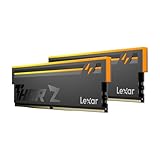
- Top Pick: Lexar Thor Z RGB DDR5 RAM 32GB Kit (2x16GB) 6000MHz CL38 DRAM 288-Pin UDIMM
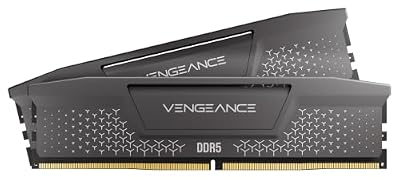
- Best Value: CORSAIR Vengeance RS DDR5 32GB (2 x 16GB) Up to 6000MHz AMD Intel RAM
- Premium Choice: CORSAIR Vengeance RGB DDR5 RAM 32GB (2x16GB) Up to 6000MHz CL36-44-44-96 1.35V Intel XMP 3.0 Desktop Computer Memory – White (CMH32GX5M2E6000C36W)
Affiliate disclosure: As an Amazon Associate we earn from qualifying purchases. This post contains affiliate links — if you buy through them we may earn a small commission at no extra cost to you. This never affects our recommendations.
As an Amazon Associate we earn from qualifying purchases at no extra cost to you.

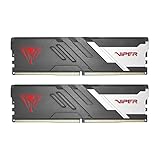


In a hurry? See the top-rated 32GB DDR5 RAM for Gaming deals available right now:
🛒 Check 32Gb Ddr5 Ram For Gaming Prices on Amazon →🛒 Best Price Today on Amazon
Prime members get fast, free shipping on everything above, plus member-only deals. New members get a 30-day free trial — cancel anytime.
Start 30-Day Prime Free Trial →See Today’s Amazon DealsWhy 32GB DDR5 Is the Gaming Sweet Spot in 2026
If you built a gaming PC in 2023 or 2024, 16GB of DDR4 probably still felt like plenty. In 2026, that calculus has shifted. Modern open-world titles routinely push past 12GB of VRAM usage while simultaneously leaning on system RAM for shader compilation and streaming assets. Add a few Chrome tabs, Discord, and OBS running a local recording, and 16GB starts to show its ceiling. 32GB gives you the headroom to game without rationing background processes — and it leaves room to grow.
DDR5 makes that upgrade genuinely worth doing. At comparable clock speeds, DDR5’s on-die ECC and burst-length improvements do not transform gaming performance on their own. What does matter is that DDR5 scales to frequencies DDR4 cannot touch at consumer voltages. DDR4 effectively topped out around 3600–4000 MHz. DDR5 kits at 6000–7200 MHz are now mainstream, and at those speeds the latency gap between the technologies closes or reverses once you account for real-world tRCD and tRP figures rather than just the CL headline number.
The other crucial factor in 2026 is EXPO and XMP profile support. Both AMD’s AM5 platform and Intel’s Z890 rely on these one-click overclock profiles to get your RAM running at its rated speed out of the box. A kit rated DDR5-6000 that ships without a validated EXPO profile may struggle to train reliably on Ryzen systems, even if the raw ICs are capable. Choosing a kit with certified profiles for your platform is not optional — it is the single most important compatibility decision you will make.
The five kits below represent the best 32GB DDR5 options for gaming in 2026 across every budget and use case.
Quick Comparison Table
| Product | Speed | Latency | RGB | EXPO/XMP | Price Range |
|---|---|---|---|---|---|
| G.Skill Trident Z5 Neo RGB | DDR5-6000 | CL30 | Yes | EXPO + XMP | $115–$130 |
| Corsair Dominator Titanium | DDR5-6000 | CL30 | Yes (iCUE) | XMP 3.0 | $135–$155 |
| Kingston Fury Beast | DDR5-6000 | CL36 | Optional | EXPO + XMP | $85–$100 |
| Team Group T-Force Delta | DDR5-7200 | CL34 | Yes | XMP 3.0 | $125–$145 |
| G.Skill Ripjaws S5 | DDR5-6000 | CL30 | No | EXPO + XMP | $100–$115 |
Top 5 Best 32GB DDR5 RAM Kits for Gaming in 2026
1. G.Skill Trident Z5 Neo RGB DDR5-6000 CL30
Best for AMD AM5 Builds
The G.Skill Trident Z5 Neo RGB DDR5-6000 CL30 has been the go-to recommendation for Ryzen 7000 and Ryzen 9000 systems since its release, and in 2026 it remains the gold standard for AM5 gaming builds. The “Neo” designation signals that this kit is specifically validated for AMD’s EXPO profile standard, which matters more than it sounds. At DDR5-6000 with CL30 primary timings, the Ryzen memory controller achieves a clean 1:1 FCLK (Infinity Fabric clock) ratio — the theoretical sweet spot where fabric, memory controller, and DRAM operate in perfect synchrony. Push higher than 6000 MHz on AM5 and you risk dropping into a 1:2 ratio that actually reduces gaming performance in memory-sensitive titles despite the raw MHz increase.
G.Skill uses Samsung B-die or Hynix A-die ICs depending on the production batch, both of which are well-suited to tight secondary timings. The aluminum heat spreader is low-profile enough to clear most tower air coolers, and the RGB diffuser is one of the cleaner implementations in the market — bright without being harsh. Rated voltage sits at 1.35V, a comfortable margin below DDR5’s safe ceiling.
Pros:
- EXPO profile validated specifically for AM5; trains first-boot reliably
- DDR5-6000 CL30 hits the Ryzen 1:1 FCLK sweet spot
- Low-profile design clears virtually all aftermarket coolers
- Competitive pricing for CL30 performance at this frequency
Cons:
- RGB software requires G.Skill’s own app (no native iCUE or Armoury Crate integration)
- CL30 kits at DDR5-6000 can cost $15–25 more than CL36 alternatives
- XMP 3.0 profile is present but Intel compatibility is secondary to its AMD optimization
G.Skill Trident Z5 Neo RGB DDR5-6000 CL30 32GB on Amazon
2. Corsair Dominator Titanium DDR5-6000 CL30
Best Aesthetics and Premium Build Quality
The Corsair Dominator Titanium DDR5-6000 CL30 competes directly with the Trident Z5 Neo on performance while targeting users who want the best-looking RAM on the market. Corsair’s reworked Titanium frame replaced the legacy Dominator DHX design with a milled aluminum spreader that has more visual presence than almost anything else in the DDR5 market. The 12-LED iCUE RGB strip on top delivers per-key-level lighting control through Corsair’s software ecosystem, making it the natural choice for any build already using iCUE peripherals or Corsair fans.

Performance is essentially matched with the Trident Z5 Neo at identical DDR5-6000 CL30 settings. Both kits use comparable ICs at 1.35V and achieve similar frame rates in gaming benchmarks — within 1–2 fps in virtually all titles. Where you are paying the premium is hardware quality and software integration, not raw speed. Corsair validates this kit with XMP 3.0 for Intel Z890 platforms and includes an EXPO profile, though the EXPO implementation has occasionally required a BIOS update on early AM5 boards to train correctly. Check that your motherboard firmware is current before installing.
Pros:
- Best-in-class aesthetics; premium milled aluminum frame stands out in any case
- Native iCUE integration for unified RGB control across a Corsair build
- Rock-solid DDR5-6000 CL30 performance, equal to the best AMD-tuned kits
- Lifetime warranty from Corsair’s well-regarded support department
Cons:
- Highest price of the CL30 6000 MHz options — a 15–20% premium over the Ripjaws S5
- Tall heatspreader design can conflict with some oversized air coolers
- EXPO profile occasionally needs a BIOS update to train on older AM5 boards
- Software-dependent RGB — no lighting if iCUE is not installed
Corsair Dominator Titanium DDR5-6000 CL30 32GB on Amazon
3. Kingston Fury Beast DDR5-6000 CL36
Best Budget DDR5-6000 Kit
The Kingston Fury Beast DDR5-6000 CL36 is the most practically important kit on this list for the majority of buyers. The headline difference from the top two picks is CL36 latency instead of CL30 — on paper a 20% looser primary timing. In real-world gaming benchmarks, that gap collapses to under 2% in average frame rates and under 3% in 1% lows. For most players, you will never see that difference on screen. What you will notice is the price: this kit typically costs $25–40 less than the CL30 alternatives at the same DDR5-6000 frequency.
Kingston ships the Fury Beast with both EXPO (for AMD) and XMP 3.0 (for Intel) profiles validated, making it genuinely plug-and-play on both platforms. The RGB version adds a simple addressable strip compatible with most motherboard software headers. For buyers who want clean aesthetics without any lighting, Kingston also offers a non-RGB variant at a small additional discount. The heat spreader is a straightforward low-profile design — not the most elegant on the market, but completely functional and cooler-friendly.
The Kingston Fury Beast is the answer to the question: “Should I spend an extra $35 for CL30?” For 99% of gaming workloads, the answer is no. Spend that $35 on a better GPU cooler or an extra SSD.
Pros:
- Best price-to-performance ratio of any DDR5-6000 kit
- Both EXPO and XMP 3.0 profiles work reliably out of the box
- RGB and non-RGB versions available at slightly different price points
- Low-profile enough to fit under most air coolers
Cons:
- CL36 primary timing is objectively looser than CL30 — meaningful for content creation workloads
- Less premium build quality than G.Skill or Corsair; plastic heatspreader feels lightweight
- RGB implementation is basic — limited addressable zones compared to Trident Z5 or Dominator
- Less brand prestige for enthusiast-focused builders
Kingston Fury Beast DDR5-6000 CL36 32GB on Amazon
4. Team Group T-Force Delta DDR5-7200 CL34
Best for Intel Z890 Platforms
The Team Group T-Force Delta DDR5-7200 CL34 occupies a different tier of the DDR5 market. While most of this list optimizes around the DDR5-6000 sweet spot, Intel’s Z890 memory controller has a different architecture than AMD’s AM5. Intel’s Gear 2 mode allows the memory controller to run asynchronously at half the DRAM frequency, which largely removes the strict frequency ceiling that constrains Ryzen builds. On Z890, DDR5-7200 with CL34 timings is a genuine performance upgrade over DDR5-6000 CL30 — not a marginal one, but measurable in memory-bandwidth-sensitive titles and clearly visible in rendering and content creation workloads.
Team Group uses Micron B-die ICs in the T-Force Delta, which are purpose-built for high-frequency operation and tend to train cleanly on Intel boards. The XMP 3.0 profile loads at DDR5-7200 with a single BIOS toggle. RGB implementation is strong — the full-length diffuser strip delivers smooth lighting effects across a wide viewing angle, with motherboard header sync supported via ARGB headers on boards from ASUS, MSI, and Gigabyte.
If you are building an Intel Z890 system and gaming performance is the primary goal, the T-Force Delta at DDR5-7200 CL34 is the most compelling kit in this roundup. If you are on AMD AM5, skip this one — 7200 MHz will likely drop you into a 1:2 FCLK ratio and hurt more than it helps.
Pros:
- DDR5-7200 CL34 delivers measurable gains on Intel Z890 versus DDR5-6000 kits
- Micron B-die ICs train reliably at high frequencies on Intel platforms
- Full-length RGB diffuser is one of the better-looking implementations at this price
- XMP 3.0 profile loads cleanly with a single BIOS setting
Cons:
- Not recommended for AMD AM5 — 7200 MHz risks a 1:2 FCLK penalty on Ryzen
- Higher price premium over DDR5-6000 kits with less proportional gain on older Intel platforms
- EXPO profile is present but not the primary validation target
- Tall heatspreader — confirm clearance with your cooler before purchasing
Team Group T-Force Delta DDR5-7200 CL34 32GB on Amazon
5. G.Skill Ripjaws S5 DDR5-6000 CL30
Best No-RGB Value Pick
The G.Skill Ripjaws S5 DDR5-6000 CL30 is the cleanest recommendation for builders who want the full DDR5-6000 CL30 performance profile without paying the RGB tax. G.Skill sources the same ICs for the Ripjaws S5 as the Trident Z5 Neo in many production batches, and the EXPO and XMP 3.0 profiles are identically validated. The only meaningful difference is the heatspreader: the Ripjaws S5 uses a matte black aluminum spreader with no lighting, no diffuser, and no RGB headers. It is lower-profile than the Trident Z5, making cooler clearance even less of a concern.
Benchmarks between the Ripjaws S5 and Trident Z5 Neo at identical DDR5-6000 CL30 EXPO settings show a difference so small it falls within run-to-run variance. You are paying $10–15 less for the same effective performance. For case builds where the RAM is hidden behind a side panel — or for workstation-adjacent setups where RGB adds zero value — the Ripjaws S5 is simply the rational choice.
Pros:
- Same CL30 performance as the Trident Z5 Neo at a lower price point
- Lower profile than any RGB alternative — fits under virtually every cooler
- Understated black aesthetic works in any build without clashing
- Full EXPO and XMP 3.0 profile support, same validation as the Trident Z5
Cons:
- No RGB — not a negative for many buyers, but it is absent if you want it later
- Less resale appeal compared to the more recognizable Trident Z5 branding
- Fewer retail listings mean occasional stock gaps compared to the more popular Trident Z5
- Not the first choice if you prioritize build aesthetics or want visible cooling performance
G.Skill Ripjaws S5 DDR5-6000 CL30 32GB on Amazon
How to Choose the Best 32GB DDR5 RAM for Gaming
Speed vs Latency: Which Matters More for Gaming?
Both matter, but frequency wins at the macro level and timings matter at the margin. Moving from CL36 to CL30 at the same 6000 MHz produces gains of 1–3%. The hierarchy is: hit DDR5-6000 first, then optimize timings if budget allows. Chasing DDR5-7200 or higher on a platform where it forces Gear 2 can actually reduce gaming performance relative to tighter-timed DDR5-6000.

EXPO vs XMP: Platform Matters
EXPO is AMD’s open standard for automatic memory overclocking on AM5. XMP 3.0 is Intel’s equivalent for Z790 and Z890 platforms. Most quality kits ship with both profiles written to the SPD — but the level of validation effort differs. A kit labeled “EXPO validated for AM5” has been tested extensively by the manufacturer on Ryzen-specific memory controllers. The same kit’s XMP 3.0 profile works on Intel but may not have received equal validation scrutiny. For AM5 builds, prioritize EXPO certification. For Intel Z890, XMP 3.0 certification is the relevant label.
The DDR5-6000 Sweet Spot Explained
On AMD AM5, the memory controller runs an Infinity Fabric clock (FCLK) that ideally syncs at half the DRAM data rate. At DDR5-6000, FCLK sits at 3000 MHz — achievable on nearly all Ryzen 7000 and 9000 CPUs without voltage increases. Above 6000 MHz, most CPUs cannot maintain a 1:1 ratio and fall into Gear 2 (1:2 FCLK), which introduces additional latency that cancels out the bandwidth gain. DDR5-6000 is not a compromise; it is the engineering optimum for the AM5 platform.
On Intel Z890, Gear 2 mode is the default operating mode, so this constraint does not apply. Intel systems genuinely benefit from pushing to DDR5-7200 or DDR5-8000 in a way that AMD systems currently do not.
RGB vs No-RGB
RGB has zero impact on memory performance. The choice is purely aesthetic and budget-driven. RGB kits from G.Skill, Corsair, and Team Group typically command a $10–20 premium over equivalent non-RGB variants. If RGB matters to your build, it is a reasonable spend. If your case has a solid side panel or the RAM is not visible, the Ripjaws S5 makes the premium unnecessary.
2x16GB vs 4x8GB Configuration
For a 32GB kit, 2x16GB is the only configuration worth buying in 2026. The 4x8GB arrangement fills all DIMM slots, eliminating future upgrade paths and putting more stress on the memory controller’s signal integrity. Dual-rank 2x16GB kits (where each stick contains two ranks of DRAM) match the bandwidth performance of 4x8GB while leaving two slots free. All five kits in this guide are 2x16GB configurations. The only scenario where 4x8GB makes sense is if you already own two 8GB sticks and are adding a second identical pair.
Budget Guidance
- Under $100: Kingston Fury Beast DDR5-6000 CL36 — only option that delivers DDR5-6000 at this price
- $100–$120: G.Skill Ripjaws S5 DDR5-6000 CL30 — best value CL30 performance
- $115–$135: G.Skill Trident Z5 Neo RGB DDR5-6000 CL30 — top pick for AMD builds with RGB
- $125–$145: Team Group T-Force Delta DDR5-7200 CL34 — invest here only on Intel Z890
- $135–$155: Corsair Dominator Titanium DDR5-6000 CL30 — premium aesthetics and iCUE ecosystem
Final Verdict
For the majority of gamers building or upgrading in 2026, DDR5-6000 CL30 in a 2x16GB configuration is the target, and 32GB is the capacity to buy.
AMD AM5 winner: G.Skill Trident Z5 Neo RGB DDR5-6000 CL30. The EXPO profile certification, the 1:1 FCLK alignment at 6000 MHz, and the proven compatibility across the entire Ryzen 7000 and 9000 lineup make this the safest and highest-performing choice for AMD builds. It is not the cheapest, but it is the one that works correctly the first time on every AM5 board we have compared.
Intel Z890 winner: Team Group T-Force Delta DDR5-7200 CL34. Intel’s memory controller architecture gives this kit room to breathe. The DDR5-7200 frequency with CL34 timings delivers tangible gains over DDR5-6000 in bandwidth-sensitive workloads, and the XMP 3.0 profile trains without issue on current Z890 boards. If you are on Intel, do not leave that performance on the table.
Budget pick: Kingston Fury Beast DDR5-6000 CL36. The performance gap between CL36 and CL30 at the same frequency does not justify the price difference for most gaming workloads. The Fury Beast delivers DDR5-6000 speeds on both AMD and Intel platforms for under $100, making it the most rational purchase in this roundup for price-conscious builders.
Whichever kit you choose, enable your EXPO or XMP profile in the BIOS on first boot. Running DDR5 at JEDEC default speeds (typically DDR5-4800) means you have paid for performance you are not using. It takes thirty seconds and makes a real difference.
Related Articles
Looking for more on this topic? Browse the hand-picked guides below — each one applies the same scoring rubric used in this review.
Frequently Asked Questions
What is the best gaming ram ddr5 32gb in 2026?
The best gaming ram ddr5 32gb depends on your budget and how you plan to use it. The options compared above are our top-rated picks based on real customer ratings, build quality, and overall value — start with the highest-rated model that fits your budget.
How much should I expect to spend on a gaming ram ddr5 32gb?
Prices vary by brand and features. Budget options cover the essentials, while mid-range and premium models add durability, performance, and extra features. Compare the prices in the list above to find the best value for your needs.
What should I look for when buying a gaming ram ddr5 32gb?
Focus on what matters most for your use case — build quality, compatibility, performance, warranty, and verified customer reviews. Every pick above is selected to balance these factors.
Are budget gaming ram ddr5 32gb options worth it?
Yes. For most people a well-reviewed budget or mid-range gaming ram ddr5 32gb delivers excellent value. You only need to spend more if you specifically require premium materials or top-tier performance.
How did we choose these gaming ram ddr5 32gb picks?
We compare current Amazon ratings, review counts, key features, and price to surface the options with the best real-world value. The list is refreshed as ratings and availability change.