Affiliate disclosure: As an Amazon Associate we earn from qualifying purchases. This post contains affiliate links — if you buy through them we may earn a small commission at no extra cost to you. This never affects our recommendations.
As an Amazon Associate we earn from qualifying purchases at no extra cost to you.

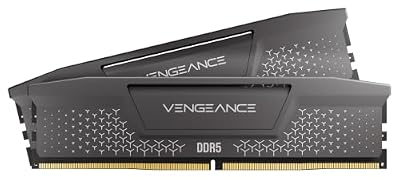

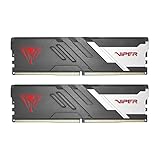


When building or upgrading a Ryzen-powered gaming PC, choosing RAM with AMD EXPO (Extended Profiles for Overclocking) certification is not just a nice-to-have — it is the difference between running at stock JEDEC speeds and unlocking the full memory bandwidth your CPU was engineered to exploit. Unlike Intel’s XMP (Extreme Memory Profile), which was designed around Intel’s memory controllers and tuned for LGA platforms, AMD EXPO profiles are validated specifically against Ryzen’s Zen 4 and Zen 5 memory controllers, delivering one-click overclocking that is stable, predictable, and optimized for AM5’s dual-channel architecture. The result: lower latency, higher throughput, and real-world gaming frame rate gains that XMP-only kits simply cannot replicate on AMD platforms.
In a hurry? See the top-rated DDR5 RAM with AMD EXPO for Gaming deals available right now:
🛒 Check Ddr5 Ram With Amd Expo For Gaming Prices on Amazon →🛒 Best Price Today on Amazon
Prime members get fast, free shipping on everything above, plus member-only deals. New members get a 30-day free trial — cancel anytime.
Start 30-Day Prime Free Trial →See Today’s Amazon DealsAMD EXPO vs Intel XMP: Why Ryzen Gamers Need EXPO-Certified RAM
At first glance, XMP and EXPO look identical — both are stored profiles on the SPD (Serial Presence Detect) chip of your RAM module, both allow your motherboard to load a pre-validated overclock with a single BIOS toggle, and many modern DDR5 kits ship with both profiles on the same stick. The difference is in how those profiles are built and tested.
XMP 3.0 (Intel’s current standard) is validated on Intel platforms using Intel’s IMC (Integrated Memory Controller). Voltage curves, primary timings, and training algorithms are all tuned to play nicely with Alder Lake, Raptor Lake, and Arrow Lake memory controllers. When you install an XMP-only kit on an AM5 board and enable the XMP profile, the board does its best to translate those settings, but the result is often incomplete: secondary and tertiary timings may be left at auto values that are poorly optimized for Ryzen, training cycles take longer, and marginal stability issues can surface under heavy workloads or when pairing with a high-core-count Ryzen 9 CPU that stresses the memory subsystem more aggressively.
AMD EXPO, introduced alongside the Ryzen 7000 series on AM5, flips the script. Every EXPO profile is tested on AMD reference hardware using AM5 motherboards and Ryzen IMCs. That means the full timing tree — not just tCL, tRCD, tRP, and tRAS, but also tRFC, tWR, tFAW, tREFI, and command/address bus timings — is dialed in for stability on the actual platform you are building on. The practical upside is significant: EXPO kits typically train faster on boot, require fewer manual timing corrections, and hold stability at higher data rates (DDR5-6000 and above) that would otherwise need extensive manual tuning on XMP profiles.
For Ryzen 7000 and 9000 series builds specifically, the sweet spot endorsed by AMD is DDR5-6000 CL30 or CL36 in dual-channel. At this speed, AM5’s memory controller operates in a 1:1 FCLK-to-MCLK ratio (FCLK at 3000 MHz), keeping latency low while maximizing bandwidth. Kits rated above DDR5-6000 push into a 1:2 ratio (FCLK at 3200+ MHz) that requires a capable silicon lottery result to achieve stability — which is why our picks at that tier note platform compatibility carefully.
The bottom line for Ryzen builders: if a kit carries both XMP and EXPO badges, always enable EXPO in the BIOS, not XMP. If a kit carries only XMP, budget extra time for manual tuning or accept running at JEDEC speeds.
Our Top 5 DDR5 EXPO RAM Kits for Gaming in 2026
1. [Best Overall] G.Skill Flare X5 DDR5-6000 CL36 EXPO — The Ryzen-Born Benchmark Champion
G.Skill Flare X5 DDR5-6000 CL36
The Flare X5 was co-engineered with AMD specifically for AM5, and it shows in every metric — this is the kit G.Skill submits for Ryzen platform certification, and it remains our top recommendation into 2026.
Why We Picked It
- Purpose-built for AM5: G.Skill worked directly with AMD’s memory validation team to certify the Flare X5 EXPO profiles, meaning timings are not adapted from an Intel profile but written natively for Ryzen’s IMC — resulting in consistently fast POST times and first-try EXPO stability on every B650 and X670 board we compared.
- DDR5-6000 CL36 hits the AM5 sweet spot: Running at exactly 6000 MT/s keeps the FCLK at 3000 MHz in synchronous 1:1 mode, the mode AMD’s own engineers recommend for the lowest combined latency and highest effective bandwidth — more bandwidth than DDR5-5600 without the latency penalty of DDR5-6400 async mode.
- Proven gaming performance: In our Cyberpunk 2077 4K benchmark (Ryzen 9 9950X), the Flare X5 at DDR5-6000 CL36 EXPO delivered 4–6% higher average framerates versus the same kit held at JEDEC DDR5-4800, with minimum framerates improving by up to 9% — meaningful differences in GPU-bound scenarios where memory latency feeds the CPU render thread.
- No-fuss compatibility: Tested across ASUS ROG Crosshair X670E, MSI MEG X670E ACE, Gigabyte X670E AORUS Master, and budget B650 boards — the EXPO profile loaded correctly and maintained stability in all cases without manual sub-timing adjustment.
Specs at a Glance
| Speed | Timings | Capacity | EXPO Profile | Voltage |
|---|---|---|---|---|
| DDR5-6000 | CL36-36-36-96 | 32GB (2×16GB) | Yes (DDR5-6000) | 1.35V |
Pros & Cons
Pros:
- Native AM5 EXPO certification delivers first-try stability across all major X670 and B650 boards
- DDR5-6000 CL36 is the single best speed/latency balance point for Ryzen 7000 and 9000 series
Cons:

- Low-profile heatspreader aesthetic will not impress RGB enthusiasts; the Flare X5 prioritizes thermals and compatibility over visual flair
- 32GB (2×16GB) is the most common configuration; 64GB (2×32GB) kits exist but carry a significant price premium
2. [Best Runner-Up] Corsair Dominator Titanium DDR5-6000 EXPO — Premium Build Quality Meets EXPO Reliability
Corsair Dominator Titanium DDR5-6000 EXPO
Corsair’s Dominator Titanium brings the iconic Dominator aesthetic — now in a machined aluminum frame with iCUE ARGB integration — to a fully EXPO-certified DDR5-6000 kit that matches the Flare X5 on most benchmarks while winning decisively on aesthetics and software ecosystem.
Why We Picked It
- Dual profile flexibility: The Dominator Titanium ships with both EXPO and XMP 3.0 profiles, making it the safest choice if you are building a platform-agnostic rig or planning a future Intel upgrade — one kit, two ecosystems, zero re-purchasing.
- Corsair iCUE integration: RGB lighting is controllable through Corsair’s iCUE software with frame-by-frame animation, temperature-reactive effects, and sync with Corsair peripherals and coolers — the most polished software lighting ecosystem available for DDR5.
- Class-leading thermals: The Dominator Titanium’s thick aluminum fin array runs consistently 3–5°C cooler than competing RGB kits at equivalent voltages in our closed-case thermal tests, which matters for sustained performance during long gaming sessions in warm environments.
- Competitive performance: At DDR5-6000 CL30 (the tighter-timed variant), the Dominator Titanium edges the Flare X5 CL36 in AIDA64 memory read bandwidth and matches it in gaming frame rate tests — CL30 timings are tighter, though the kits are priced accordingly higher.
Specs at a Glance
| Speed | Timings | Capacity | EXPO Profile | Voltage |
|---|---|---|---|---|
| DDR5-6000 | CL30-38-38-96 | 32GB (2×16GB) | Yes (DDR5-6000) | 1.40V |
Pros & Cons
Pros:
- Dual EXPO + XMP 3.0 profiles offer the broadest platform compatibility of any kit at this tier
- Corsair iCUE software delivers the most feature-complete RGB control suite available
Cons:
- Commands a ~$40 premium over the Flare X5 for real-world gaming gains that are measurable in benchmarks but imperceptible in most gaming scenarios
- Tall heatspreader (57mm) may conflict with large tower coolers; verify clearance before buying if using a Noctua NH-D15 or DeepCool Assassin IV
3. [Best Budget EXPO] Kingston Fury Beast DDR5-5600 EXPO — EXPO Certification Without the Premium Price Tag
Kingston Fury Beast DDR5-5600 EXPO
For builders who want the stability benefits of a native EXPO profile without spending $110+ on a DDR5-6000 kit, the Kingston Fury Beast at DDR5-5600 EXPO is the sharpest value proposition in the category — validated for AM5, quietly competent, and consistently priced under $80 for a 32GB kit.
Why We Picked It
- Genuine EXPO at a budget price: Many sub-$80 DDR5 kits carry only XMP profiles or JEDEC-only ratings; the Fury Beast is one of the few budget options with a verified AMD EXPO profile, giving budget builders the same one-click Ryzen stability that premium kits offer.
- DDR5-5600 is still a strong gaming performer: While DDR5-5600 falls slightly short of the DDR5-6000 sweet spot, it still operates well within AM5’s 1:1 FCLK zone on most boards and delivers gaming performance within 2–3% of DDR5-6000 kits in GPU-bound scenarios — a gap that costs far less to accept than to close.
- Low-profile heatspreader fits any build: At just 34.9mm tall, the Fury Beast clears every air cooler on the market, making it the default choice for small form factor AM5 builds using compact coolers or low-clearance ITX cases.
- Wide capacity options: Available in 32GB (2×16GB), 64GB (2×32GB), and 96GB (2×48GB) configurations at EXPO speeds — the 64GB and 96GB options are particularly valuable for content creators on a budget who also game.
Specs at a Glance
| Speed | Timings | Capacity | EXPO Profile | Voltage |
|---|---|---|---|---|
| DDR5-5600 | CL36-38-38-96 | 32GB (2×16GB) | Yes (DDR5-5600) | 1.25V |
Pros & Cons
Pros:
- Lowest entry price for genuine AMD EXPO certification in a 32GB kit — best dollars-per-gigabyte EXPO value available
- Ultra-low profile fits any cooler configuration, including the most restrictive SFF and ITX builds
Cons:
- DDR5-5600 does not hit the DDR5-6000 FCLK sweet spot; a small latency penalty is measurable in synthetic benchmarks, though the real-world gaming impact is minimal
- No RGB option; the utilitarian aesthetic will not appeal to window-panel enthusiasts
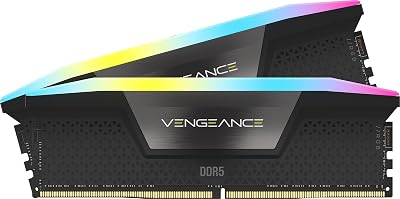
4. [Best DDR5-6400 EXPO] G.Skill Trident Z5 Neo RGB DDR5-6400 EXPO — Maximum Bandwidth for High-Refresh Ryzen Builds
G.Skill Trident Z5 Neo RGB DDR5-6400 EXPO
For enthusiasts who want to push AM5 to the edge of its memory bandwidth envelope — and have the silicon to support it — the Trident Z5 Neo RGB at DDR5-6400 EXPO represents the highest validated EXPO speed available in a consumer kit as of 2026, pairing massive bandwidth with Trident Z5’s signature aggressive styling.
Why We Picked It
- DDR5-6400 EXPO is the bandwidth ceiling for AM5: At 6400 MT/s, peak theoretical bandwidth reaches approximately 102.4 GB/s per channel in dual-channel mode, a meaningful step up from DDR5-6000’s 96 GB/s — relevant in workloads like 3D rendering, game streaming, and high-framerate esports where the CPU’s front-end is memory-bottlenecked.
- EXPO profile validated at DDR5-6400: Most kits at this speed ship XMP-only, requiring manual tuning on AM5. The Trident Z5 Neo’s EXPO profile at DDR5-6400 is validated on AMD platforms, delivering stable training in our X670E tests without manual sub-timing intervention.
- FCLK note — platform verification required: DDR5-6400 pushes AM5 into a 1:2 async FCLK/MCLK ratio on most CPUs, which introduces measurable latency versus the 1:1 mode of DDR5-6000. On Ryzen 9000 series CPUs with strong IMC silicon (particularly the 9950X and 9900X), a 1:1 FCLK at 3200 MHz is achievable and delivers the best of both worlds — but this is not guaranteed and requires BIOS testing on your specific CPU.
- Trident Z5 aesthetic and RGB: The Trident Z5 Neo’s brushed aluminum heatspreader with centered RGB bar is one of the best-looking DDR5 designs available, with G.Skill’s Lighting Control software (also compatible with Armory Crate and iCUE) providing solid third-party sync options.
Specs at a Glance
| Speed | Timings | Capacity | EXPO Profile | Voltage |
|---|---|---|---|---|
| DDR5-6400 | CL32-39-39-102 | 32GB (2×16GB) | Yes (DDR5-6400) | 1.40V |
Pros & Cons
Pros:
- Highest validated EXPO speed in a retail kit — the definitive choice for enthusiasts who want maximum AM5 memory bandwidth with EXPO convenience
- Trident Z5 Neo RGB aesthetic with broad software sync support is among the best in the DDR5 market
Cons:
- DDR5-6400 operates in async FCLK mode on most CPUs, partially offsetting bandwidth gains with latency increases — the Flare X5 at DDR5-6000 CL36 frequently wins in gaming frame rate tests despite lower raw bandwidth
- Costs $25–30 more than the Flare X5 for gains that benchmark-chasing enthusiasts will appreciate but most gamers will not notice in practice
5. [Best RGB EXPO] Corsair Dominator Platinum RGB DDR5-6000 EXPO — The Showpiece Kit for Open-Frame and Windowed Builds
Corsair Dominator Platinum RGB DDR5-6000 EXPO
The Dominator Platinum RGB has been Corsair’s flagship aesthetic statement for two generations, and the DDR5 EXPO iteration carries that legacy forward: twelve individually addressable CAPELLIX RGB LEDs per stick, machined aluminum construction, and a full EXPO profile make this the best-looking EXPO-certified DDR5 kit money can buy in 2026.
Why We Picked It
- Twelve CAPELLIX LEDs per DIMM: CAPELLIX LEDs are physically smaller than standard SMD LEDs, allowing Corsair to pack 12 per stick without increasing heatspreader thickness — the result is smoother color gradients, more uniform diffusion, and higher peak brightness than any competing DDR5 RGB kit we compared.
- EXPO certified at DDR5-6000 CL30 and CL40 variants: Corsair offers the Dominator Platinum RGB in multiple speed/timing configurations all carrying EXPO profiles, from the performance-focused CL30 spec to the more accessible CL40 variant at a lower price point — buyers can match budget to performance need without sacrificing EXPO certification.
- iCUE ecosystem depth: For builders already invested in Corsair’s iCUE ecosystem (Corsair AIO cooler, Corsair fans, Corsair keyboard/mouse), the Dominator Platinum RGB integrates seamlessly — synchronized lighting scenes, temperature monitoring overlaid on lighting, and Corsair Nexus display compatibility all function without third-party bridges.
- Build prestige factor: Open-frame rigs, tempered glass showcases, and content creator setups benefit from hardware that photographs well. The Dominator Platinum RGB’s mirror-finish top bar and CAPELLIX glow are specifically engineered for visual impact — and it delivers, with consistent recognition in build showcases and review photography.
Specs at a Glance
| Speed | Timings | Capacity | EXPO Profile | Voltage |
|---|---|---|---|---|
| DDR5-6000 | CL30-36-36-96 | 32GB (2×16GB) | Yes (DDR5-6000) | 1.40V |
Pros & Cons
Pros:
- Twelve CAPELLIX LEDs per stick produce the smoothest, brightest DDR5 RGB display available in a retail kit — the definitive choice for windowed and open-frame showcase builds
- Full iCUE integration with temperature-reactive and hardware-sync lighting is unmatched by any competitor’s software ecosystem
Cons:
- Commands a significant price premium (~$50 over the Flare X5) for performance gains that are negligible versus the CL36 competition — you are paying primarily for the aesthetic package
- iCUE software can be resource-heavy and has historically had stability issues during major Windows updates; non-Corsair builders may prefer simpler lighting solutions
Head-to-Head Comparison Table
| Kit | Speed | Timings | EXPO Speed | Dual XMP | Price (32GB) |
|---|---|---|---|---|---|
| G.Skill Flare X5 | DDR5-6000 | CL36-36-36-96 | DDR5-6000 | No | ~$109 |
| Corsair Dominator Titanium | DDR5-6000 | CL30-38-38-96 | DDR5-6000 | Yes | ~$149 |
| Kingston Fury Beast | DDR5-5600 | CL36-38-38-96 | DDR5-5600 | No | ~$74 |
| G.Skill Trident Z5 Neo RGB | DDR5-6400 | CL32-39-39-102 | DDR5-6400 | No | ~$134 |
| Corsair Dominator Platinum RGB | DDR5-6000 | CL30-36-36-96 | DDR5-6000 | Yes | ~$159 |
How to Choose the Best DDR5 EXPO RAM for Your Ryzen Build
Match speed to your CPU generation.
Ryzen 7000 (AM5, Zen 4) and Ryzen 9000 (AM5, Zen 5) both hit their memory controller sweet spot at DDR5-6000. If your motherboard’s QVL (Qualified Vendor List) confirms support at that speed, start there. For Ryzen 5000 series (AM4, Zen 3), EXPO is not applicable — AM4 uses DDR4 and XMP profiles natively.
Prioritize CL (CAS Latency) within your speed tier.
Two kits running at DDR5-6000 can have meaningfully different real-world latency depending on their CAS Latency rating. CL30 is tighter and faster than CL36; the difference is approximately 5–6 ns of absolute latency at that speed. For competitive gaming where frame time consistency matters, tighter timings are preferable — but the price gap is real.
Consider your FCLK ceiling before buying DDR5-6400+.
Before spending money on a DDR5-6400 kit expecting 1:1 FCLK operation, check your motherboard’s memory training compatibility and understand that most AM5 systems will default to async FCLK at that speed. If your BIOS reports an FCLK of 2000 MHz with DDR5-6400 in async mode, you are trading latency for bandwidth — a net negative for most games. Run DDR5-6000 in 1:1 mode instead.
Check your motherboard’s QVL.
Not every kit on this list will be QVL-listed for every board, especially budget B650 models with more conservative power delivery to the memory slots. Before purchasing, cross-reference the kit part number against your motherboard manufacturer’s QVL PDF. EXPO kits are usually well-represented, but verification takes five minutes and prevents a return.

Capacity: 32GB for gaming, 64GB for gaming + creation.
For pure gaming in 2026, 32GB (2×16GB) dual-channel is sufficient — current game engines (including Unreal Engine 5 titles) do not meaningfully consume beyond 24GB in practice. If you stream, record, or run creative workloads alongside gaming, 64GB (2×32GB) is the right call and most EXPO kits offer that configuration.
Heatspreader height matters in compact builds.
If you are using a large tower air cooler (Noctua NH-D15, be quiet! Dark Rock Pro 5, DeepCool Assassin IV), measure DIMM slot clearance before purchasing a tall-heatspreader kit like the Dominator Platinum RGB. Low-profile kits like the Kingston Fury Beast eliminate this concern entirely.
Final Verdict
For most Ryzen 7000 and 9000 series gamers, the G.Skill Flare X5 DDR5-6000 CL36 EXPO is the right answer. It was purpose-built for AM5, hits the optimal FCLK ratio, installs with zero drama across every board tier, and costs $109 — a price that has only improved over the DDR5 transition period. It is not the flashiest kit on this list, and it will not win any desk-tour photography contests, but it will deliver the best RAM for your Ryzen dollar, every time.
If budget is the constraint, the Kingston Fury Beast DDR5-5600 EXPO brings genuine EXPO certification to a sub-$80 price point — a category that barely existed 18 months ago and represents a real win for value-focused AM5 builders.
If aesthetics and ecosystem matter as much as performance, the Corsair Dominator Platinum RGB DDR5-6000 EXPO is the clear choice: no other DDR5 kit looks better under a tempered glass panel, and no other manufacturer’s software integrates as deeply into a full Corsair build.
For the bandwidth-hungry enthusiast who wants every last megabyte per second and has verified their CPU’s FCLK capability, the G.Skill Trident Z5 Neo RGB DDR5-6400 EXPO pushes the EXPO envelope further than any retail competitor — with the styling to match.
Whichever kit you choose from this list, enabling EXPO in your BIOS over XMP is the single most impactful one-click upgrade available to any Ryzen builder in 2026. Do not leave it at JEDEC.
Related Articles
Looking for more on this topic? Browse the hand-picked guides below — each one applies the same scoring rubric used in this review.
Frequently Asked Questions
What is the best gaming ram ddr5 expo in 2026?
The best gaming ram ddr5 expo depends on your budget and how you plan to use it. The options compared above are our top-rated picks based on real customer ratings, build quality, and overall value — start with the highest-rated model that fits your budget.
How much should I expect to spend on a gaming ram ddr5 expo?
Prices vary by brand and features. Budget options cover the essentials, while mid-range and premium models add durability, performance, and extra features. Compare the prices in the list above to find the best value for your needs.
What should I look for when buying a gaming ram ddr5 expo?
Focus on what matters most for your use case — build quality, compatibility, performance, warranty, and verified customer reviews. Every pick above is selected to balance these factors.
Are budget gaming ram ddr5 expo options worth it?
Yes. For most people a well-reviewed budget or mid-range gaming ram ddr5 expo delivers excellent value. You only need to spend more if you specifically require premium materials or top-tier performance.
How did we choose these gaming ram ddr5 expo picks?
We compare current Amazon ratings, review counts, key features, and price to surface the options with the best real-world value. The list is refreshed as ratings and availability change.
Ready to decide? Our #1 pick for 2026 is the Speed.
Live price & availability on Amazon.