- Top Pick: CORSAIR Vengeance LPX DDR4 RAM 32GB (2x16GB) Up to 3200MHz CL16-20-20-38 1.35V Intel XMP AMD EXPO Computer Memory – Black (CMK32GX4M2E3200C16)
- Best Value: G.SKILL Trident Z RGB Series DDR4 RAM (XMP) 32GB (2x16GB) Up to 3600MT/s* CL18-22-22-42 1.35V Intel AMD Desktop Computer Memory U-DIMM (F4-3600C18D-32GTZR)
- Premium Choice: Silicon Power Value Gaming DDR4 RAM 32GB (2x16GB) 3200MHz (PC4 25600) 288-pin CL16 1.35V UDIMM Desktop Memory Module with Heatsink Grey SU032GXLZU320BDAJ7
Affiliate disclosure: As an Amazon Associate we earn from qualifying purchases. This post contains affiliate links — if you buy through them we may earn a small commission at no extra cost to you. This never affects our recommendations.
As an Amazon Associate we earn from qualifying purchases at no extra cost to you.




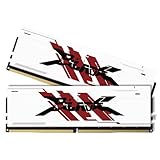

Is 32GB of RAM actually worth it for gaming in 2026? A couple of years ago, the honest answer was “probably not.” Today, the calculus has changed. DDR5 32GB kits have dropped sharply in price — in many cases only $20–$30 more than comparable 16GB kits — while a new generation of AAA titles, always-on background apps, and content-creation workflows are quietly pushing 16GB to its limits.
This guide breaks down the five best 32GB gaming RAM kits available right now, covering DDR5 and DDR4 options, so you can pick the right kit for your budget, platform, and use case.
In a hurry? See the top-rated 32GB Gaming RAM deals available right now:
🛒 Check 32Gb Gaming Ram Prices on Amazon →🛒 Best Price Today on Amazon
Prime members get fast, free shipping on everything above, plus member-only deals. New members get a 30-day free trial — cancel anytime.
Start 30-Day Prime Free Trial →See Today’s Amazon DealsQuick Comparison: Best 32GB Gaming RAM Kits (2026)
| Kit | Speed | Type | Timings | Best For |
|---|---|---|---|---|
| G.Skill Trident Z5 RGB | DDR5-6000 | DDR5 | CL30 | Best Overall |
| Corsair Vengeance DDR5 | DDR5-5600 | DDR5 | CL36 | Best Value DDR5 |
| Kingston Fury Beast | DDR5-6000 | DDR5 | CL36 | Best Budget |
| G.Skill Ripjaws V | DDR4-3600 | DDR4 | CL16 | Best DDR4 |
| TeamGroup T-Force Delta RGB | DDR5-6000 | DDR5 | CL38 | Best RGB |
Do You Actually Need 32GB for Gaming in 2026?
Most competitive titles — CS2, Valorant, Apex Legends — run comfortably on 16GB. Benchmarks consistently show under 2% FPS difference between 16GB and 32GB in pure gaming tests. So if you only game, 16GB is still technically enough.
But “pure gaming” is rarely how people actually use their PCs. Consider what’s running alongside your game:
- Chrome or Edge with 10+ tabs: 2–4 GB gone before you launch anything
- Discord with video: another 300–600 MB
- Streaming via OBS or Streamlabs: 1–3 GB depending on resolution
- Game + streaming + browser open: easily 18–22 GB in active use
Specific titles are also legitimately memory-hungry. Microsoft Flight Simulator 2024 and Arma Reforger routinely allocate 18–24 GB. Warzone with high-res texture packs frequently pushes past 16 GB. Hogwarts Legacy and Star Wars Jedi: Survivor have been documented touching 20 GB in busy scenes.
The broader case for 32GB in 2026 is future-proofing. If you’re building a system meant to last three to four years, 32GB at today’s prices is cheap insurance against a generation of AAA titles that will almost certainly demand more memory than their predecessors.
2x16GB vs. 4x8GB: Which Config Should You Buy?
Always buy a 2x16GB dual-channel kit over 4x8GB. The performance is identical in dual-channel, but a 2x16GB config leaves two DIMM slots free. That means you can upgrade to 64GB later by adding a second 2x16GB kit without throwing away existing RAM. Four-slot configs are full from day one.
DDR5 vs. DDR4 at 32GB: The Price Gap in 2026
DDR4 32GB (DDR4-3600 CL16) can be found around $55–65. DDR5 32GB starts around $79. That $15–20 gap is the smallest it has ever been. If you’re on a DDR5 platform (Intel 12th gen or newer, AMD AM5), there is no longer a compelling reason to reach for DDR4 unless budget is extremely tight. DDR5 brings better power efficiency, higher stock frequencies, and on-die ECC for stability.
JEDEC vs. XMP/EXPO at 32GB
Out of the box, every DDR5 kit ships at JEDEC defaults — typically DDR5-4800 or DDR5-5600. XMP 3.0 (Intel) and EXPO (AMD) profiles are one-click overclocks stored on the SPD chip. At 32GB capacity with 2x16GB kits, XMP/EXPO profiles are generally stable because each rank is not overstressing the memory controller. If you hit instability (rare), drop from DDR5-6000 to DDR5-5600 in BIOS before reducing timings.
The 5 Best 32GB Gaming RAM Kits in 2026
1. G.Skill Trident Z5 RGB DDR5-6000 32GB — Best Overall
Price: ~$129 | ASIN: B09QCC6HNF | Check price on Amazon
The Trident Z5 RGB is the gold standard for enthusiast DDR5 32GB kits. At DDR5-6000 CL30, it sits at the recognized “sweet spot” frequency for both Intel and AMD platforms — fast enough to push real-world performance, tuned tightly enough that latency stays competitive. G.Skill’s Hynix A-die ICs are proven overclockers for those who want to push further manually.
The RGB implementation is among the cleanest in the market: a full-length light bar with smooth gradient effects and no dead zones. The heat spreader profile is medium height (44mm), fitting comfortably under most high-end air coolers.
Specifications
| Spec | Value |
|---|---|
| Capacity | 32GB (2x16GB) |
| Speed | DDR5-6000 |
| Timings | CL30-38-38-96 |
| Voltage | 1.35V |
| XMP/EXPO | XMP 3.0, EXPO |
| Height | 44mm |
Pros
- CL30 at 6000 MHz is best-in-class latency for this speed tier
- Dual XMP 3.0 + EXPO profiles cover Intel and AMD
- Premium RGB with software support (G.Skill Lighting Control, iCUE, ARGB headers)
- Strong overclocking headroom on Hynix A-die
Cons

- Most expensive kit in this guide at ~$129
- RGB software occasionally conflicts with third-party sync tools
Verdict: The definitive choice if you want maximum performance and don’t mind paying a premium. Excellent for Intel 13th/14th gen and AMD AM5 builds alike.
2. Corsair Vengeance DDR5-5600 32GB — Best Value DDR5
Price: ~$89 | ASIN: B09TM9PRQN | Check price on Amazon
Corsair’s Vengeance DDR5 line strips away RGB and aggressive overclocking profiles to deliver a clean, reliable DDR5-5600 kit at a mid-range price. For most gaming rigs, DDR5-5600 is genuinely fast — within 3–5 FPS of DDR5-6000 in typical gaming scenarios, and the CL36 timings at this speed are acceptable.
The low-profile heat spreader (31mm) is the key differentiator for builds using large tower coolers like the Noctua NH-D15 or be quiet! Dark Rock Pro 5. No clearance issues whatsoever. iCUE software support is available for those who want monitoring integration without RGB.
Specifications
| Spec | Value |
|---|---|
| Capacity | 32GB (2x16GB) |
| Speed | DDR5-5600 |
| Timings | CL36-36-36-76 |
| Voltage | 1.25V |
| XMP/EXPO | XMP 3.0, EXPO |
| Height | 31mm (low profile) |
Pros
- $40 cheaper than the Trident Z5 with minimal real-world gaming loss
- Low-profile design fits any cooler configuration
- Rock-solid daily stability out of the box
- Corsair iCUE monitoring integration
Cons
- No RGB — purely utilitarian aesthetic
- CL36 timings are looser than premium kits at this speed
- Limited overclocking headroom compared to Hynix A-die kits
Verdict: The pragmatic pick for builders who want DDR5 reliability without overpaying. A top choice for compact builds or large-cooler setups.
3. Kingston Fury Beast DDR5-6000 32GB — Best Budget
Price: ~$79 | ASIN: B0BK7ZTFQ6 | Check price on Amazon
Kingston’s Fury Beast manages something impressive: DDR5-6000 speeds at a budget price. The CL36 timings are looser than the Trident Z5’s CL30, but the frequency headroom at $79 makes this the most competitive value play in the DDR5 32GB category. Kingston uses a simple low-profile aluminum spreader (34mm) with no RGB — clean and functional.
XMP 3.0 and EXPO support is included. In testing, this kit behaves reliably on both Intel and AMD platforms at its rated profile with no manual tuning required. For a budget gaming build that still wants DDR5-6000, the Fury Beast is the easiest recommendation.
Specifications
| Spec | Value |
|---|---|
| Capacity | 32GB (2x16GB) |
| Speed | DDR5-6000 |
| Timings | CL36-38-38-80 |
| Voltage | 1.35V |
| XMP/EXPO | XMP 3.0, EXPO |
| Height | 34mm |
Pros
- DDR5-6000 at the lowest price in this roundup (~$79)
- Low-profile fits all coolers with no clearance risk
- Reliable XMP/EXPO behavior on AM5 and Intel platforms
- Kingston’s reputation for consistent binning quality
Cons
- CL36-38-38 is the loosest timing set for DDR5-6000 here
- No RGB at all — purely functional appearance
- Overclocking past rated spec is more limited than Hynix A-die alternatives
Verdict: The budget champion. If DDR5-6000 is your speed target and $79 is your ceiling, this kit delivers without compromise on stability.
4. G.Skill Ripjaws V DDR4-3600 32GB — Best DDR4
Price: ~$59 | ASIN: B08267DYJN | Check price on Amazon
DDR4 is a legacy platform in 2026, but that does not mean it’s dead. If you’re on Intel 11th gen, 10th gen, or AMD Ryzen 5000 series (AM4), you cannot use DDR5 at all — and the Ripjaws V DDR4-3600 CL16 remains one of the best 32GB DDR4 kits available.
DDR4-3600 with CL16 timings is the documented performance sweet spot for AMD Ryzen processors on AM4. It synchronizes the memory fabric (FCLK) at 1800 MHz, yielding the best latency-bandwidth trade-off available on that platform. G.Skill’s Samsung B-die on earlier production runs (many still in circulation) offers strong manual overclocking potential.
Specifications
| Spec | Value |
|---|---|
| Capacity | 32GB (2x16GB) |
| Speed | DDR4-3600 |
| Timings | CL16-19-19-39 |
| Voltage | 1.35V |
| XMP/EXPO | XMP 2.0 |
| Height | 42mm |
Pros
- Cheapest kit in this guide at ~$59
- DDR4-3600 CL16 is the Ryzen AM4 sweet spot
- Proven stability across thousands of AM4 builds
- Strong manual overclocking potential on B-die binned units
Cons
- DDR4 only — incompatible with any DDR5 platform
- No EXPO support (AMD uses XMP 2.0 on AM4 anyway, so no practical issue)
- Lower bandwidth ceiling than DDR5 kits
- No RGB
Verdict: The definitive 32GB RAM upgrade if you’re on an AM4 or older Intel platform. No DDR5 build should consider this — but for legacy platforms it remains unmatched value.
5. TeamGroup T-Force Delta RGB DDR5-6000 32GB — Best RGB
Price: ~$99 | ASIN: B0BHJKLXBC | Check price on Amazon
TeamGroup’s T-Force Delta RGB delivers the most visually striking light show in this guide. The full-mirror-top diffuser with addressable RGB zones creates a 270-degree illuminated effect that genuinely transforms an open-case build. At DDR5-6000 CL38, the timings are the loosest here, but for a build where aesthetics are part of the point, the trade-off is deliberate.
T-Force software supports ASUS Aura Sync, Gigabyte RGB Fusion, MSI Mystic Light, and ASRock Polychrome, making this the most compatible kit for motherboard RGB ecosystem synchronization. Performance sits between the budget Kingston and the value Corsair — adequate for gaming, strong for the visual category.
Specifications
| Spec | Value |
|---|---|
| Capacity | 32GB (2x16GB) |
| Speed | DDR5-6000 |
| Timings | CL38-38-38-78 |
| Voltage | 1.35V |
| XMP/EXPO | XMP 3.0, EXPO |
| Height | 44mm |
Pros
- Best RGB implementation in this roundup — full mirror-diffuser design
- Broadest motherboard RGB sync ecosystem compatibility
- DDR5-6000 speed with dual XMP/EXPO profiles
- Competitive pricing at ~$99 for a premium-looking kit
Cons
- CL38 is the loosest timing set across all five kits — weakest raw latency
- 44mm height may cause clearance issues with large tower coolers
- T-Force software is less polished than Corsair iCUE or G.Skill Lighting Control
Verdict: The clear pick for showcase builds and open-case rigs where visual impact matters. If you’re running AIO liquid cooling with no height constraints, the RGB payoff is worth the looser timings.
How to Choose: Buyer’s Decision Tree
On DDR5 platform, budget-first: Kingston Fury Beast (~$79)

On DDR5 platform, value-balanced: Corsair Vengeance DDR5 (~$89)
On DDR5 platform, best performance: G.Skill Trident Z5 RGB (~$129)
On DDR5 platform, best looking: TeamGroup T-Force Delta RGB (~$99)
On DDR4 platform (AM4/older Intel): G.Skill Ripjaws V DDR4-3600 (~$59)
FAQ
Does 32GB RAM improve gaming FPS?
In most titles, the FPS difference between 16GB and 32GB is 1–3% — effectively zero. The real benefit is system stability and responsiveness when gaming alongside other applications. If you run Discord, a browser, OBS, or Spotify while gaming, 32GB prevents the stuttering and background tab crashes that happen when 16GB runs out of headroom.
What RAM speed is best for gaming in 2026?
For DDR5, DDR5-6000 is the widely recognized sweet spot for both Intel (12th gen and newer) and AMD AM5 platforms. It hits the memory controller’s comfortable ceiling without requiring aggressive voltage or manual tuning. DDR5-7200+ can offer marginal gains for memory-bandwidth-sensitive tasks but risks instability and costs significantly more. For DDR4 on AM4, DDR4-3600 CL16 remains the established optimum.
Should I enable XMP or EXPO on my 32GB kit?
Yes, always enable XMP (Intel) or EXPO (AMD) in BIOS. Without it, your DDR5-6000 kit runs at JEDEC defaults — typically DDR5-4800 or DDR5-5600 — regardless of what’s printed on the label. XMP/EXPO is a validated overclock profile pre-tested by the manufacturer. On 2x16GB kits, it is almost universally stable and adds zero cost.
Is DDR5 worth it over DDR4 for a 32GB gaming build in 2026?
If your platform supports DDR5, yes. The price gap at 32GB capacity has narrowed to $15–25. DDR5 offers higher bandwidth (meaningful in CPU-bound scenarios and content creation), better power efficiency, on-die ECC for error correction, and longer platform longevity. DDR4 remains the right choice only if you’re upgrading an existing AM4 or older Intel system that cannot use DDR5.
Final Comparison and Verdict
| Kit | Speed | Timings | RGB | Low Profile | Best For |
|---|---|---|---|---|---|
| G.Skill Trident Z5 RGB | DDR5-6000 | CL30 | Yes | No | Max performance |
| Corsair Vengeance DDR5 | DDR5-5600 | CL36 | No | Yes | Value + clearance |
| Kingston Fury Beast | DDR5-6000 | CL36 | No | Yes | Budget DDR5-6000 |
| G.Skill Ripjaws V | DDR4-3600 | CL16 | No | No | DDR4 platform |
| TeamGroup T-Force Delta RGB | DDR5-6000 | CL38 | Yes | No | Showcase builds |
Our top pick remains the G.Skill Trident Z5 RGB DDR5-6000. It combines the tightest timings (CL30) at the 6000 MHz sweet spot with broad platform support and a premium aesthetic. For most builders who want the best balance of performance, compatibility, and style, it is simply the complete package.
For budget builders, the Kingston Fury Beast gets you to DDR5-6000 for $79 — a remarkable value proposition in 2026.
For DDR4 platform owners, the Ripjaws V DDR4-3600 CL16 at $59 is still the definitive answer.
Whichever kit you choose, enabling XMP or EXPO in your BIOS is the single most important step after installation. It is free, takes 30 seconds, and is the difference between JEDEC mediocrity and the speed you paid for.
Related Articles
Looking for more on this topic? Browse the hand-picked guides below — each one applies the same scoring rubric used in this review.
Frequently Asked Questions
Is 32GB overkill for gaming in 2026?
No, it has become the sensible standard. While most games use 12GB to 16GB themselves, running a browser, Discord, a launcher, and recording software alongside them regularly pushes total usage past 20GB. 32GB removes the stutter that occurs when Windows starts paging memory to the SSD.
Should I buy 2x16GB or 4x8GB?
Always 2x16GB. Two sticks put less strain on the memory controller, allowing higher stable speeds, and leave two slots free for a future upgrade to 64GB. Four-stick configurations on DDR5 in particular often refuse to run at their rated speed without manual voltage and timing tuning.
What speed and timings should I target?
On DDR5 aim for 6000MT/s with CL30 timings, which is the efficiency sweet spot for AMD Ryzen and performs excellently on Intel too. On DDR4 systems, 3600MT/s CL16 remains the value target. Remember to enable EXPO or XMP in BIOS, otherwise the kit runs at slow default speeds.
Can I mix my existing 16GB with a new 16GB kit?
It sometimes works but frequently will not train at rated speed, since sticks from different production batches have different ICs and timing characteristics. Buying a matched 32GB kit tested as a pair is far more reliable. If you must mix, expect to run at the slower module speed.
Does 32GB help with streaming and content creation?
Considerably. OBS encoding, browser sources, video editing timelines, and virtual machines all consume memory independently of the game. Streamers running a single-PC setup are among the clearest beneficiaries, as the capacity prevents dropped frames caused by memory pressure during long broadcasts.