

- Top Pick: CORSAIR Vengeance LPX DDR4 RAM 32GB (2x16GB) Up to 3200MHz CL16-20-20-38 1.35V Intel XMP AMD EXPO Computer Memory – Black (CMK32GX4M2E3200C16)
- Best Value: G.SKILL RipjawsV Series DDR4 RAM (XMP) 16GB (2x8GB) Up to 3200MT/s* CL16-18-18-38 1.35V Intel AMD Desktop Computer Memory U-DIMM – Black (F4-3200C16D-16GVKB)
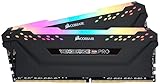
- Premium Choice: CORSAIR Vengeance RGB PRO DDR4 RAM 32GB (2x16GB) 3200MHz CL16-20-20-38 1.35V Intel AMD Desktop Computer Memory – Black (CMW16GX4M2C3200C16)
Affiliate disclosure: As an Amazon Associate we earn from qualifying purchases. This post contains affiliate links — if you buy through them we may earn a small commission at no extra cost to you. This never affects our recommendations.
As an Amazon Associate we earn from qualifying purchases at no extra cost to you.





Title: Best DDR4 Gaming RAM in 2026: Top 5 Picks for Every Budget
In a hurry? See the top-rated DDR4 Gaming RAM deals available right now:
🛒 Check Ddr4 Gaming Ram Prices on Amazon →🛒 Best Price Today on Amazon
Prime members get fast, free shipping on everything above, plus member-only deals. New members get a 30-day free trial — cancel anytime.
Start 30-Day Prime Free Trial →See Today’s Amazon DealsDDR4 Is Still Very Much Alive in 2026
DDR5 has been on the market for several years now, but DDR4 remains the dominant standard for a huge slice of active gaming rigs. Intel’s 12th and 13th gen (Alder Lake, Raptor Lake) platforms still support DDR4, and AMD’s AM4 socket — home to the Ryzen 5000 series — is still selling in massive numbers thanks to its excellent price-to-performance ratio. If you’re on either of these platforms, DDR4 is not a compromise. It is the right choice.
The math is straightforward: a DDR4 AM4 build typically costs $150–$250 less than an equivalent DDR5 AM5 build once you factor in the motherboard and CPU premium. For gamers who already own an AM4 or LGA 1700 system, upgrading RAM is one of the fastest, cheapest performance boosts available.
That said, not all DDR4 is equal. The difference between a poorly-configured DDR4-2133 kit running at JEDEC defaults and a properly-tuned DDR4-3600 CL16 kit can translate to 10–20% better 1% lows in CPU-bound games. Getting the speed and timings right matters.
This guide covers the five best DDR4 gaming RAM kits available in 2026, covering everything from budget picks to extreme overclocking sets. We also break down the key specs you need to understand before buying.
Quick Comparison: Top DDR4 Gaming RAM Kits
| Kit | Speed | Timings | RGB | Height | Price (32GB) |
|---|---|---|---|---|---|
| G.Skill Trident Z RGB | DDR4-3600 | CL16-19-19-39 | Yes | 44mm | ~$85 |
| Corsair Vengeance RGB Pro | DDR4-3600 | CL18-22-22-42 | Yes | 51mm | ~$80 |
| Kingston Fury Beast | DDR4-3200 | CL16-18-18-36 | Optional | 34mm | ~$60 |
| Crucial Ballistix Max | DDR4-4400 | CL19-19-19-43 | No | 40mm | ~$110 |
| TeamGroup T-Force Vulcan | DDR4-3200 | CL16-18-18-36 | No | 37mm | ~$55 |
Prices reflect 2x16GB kits at time of writing. Street prices fluctuate.
The 5 Best DDR4 Gaming RAM Kits in 2026
G.Skill Trident Z RGB DDR4-3600
G.Skill Trident Z RGB on Amazon
The Trident Z RGB is the benchmark that every other DDR4 kit gets measured against. It has held a top position in gaming RAM rankings for years, and the reason is simple: the combination of DDR4-3600 speed with CL16 primary timings hits the sweet spot for AMD Ryzen 5000 almost perfectly.
Key Specs
- Speed: DDR4-3600
- Timings: CL16-19-19-39
- Voltage: 1.35V
- XMP Version: XMP 2.0
- RGB: Yes (addressable, syncs with Asus Aura, MSI Mystic Light, Gigabyte RGB Fusion)
- Capacity options: 16GB (2x8GB), 32GB (2x16GB), 64GB (2x32GB)
Pros & Cons
Pros:

- Best-in-class latency for the speed tier — CL16 at 3600 is hard to beat without paying 2x the price
- Excellent QVL (Qualified Vendor List) coverage across AM4 and LGA 1700 boards
- Samsung B-die variants (confirm via seller listing) offer outstanding manual OC ceiling
- Tight, premium build quality; heat spreader dissipates well under sustained load
Cons:
- 44mm height can conflict with large air coolers (Noctua NH-D15, be quiet! Dark Rock Pro)
- RGB adds ~$10 premium over non-RGB equivalent
- Slightly pricier than Corsair’s competing 3600 CL18 kits
Who It’s For
Anyone on AMD Ryzen 5000 (AM4) who wants the single best DDR4 kit without overcomplicating the decision. DDR4-3600 CL16 is the documented sweet spot for Ryzen’s Infinity Fabric, which runs at half the memory clock — meaning 3600 = 1800MHz FCLK, the highest stable 1:1 ratio for most Zen 3 chips. This is the kit to buy and forget.
Corsair Vengeance RGB Pro DDR4-3600
Corsair Vengeance RGB Pro on Amazon
Corsair’s Vengeance RGB Pro line is the most widely-sold DDR4 kit in the world, and for good reason. It offers broad motherboard compatibility, reliable XMP performance, and some of the most polished RGB lighting on any RAM kit.
Key Specs
- Speed: DDR4-3600
- Timings: CL18-22-22-42
- Voltage: 1.35V
- XMP Version: XMP 2.0
- RGB: Yes (iCUE software; syncs with all major RGB ecosystems)
- Capacity options: 16GB (2x8GB), 32GB (2x16GB), 64GB (2x32GB)
Pros & Cons
Pros:
- Exceptionally wide compatibility — Corsair’s QVL testing is among the most thorough in the industry
- iCUE software gives granular per-LED control and fan/temp sync in Corsair builds
- DDR4-3600 still delivers Ryzen 5000 benefits even at CL18; real-world fps delta vs CL16 is under 3% in most games
- Frequently on sale; strong value at $75–85 for 32GB
Cons:
- CL18 primary timings lag behind G.Skill’s CL16 at the same speed — not a meaningful gaming difference for most, but measurable in benchmarks
- 51mm height is the tallest kit on this list — check clearance before buying
- iCUE software is resource-heavy; some users disable it entirely after initial setup
Who It’s For
Corsair ecosystem builders and anyone who values plug-and-play reliability above all else. If you’re running an all-Corsair cooling/lighting setup and want everything managed through one app, this is the natural choice. Also ideal for Intel 12th/13th gen (LGA 1700) builds where DDR4-3200 is the official JEDEC sweet spot — running at 3600 gives a modest free boost over spec.
Kingston Fury Beast DDR4-3200
Kingston Fury Beast DDR4-3200 on Amazon
Kingston rebranded its HyperX line to Fury, and the Beast is the result: a no-nonsense, aggressively priced DDR4-3200 kit aimed squarely at value-focused builders. It is the best budget DDR4 option in 2026 by a clear margin.
Key Specs
- Speed: DDR4-3200
- Timings: CL16-18-18-36
- Voltage: 1.35V
- XMP Version: XMP 2.0 / Intel XMP
- RGB: Optional (separate SKU)
- Height: 34mm (low-profile friendly)
- Capacity options: 8GB to 64GB kits
Pros & Cons
Pros:
- 34mm low-profile height — clears virtually every air cooler on the market, including massive dual-tower designs
- DDR4-3200 CL16 is the official sweet spot for Intel 12th/13th gen; you get spec-compliant performance for less
- Extremely competitive pricing — often available for $50–60 for 32GB
- Strong overclocking results reported at DDR4-3600 with manual tuning on quality boards
Cons:
- DDR4-3200 is suboptimal for Ryzen 5000 — FCLK runs at 1600MHz instead of 1800MHz, leaving ~5–8% performance on the table vs a 3600 kit
- No built-in RGB on the standard SKU (RGB version costs $10 more and adds height)
- Fewer Micron E-die and Samsung B-die variants than G.Skill; OC ceiling is less predictable
Who It’s For
Intel 12th/13th gen builders on a budget, and anyone prioritizing cooler clearance. For Raptor Lake systems, DDR4-3200 XMP is plug-and-play perfect. The low profile is also ideal for mITX and mATX builds where slim clearance is non-negotiable.
Crucial Ballistix Max DDR4-4400
Crucial Ballistix Max DDR4-4400 on Amazon
The Ballistix Max is an outlier on this list — a specialist kit aimed at competitive overclockers, memory benchmarkers, and enthusiasts who want to push DDR4 to its absolute ceiling. It uses Micron E-die, one of the best-scaling DRAM chips available for DDR4, and ships rated at DDR4-4400 out of the box.
Key Specs
- Speed: DDR4-4400
- Timings: CL19-19-19-43
- Voltage: 1.40V
- XMP Version: XMP 2.0
- RGB: No (black heat spreader only)
- Capacity options: 32GB (2x16GB) — limited availability at 64GB
Pros & Cons
Pros:
- Highest rated XMP speed on this list — DDR4-4400 pushes memory bandwidth to the DDR4 ceiling
- Micron E-die scales well with voltage; verified records well above 5000MHz with liquid nitrogen cooling
- No RGB = slightly lower thermals and no software dependency
- Meaningful performance uplift in memory-bandwidth-sensitive workloads: 3D rendering, video encoding, competitive emulation
Cons:
- DDR4-4400 requires a Z-series Intel board or a strong AM4 board — B-series boards often top out at 3600–3800
- Higher CL19 relative to speed; absolute latency (ns) is similar to a well-tuned 3600 CL16 kit
- Crucial discontinued new production — stock is from remaining inventory; prices have risen slightly as supply tightens
- Overkill for pure gaming — fps difference vs DDR4-3600 CL16 in gaming is typically under 2%
Who It’s For
Overclockers, content creators who render or encode on the same machine, and enthusiasts who want to extract every last megabyte of bandwidth from a DDR4 platform before migrating to DDR5. Not recommended as a gaming-only purchase unless the budget is wide open and you want a conversation piece.
TeamGroup T-Force Vulcan DDR4-3200
TeamGroup T-Force Vulcan DDR4-3200 on Amazon
TeamGroup’s T-Force Vulcan is the dark-horse pick of this list. It regularly undercuts competitors by $10–15 while delivering comparable real-world performance. If you want a no-frills DDR4-3200 kit and don’t care about RGB, this is where to start.
Key Specs
- Speed: DDR4-3200
- Timings: CL16-18-18-36
- Voltage: 1.35V
- XMP Version: XMP 2.0
- RGB: No (matte black heat spreader)
- Height: 37mm
- Capacity options: 8GB to 64GB
Pros & Cons
Pros:

- Lowest price per GB on this list — often $50–55 for 32GB
- Respectable CL16-18-18-36 timings are identical to the Kingston Fury Beast at the same speed
- Compact 37mm height clears most air coolers
- TeamGroup’s quality control has improved significantly; DOA rates are on par with Corsair and Kingston now
- Available in 2x8GB and 2x16GB configurations, making dual-channel setup easy at any budget
Cons:
- Less recognized brand = some hesitation on warranty claims (TeamGroup does honor lifetime warranty, but RMA process is slower than Corsair or Kingston)
- XMP compatibility on older B350/X370 AM4 boards can be inconsistent — update BIOS before enabling XMP
- No RGB option in the base line; T-Force Vulcan Z RGB is a separate, pricier SKU
Who It’s For
Budget-first builders on Intel 12th/13th gen, and anyone building a secondary workstation or HTPC that needs reliable DDR4-3200 without paying a brand premium. For pure gaming on a tight budget, the T-Force Vulcan delivers the same functional result as the Kingston Fury Beast for less money.
Buyer’s Guide: What to Know Before You Buy
XMP Profiles: DDR4-2133 to DDR4-4400
Every DDR4 stick ships with a JEDEC default speed — typically DDR4-2133 or DDR4-2400. To run at the advertised speed (e.g., 3600 or 3200), you must enable XMP 2.0 (Intel terminology) or EXPO (AMD’s equivalent introduced with Ryzen 7000, but many AM4 boards also label their XMP profiles as EXPO for clarity) in your BIOS. This is a one-click toggle. Without it, you are leaving performance on the table every single day.
Enable XMP in BIOS → save → reboot → verify in CPU-Z or Task Manager → done.
DDR4 Sweet Spots by Platform
- AMD Ryzen 5000 (AM4): Target DDR4-3600 CL16. The Infinity Fabric runs at half the memory clock. At 3600, FCLK = 1800MHz — the highest most Zen 3 chips sustain in 1:1 coupled mode. Going above 3800 forces a 2:1 decoupled ratio that increases latency despite the raw bandwidth gain. DDR4-3600 CL16 is not a recommendation — it is the engineering-defined optimal.
- Intel 12th/13th Gen (LGA 1700): Target DDR4-3200 CL16. Intel’s memory controller handles higher speeds gracefully, but 3200 is the highest JEDEC-standard speed, meaning XMP 3200 is the lowest-risk, full-compatibility configuration. DDR4-3600 runs fine on most Z690/Z790 boards and gives a small free uplift. B660/B760 boards are capped at DDR4-4800 DDR5 or DDR4-3200 depending on SKU — confirm your board spec.
Dual Channel: 2x16GB vs 4x8GB
2x16GB is the correct configuration for most builders in 2026. It leaves two DIMM slots free for a future upgrade to 64GB (add another 2x16GB), and dual-channel 2-DIMM configurations have the fewest compatibility issues with XMP at high speeds.
4x8GB fills all slots, which can force the memory controller into a more conservative speed tier on some AM4 boards — particularly noticeable above DDR4-3600. If you run 4 DIMMs and XMP fails to post, your board is scaling back the frequency for stability. 4x8GB is best if you need 32GB now with no upgrade path.
DDR4 vs DDR5 in 2026: When to Upgrade vs When to Stay
- Stay on DDR4 if: You’re on AM4 or LGA 1700, your current system is less than 3 years old, and you game at 1440p or higher (where GPU becomes the bottleneck)
- Move to DDR5 if: You’re buying a new platform (AM5 / Intel 14th/15th gen), doing heavy multi-threaded workloads (streaming, encoding, compilation), or building fresh with a 3+ year horizon
For existing DDR4 builders, upgrading from DDR4-2133 to DDR4-3600 CL16 will yield more gaming performance improvement than moving from DDR4-3600 CL16 to DDR5-6000 — at one-third of the total platform cost.
Verdict: Which DDR4 Kit Should You Buy?
- Best overall (AMD Ryzen 5000): G.Skill Trident Z RGB DDR4-3600 CL16 — no other kit hits this combination of speed, latency, and ecosystem support
- Best for Intel 12th/13th gen: Kingston Fury Beast DDR4-3200 CL16 — spec-perfect, budget-friendly, low profile
- Best value overall: TeamGroup T-Force Vulcan DDR4-3200 CL16 — lowest price on this list, zero performance compromise for its target platform
- Best RGB showcase: Corsair Vengeance RGB Pro DDR4-3600 — widest ecosystem sync, most polished lighting
- Best for overclockers: Crucial Ballistix Max DDR4-4400 — the DDR4 ceiling in a consumer kit
DDR4 still has years of viable service life in gaming PCs. Buy the right kit for your platform, enable XMP, and put the money you save over a DDR5 upgrade toward a better GPU. That is where the frames actually come from.
Frequently Asked Questions
Is DDR4 still good for gaming in 2026?
Yes. DDR4 remains very capable for gaming, and the real-world FPS gap versus DDR5 is small in most titles. It is a smart, budget-friendly choice on AM4 and DDR4 LGA1700 boards.
What DDR4 speed is best for gaming?
DDR4-3200 to DDR4-3600 with CL16 timings is the sweet spot. Ryzen chips especially favor 3600MHz; faster kits add cost with diminishing returns.
How much DDR4 RAM do I need?
16GB is the practical minimum and 32GB gives comfortable headroom for modern games and multitasking. Always buy a dual-channel matched kit for best performance.
Can I use DDR4 in a new build?
Only on motherboards that specifically support DDR4, which includes many AM4 boards and some LGA1700 boards. Newer AM5 platforms are DDR5-only, so check before buying.
Related Articles
Looking for more on this topic? Browse the hand-picked guides below — each one applies the same scoring rubric used in this review.
Ready to decide? Our #1 pick for 2026 is the Kit.
Live price & availability on Amazon.


