

- Top Pick: TP-Link AV1000 Powerline Ethernet Adapter+AX1500 Wi-Fi 6 WiFi Extender KIT | AV1000 Powerline Network Adapter&AX1500 Dual-Band Extender, Gigabit Port, EasyMesh, Plug & Play, TL-WPA7817 KIT
- Best Value: TP-Link AV1000 Powerline Ethernet Adapter WiFi Extender Kit, Passthrough | Includes AV1000 Powerline Adapter and AC1200 Dual Band Extender, Gigabit Port, OneMesh, Plug Pair & Play (TL-WPA7617 KIT)
- Premium Choice: TP-Link AV1300 Powerline Ethernet Adapter WiFi Extender KIT- Passthrough | AV1300 Powerline Adapter and AC1200 Dual Band Extender, 2×2 MIMO,3 Gigabit Ports, Plug & Play, TL-WPA8631P KIT
Standard Wi-Fi extenders repeat a weak signal and lose a chunk of speed doing it. A powerline Wi-Fi extender takes a different route: one adapter plugs into a socket near the router and sends the network through your home wiring, while a second unit in a far room turns that connection back into Ethernet ports and a fresh Wi-Fi signal. The decision behind this keyword is whether your house is a good candidate for that trick, and which kit matches the Wi-Fi standard your devices actually speak.
This guide is for people with a dead zone in a back bedroom, a garage office, a gaming corner or a thick-walled house where a wireless-only repeater would struggle. Three plain wall-plug Wi-Fi range extenders from the original shortlist were removed, since they have no powerline function at all. What remains are six true powerline products from TP-Link and Tenda. Their specs below come from the listing titles, and in 2026 the Wi-Fi generation and the port count deserve more of your attention than the headline powerline number.
Quick Picks
As an Amazon Associate we earn from qualifying purchases at no extra cost to you.


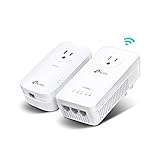


| Product | Best for | Key spec taken from the title |
|---|---|---|
| TP-Link TL-WPA7817 KIT | Newer Wi-Fi 6 devices | AV1000 powerline, AX1500 Wi-Fi 6, EasyMesh |
| TP-Link TL-WPA7617 KIT | Balanced home upgrade | AV1000 powerline, AC1200 dual band, OneMesh |
| TP-Link TL-WPA8631P KIT | Wired gaming and TV clusters | AV1300, AC1200, 3 gigabit ports, passthrough |
| Tenda PH10 | Entry-level streaming | AV1000, AC650 dual band, gigabit ports |
| TP-Link TL-WPA7617 Add-On | Extending an existing kit | AC1200 dual band, gigabit port, add-on unit |
| TP-Link TL-WPA4220 KIT | Simple, power-saving setups | AV600, wired and Wi-Fi expansion |
How to Choose
Powerline speed class
The AV number (AV600, AV1000, AV1300) is a theoretical ceiling shared across the wiring, not the speed you will see in the room. Higher classes give more headroom in homes with good wiring, and lower ones are usually fine for browsing and HD video. Pick AV1000 or above if you stream in 4K or play online, and treat AV600 as a basic option for light use. Real-world speed is usually well below the label, so do not buy a bigger number just to hit your internet plan exactly. A household with a modest internet plan gains little from the top powerline class, while a fast fiber line may be held back by the older ones.
Wi-Fi standard and bands
AC1200 dual band means a 2.4GHz and a 5GHz radio, and it covers most phones and laptops from the last several years. AX1500 adds Wi-Fi 6, which helps in crowded apartments with many devices. AC650, as on the Tenda, splits a smaller total across both bands, so it suits lighter households. Match the standard to the devices that will connect rather than buying the biggest number on the box. See whether your router is a TP-Link model too, because OneMesh and EasyMesh features only help when the router supports them.
Ports and passthrough
A gigabit Ethernet port on the remote unit lets you wire a console, TV or desktop for stable performance, and wired devices are the biggest winners with powerline. The TL-WPA8631P lists three gigabit ports, handy for a media cabinet. Passthrough means the adapter has its own socket on the front, so it does not waste a wall outlet, which matters behind a TV where sockets are already scarce. Without it, you may be tempted to use a power strip, which hurts the signal.
Wiring limits and where budget kits cut corners
Powerline works best when both adapters share the same electrical circuit, and results vary with wiring age, distance and household electrical noise. Plug directly into the wall, never into a surge protector or an extension cord with filtering. Lower-tier kits tend to use older Wi-Fi radios, and the AV figure is the first thing a seller advertises, so read the Wi-Fi spec as well. If your home spans several electrical panels, a mesh system may serve you better, and no listing can promise otherwise.
The 6 Best Options
TP-Link TL-WPA7817 KIT
This is the only kit here with Wi-Fi 6. It pairs an AV1000 powerline adapter with an AX1500 dual-band extender, adds a gigabit port and EasyMesh support, and uses plug and play setup. It fits households that already own newer phones, laptops or tablets and want the remote room to use the same standard as the router.
- Strength: Wi-Fi 6 radio in the remote unit
- Strength: EasyMesh support for joining a compatible network
- Trade-off: the powerline class matches the AV1000 kits, so the upgrade is in the Wi-Fi, not the wire speed
Skip it if your devices are older and a Wi-Fi 5 kit would cover them just as well. Buyers on a tight plan should also weigh whether the newer radio will actually be used before paying for it.
TP-Link TL-WPA7617 KIT
A broadly suited middle option: an AV1000 powerline adapter and an AC1200 dual band extender, with a gigabit port, passthrough, OneMesh and a plug-pair-and-play setup. The title spells out passthrough, so the front socket stays usable for a lamp or a charger, and OneMesh lets it join a compatible TP-Link router as one network.
- Strength: passthrough socket keeps the outlet usable
- Strength: OneMesh support for compatible TP-Link routers
- Trade-off: Wi-Fi 5 rather than Wi-Fi 6
Skip it if you need more than one wired port at the remote end, since only one gigabit port is listed. A small Ethernet switch can add ports, but it is one more box to power.
TP-Link TL-WPA8631P KIT
The most wired-friendly kit, with AV1300 powerline, an AC1200 dual band extender, 2×2 MIMO, three gigabit ports and passthrough. It suits an entertainment center where a TV, a console and a streaming box all need cables, and the higher AV class gives a bit more headroom than the 1000 kits.
- Strength: three gigabit ports at the remote adapter
- Strength: AV1300 class with 2×2 MIMO listed
- Trade-off: it still uses Wi-Fi 5 rather than the newer standard
Skip it if you only have a single device to connect; a simpler kit does the same job with less bulk, and you will not use the extra ports.
Tenda PH10
The Tenda combines AV1000 powerline with gigabit ports and AC650 dual band Wi-Fi, and its title points at HD, 3D and 4K streaming and gaming. It is a straightforward plug-and-play kit for lighter households that want a wired link in a spare room and some wireless coverage on top. Among the kits it is the one that leans hardest on simplicity, with no mesh branding and no extras to configure.
- Strength: gigabit ports with an AV1000 powerline link
- Strength: plug and play with no setup software
- Trade-off: AC650 Wi-Fi is modest for crowded networks
Skip it if many wireless devices will share the remote signal, or if you want mesh features such as OneMesh. The listing does not mention roaming support, so moving between rooms may need a manual switch.
TP-Link TL-WPA7617 Add-On Unit
This listing is a single add-on unit, not a pair: AC1200 dual band, a gigabit port, passthrough, OneMesh and Ethernet over power. It pairs with an existing compatible powerline adapter and adds one more room, which makes it useful when you already own a kit and a third location needs coverage.
- Strength: expands a current powerline network
- Strength: dual band Wi-Fi with a gigabit port and passthrough
- Trade-off: it does nothing alone, because it needs a base adapter
Skip it if you do not already own a compatible adapter, since you would need to buy a full kit instead. Confirm the model family of your current adapter before adding this one.
TP-Link TL-WPA4220 KIT
The entry-level, older design: AV600 powerline, plug and play, power saving, and expanded wired and Wi-Fi connections. It suits a simple extension for a guest bedroom, a hobby room or a small office where heavy streaming is not on the agenda, and the power saving feature appeals to people who leave devices plugged in all day.
- Strength: power saving feature listed in the title
- Strength: expands both wired and Wi-Fi connections
- Trade-off: AV600 is the lowest class here
Skip it if you stream 4K video, play competitive games, or want modern Wi-Fi speed. It is also the oldest design here, so treat it as a stopgap rather than a long-term upgrade.
Which One Fits Your Situation
You have newer phones and laptops
Choose the TL-WPA7817 KIT, especially if your router already speaks Wi-Fi 6. It is the only kit with a Wi-Fi 6 extender, so recent devices in the remote room can use the standard they were built for.
You want a stable wired gaming corner
The TL-WPA8631P KIT has three gigabit ports, so a console, a PC and a TV can all connect with cables. Wired play avoids the wireless lag that frustrates online matches, and the passthrough socket means the kit does not eat into your outlet count behind the TV stand.
You already have a powerline adapter
The TL-WPA7617 Add-On Unit pairs with it and extends coverage to another room, saving you from buying a second full set.
You need basic coverage for light use
Think of a spare room used for email, browsing and the occasional video call.
The Tenda PH10 or TL-WPA4220 KIT works for browsing and HD video in a spare room. Pick the Tenda for gigabit ports and the TP-Link for the power saving mode. Neither is the right choice for a large family streaming on many devices at once.
Common Mistakes
- Plugging adapters into surge protectors or extension cords instead of straight into the wall.
- Buying a single add-on unit and expecting it to work without a base adapter.
- Focusing on the AV number while ignoring the Wi-Fi standard and port count.
- Expecting results across separate electrical circuits or panels without trying first, or leaving the return window unused while you try the kit in its final location.
- Mixing brands or product families, since powerline units generally pair within the same standard and family.
Related guides
- Aio Liquid Coolers For High Performance Gaming
- How To Lower Input Delay In Competitive Shooters
- Wireless Gaming Headsets Under 100 For Pc
Frequently Asked Questions
Does powerline work in every home?
No. Wiring age, distance and electrical noise all matter, so results vary from house to house. A mesh system can be the better route if wiring is a problem.
Is a powerline extender better than a plain Wi-Fi extender?
Often, yes, because the backbone runs through wiring rather than repeating a wireless signal. Ethernet ports on the remote unit also help wired devices such as consoles and desktops, which a plain repeater cannot offer. The trade is that powerline depends on your wiring, while a repeater depends only on a good signal at its location.
Do I need two units?
A kit includes the pair, one for the router and one for the remote room. A single add-on unit needs an existing compatible adapter at the router.
Can I plug these into a power strip?
It is best to use a wall socket. Power strips and surge protectors can filter the signal and reduce speed. Passthrough models let you keep the outlet free for another device.















